
1. Introduction
Thank you for choosing the Cecotec MultiCut 500 Vision Liberty Cordless Jigsaw. This manual provides essential information for the safe and efficient operation, maintenance, and troubleshooting of your new tool. Please read it thoroughly before use and keep it for future reference.
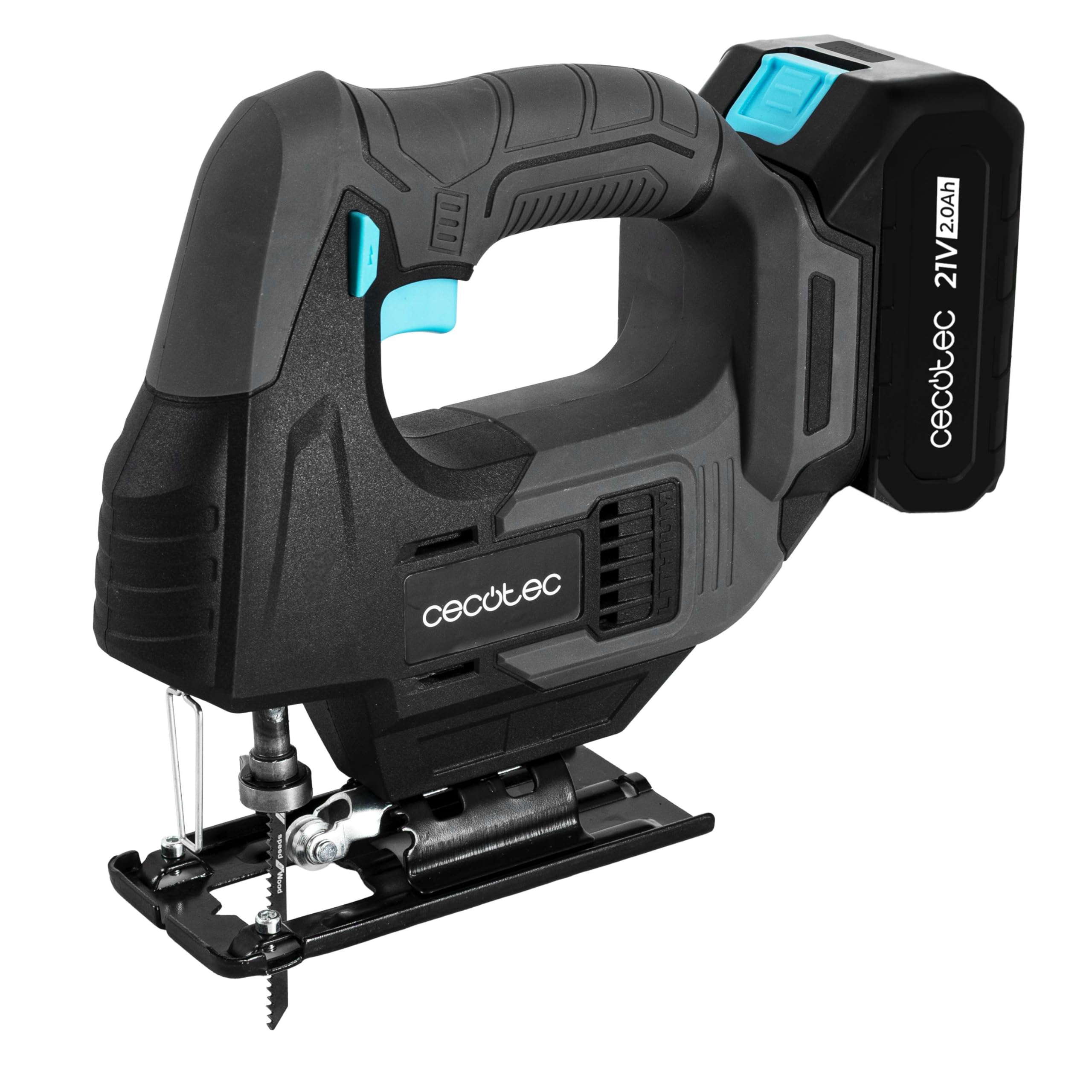
Figure 1: Cecotec MultiCut 500 Vision Liberty Cordless Jigsaw.
2. General Safety Instructions
Always follow basic safety precautions to reduce the risk of fire, electric shock, and personal injury. Keep this manual handy for quick reference.
- Work Area Safety: Keep your work area clean and well-lit. Cluttered or dark areas invite accidents. Do not operate power tools in explosive atmospheres, such as in the presence of flammable liquids, gases, or dust.
- Electrical Safety: Avoid body contact with earthed or grounded surfaces. Do not expose power tools to rain or wet conditions.
- Personal Safety: Always wear eye protection. Use hearing protection when operating noisy tools. Dress properly; avoid loose clothing or jewelry. Secure long hair.
- Tool Use and Care: Do not force the power tool. Use the correct power tool for your application. Disconnect the plug from the power source and/or the battery pack from the power tool before making any adjustments, changing accessories, or storing power tools.
- Battery Tool Use and Care: Recharge only with the charger specified by the manufacturer. Use power tools only with specifically designated battery packs.
3. Components Included
Your Cecotec MultiCut 500 Vision Liberty Cordless Jigsaw package includes the following items:
- 1 x Cecotec MultiCut 500 Vision Liberty Cordless Jigsaw
- 1 x NEX21V 2Ah Battery
- 8 x Saw Blades (6 for wood, 2 for metal)
- 1 x Guide Rule
- 1 x Carrying Case
- 1 x Instruction Manual

Figure 2: Included components: Jigsaw, battery, blades, guide rule, and case.
4. Setup
4.1. Battery Installation
- Ensure the jigsaw is turned off.
- Align the battery pack with the battery port on the jigsaw.
- Slide the battery into the port until it clicks securely into place.
- To remove, press the battery release button and slide the battery out.

Figure 3: Attaching the NEX21V battery to the jigsaw.
4.2. Blade Installation (Keyless)
- Ensure the jigsaw is turned off and the battery is removed.
- Locate the keyless blade change mechanism.
- Push the blade clamp lever to open the clamp.
- Insert the desired saw blade into the blade holder with the teeth facing forward.
- Release the clamp lever to secure the blade. Gently pull on the blade to ensure it is firmly seated.

Figure 4: Inserting a saw blade using the keyless mechanism.
Video 1: Demonstrates tool-less blade installation and various cutting techniques with the SEESII Cordless Jigsaw for Curved Cuts.
5. Operating Instructions
5.1. Powering On/Off
To start the jigsaw, press the trigger switch. To stop, release the trigger. Some models may have a lock-on button for continuous operation.
5.2. Speed Control
The jigsaw features variable speed control (0-2400 RPM) to match the cutting speed to the material. Adjust the speed dial or trigger pressure for optimal results.
Video 2: Demonstrates the 800W Electric Jigsaw's features, including speed control, orbital action, and cutting capabilities on different materials.
5.3. Orbital Action
The orbital action feature allows the blade to move in an elliptical motion, providing faster cutting in softer materials. Adjust the orbital setting lever based on the material and desired cut quality:
- Setting 0: No orbital action (straight up and down motion) for fine, precise cuts in all materials.
- Settings 1-3: Increasing orbital action for faster, more aggressive cuts in wood and softer materials.
5.4. Laser Guide and LED Light
Activate the integrated laser guide for enhanced cutting accuracy. The LED light illuminates the cutting line for better visibility, especially in dimly lit areas.

Figure 5: The laser guide projects a line onto the workpiece for precise cutting.
Video 3: Illustrates the use of the laser guide for accurate cuts with the TEENO Cordless Jigsaw.
5.5. Cutting Techniques
- Straight Cuts: Use the guide rule for long, straight cuts. Ensure the workpiece is clamped securely.
- Curved Cuts: Reduce the speed and orbital action for smoother curved cuts.
- Bevel Cuts: The base plate can be adjusted for bevel cuts up to 45 degrees. Loosen the base plate screws, adjust to the desired angle, and re-tighten.

Figure 6: The jigsaw is capable of cutting both wood and metal with appropriate blades.
Video 4: Demonstrates straight, curved, and bevel cutting techniques on wood using a Jigsaw with 6 Saw Blades for Wood/Metal/PVC.
6. Maintenance
Regular maintenance ensures optimal performance and extends the life of your jigsaw.
- Cleaning: After each use, clean the tool with a soft, damp cloth. Remove any sawdust or debris from the ventilation openings and blade area.
- Blade Care: Inspect blades for wear or damage before each use. Replace dull or bent blades immediately.
- Storage: Store the jigsaw and its accessories in the provided carrying case in a dry, secure place, out of reach of children.
7. Troubleshooting
If you encounter issues with your jigsaw, refer to the following common problems and solutions:
| Problem | Possible Cause | Solution |
|---|---|---|
| Jigsaw does not start. | Battery not charged or improperly installed. | Charge the battery or ensure it is securely clicked into place. |
| Blade not cutting efficiently. | Dull or incorrect blade for the material. | Replace the blade or use a blade suitable for the material. |
| Excessive vibration. | Loose blade or damaged blade. | Ensure the blade is securely clamped. Replace damaged blades. |
| Inaccurate cuts. | Laser guide not aligned or improper technique. | Check laser alignment. Practice cutting techniques. |
8. Technical Specifications
| Feature | Specification |
|---|---|
| Brand | Cecotec |
| Model Number | A01_EU01_106753 |
| Power Source | Battery Powered (NEX21V 2Ah) |
| Speed | 0-2400 RPM |
| Blade Material | High-Speed Steel |
| Recommended Surface | Wood and Metal |
| Special Feature | Keyless Blade Change, Laser Guide, LED Light |
| Product Dimensions (L x W x H) | 7.3 x 19.5 x 20 cm |
| Product Weight | 1.83 Kilograms |
9. Warranty and Support
The Cecotec MultiCut 500 Vision Liberty Cordless Jigsaw comes with a limited warranty. For detailed warranty information, please refer to the warranty card included in your package or visit the official Cecotec website.
For technical support, spare parts, or service inquiries, please contact Cecotec customer service through their official channels. Spare parts availability in the EU is guaranteed for 10 years.
Note: Always use genuine Cecotec spare parts and accessories to ensure compatibility and maintain warranty validity.