
1. Important Safety Instructions
Please read and understand all safety instructions before using this electric baseboard heater. Failure to follow these instructions may result in electric shock, fire, or serious injury.
- Electrical Safety: Ensure the heater is plugged into a 120V AC, 60Hz grounded outlet. Do not use extension cords or power strips.
- Placement: Place the heater on a firm, level surface. Maintain a minimum distance of 3 feet (0.9 meters) from walls, furniture, curtains, and other combustible materials. Do not block air inlets or outlets.
- Indoor Use Only: This heater is designed for indoor use in dry locations. Do not use in bathrooms, laundry areas, or similar wet environments.
- Supervision: Close supervision is necessary when the heater is used by or near children or individuals with reduced physical, sensory, or mental capabilities.
- Overheat Protection: The heater is equipped with an automatic overheat protection system. If the heater overheats, it will automatically shut off. Unplug the heater, allow it to cool for 30 minutes, and then plug it back in. If it continues to shut off, contact customer support.
- Tip-Over Protection: The heater includes a tip-over safety switch that automatically turns off the unit if it is accidentally knocked over. Place the heater on a stable surface to prevent frequent activation.
- Maintenance: Always unplug the heater before cleaning or performing any maintenance.
- Do Not Cover: Never cover the heater, as this can lead to overheating and fire hazards.
2. Product Overview
The shinic RW600-15 Electric Baseboard Heater provides efficient and quiet heating for various indoor spaces. It features a digital thermostat, multiple power settings, and integrated safety mechanisms.
2.1 Product Components
- Main Heater Unit
- Digital Control Panel
- Power Cord
2.2 Key Features
- Digital Thermostat: Allows precise temperature control.
- Two Heat Settings: 750W (Energy Efficient) and 1500W (Powerful Heating) for versatile use.
- 12-Hour Timer: Program automatic shut-off for convenience and energy saving.
- Silent Operation: Designed for quiet performance, ideal for bedrooms and offices.
- Overheat Protection: Automatic shut-off in case of excessive temperature.
- Tip-Over Protection: Safety switch to turn off the heater if it falls.
- Child Lock: Prevents unintended changes to settings.

Figure 2.2.1: Digital display and control panel with icons for adjustable thermostat, power mode select, and 12-hour sleep timer.
3. Setup
Follow these steps to set up your shinic baseboard heater:
- Unpack: Carefully remove the heater from its packaging. Retain packaging for future storage or transport.
- Placement: Place the heater on a stable, flat, and heat-resistant surface. Ensure it is at least 3 feet (0.9 meters) away from any walls, furniture, drapes, or other obstructions. Do not place it directly under a power outlet.
- Power Connection: Plug the power cord directly into a standard 120V AC, 60Hz grounded electrical outlet. Do not use extension cords or adapters.

Figure 3.1: Product dimensions showing 10.8 inches height, 6.1 inches depth, and 35.7 inches width.
4. Operating Instructions
4.1 Power On/Off
- Press the Power Button (
 ) on the digital control panel to turn the heater ON or OFF.
4.2 Setting Temperature (Digital Thermostat)
- When the heater is ON, the digital display will show the current room temperature.
- Press the UP () or DOWN () buttons to adjust the desired temperature. The display will flash the set temperature for a few seconds, then revert to the current room temperature.
- The heater will automatically turn ON or OFF to maintain the set temperature.
4.3 Changing Power Modes (750W/1500W)
- Press the MODE button () to switch between 750W (Energy Efficient) and 1500W (Powerful Heating) modes.
- The display will indicate the active power mode.
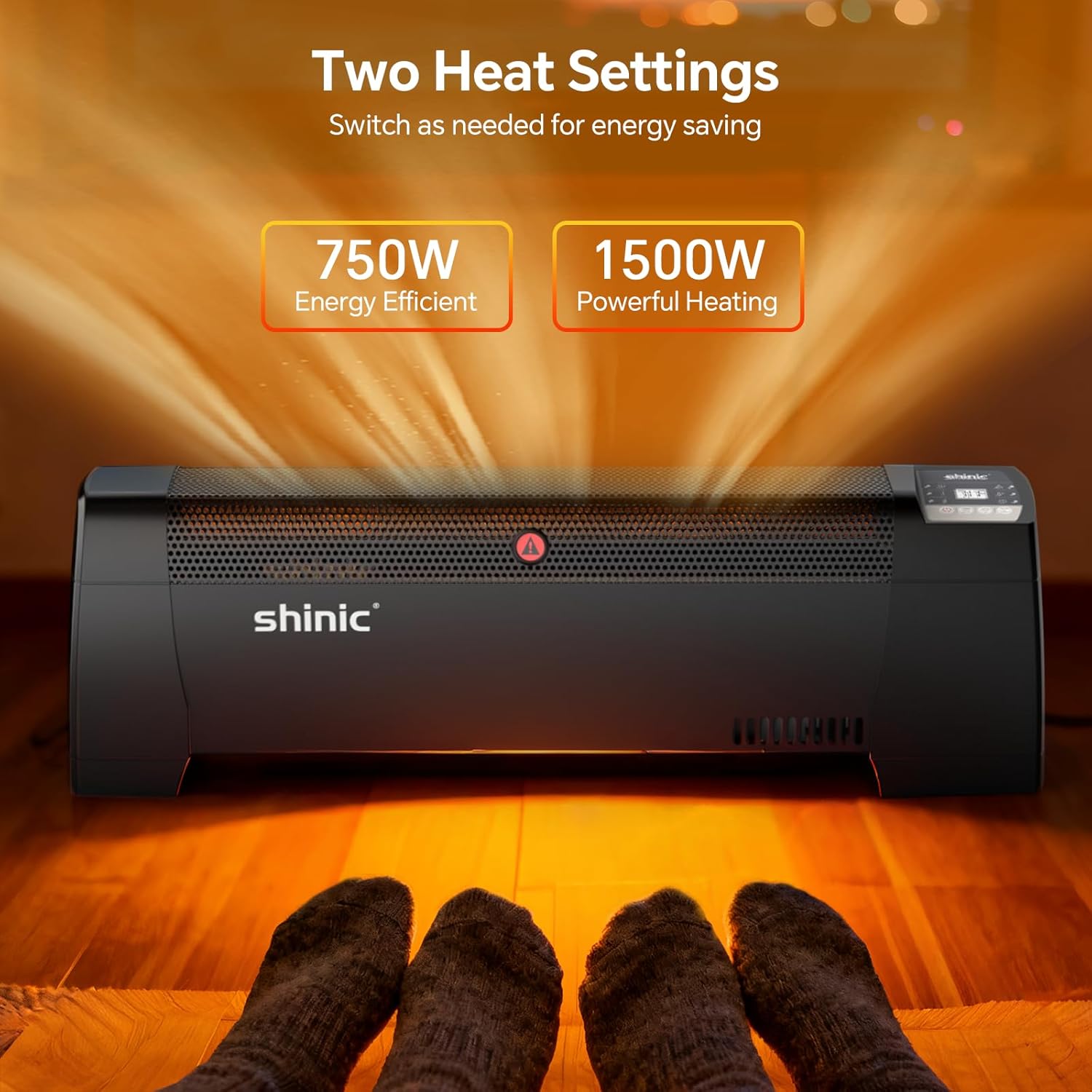
Figure 4.3.1: Illustration of the two heat settings, 750W for energy efficiency and 1500W for powerful heating.
4.4 Using the Timer Function
- Press the Timer Button () to activate the timer.
- Use the UP or DOWN buttons to set the desired shut-off time, from 1 to 12 hours.
- The display will show the set timer duration. The heater will automatically turn off after the set time expires.

Figure 4.4.1: The digital display showing the 12-hour timer function, allowing users to set automatic shut-off.
4.5 Child Lock
- To activate the child lock, press and hold the MODE and UP buttons simultaneously for 3 seconds. A lock icon will appear on the display.
- To deactivate, repeat the same action.
5. Maintenance
Regular cleaning and proper storage will ensure the longevity and efficient operation of your heater.
5.1 Cleaning
- Always unplug the heater and allow it to cool completely before cleaning.
- Use a soft, damp cloth to wipe the exterior surfaces of the heater. Do not use abrasive cleaners or solvents.
- Use a vacuum cleaner with a brush attachment to remove dust from the air intake and exhaust grilles.
- Ensure no water enters the interior of the heater.
5.2 Storage
- If storing the heater for an extended period, clean it thoroughly as described above.
- Store the heater in its original packaging in a cool, dry place.
- Do not place heavy objects on top of the heater during storage.
6. Troubleshooting
If you experience issues with your heater, refer to the following troubleshooting guide:
| Problem | Possible Cause | Solution |
|---|---|---|
| Heater does not turn on. | No power supply. Tip-over switch activated. Overheat protection activated. | Check if the power cord is securely plugged into a working outlet. Ensure the heater is on a flat, stable surface. Unplug, wait 30 minutes for cooling, then plug back in. |
| Heater turns off unexpectedly. | Overheat protection activated. Tip-over switch activated. Timer function active. | Unplug, wait 30 minutes for cooling, then plug back in. Ensure the heater is on a flat, stable surface. Check if the timer is set to turn off. |
| Heater is not heating effectively. | Low power mode selected. Temperature setting too low. Air inlets/outlets blocked. | Switch to 1500W mode for faster heating. Increase the desired temperature setting. Ensure no obstructions are blocking the grilles. |
| Display shows an error code. | Internal malfunction. | Unplug the heater for 5 minutes, then plug it back in. If the error persists, contact customer support. |
If the problem persists after attempting these solutions, please contact shinic customer support.
7. Specifications
| Feature | Detail |
|---|---|
| Brand | shinic |
| Model Number | RW600-15 |
| Power Supply | 120V AC, 60Hz |
| Heat Settings | 750W / 1500W |
| Special Features | Digital Display, Electronic Thermostat, Overheat Protection, Programmable Timer, Tip-Over Protection |
| Color | Black |
| Form Factor | Pedestal (Baseboard) |
| Indoor/Outdoor Usage | Indoor Only |
| Product Dimensions | 6.8"D x 30.3"W x 10.8"H |
| Item Weight | 5.51 Pounds |
| Room Type | Bedroom, Living Room, Study Room |
8. Warranty and Support
shinic products are manufactured to high-quality standards. For specific warranty information, please refer to the warranty card included with your purchase or visit the official shinic website. Keep your purchase receipt as proof of purchase.
8.1 Customer Support
If you have any questions, require technical assistance, or need to report an issue with your shinic RW600-15 Electric Baseboard Heater, please contact our customer support team. Contact details can typically be found on the shinic website or on the product packaging.
Please have your model number (RW600-15) and purchase date available when contacting support.