
Introduction
The Geuuap Sunrise Alarm Clock YF-01-C is a versatile device designed to enhance your sleep and wake-up experience. It combines a natural sunrise simulation alarm, a white noise sound machine, a Bluetooth speaker, and a dimmable clock display. This manual provides detailed instructions for setup, operation, and maintenance to ensure optimal performance and user satisfaction.

Image: The Geuuap Sunrise Alarm Clock showcasing its multiple functions including sunrise alarm, sound machine, Bluetooth speaker, and night light.
Setup
- Unboxing: Carefully remove the Sunrise Alarm Clock, 5V2A Adapter, USB-C Data Cable, User Manual, and Quick Guide from the packaging.
- Power Connection: Connect the USB-C Data Cable to the 'INPUT 5V' port on the back of the alarm clock and plug the 5V2A Adapter into a standard wall outlet. The device will power on automatically.
- Initial Time Setting: Refer to the included Quick Guide or User Manual for specific instructions on setting the current time. This typically involves pressing and holding a 'Time Set' button and using a dial or buttons to adjust hours and minutes.
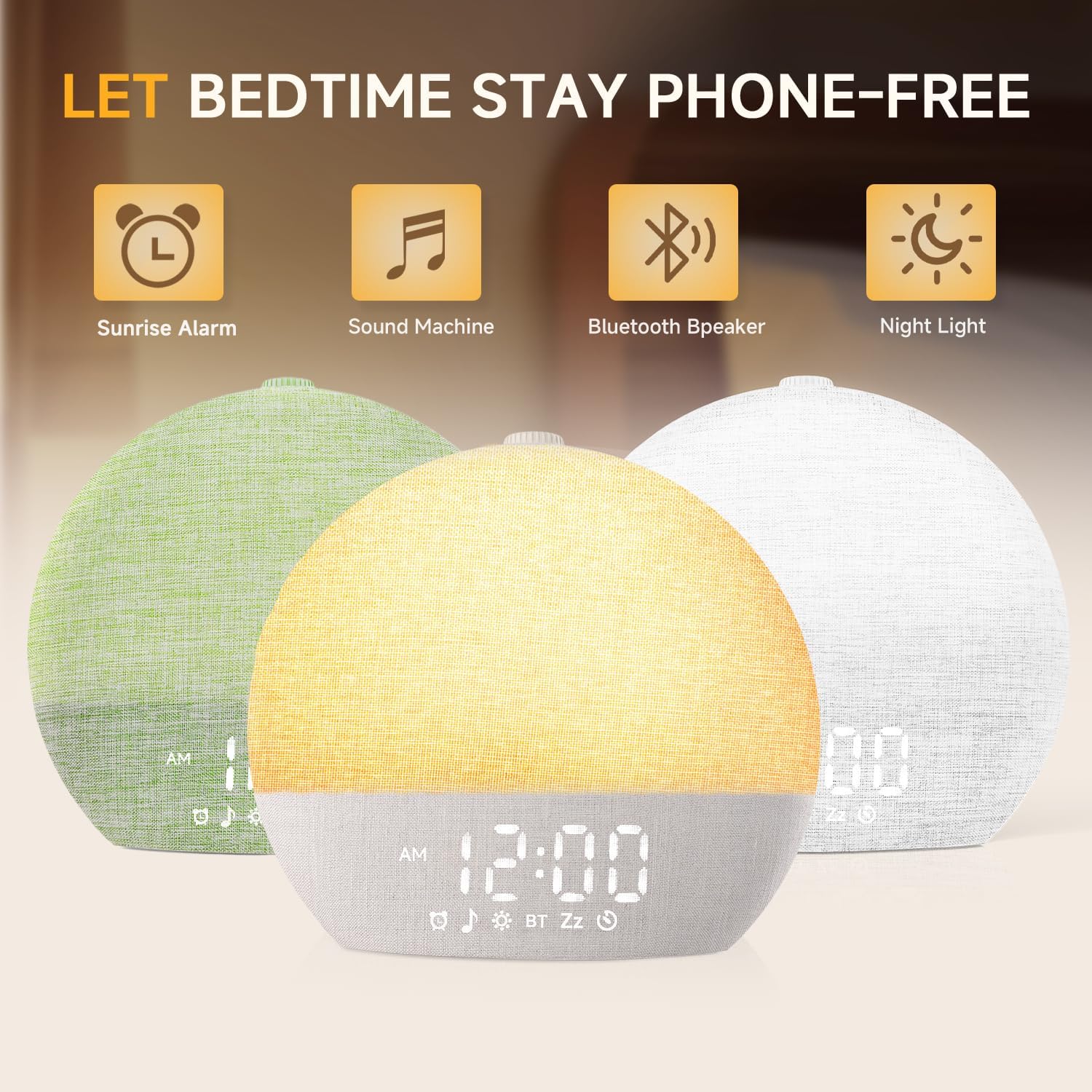
Image: Rear view of the alarm clock, highlighting the USB-C input for power and an additional USB charging port for external devices.
Operating Instructions
Sunrise Alarm Function
- Setting Alarm: Use the dedicated alarm button to set your desired wake-up time. The device supports multiple alarms.
- Sunrise Simulation: The light will gradually brighten from 10% to 100% over a period of 10-60 minutes before your set alarm time, simulating a natural sunrise.
- Wake-up Sounds: Choose from 10 wake-up sounds at 32 adjustable volume levels.
- Snooze Function: The device supports unlimited snooze time. Press the snooze button to temporarily silence the alarm.
Sleep Sound Machine & Night Light
- Sleep Sounds: Access 30 soothing sleep sounds, including rain, white noise, and fire crackle, to aid in falling asleep.
- Light Modes: Select from 17 light options (8 solid colors, 9 RGB modes). Adjust brightness from 0-20 levels.
- Sleep Timer: Set a timer from 10-480 minutes for sounds and lights to gradually fade out, promoting peaceful sleep.
Bluetooth Speaker
- Pairing: Activate Bluetooth mode on the device and pair it with your smartphone or other Bluetooth-enabled device (Bluetooth 5.3).
- Audio Playback: Stream your favorite music or audio content through the integrated speaker.

Image: The alarm clock displaying a warm, increasing light, illustrating the sunrise simulation feature.

Image: The alarm clock displaying various nature sounds and melodies, highlighting its function as a sound machine for sleep.

Image: The alarm clock functioning as a Bluetooth speaker, wirelessly connected to a smartphone for audio playback.
Features
- Natural Wake-Up: Simulates sunrise 10-60 minutes before alarm, transitioning from dim to bright light.
- Customizable Alarms: 10 wake-up sounds and 32 volume levels, with unlimited snooze.
- Extensive Sleep Aids: 30 soothing sleep sounds (e.g., rain, white noise, fire crackle) to block distractions.
- Dynamic Lighting: 17 light options (8 solid, 9 RGB) with 0-20 brightness levels, usable as nightlight, reading lamp, or mood light.
- Sleep Timer: Adjustable timer from 10-480 minutes for sounds and lights to assist with falling asleep.
- Bluetooth 5.3 Speaker: Connects wirelessly to play personal music or audio.
- Dimmable Time Display: 5-level time display (or off) to suit various needs and maintain a dark environment.
- Child-Safe Design: Embedded battery eliminates swallowing risk, and remembers settings during power outages.
- Intuitive Operation: No WiFi or application required; simply connect to power and use.

Image: The alarm clock demonstrating its dimmable time display feature, with various brightness levels shown.
Maintenance
- Cleaning: Use a soft, dry cloth to clean the device. Avoid abrasive cleaners or solvents.
- Liquid Exposure: Do not expose the device to water or excessive moisture.
- Storage: Store in a cool, dry place when not in use for extended periods.
Troubleshooting
- Device Not Powering On: Ensure the USB-C cable is securely connected to both the device and the power adapter, and that the adapter is plugged into a working outlet.
- Alarm Not Sounding/Light Not Activating: Verify that the alarm time is correctly set and enabled. Check the volume and light intensity settings.
- Bluetooth Pairing Issues: Ensure the device is in Bluetooth pairing mode and within range of your audio source. Disconnect and reconnect if issues persist.
- Display Too Bright/Dim: Adjust the display brightness using the designated controls.
- Settings Lost After Power Outage: The device has a backup battery function to remember settings. If settings are lost, ensure the device was connected to power for a sufficient period to charge the internal backup battery.
Specifications
| Brand | Geuuap |
| Model Number | YF-01-C |
| Color | Khaki |
| Display Type | Digital |
| Special Feature | Adjustable Brightness, Adjustable Volume, Night light, Noise Machine, OK to Wake |
| Product Dimensions | 7.08"W x 6.3"H |
| Power Source | Corded Electric |
| Material | Acrylonitrile Butadiene Styrene (ABS) Plastic |
| Connectivity Technology | USB-C |
| Item Weight | 1.23 pounds (0.56 Kilograms) |
Warranty & Support
For detailed warranty information and customer support, please refer to the User Manual and Quick Guide included with your product. You may also visit the official Geuuap brand store on Amazon or contact the seller directly for assistance.