
1. Product Overview
The TERRAMASTER F2-425 is a 2-bay Network Attached Storage (NAS) device designed for personal and home use. It features an Intel N5095 Quad-Core CPU, 4GB DDR4 RAM, 2.5GbE network connectivity, and multiple USB ports (two 10Gbps, one 5Gbps). This device provides a centralized solution for data storage, backup, and multimedia management, supporting smooth 4K video playback and advanced features like AI-powered photo organization.
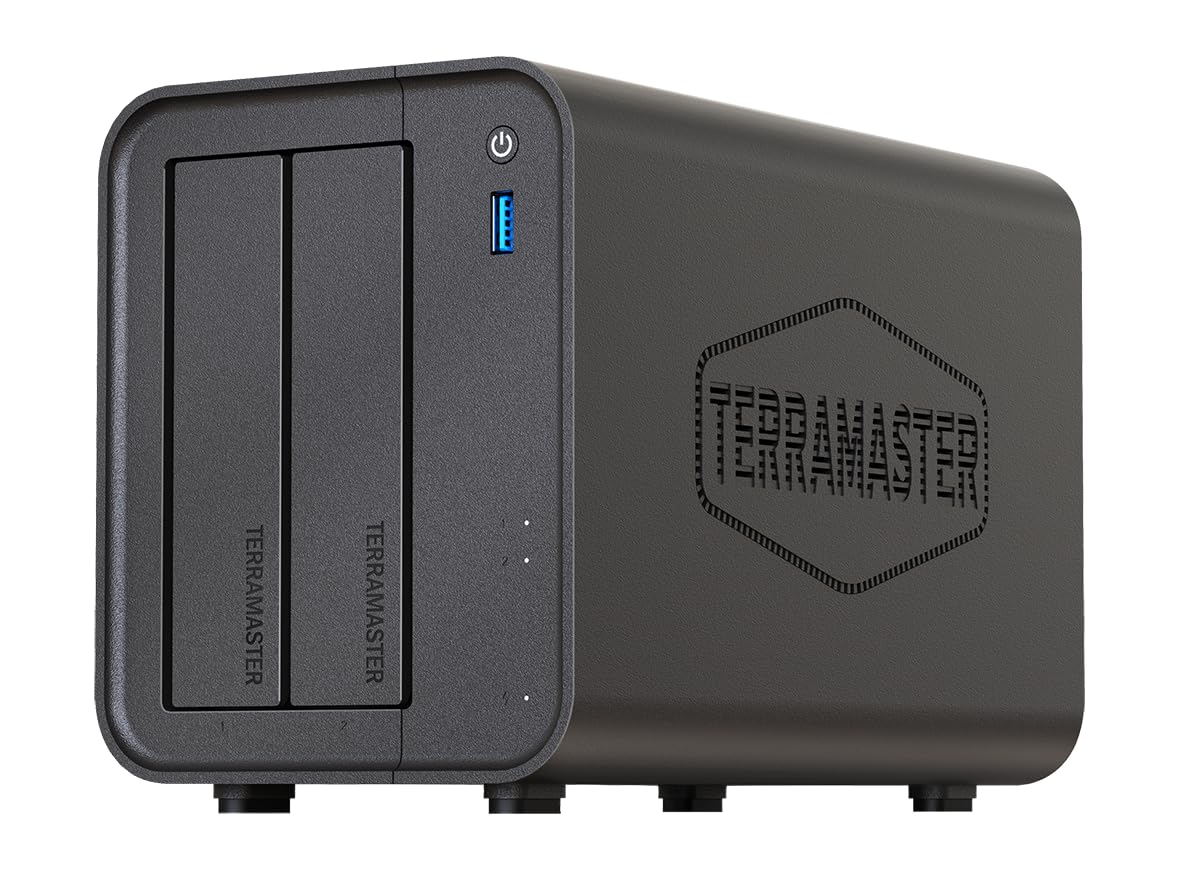
Figure 1: TERRAMASTER F2-425 NAS device.
2. Setup Guide
2.1 Package Contents
Before proceeding, ensure all items are present in the package:
- TERRAMASTER F2-425 NAS Unit
- AC Power Adapter
- LAN Cable
- HDD Fixing Screws
- Name Stickers
- Warranty Card
2.2 Hard Drive Installation
The F2-425 supports tool-free installation for 3.5-inch HDDs and screw-secured installation for 2.5-inch HDDs/SSDs. Ensure you use compatible hard drives to avoid performance issues or device malfunction. Refer to the official TERRAMASTER website for a list of compatible drives.

Figure 2: Tool-free 3.5-inch HDD installation steps.
- Gently pull out the HDD tray from the front of the NAS unit.
- For 3.5-inch HDDs, attach the drive to the tray using the side clips. For 2.5-inch drives, secure with screws at the designated points on the tray.
- Slide the tray back into the NAS until it locks into place.

Figure 3: Push-Lock HDD tray mechanism.
2.3 Initial Connection
- Connect the NAS to your router or network switch using the provided LAN cable. The F2-425 supports 2.5GbE for high-speed data transfer.
- Connect the AC power adapter to the NAS and plug it into a power outlet.
- Press the power button on the front panel to turn on the device. The LED indicators will show the system status.

Figure 4: Rear panel with 2.5GbE, USB, and HDMI ports.

Figure 5: Front panel with power button and USB 3.2 port.
2.4 Operating System (TOS) Installation
The F2-425 runs on TERRAMASTER Operating System (TOS 6). You will need to initialize the system and install TOS on your hard drives. This is typically done via a web browser by accessing the NAS's IP address on your network. Follow the on-screen instructions for initial setup, including RAID configuration. The system supports various RAID modes, including TRAID, which optimizes storage capacity with mixed drive sizes while maintaining data redundancy.

Figure 6: TOS 6 user interface.
3. Operation
3.1 Data Management and Backup
The F2-425 allows for centralized data storage and robust backup solutions:
- Automatic Backup: Configure automatic backups for your smartphones and PCs using the TNAS Mobile app or TerraSync client.
- File Sharing: Create shared folders with granular access permissions for family members or team collaboration.
- Remote Access: Access your files from anywhere using TNAS Mobile or TNAS.online.

Figure 7: TNAS Mobile app interface.

Figure 8: TerraSync for PC/Mac synchronization.
3.2 Multimedia Server
Transform your home into an entertainment hub with the F2-425's multimedia capabilities:
- 4K Hardware Decoding: Enjoy smooth playback of 4K videos without stuttering.
- Media Streaming: Supports Plex, Emby, Jellyfin, UPnP/DLNA for streaming content to smart TVs, smartphones, and other devices.

Figure 9: 4K hardware decoding feature.

Figure 10: Multimedia server capabilities.
3.3 Download Center
Utilize the built-in download applications for efficient file acquisition:
- Supports Aria2, Qbittorrent, and Transmission for high-speed downloads of movies, anime, and other content.

Figure 11: Integrated download center applications.
3.4 Surveillance Manager
Integrate your NAS with surveillance cameras for real-time monitoring and recording:
- Connect TNAS with compatible cameras for live view, recording, and playback.

Figure 12: Surveillance Manager features.
3.5 AI Photo Management
Leverage AI for smart organization of your photo collection:
- Automatically classify photos by people, landscapes, and pets.
- Create AI-generated albums for easy retrieval of memories.
- Local processing ensures privacy for your personal photos.

Figure 13: AI photo classification capabilities.

Figure 14: AI-powered album organization.
4. Maintenance
4.1 Hard Drive Replacement
The F2-425 features a tool-free design for easy HDD replacement. Simply pull out the tray, swap the drive, and slide the tray back in. If replacing a drive in a RAID configuration, the system will automatically begin rebuilding the array. During this process, performance may be reduced, so it is advisable to minimize data access.
4.2 Cooling and Noise
The F2-425 is designed for quiet operation (as low as 19dB(A)) and efficient cooling. It features a fan and optimized ventilation structure to maintain optimal operating temperatures for your hard drives and internal components, ensuring longevity.

Figure 15: Quiet operation of the F2-425 NAS.

Figure 16: Rear view showing the cooling fan and improved structure.
4.3 Dust Prevention
To maintain optimal performance and prevent overheating, consider placing a non-woven fabric filter over the front air intake slots to minimize dust accumulation inside the unit. Regularly clean the exterior of the device with a soft, dry cloth.
5. Troubleshooting
5.1 Connectivity Issues
If you experience difficulty connecting to your NAS via browser or mobile app:
- Check Network Cables: Ensure all LAN cables are securely connected.
- Verify IP Address: Confirm the NAS's IP address and ensure your computer is on the same network segment.
- Firewall/Security Software: Security software (e.g., ESET Internet Security) may block access. Temporarily disable it or add an exception for the NAS's IP address and ports.
- Restart Devices: Restart your router, NAS, and computer.
5.2 RAID Degradation/Rebuild
If a hard drive fails in a RAID configuration, the system will enter a degraded state and may emit a beeping sound. Replace the faulty drive with a new, compatible drive of equal or larger capacity. The system will automatically begin rebuilding the RAID array. You can monitor the progress through the TOS web interface under Storage Manager. Data remains accessible during the rebuild, but performance may be affected.
5.3 General Performance Issues
If the NAS performance is slower than expected:
- Check Network Speed: Ensure your network infrastructure (router, cables) supports 2.5GbE speeds.
- HDD Health: Check the health status of your hard drives in TOS Storage Manager.
- System Resources: Monitor CPU and RAM usage in TOS to identify any resource bottlenecks.
- M.2 SSD Cache: If installed, ensure the M.2 SSD cache is configured correctly to accelerate performance.
6. Specifications
| Feature | Detail |
|---|---|
| Brand | TERRAMASTER |
| Model Number | F2-425 |
| CPU | Intel N5095 Quad-Core |
| RAM | 4GB DDR4 |
| Drive Bays | 2 |
| Network Interface | 2.5GbE |
| USB Ports | 2 x 10Gbps, 1 x 5Gbps |
| Product Dimensions (W x H x D) | 11.9 x 15.4 x 22.2 cm |
| Product Weight | 1.5 kg |
| Color | Black |
| Max Storage Capacity | Up to 60TB (30TB per bay, HDDs not included) |
7. Warranty & Support
7.1 Warranty Information
The TERRAMASTER F2-425 comes with a 2-year manufacturer's warranty. Please retain your proof of purchase for warranty claims.
7.2 Customer Support
For product defects, setup questions, or inquiries about compatible hard drive models, please contact TERRAMASTER Support. Japanese language support is available. Using incompatible hard drives may lead to connection issues, performance degradation, or the device not recognizing the drives. Always consult the official TERRAMASTER compatible HDD list before purchasing hard drives.
You can find contact information for support on the official TERRAMASTER website or through your retailer.


