
1. Product Overview
The WSTER WS-692 is a portable Bluetooth speaker designed in the style of a retro pickup truck. It features solar charging capabilities, HD sound, True Wireless Stereo (TWS) pairing, LED party lights, FM radio, USB, and TF card playback, along with hands-free calling. This manual provides detailed instructions for its setup, operation, and maintenance.
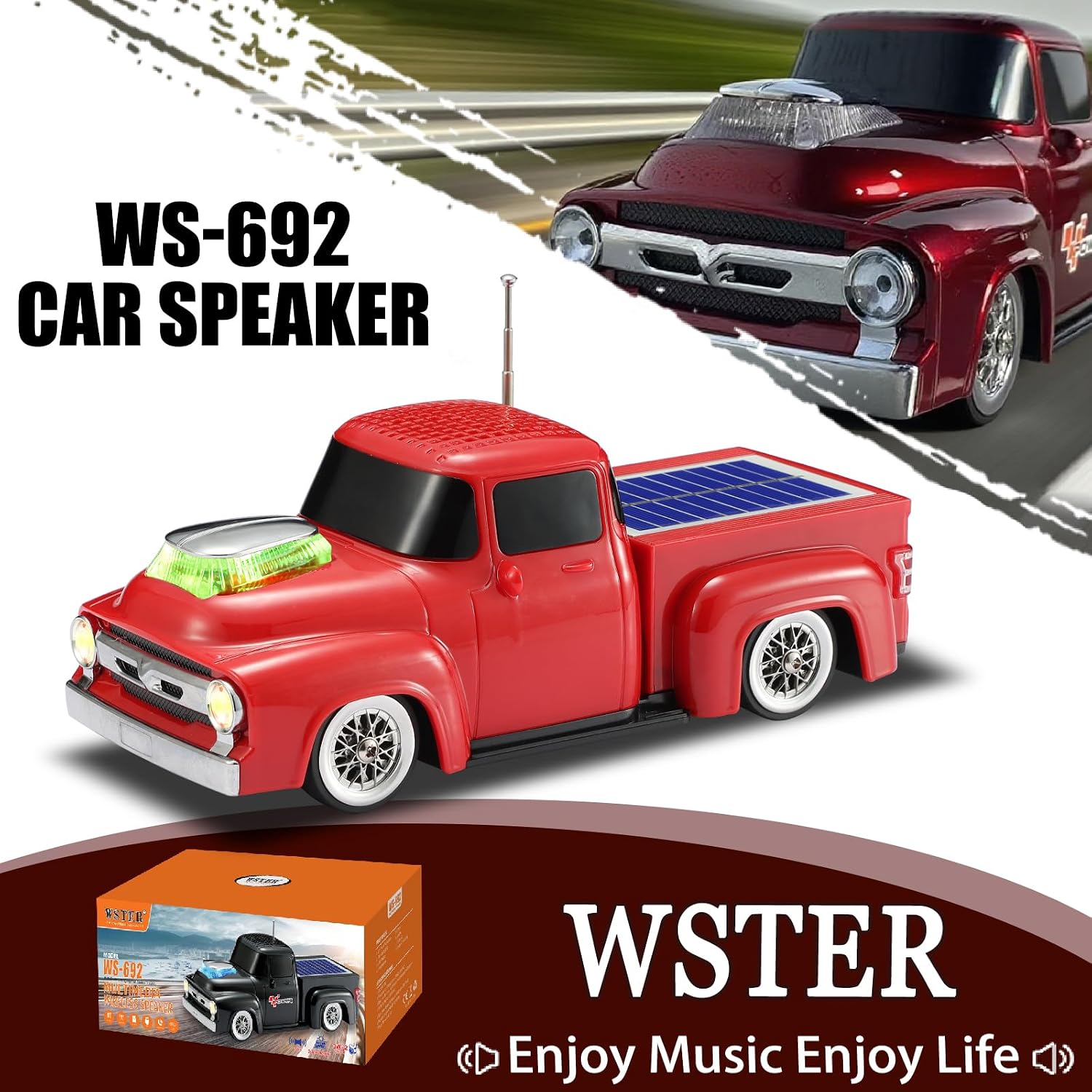
Image 1: The WSTER WS-692 Retro Pickup Bluetooth Solar Charging Speaker, showcasing its distinctive red pickup truck design.
2. Package Contents
Please check the box for the following items:
- WSTER WS-692 Retro Pickup Bluetooth Solar Charging Speaker
- Power Cable
- Quick Start Guide
3. Product Features
- Retro Pickup Replica Design: Modeled after a classic countryside pickup truck, serving as both a speaker and a decorative item.
- Solar Charging Panel: Equipped with a solar panel integrated into the truck's rear for renewable charging.
- Portable HD Sound: Delivers crystal-clear wireless audio with powerful bass.
- Bluetooth & TWS Pairing: Connects wirelessly via Bluetooth; two units can be paired for True Wireless Stereo (TWS) sound.
- LED Party Lights: Built-in LED lighting that synchronizes with your music.
- Multi-Mode Playback: Supports FM radio, USB drive, TF card playback.
- Hands-Free Calls: Integrated microphone for hands-free communication.
4. Product Diagram

Image 2: Rear view of the WS-692 speaker, highlighting the control buttons and various input ports including M/U (Mode/Power), Previous Track/Volume Down, USB, TF Card, DC5V charging, and Next Track/Volume Up.

Image 3: Front view of the WS-692 speaker, illustrating the colorful flashing headlights and LED lights on the hood scoop.
5. Setup
5.1 Charging the Speaker
The WS-692 speaker can be charged via the included power cable or its integrated solar panel.
- Using Power Cable: Connect the provided power cable to the DC5V port on the rear of the speaker and plug the other end into a compatible USB power adapter (not included). The charging indicator will illuminate.
- Solar Charging: Place the speaker in direct sunlight. The solar panel located in the truck bed will convert sunlight into energy to charge the internal battery. This is ideal for outdoor use or when placed near a window.

Image 4: The WS-692 speaker highlighting the solar charging panel located in the truck bed, indicating its renewable energy feature.
5.2 Power On/Off
- To Power On: Press and hold the M/U (Mode/Power) button for a few seconds until the display lights up and you hear a power-on prompt.
- To Power Off: Press and hold the M/U (Mode/Power) button again for a few seconds until the display turns off and you hear a power-off prompt.
6. Operating Instructions
6.1 Bluetooth Pairing
- Ensure the speaker is powered on and in Bluetooth mode. If not, briefly press the M/U button to cycle through modes until you hear the "Bluetooth mode" prompt.
- On your mobile device (smartphone, tablet, etc.), go to the Bluetooth settings.
- Search for available devices and select "WS-692" from the list.
- Once connected, you will hear a confirmation tone from the speaker.

Image 5: A smartphone displaying its Bluetooth settings, with the WS-692 speaker shown as a discoverable device, ready for pairing.
6.2 Music Playback
- Play/Pause: Briefly press the Play/Pause button.
- Volume Up: Press and hold the Next Track / Volume Up button.
- Volume Down: Press and hold the Previous Track / Volume Down button.
- Next Track: Briefly press the Next Track / Volume Up button.
- Previous Track: Briefly press the Previous Track / Volume Down button.
6.3 Mode Switching
Briefly press the M/U (Mode/Power) button to cycle through available modes: Bluetooth, FM Radio, USB, and TF Card.
6.4 FM Radio Operation
- Switch the speaker to FM Radio mode using the M/U button.
- To auto-scan and save available stations, press and hold the Play/Pause button. The speaker will scan and store stations automatically.
- To switch between saved stations, briefly press the Previous Track / Volume Down or Next Track / Volume Up buttons.
6.5 True Wireless Stereo (TWS) Pairing
To pair two WS-692 speakers for a stereo sound experience:
- Ensure both WS-692 speakers are powered on and in Bluetooth mode, but not connected to any device.
- On one of the speakers (this will be the primary speaker), double-click the Play/Pause button. You will hear a
Ask a question about this manual
Ask about setup, troubleshooting, compatibility, parts, safety, or missing instructions. Manuals+ will review the question and use this page’s manual context to help answer it.