
Kismile WD5815-New
Kismile Water Cooler Dispenser with Ice Maker User Manual
Model: WD5815-New
1. Introduction
Thank you for choosing the Kismile Water Cooler Dispenser with Ice Maker. This appliance is designed to provide convenient access to hot, cold, and ice water, integrating multiple functions into a single space-saving unit. Please read this manual thoroughly before operation to ensure proper use, maintenance, and safety.

Figure 1: Kismile Water Cooler Dispenser with Ice Maker. This image shows the overall design of the unit, including the top-loading water bottle and the ice making compartment.
Key Features:
- Multi-functional Integration: Provides hot water, cold water, and automatically makes ice, reducing the need for separate appliances.
- Rapid Ice Production: Capable of producing 33 pounds of ice in 24 hours, with 9 ice cubes in approximately 6-11 minutes. Features a 2.5L ice storage capacity.
- Energy Efficiency: Utilizes energy-saving refrigeration technology. Includes water shortage and ice full reminders to prevent waste.
- Safety Features: Equipped with a child safety lock for hot water dispensing to prevent accidental scalding.
- Intuitive Controls: Features a touch panel combined with mechanical buttons for easy operation and clear display of machine status.

Figure 2: 3-in-1 Dispensing. This diagram illustrates the three primary functions of the dispenser: hot water, cold water, and ice production.
2. Setup and Installation
2.1 Unpacking and Placement
- Carefully remove the dispenser from its packaging. Retain packaging materials for future transport if needed.
- Place the dispenser on a flat, stable, and level surface. Ensure there is adequate ventilation around the unit, especially at the rear where the compressor is located.
- Avoid placing the unit in direct sunlight or near heat sources.
- Allow the unit to stand upright for at least 2 hours before plugging it in to allow refrigerants to settle.

Figure 3: Product Dimensions. This image provides the physical dimensions of the water cooler dispenser, useful for planning placement.
2.2 Water Bottle Installation
- Ensure the water bottle (2, 3, or 5-gallon capacity) is clean.
- Remove the protective seal from the water bottle cap.
- Carefully invert the water bottle and place it firmly onto the top-mounted tank of the dispenser. The probe inside the dispenser will push open the bottle's cap, allowing water to flow into the internal reservoirs.
- Wait a few minutes for the reservoirs to fill before plugging in the unit.

Figure 4: Top-mounted Tank. This image demonstrates the top-loading design and compatibility with various water bottle sizes (2, 3, and 5 gallons).
2.3 Initial Cleaning and Flushing
- Before first use, dispense and discard at least two cups of hot water and two cups of cold water to flush the system.
- For the ice maker, discard the first two batches of ice produced to ensure cleanliness.
3. Operating Instructions
3.1 Control Panel Overview
The dispenser features a user-friendly control panel with touch keys and mechanical buttons for various functions.

Figure 5: Control Panel. This image highlights the various buttons and indicator lights on the dispenser's control panel.
3.2 Dispensing Water
- Cold Water: Press the "Cold Water Dispense" touch button. The cold water indicator light will illuminate.
- Hot Water: Press and hold the "Child Lock" button, then press the "Hot Water Dispense" touch button. The hot water indicator light will illuminate. This two-step process is a safety feature.
- Place your cup or container under the appropriate dispenser spout.
3.3 Ice Making Function
- To activate ice making, press the "Ice Making" mechanical button. The ice making indicator light will turn on.
- The unit will begin producing ice cubes. Each cycle produces 9 bullet-shaped ice cubes in approximately 6-11 minutes.
- The "Ice Full" indicator light will turn green when the ice storage bin is full, and the unit will automatically stop making ice.
- The ice bin has a capacity of 2.5L. Melted ice will drain back into the water reservoir for reuse.

Figure 6: Ice Making Details. This image illustrates the ice production process and the type of ice cubes produced.
3.4 Child Safety Lock
The child safety lock is a crucial feature designed to prevent accidental burns from hot water. Always engage the child lock when not dispensing hot water, especially in households with children.
- To dispense hot water, you must first press and hold the "Child Lock" button, then press the "Hot Water Dispense" button.
- Release both buttons once dispensing is complete.
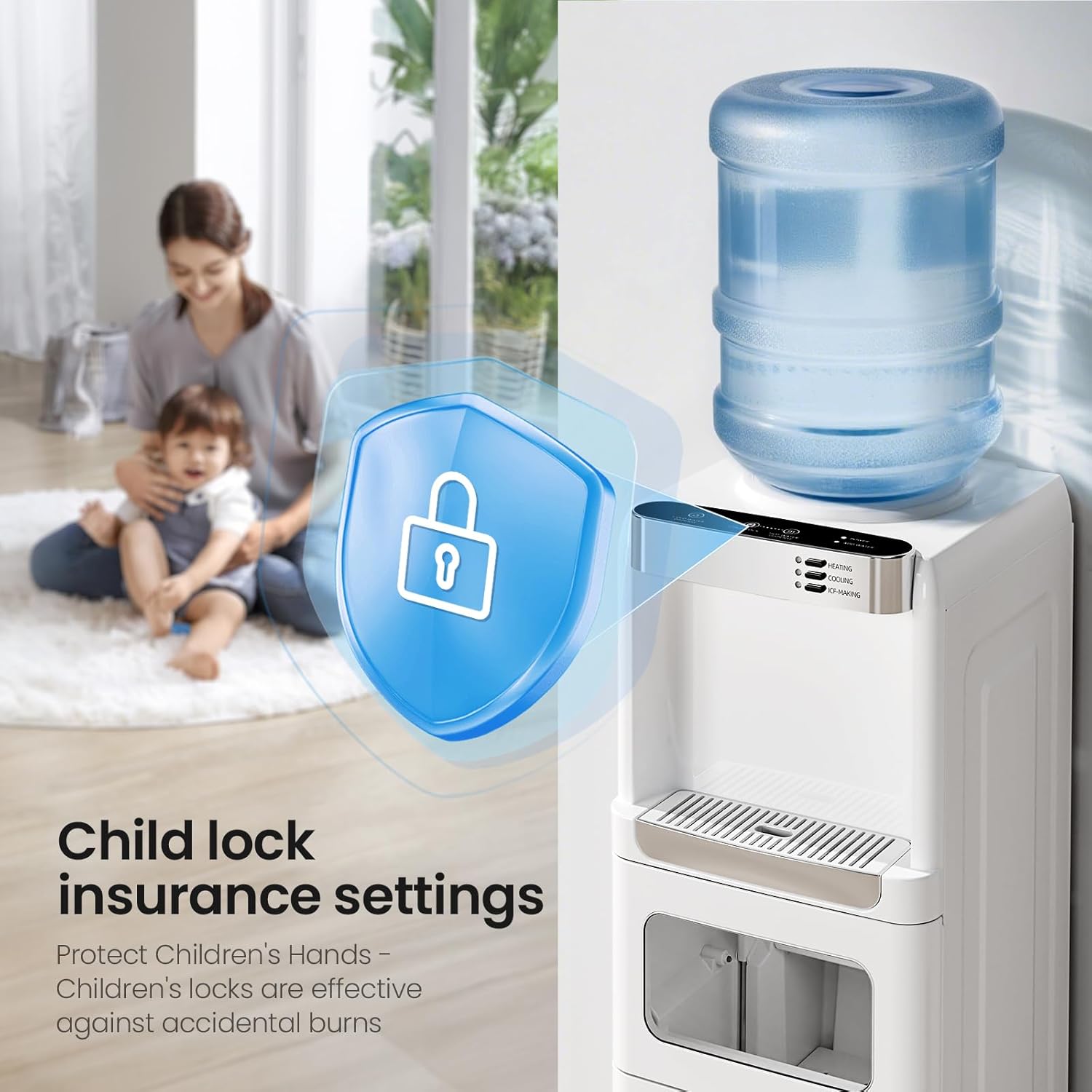
Figure 7: Child Safety Lock. This image visually represents the child safety lock feature, emphasizing its role in preventing accidental hot water dispensing.
3.5 Indicator Lights
- Power: Indicates the unit is powered on.
- Add Water: Turns red when the water bottle is empty or water level in the reservoir is low, indicating a need for a new bottle.
- Heating: Illuminates when the hot water heating element is active.
- Cooling: Illuminates when the cold water cooling system is active.
- Ice Making: Illuminates when the ice making function is active.
- Ice Full: Turns green when the ice storage bin is full.
4. Maintenance and Cleaning
Regular maintenance ensures optimal performance and longevity of your Kismile Water Cooler Dispenser.
4.1 Drip Tray Cleaning
- The drip tray should be emptied and cleaned regularly to prevent overflow and bacterial growth.
- Slide out the drip tray from the front of the dispenser.
- Empty any collected water and wash the tray with mild soap and warm water. Rinse thoroughly and dry before reinserting.

Figure 8: Removable Drip Tray. This image shows the drip tray detached from the unit for cleaning.
4.2 Exterior Cleaning
- Wipe the exterior surfaces of the dispenser with a soft, damp cloth.
- Do not use abrasive cleaners, solvents, or harsh chemicals, as these can damage the finish.
4.3 Descaling (Recommended Annually)
Mineral deposits can build up over time, affecting performance. Descaling helps remove these deposits.
- Unplug the dispenser and remove the water bottle.
- Drain all water from the hot and cold reservoirs using the drain plugs located at the back of the unit (if available, consult diagrams on the unit itself).
- Prepare a descaling solution (e.g., a mixture of white vinegar and water, or a commercial descaling agent following product instructions).
- Pour the solution into the top reservoir.
- Allow the solution to sit for 30 minutes to an hour.
- Drain the solution completely.
- Rinse the reservoirs thoroughly by filling with clean water and draining several times until no vinegar smell remains.
- Reinstall the water bottle and plug in the unit.
5. Troubleshooting
Before contacting customer support, please refer to the following troubleshooting guide for common issues.
| Problem | Possible Cause | Solution |
|---|---|---|
| No hot water. | Hot water switch is off; water shortage; heating element malfunction. | Ensure the heating function is activated. Check if the "Add Water" indicator is on and replace the bottle if empty. If problem persists, contact support. |
| No cold water. | Cold water switch is off; water shortage; cooling system malfunction. | Ensure the cooling function is activated. Check if the "Add Water" indicator is on and replace the bottle if empty. If problem persists, contact support. |
| Ice maker not producing ice. | Ice making function not activated; water shortage; ice bin full; ambient temperature too high. | Activate the ice making function. Check "Add Water" indicator. Empty the ice bin if "Ice Full" indicator is on. Ensure unit is in a cool, well-ventilated area. |
| Water dispensing slowly. | Air lock in the system; mineral buildup. | Remove and re-seat the water bottle. Dispense water from both hot and cold spouts to release air. Consider descaling if the issue is persistent. |
| Unit is leaking. | Improperly seated water bottle; cracked water bottle; loose drain plug. | Re-seat the water bottle firmly. Check the water bottle for cracks. Ensure all drain plugs at the back are securely closed. |
| Ice melts quickly in the bin. | Normal operation; ice bin is not actively refrigerated. | The ice storage bin is insulated but not actively refrigerated. Ice will melt over time and the melted water will be recycled for new ice production. This is normal. |
6. Specifications
| Attribute | Detail |
|---|---|
| Model Number | WD5815-New |
| Product Dimensions (D x W x H) | 11.42" x 11.81" x 32.91" |
| Item Weight | 33.1 pounds |
| Manufacturer | KISMILE |
| Color | White |
| Heating Power | 320W |
| Cooling Power | 155W |
| Ice-making Power | 155W |
| Heating Capacity | 0.21 gal |
| Cooling Capacity | 0.32 gal |
| Ice Storage Capacity | 0.66 gal (approx. 2.5L) |
| Ice Production Rate | 33 lbs / 24 hours (9 cubes in 6-11 minutes) |
7. Warranty and Support
For warranty information and customer support, please refer to the documentation included with your purchase or visit the official Kismile website. You may also contact Kismile customer service directly for assistance with product inquiries, troubleshooting, or service requests.
Manufacturer: KISMILE
Brand: Kismile
Model: WD5815-New
Note: Specific warranty terms and contact details may vary. Please consult your product's packaging or the manufacturer's official resources for the most accurate and up-to-date information.
Related Documents - WD5815-New
 |
Igloo Hot, Cold & Room Temperature Top Load Water Dispenser With Ice Maker - User Manual Detailed instructions, safety guidelines, operating procedures, cleaning, maintenance, and warranty information for the Igloo Hot, Cold & Room Temperature Top Load Water Dispenser With Ice Maker (Model IWCTLICM353CRHBKS). |
 |
Portable Automatic Ice Maker User Manual | HZB-20YLR Comprehensive user manual for the ANTARCTIC-STAR HZB-20YLR portable automatic ice maker and water dispenser. Includes safety information, installation, operation, cleaning, maintenance, and troubleshooting guides. |
 |
YL1933S Bottom Loading Water Dispenser with Ice Maker - User Manual Explore the YL1933S bottom loading water dispenser, featuring smart and simple design for dispensing hot and cold water, plus ice making capabilities. This manual provides comprehensive instructions. |
 |
Kismile HZB-15YLR Ice Maker with Water Dispenser: Care and Use Guide Comprehensive guide for the HZB-15YLR Ice Maker with Water Dispenser, covering important safety information, setup, operation, and troubleshooting. Learn how to use and maintain your appliance for optimal performance. |
 |
Kismile ICM1262A Ice Maker Instruction Manual User manual for the Kismile ICM1262A ice maker. Provides detailed instructions on operation, safety, cleaning, and troubleshooting for this portable ice maker. |
 |
Aramox Top Loading Water Dispenser Features and Specifications Overview of the Aramox top-loading water dispenser, featuring hot and cold water options, energy-efficient operation, and a stylish, space-saving design suitable for homes and offices. |
Ask a question about this manual
Ask about setup, troubleshooting, compatibility, parts, safety, or missing instructions. Manuals+ will review the question and use this page’s manual context to help answer it.