
Introduction
Thank you for choosing the Youin Dallas BK1650 Electric Folding Fat Bike. This manual provides essential information for the safe operation, assembly, maintenance, and troubleshooting of your e-bike. Please read this manual thoroughly before your first ride and keep it for future reference.
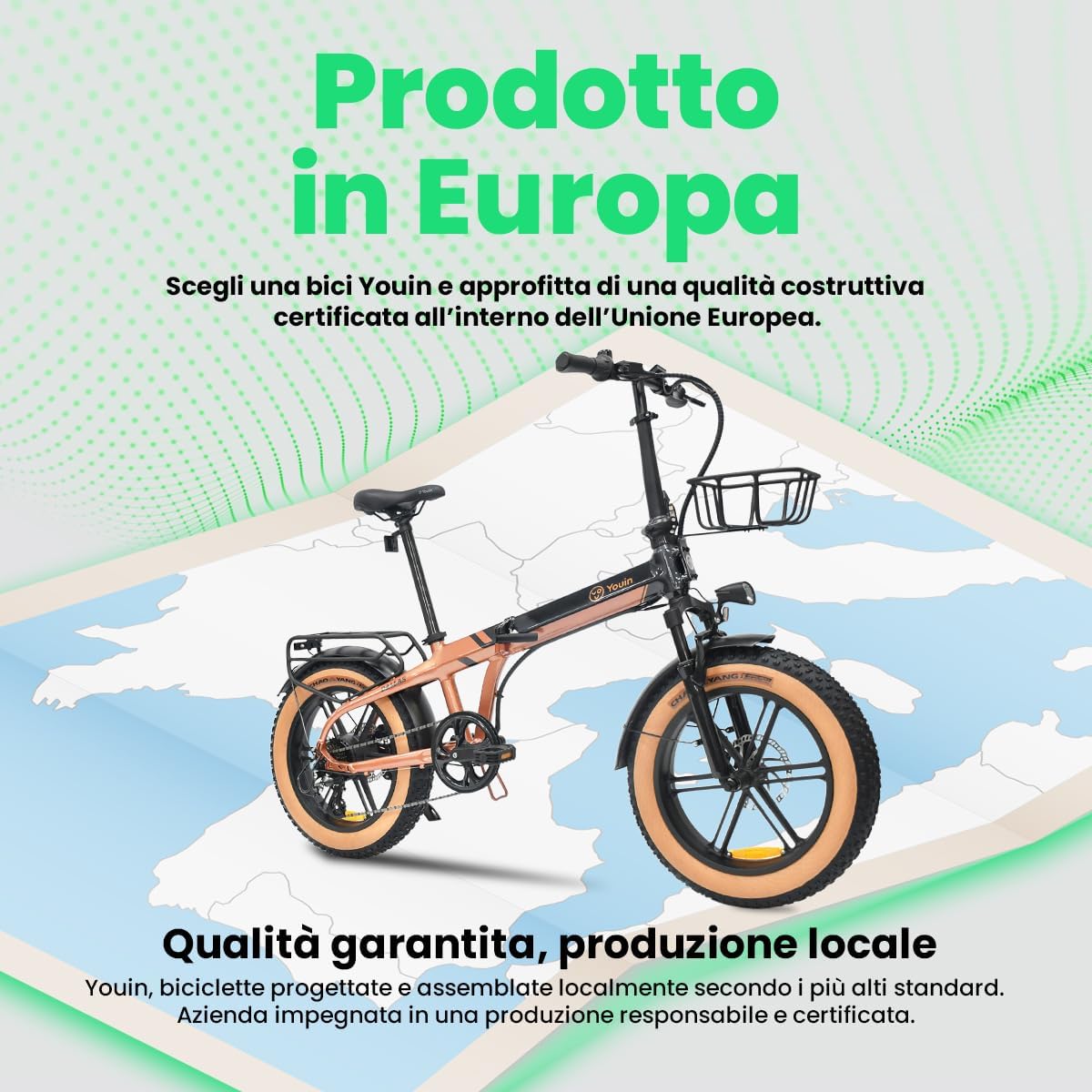
Image: The Youin Dallas BK1650 electric folding fat bike, showcasing its robust design and bronze finish.
Safety Instructions
Your safety is paramount. Always adhere to local traffic laws and regulations. Failure to follow these instructions may result in serious injury or damage to the bicycle.
- Helmet Use: Always wear a certified helmet when riding.
- Pre-Ride Check: Before each ride, inspect brakes, tires, battery level, and ensure all quick releases and fasteners are secure.
- Road Conditions: Exercise caution on wet, uneven, or slippery surfaces. Fat tires provide enhanced grip but are not immune to hazards.
- Visibility: Use the integrated LED lights during low light conditions. Consider wearing reflective clothing.
- Weight Limit: Do not exceed the maximum weight capacity specified in the specifications section.
- Children: This e-bike is intended for adult use. Do not allow children to operate it.
- Modifications: Do not modify the e-bike's electrical system or mechanical components. Unauthorized modifications can void the warranty and compromise safety.
Package Contents
Upon unpacking, ensure all the following items are present:
- Youin Dallas BK1650 Electric Folding Fat Bike (95% pre-assembled)
- Removable Battery (integrated into the frame)
- Battery Charger
- User Manual (this document)
- Front Basket
- Fenders (pre-installed)
- Pedals (may require installation)
Setup and First Ride Preparation
Your Youin Dallas BK1650 arrives 95% pre-assembled. Follow these steps to prepare your bike for its first ride.
- Unpacking: Carefully remove the bike from its packaging. Retain packaging for potential future transport or storage.
- Unfolding: Refer to the "Folding and Unfolding" section for detailed instructions on how to safely unfold the bicycle. Ensure all locking mechanisms are securely engaged.
- Handlebar Adjustment: Adjust the handlebar stem to your desired height and angle. Ensure the quick-release lever is firmly closed after adjustment. Align the handlebars straight with the front wheel.
- Seat Adjustment: Adjust the seat post height so that your leg has a slight bend at the knee when the pedal is at its lowest point. Secure the seat post quick-release lever tightly.
- Pedal Installation (if required): Identify the left (L) and right (R) pedals. Apply a small amount of grease to the threads. Screw the 'L' pedal counter-clockwise into the left crank arm and the 'R' pedal clockwise into the right crank arm. Tighten firmly with a wrench.
- Initial Battery Charge: Before your first ride, fully charge the battery. Refer to the "Battery Management" section for charging instructions.
- Brake Check: Squeeze both brake levers. Ensure they engage smoothly and firmly, stopping both wheels effectively. Adjust if necessary (consult a professional if unsure).
- Tire Pressure: Check the tire pressure using a gauge. Inflate to the recommended pressure indicated on the tire sidewall.
Operating Your Youin Dallas BK1650
This section covers the basic operation of your electric folding fat bike.
1. Powering On/Off and Display

Image: The color LCD display provides essential ride information.
- Power On: Press and hold the power button on the LCD display unit (usually located on the left handlebar) for a few seconds until the screen illuminates.
- Power Off: Press and hold the power button again until the display turns off.
- LCD Display: The color LCD shows your current speed, battery level, pedal assist level (PAS), and odometer/trip distance. Use the '+' and '-' buttons to cycle through information or adjust PAS levels.
2. Pedal Assist System (PAS)
The PAS provides electric assistance as you pedal. There are multiple levels of assistance:
- Use the '+' button to increase the assistance level (more power, less effort).
- Use the '-' button to decrease the assistance level (less power, more effort, longer battery life).
- Level 0 typically means no electric assistance, operating as a regular bicycle.
3. Gear Shifting
Your bike is equipped with a 7-speed Shimano Altus gear system. Shift gears smoothly by pedaling lightly and using the shifter on the right handlebar.
- Lower Gears (1-3): Easier for climbing hills or starting from a stop.
- Higher Gears (5-7): Suitable for flat terrain and higher speeds.
- Avoid shifting multiple gears at once or shifting under heavy load to prevent damage to the drivetrain.

Image: The rear wheel assembly, highlighting the 7-speed gear system and hydraulic disc brake.
4. Braking
The Youin Dallas BK1650 features hydraulic disc brakes for reliable stopping power.
- The right lever controls the rear brake, and the left lever controls the front brake.
- Apply both brakes simultaneously for optimal stopping performance and control.
- Avoid sudden, hard braking, especially with the front brake, as this can cause loss of control.
5. Lights and Accessories
- LED Lights: Your bike is equipped with integrated LED lights for visibility. Consult the display manual for specific instructions on activating and deactivating them.
- Front Basket: The front basket is designed for light cargo. Do not overload it, as this can affect steering and balance.
Folding and Unfolding
The folding mechanism allows for compact storage and transport. Always perform these actions on a flat, stable surface.

Image: The Youin Dallas BK1650 in its folded configuration, demonstrating its space-saving design.
Folding Procedure:
- Lower Seat Post: Open the quick-release lever and push the seat post all the way down. Close the lever.
- Fold Pedals: If your pedals are foldable, push them inwards towards the crank arm and fold them up or down.
- Fold Handlebar Stem: Locate the quick-release lever on the handlebar stem. Open it, then fold the handlebar stem downwards. Secure the lever.
- Fold Frame: Locate the main frame hinge mechanism (usually in the middle of the frame). Open the safety latch and then the quick-release lever. Carefully fold the front half of the bike towards the rear half. Ensure the frame locking mechanism engages.
Unfolding Procedure:
- Unfold Frame: Release the frame locking mechanism. Carefully unfold the frame until it is fully extended. Secure the main frame hinge quick-release lever and safety latch. Ensure it is firmly locked.
- Unfold Handlebar Stem: Lift the handlebar stem into the upright position. Secure the quick-release lever. Ensure the handlebars are aligned with the front wheel.
- Unfold Pedals: If applicable, unfold the pedals until they click into place.
- Adjust Seat Post: Raise the seat post to your preferred riding height and secure the quick-release lever.
- Final Check: Before riding, ensure all quick releases and folding mechanisms are securely fastened.
Battery Management
The Youin Dallas BK1650 features a removable battery integrated into the frame, offering an autonomy of up to 60 km.
1. Charging the Battery
- Location: The charging port is typically located on the frame near the battery.
- Procedure:
- Ensure the bike is powered off.
- Connect the charger to a standard wall outlet.
- Connect the charger's output plug to the bike's charging port.
- The charger's indicator light will typically show red during charging and turn green when fully charged.
- Once fully charged, disconnect the charger from the bike first, then from the wall outlet.
- Charging Time: A full charge typically takes several hours. Refer to the charger's specifications for exact times.
- Safety: Only use the charger provided with your bike. Do not charge unattended. Charge in a well-ventilated area away from flammable materials.
2. Removing and Installing the Battery
The battery can be removed for charging off the bike or for security.
- Removal: Use the provided key to unlock the battery from the frame. Carefully slide the battery out.
- Installation: Align the battery with its slot in the frame and slide it in until it clicks into place. Use the key to lock it securely. Ensure it is firmly seated before riding.
3. Battery Care and Storage
- Store the battery in a cool, dry place, away from direct sunlight and extreme temperatures.
- If storing for extended periods, charge the battery to 50-70% every 1-2 months to maintain its health.
- Do not expose the battery to water or moisture.
Maintenance
Regular maintenance ensures the longevity and safe operation of your Youin Dallas BK1650.
1. Cleaning
- Wipe down the frame with a damp cloth. Avoid using high-pressure washers directly on electrical components.
- Clean the chain and drivetrain regularly to remove dirt and grime.
2. Tires
- Regularly check tire pressure and inflate to the recommended PSI.
- Inspect tires for wear, cuts, or embedded objects.
- The 20-inch fat tires offer enhanced stability and comfort but require proper inflation for optimal performance.
3. Brakes
- Check brake pads for wear and replace them when necessary.
- Ensure brake levers have proper tension and engagement. Hydraulic brakes generally require less frequent adjustment but should be inspected regularly.
- If you notice a decrease in braking performance, consult a professional bicycle mechanic.
4. Drivetrain (Gears and Chain)
- Keep the chain clean and lubricated with appropriate bicycle chain lubricant.
- Check for proper gear shifting. If shifting is rough or inconsistent, adjustments may be needed.
5. Suspension
- The front suspension fork (80mm travel) helps absorb shocks. Keep the stanchions clean.
- Periodically check for any leaks or unusual noises.
6. Fasteners
- Regularly check all bolts, nuts, and quick releases for tightness. Do not overtighten.
Troubleshooting
This section addresses common issues you might encounter with your Youin Dallas BK1650.
| Problem | Possible Cause | Solution |
|---|---|---|
| Bike does not power on. | Battery is low or depleted. Battery not properly seated/locked. Loose electrical connection. | Charge the battery fully. Ensure battery is correctly installed and locked. Check all visible connections. If issue persists, contact support. |
| Motor not providing assistance. | PAS level is set to 0. Brake levers are engaged (safety cut-off). Battery low. | Increase PAS level using the '+' button. Release brake levers completely. Charge the battery. |
| Gears are not shifting smoothly. | Dirty or unlubricated chain. Derailleur out of adjustment. Bent derailleur hanger. | Clean and lubricate the chain. Consult a bike mechanic for derailleur adjustment. |
| Brakes feel weak or spongy. | Worn brake pads. Air in hydraulic lines. Contaminated rotors/pads. | Inspect and replace brake pads. Hydraulic brake bleeding or inspection by a professional is required. Clean rotors and pads with disc brake cleaner. |
| Unusual noises during riding. | Loose components. Dry chain. Brake rub. | Check all bolts and quick releases. Lubricate chain. Inspect brake caliper alignment. |
For issues not listed here or if solutions do not resolve the problem, please contact Youin customer support or an authorized service center.
Specifications
Key technical specifications for the Youin Dallas BK1650 Electric Folding Fat Bike:
- Model: BK1650
- Brand: Youin
- Type: Electric Folding Fat Bike, Urban Bike
- Motor: 250W Rear Hub Motor, 52 Nm torque
- Battery: Removable, integrated into frame
- Range: Up to 60 km (under realistic conditions)
- Wheel Size: 20 Inches (Fat Tires)
- Frame Material: Aluminum
- Suspension: Front Fork (80mm travel)
- Brakes: Hydraulic Disc Brakes
- Gears: 7-speed Shimano Altus
- Display: Color LCD
- Special Features: Folding design, Front Basket, Fenders, LED Lights, Lightweight, Portable
- Dimensions (Unfolded): Approximately 100 x 54 x 83 cm (Length x Width x Height)
- Weight: 30 kg
- Assembly: 95% pre-assembled
Warranty and Support
Youin is committed to providing quality products and excellent customer service.
- Warranty: Your Youin Dallas BK1650 is covered by a manufacturer's warranty. Please refer to the warranty card included with your purchase or visit the official Youin website for detailed terms and conditions.
- European Assembly: This bicycle is assembled in Europe under strict quality standards, ensuring reliability and durability.
- Official Service Network: Youin offers a national after-sales service network with specialized technicians and original spare parts in Spain. For service or spare parts, please contact Youin customer support.
- Contact Support: For any questions, technical assistance, or warranty claims, please contact Youin customer service through their official website or the contact information provided with your purchase.


