
1. Introduction
This manual provides essential information for the setup, operation, and maintenance of your Jungle Leopard AC-02 Digital ATX PC Gaming Computer Case. Please read these instructions carefully before installation and use to ensure optimal performance and longevity of your product.
The AC-02 chassis features an integrated 5.5-inch LCD screen, dual tempered glass panels, and a spacious layout designed for efficient cooling and hardware compatibility.

Figure 1: Overall view of the Jungle Leopard AC-02 PC Case with seamless curved glass panel.
Video 1: Official product overview of the Jungle Leopard AC-02 Digital ATX PC Gaming Computer Case.
2. Setup and Installation
The AC-02 chassis is designed for easy installation of various components. Ensure all power is disconnected before beginning installation.
2.1 Motherboard Installation
This case supports ATX, Micro-ATX, and Mini-ITX motherboards. Install your motherboard onto the pre-installed standoffs. Secure with screws.
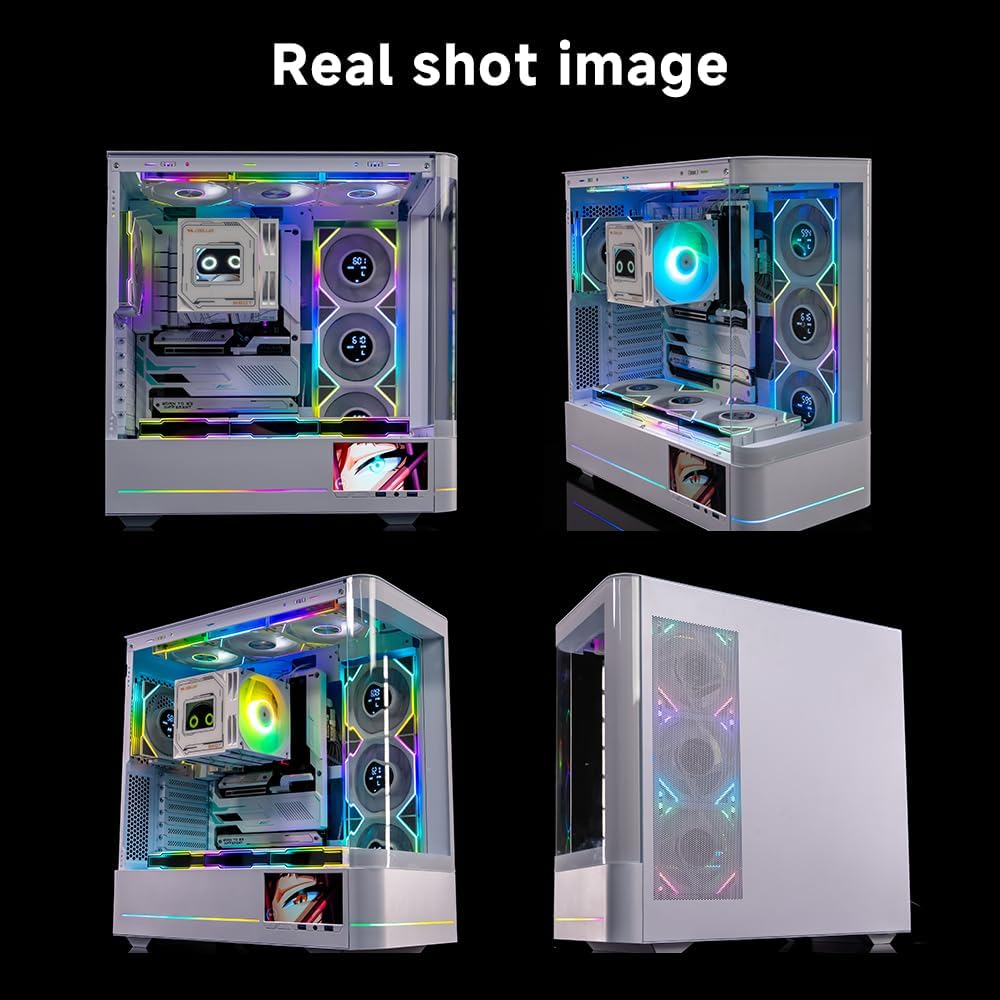
Figure 2: Motherboard compatibility diagram, illustrating support for ATX, Micro-ATX, and Mini-ITX form factors.
2.2 Component Clearances
- GPU Height: Up to 410mm
- CPU Cooling Height: Up to 180mm
- Top-mounted Water-cooling Radiators: Up to 360mm
- Power Supply Height: Up to 280mm
2.3 Drive Bay Installation
The case includes 3 x 2.5-inch drive bays and 4 x 3.5-inch drive bays. Refer to the detailed specifications for mounting locations.
2.4 I/O Ports
The front I/O panel includes: HD Audio, 1 x USB 3.0, and 1 x Type-C port. Connect these cables to the corresponding headers on your motherboard.
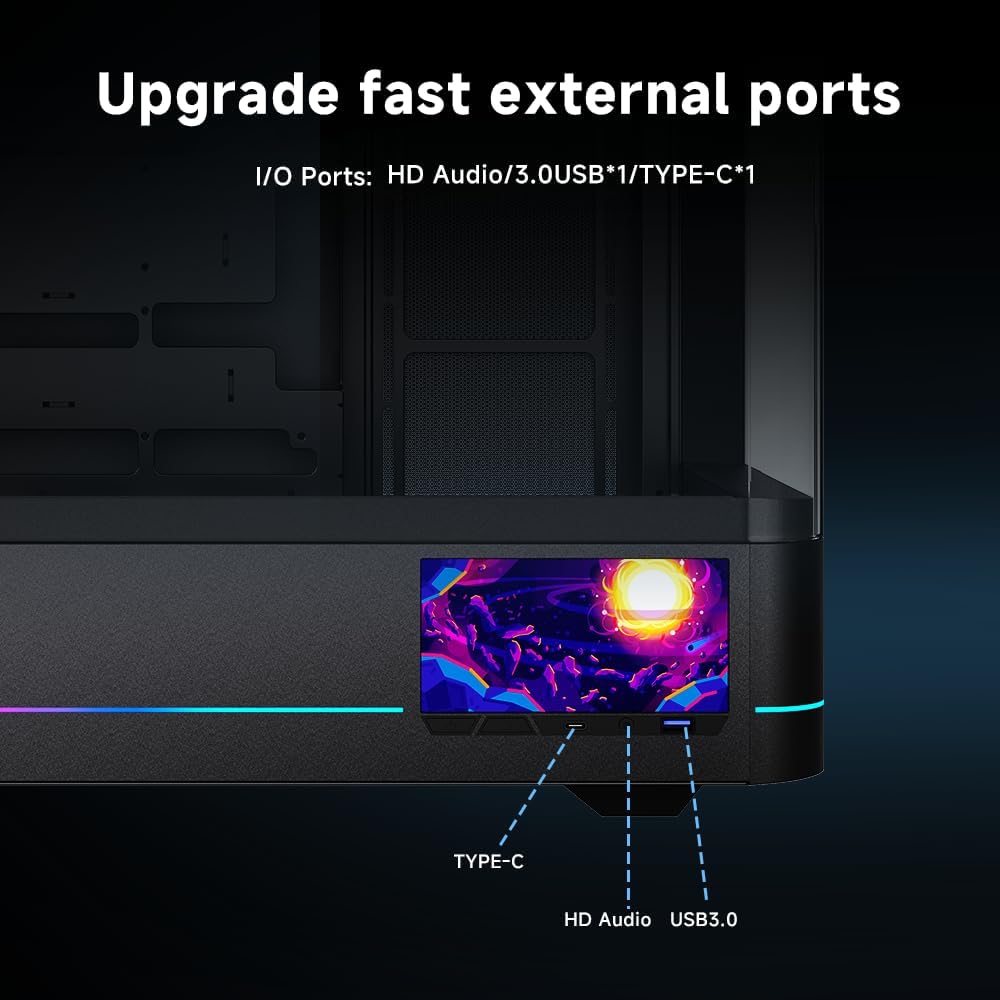
Figure 3: Front I/O ports for convenient connectivity.
Video 2: Installation guide for the Jungle Leopard AC-02 Digital PC Gaming Computer Case.
3. Operating Instructions
3.1 Integrated LCD Screen
The AC-02 features a 5.5-inch 960x480 HD resolution digital LCD screen. This screen can display real-time computer status or custom visual effects. Control and customization are managed via a dedicated application.
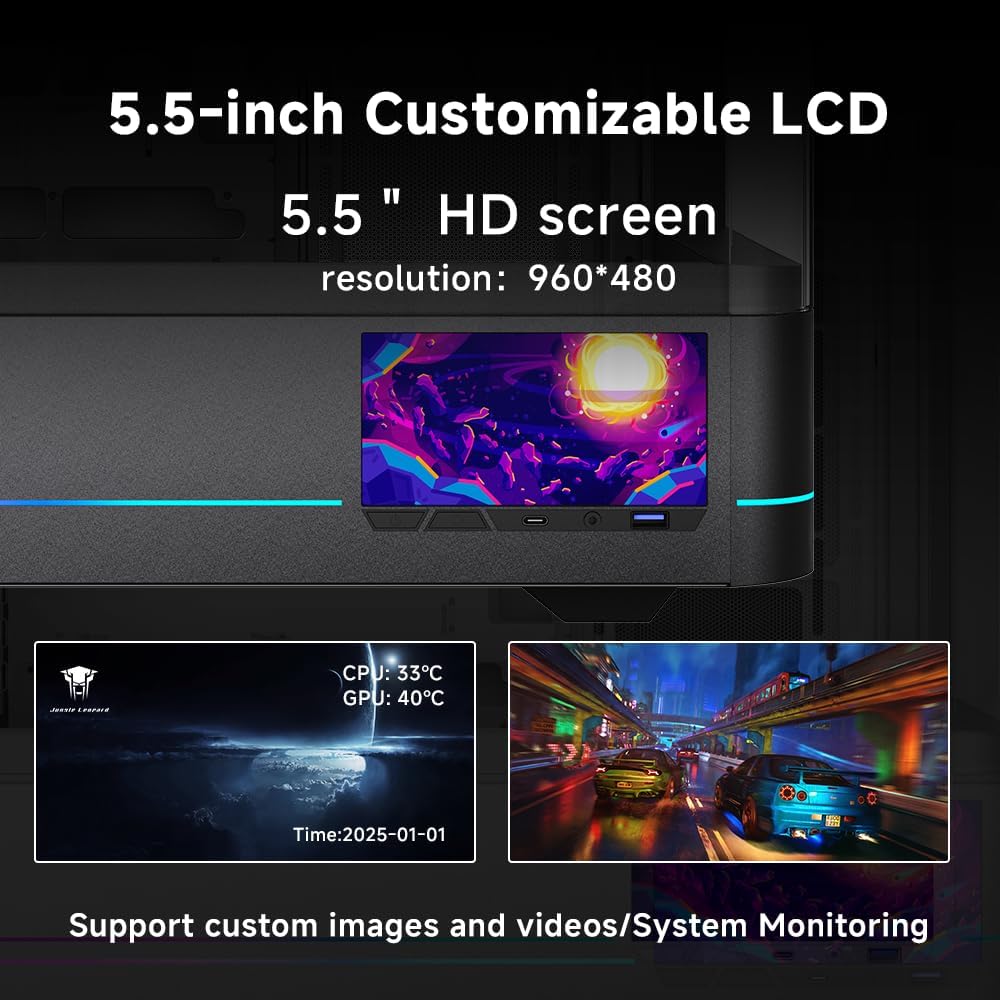
Figure 4: The 5.5-inch LCD screen provides real-time system monitoring and customizable displays.
3.2 Cooling Performance
The case is designed for optimal airflow, accommodating up to 10 x 120mm fans. Strategically place fans to ensure efficient heat dissipation.

Figure 5: Optimized airflow path for enhanced cooling performance.
Video 3: Demonstration of the Jungle Leopard AC-02 Computer Case features and functionality.
4. Maintenance
4.1 Cleaning the Case
- Exterior: Use a soft, damp cloth to wipe down the exterior surfaces. Avoid abrasive cleaners.
- Tempered Glass Panels: The side panels are made of tempered glass. Use a glass cleaner and a microfiber cloth to prevent streaks. The removable tempered glass panel allows for easy access.
- Dust Filters: The bottom and right side feature magnetic dust filters. Regularly remove and clean these filters to maintain optimal airflow and prevent dust buildup inside the case.
- Interior: Periodically use compressed air to remove dust from internal components and fan blades.
5. Troubleshooting
5.1 LCD Screen Not Displaying
- Check Connections: Ensure all cables connected to the LCD screen and motherboard are securely seated.
- Software: Verify that the dedicated control application for the LCD screen is correctly installed and running.
- Power Cycle: Turn off your PC, unplug it from the power source, wait a few minutes, then plug it back in and restart.
5.2 Fans Not Spinning
- Power Connections: Confirm that all fan power cables are properly connected to the motherboard or fan controller.
- BIOS/Software Settings: Check your motherboard's BIOS settings or fan control software to ensure fans are enabled and configured correctly.
5.3 General Power Issues
- Power Supply: Ensure the power supply unit (PSU) is correctly installed and connected to all components. Check the PSU's power switch.
- Front Panel Connectors: Double-check the front panel power switch and reset switch connections to the motherboard.
6. Specifications

Figure 6: Detailed specifications of the AC-02 PC Gaming Computer Case.
| Feature | Detail |
|---|---|
| Model Name | AC-02 |
| External Dimensions (L*W*H) | 473mm(L)*238mm(W)*487mm(H) |
| Case Type | Mid Tower |
| Motherboard Compatibility | ATX, Micro-ATX, Mini-ITX |
| Materials | Tempered Glass, SPCC, ABS |
| Integrated LCD Screen | 5.5-inch, 960*480 HD Resolution |
| I/O Ports | HD Audio, 1 x USB 3.0, 1 x Type-C |
| 2.5-inch Drive Bays | 3 |
| 3.5-inch Drive Bays | 4 |
| GPU Clearance | Up to 410mm |
| CPU Cooler Clearance | Up to 180mm |
| Top Water Cooling Support | Up to 360mm |
| Power Supply Clearance | Up to 280mm |
| Fan Support | Up to 10 x 120mm fans |
| Dust Filters | Magnetic (Bottom, Right Side) |
| Item Weight | 9.18 Kilograms (20.2 pounds) |
7. Warranty and Support
Jungle Leopard offers excellent after-sales service. If you encounter any problems after receiving the product or during its use, please contact us directly for assistance. We are committed to resolving all your issues.