
Introduction
Thank you for choosing the QXUFV QX68 Open Ear Bluetooth 5.4 Headphones. These headphones are designed to provide a comfortable listening experience while maintaining situational awareness. Featuring Bluetooth 5.4 connectivity, IPX7 waterproofing, and a lightweight design, they are suitable for various activities including sports and daily use.

Image: The QXUFV QX68 open ear headphones in blue, resting within their charging case. The case features an LED power display.
The open-ear design ensures your ear canals remain open, allowing you to hear your surroundings while enjoying audio. This enhances safety during outdoor activities.

Image: A diagram illustrating the difference between open-ear and in-ear headphone designs. The open-ear design sits outside the ear canal, while the in-ear design is inserted directly into it.
What's in the Box
Please check the package contents to ensure all items are present:
- Open Ear Earbuds (2)
- Charging Case (1)
- Type-C Charging Cable (1)
- User Manual (1)
Setup
1. Initial Charging
Before first use, fully charge the headphones and charging case. Connect the provided Type-C cable to the charging port on the case and a USB power source. The LED display on the charging case will indicate the battery level.

Image: An illustration showing the QXUFV QX68 headphones and charging case, highlighting the 8-10 hours of single charge playtime and 50 hours total with the charging case, along with the digital power display.
2. Bluetooth Pairing
- Ensure the headphones are charged.
- Open the charging case and remove both earbuds. They will automatically enter pairing mode.
- On your device (smartphone, tablet, computer), enable Bluetooth and search for available devices.
- Select "QX68" from the list of found devices to connect.
- Once connected, you will hear an audible confirmation, and the headphones will be ready for use.

Image: A visual guide demonstrating the automatic pairing process for the QXUFV QX68 headphones, showing the earbuds being removed from the case and the "QX68" option appearing on a phone's Bluetooth device list.
After the initial pairing, the headphones will automatically connect to the last paired device when removed from the charging case.
Operating Instructions
1. Wearing the Headphones
Gently place the ear hooks over your ears, ensuring the audio drivers are positioned just outside your ear canals. Adjust for a comfortable and secure fit. The lightweight and ergonomic design allows for extended wear without discomfort.
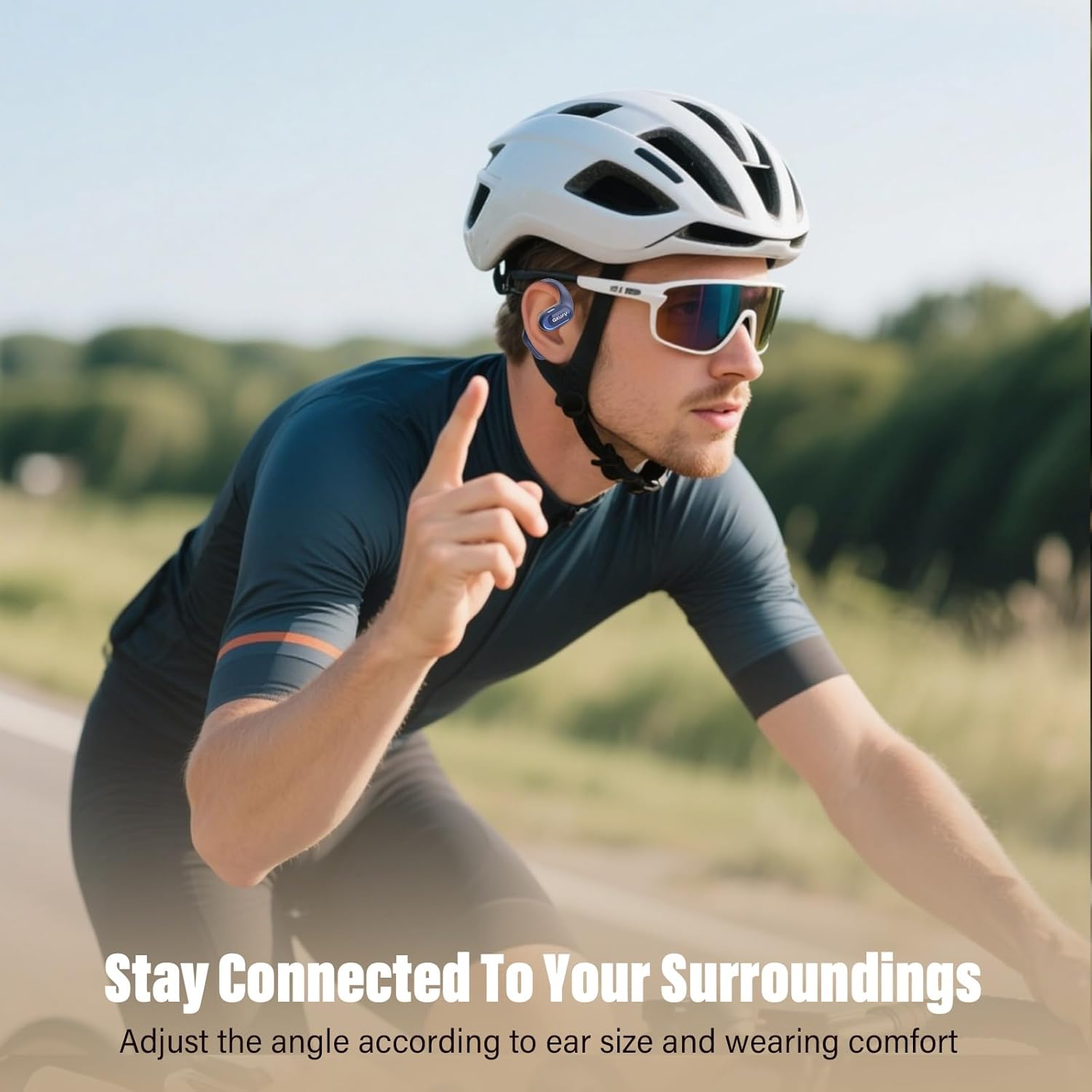
Image: A person wearing the QXUFV QX68 open ear headphones while cycling outdoors, demonstrating how the headphones sit securely over the ears, allowing for situational awareness.
2. Smart Touch Controls
The QX68 headphones feature touch-sensitive controls on each earbud. Specific functions include:
- Play/Pause Music: Single tap on either earbud.
- Answer/End Call: Single tap on either earbud.
- Reject Call: Press and hold either earbud for 2 seconds.
- Next Track: Double tap the right earbud.
- Previous Track: Double tap the left earbud.
- Volume Up: Triple tap the right earbud.
- Volume Down: Triple tap the left earbud.
- Activate Voice Assistant: Press and hold either earbud for 3 seconds.
3. Power On/Off
- Power On: Remove the earbuds from the charging case. They will power on automatically.
- Power Off: Place the earbuds back into the charging case. They will disconnect and power off automatically.
Maintenance
1. Cleaning
Regularly clean the earbuds and charging case with a soft, dry, lint-free cloth. Avoid using abrasive materials or harsh chemicals. Do not immerse the charging case in water.
2. Water Resistance (IPX7)
The QX68 headphones are IPX7 waterproof, meaning they can withstand immersion in water up to 1 meter for 30 minutes. They are resistant to sweat and rain, making them suitable for workouts and outdoor activities. However, the charging case is not waterproof. Ensure the earbuds are dry before placing them back into the charging case to prevent damage.

Image: An image highlighting the ergonomic earhook, ultra-light design, skin-friendly material, and IPX7 waterproof rating of the QXUFV QX68 headphones, emphasizing their suitability for sports.
3. Storage
When not in use, store the headphones in their charging case to protect them and ensure they remain charged.
Troubleshooting
| Problem | Possible Solution |
|---|---|
| Headphones do not power on. | Ensure the earbuds and charging case are fully charged. Place earbuds in the case, close, then reopen and remove. |
| Cannot pair with device. |
|
| No sound or intermittent sound. |
|
| Charging case LED display is off. | Connect the charging case to a power source using the Type-C cable. If it remains off, the case may be fully charged or require service. |
Specifications
| Feature | Detail |
|---|---|
| Model Name | QX68 |
| Connectivity Technology | Wireless (Bluetooth 5.4) |
| Bluetooth Version | 5.4 |
| Ear Placement | Over Ear (Open Ear Design) |
| Audio Driver Type | Dynamic Driver |
| Audio Driver Size | 14.2 Millimeters |
| Playtime (Single Charge) | Up to 10 hours |
| Total Playtime (with Charging Case) | Up to 48 hours |
| Water Resistance Level | IPX7 (Earbuds only) |
| Material | Liquid Silicone |
| Item Weight | 3.52 ounces (total) |
| Compatible Devices | Laptops, Smartphones, Tablets |
| Noise Control | Passive Noise Cancellation |

Image: A diagram showing the dimensions of the QXUFV QX68 charging case (80mm x 67mm) and individual earbuds (60mm length, 35mm width, 27mm depth).
Warranty and Support
For warranty information or technical support, please refer to the contact details provided with your purchase or visit the official QXUFV website. Keep your proof of purchase for any warranty claims.
Manufacturer: QXUFV
Date First Available: July 16, 2025