
Foleto RIV001
Foleto LED Hat Light RIV001 Instruction Manual
Model: RIV001 | Brand: Foleto
Introduction
This manual provides detailed instructions for the safe and effective use of your Foleto LED Hat Light (Model RIV001). This versatile lighting device offers 900 lumens of brightness, multiple lighting modes, and a rechargeable battery, suitable for various outdoor and indoor activities. Please read this manual thoroughly before operating the device.
What's in the Box
- 2 x LED Headlamp (rechargeable)
- 2 x Adjustable Headband
- 1 x USB Cable
- 1 x Instruction Manual
Specifications
| Feature | Detail |
|---|---|
| Model Number | RIV001 |
| Light Source Type | LED |
| White Brightness | Up to 900 Lumens |
| Power Source | Battery Powered (Rechargeable Lithium Ion) |
| Battery Capacity | 1500mAh |
| Run Time | Up to 80 hours (low mode) |
| Adjustability | 180° Adjustable Head |
| Lighting Modes | Spot, Low Spot, Flood, Spot+Flood, Red Steady, Red Strobe |
| Special Features | Dimmable, Motion Sensor, Water-resistant |
| Material | Aluminum |
| Water Resistance Level | Water Resistant |
Note: Some specifications may vary slightly. Refer to product packaging for the most accurate details.
Setup
Attaching to a Hat
The Foleto LED Hat Light features a clip for easy attachment to the brim of a baseball cap or similar headwear. Ensure the clip is securely fastened to prevent the light from falling during use.
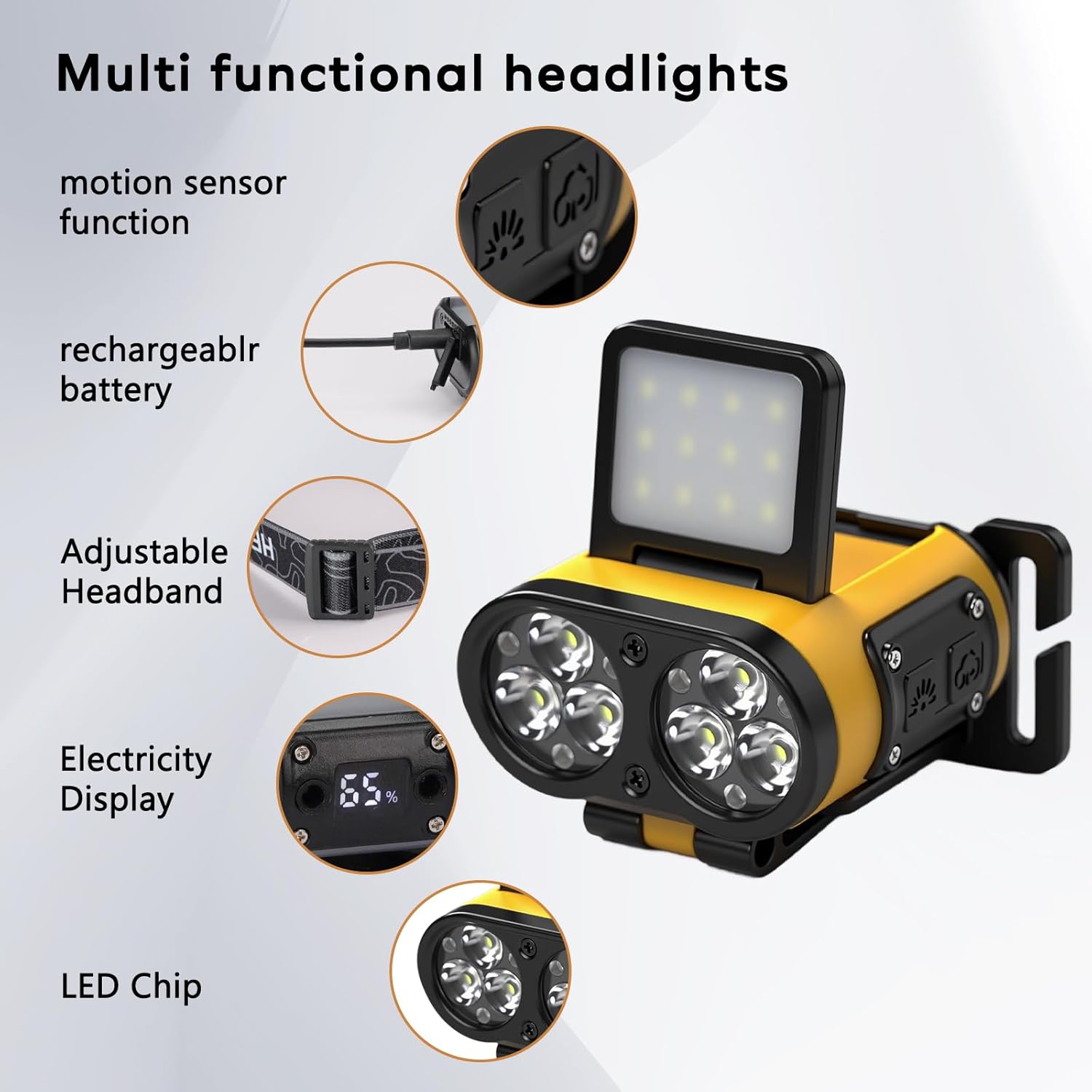
Image: The Foleto LED Hat Light securely clipped onto the brim of a black baseball cap, demonstrating its primary attachment method.
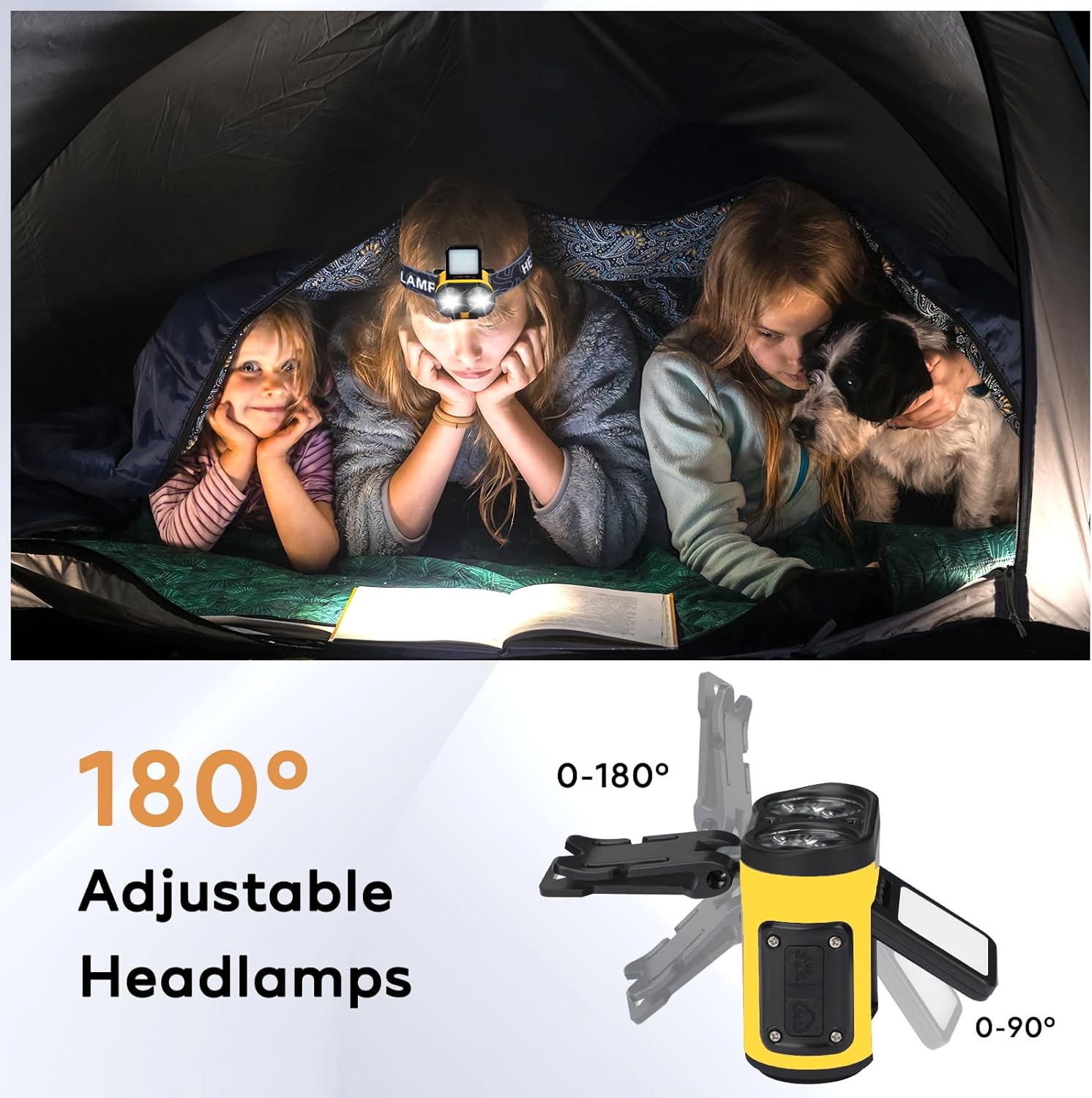
Image: A close-up of the Foleto LED Hat Light showing its 180-degree adjustable head, allowing users to direct the light beam as needed.
Using with the Headband
For use as a traditional headlamp, attach the included adjustable headband to the light. The light can be easily detached from the headband for alternative uses or storage.

Image: The Foleto LED Hat Light shown with its adjustable headband, illustrating how it can be worn as a headlamp.
Video: This video demonstrates the process of attaching the Foleto LED Hat Light to the headband and a cap, as well as showcasing its various lighting modes and motion sensor function. It highlights the ease of assembly and versatility of the product.
Operating Instructions
Power On/Off and Mode Selection
Press the power button to cycle through the five available lighting modes:
- Spot Light: Concentrated beam for focused illumination.
- Low Spot Light: Reduced intensity spot beam.
- Flood Light: Wide beam for area illumination.
- Spot + Flood: Combination of both beams for maximum coverage.
- Red Steady: Constant red light for preserving night vision.
- Red Strobe: Flashing red light for signaling or emergency.
To turn off the light, press the power button until the light cycles past the last mode, or long-press the power button in any mode.
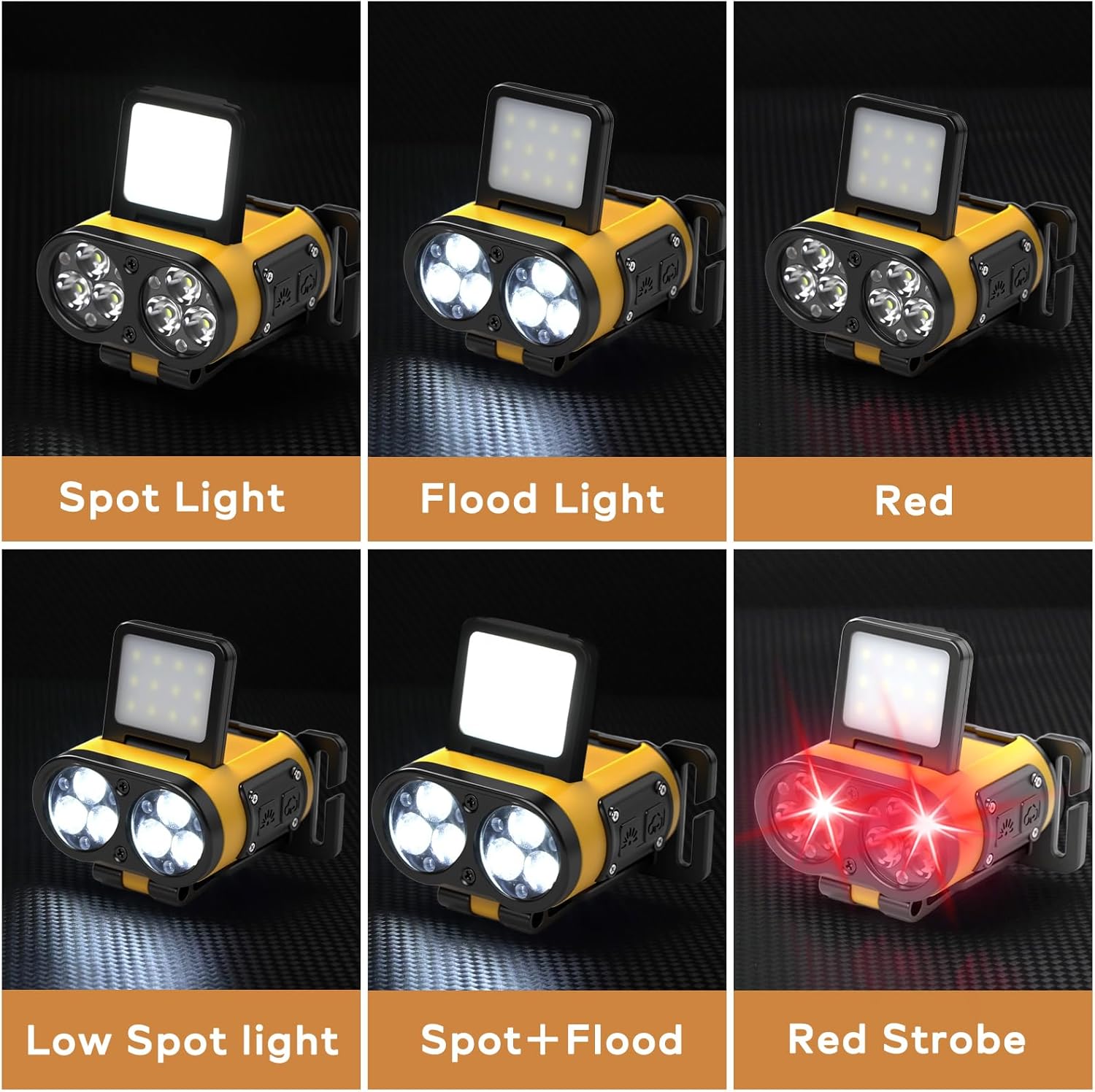
Image: A visual representation of the Foleto LED Hat Light displaying its various lighting modes, including spot, flood, and red light options.
Dimming Function
Long-press the power button while the light is on to activate the stepless dimming function. Release the button at your desired brightness level.
Motion Sensor Activation
Press the motion sensor button to enable or disable the motion sensor feature. When activated, you can wave your hand in front of the light to turn it on or off without pressing the power button.

Image: The Foleto LED Hat Light highlighting its motion sensor function and the digital battery display, indicating current charge level.
Maintenance
Charging the Battery
Connect the included USB cable to the charging port on the light and to a standard USB power source (e.g., wall adapter, computer, power bank). The digital display will show the charging progress. A full charge typically takes approximately 3 hours.

Image: The Foleto LED Hat Light being charged via a USB-C cable, with an indicator showing battery capacity and charging time.
Cleaning and Storage
Wipe the light with a soft, damp cloth to clean. Do not use abrasive cleaners. Store the light in a cool, dry place away from direct sunlight when not in use for extended periods.
Water Resistance
The Foleto LED Hat Light is water-resistant, making it suitable for use in light rain or snowy conditions. It is not designed for submersion in water.

Image: The Foleto LED Hat Light shown with water droplets, illustrating its water-resistant design for outdoor use.
Troubleshooting
| Problem | Possible Cause | Solution |
|---|---|---|
| Light does not turn on. | Battery is depleted. | Charge the battery using the provided USB cable. |
| Light is dim or flickers. | Low battery level. | Recharge the battery fully. |
| Motion sensor not responding. | Motion sensor is disabled. | Press the motion sensor button to activate it. Ensure no obstructions are blocking the sensor. |
| Light does not charge. | Faulty USB cable or power source. | Try a different USB cable or power adapter. Ensure the charging port is clean and free of debris. |
Warranty and Support
Your Foleto LED Hat Light (Model RIV001) comes with a 2-year replacement guarantee from the date of purchase. This warranty covers manufacturing defects and ensures product functionality under normal use.
For warranty claims, technical assistance, or any questions regarding your product, please contact Foleto customer support. Refer to the product packaging or the official Foleto website for contact information.
Ask a question about this manual
Ask about setup, troubleshooting, compatibility, parts, safety, or missing instructions. Manuals+ will review the question and use this page’s manual context to help answer it.