
Introduction
This manual provides essential instructions for the safe assembly, operation, maintenance, and troubleshooting of your jonpony Power Lift Recliner Chair. Please read this manual thoroughly before use and retain it for future reference.
Safety Instructions
- Ensure all components are securely assembled before use.
- Keep children and pets away from the chair's moving parts.
- Do not place hands or feet near the lift mechanism during operation.
- Avoid spilling liquids on the chair, especially near electrical components.
- Unplug the chair from the power outlet before cleaning or if it will be unused for an extended period.
- Do not exceed the maximum weight capacity of 350 lbs (158 kg).
- Use the USB port only for low-power devices like smartphones or tablets.
Package Contents
Upon opening the package, verify that all components are present. Refer to the separate paper installation instructions included in the box for a detailed list of parts. Typically, the package includes:
- Recliner Chair Base
- Backrest
- Armrests (Left and Right)
- Power Adapter and Cable
- Remote Control
- Assembly Hardware (screws, bolts, etc.)
- Paper Installation Instructions
Setup and Assembly
The jonpony Power Lift Recliner Chair is designed for straightforward assembly. Detailed, step-by-step instructions are provided in the paper manual included within the product packaging. Please follow those instructions carefully.
General Assembly Steps:
- Unpack all components and lay them out on a clean, soft surface to prevent damage.
- Attach the backrest to the chair base, ensuring it clicks securely into place.
- Connect the armrests to the main body of the chair.
- Connect all electrical cables, ensuring they are properly seated and secured.
- Plug the power adapter into the chair and then into a wall outlet.
- Test all functions using the remote control.
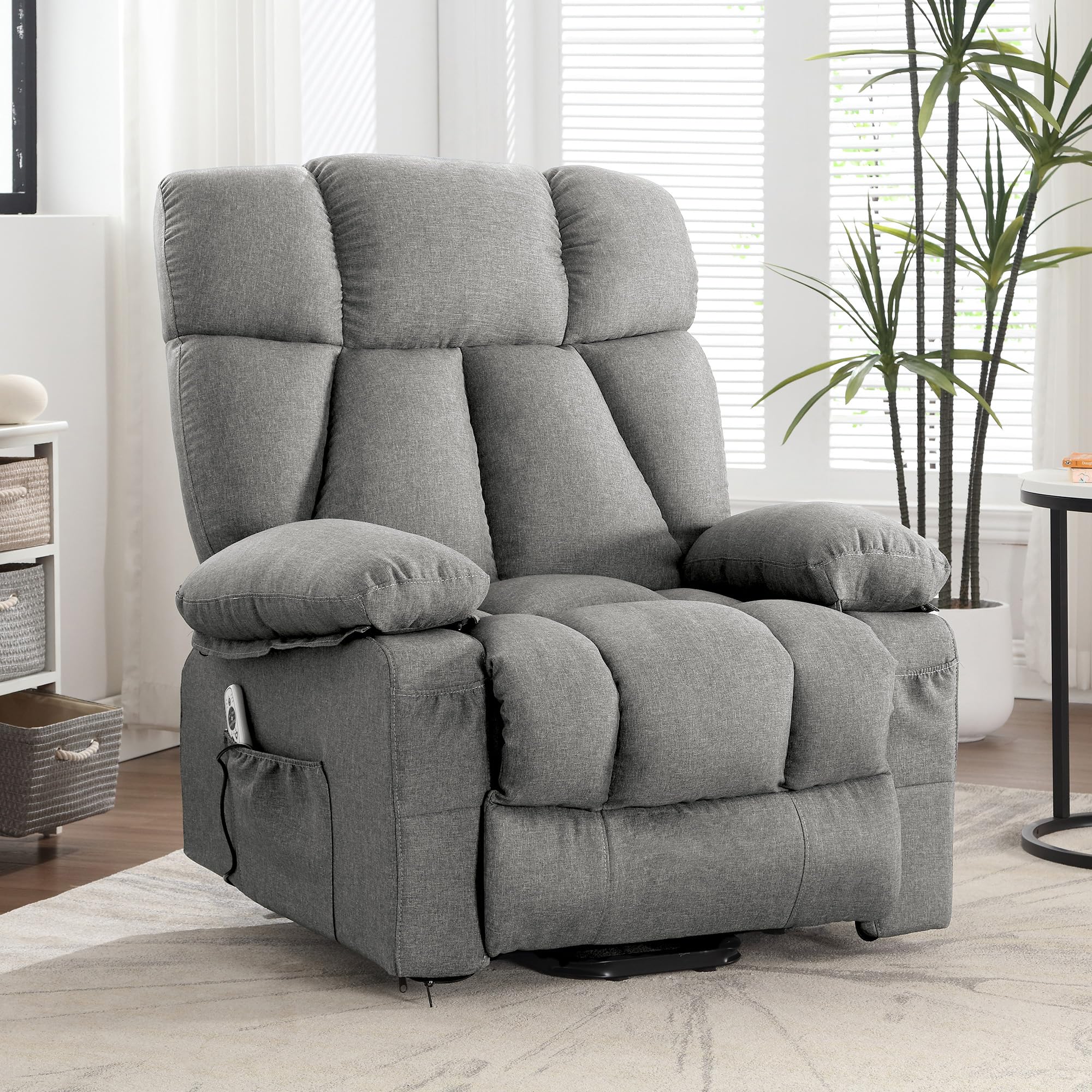
This image shows the fully assembled jonpony Power Lift Recliner Chair in a typical living room environment, demonstrating its overall appearance.
Operating Instructions
Your jonpony Power Lift Recliner Chair offers multiple functions for comfort and assistance, controlled via the included remote.
Power Lift and Recline Function
The power lift function assists users in standing up from the chair without straining their back or knees. The chair can also recline up to 160 degrees for various comfort positions.
- To Recline: Press the 'Recline' button on the remote control. The chair will smoothly adjust to your desired angle, up to a maximum of 160 degrees. Release the button to stop at any position.
- To Lift/Stand Up: Press the 'Lift' button on the remote control. The chair will gently tilt forward and upward, assisting you to a standing position. Release the button to stop the movement.
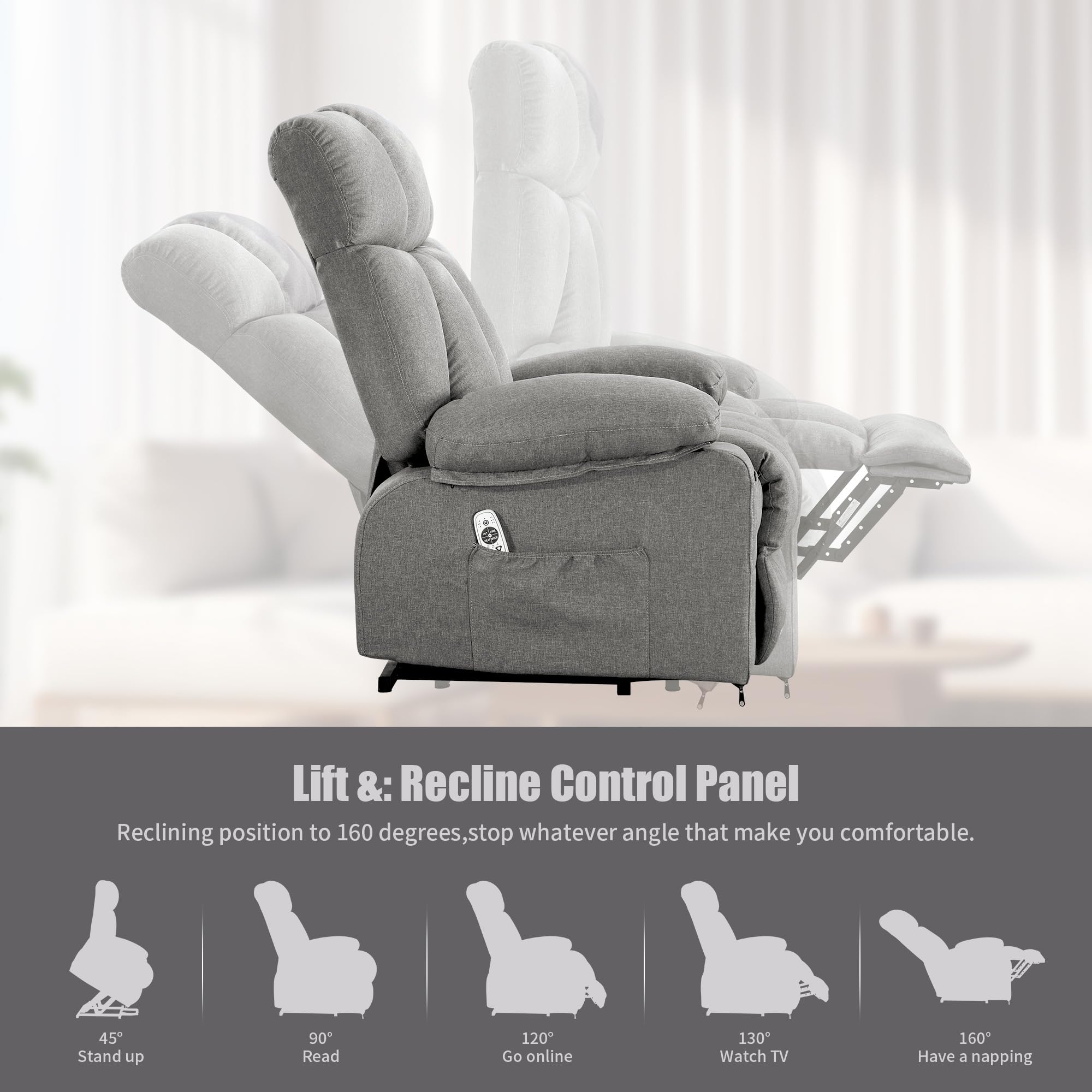
This graphic illustrates the various reclining angles (45° stand up, 90° read, 120° go online, 130° watch TV, 160° napping) and the lift functionality, controlled by the remote.
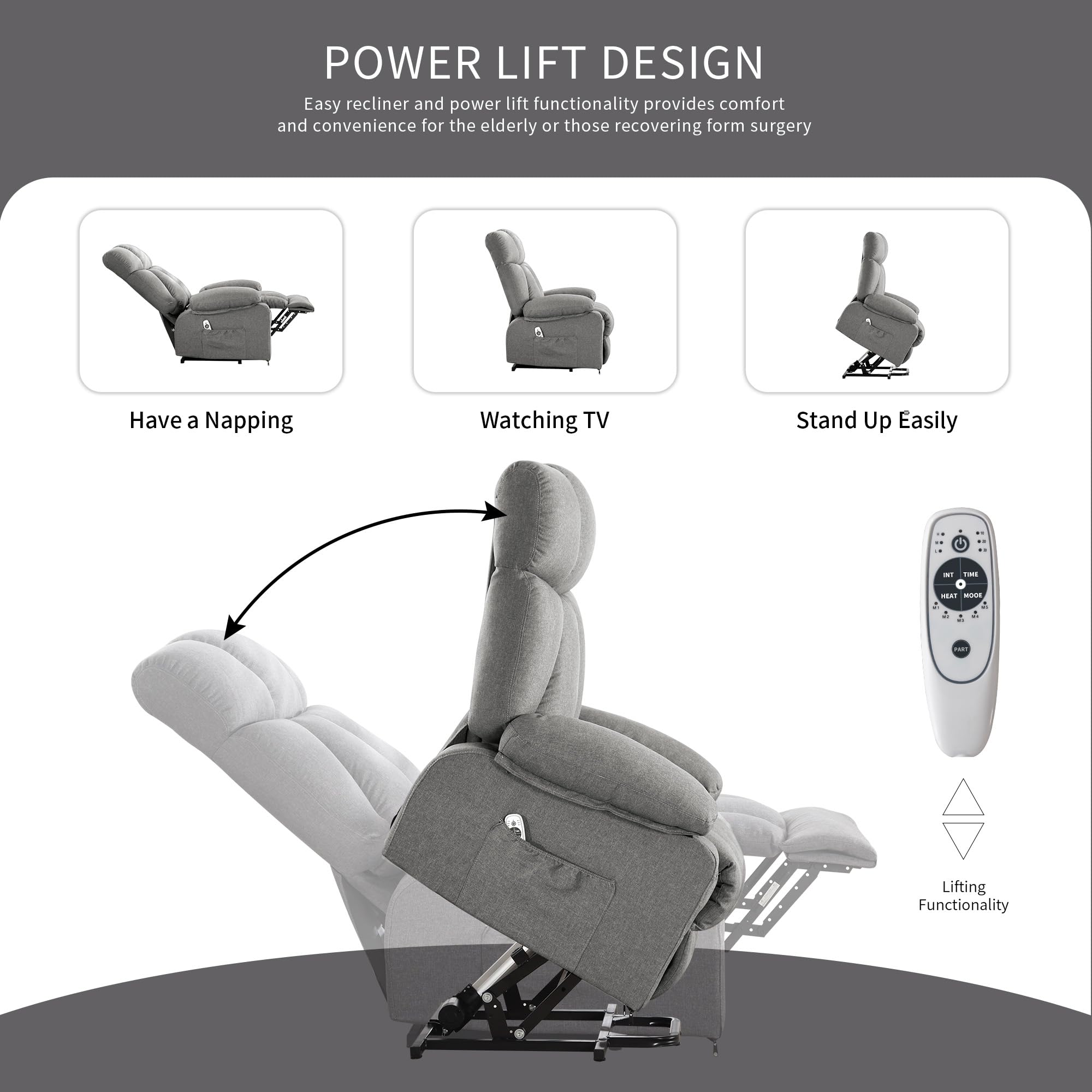
This image shows the chair transitioning from a reclined position to an upright, lifted position, demonstrating how the power lift assists users in standing up easily.
Massage and Heat Function
The chair features 8 massage points and a lumbar heating function to enhance relaxation.
- Power (ON/OFF): Press the power button on the remote to turn the massage and heat functions on or off.
- Massage Intensity: Use the 'INT' button to cycle through 2 different massage intensities (Low, High).
- Vibration Strength: The remote allows selection of 3 vibration strengths.
- Heating: Press the 'HEAT' button to activate the lumbar heating function.
- Massage Mode: Use the 'MODE' button to select from 5 different massage modes.
- Massage Area: The 'PART' button allows you to select specific massage areas (calves, thighs, waist, shoulders).
- Timer: Set the massage duration using the 'TIME' button (10, 20, or 30 minutes).
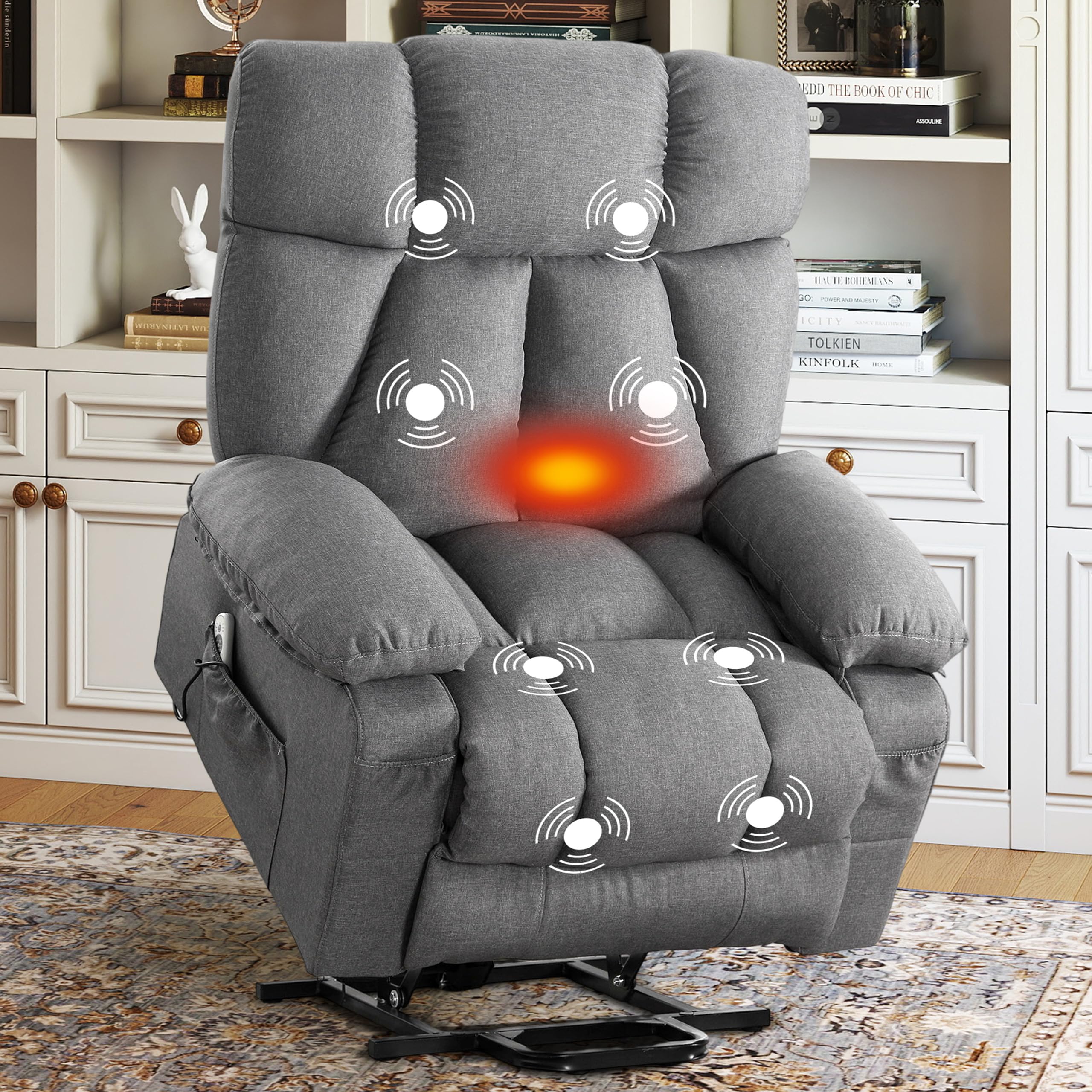
This image illustrates the various massage points and the lumbar heating area on the recliner chair, indicating where the therapeutic functions are applied.
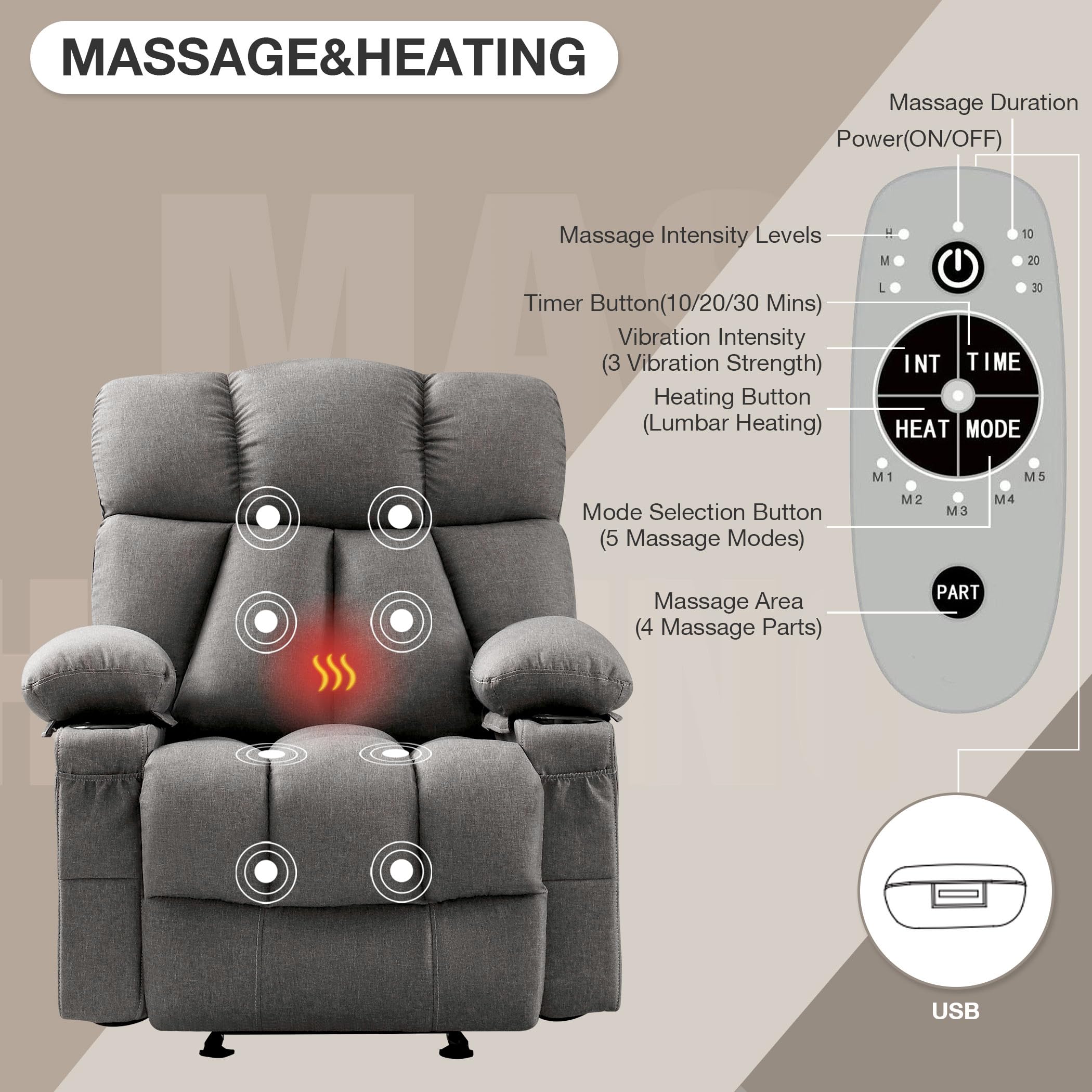
A detailed view of the remote control, labeling buttons for massage duration, intensity levels, vibration strength, heating, mode selection, and massage areas. Also shows the USB charging port.
USB Charging Port and Storage Pockets
The chair includes convenient features for daily use.
- USB Charging Port: A USB charging cable is integrated to charge low-power devices like smartphones or tablets while you are seated. (Note: Not suitable for high-power devices like laptops).
- Side Pockets: Dual side pockets are provided for storing the remote control, magazines, or other personal items.
- Front Pockets: Additional front pockets offer storage for smaller items such as your phone.
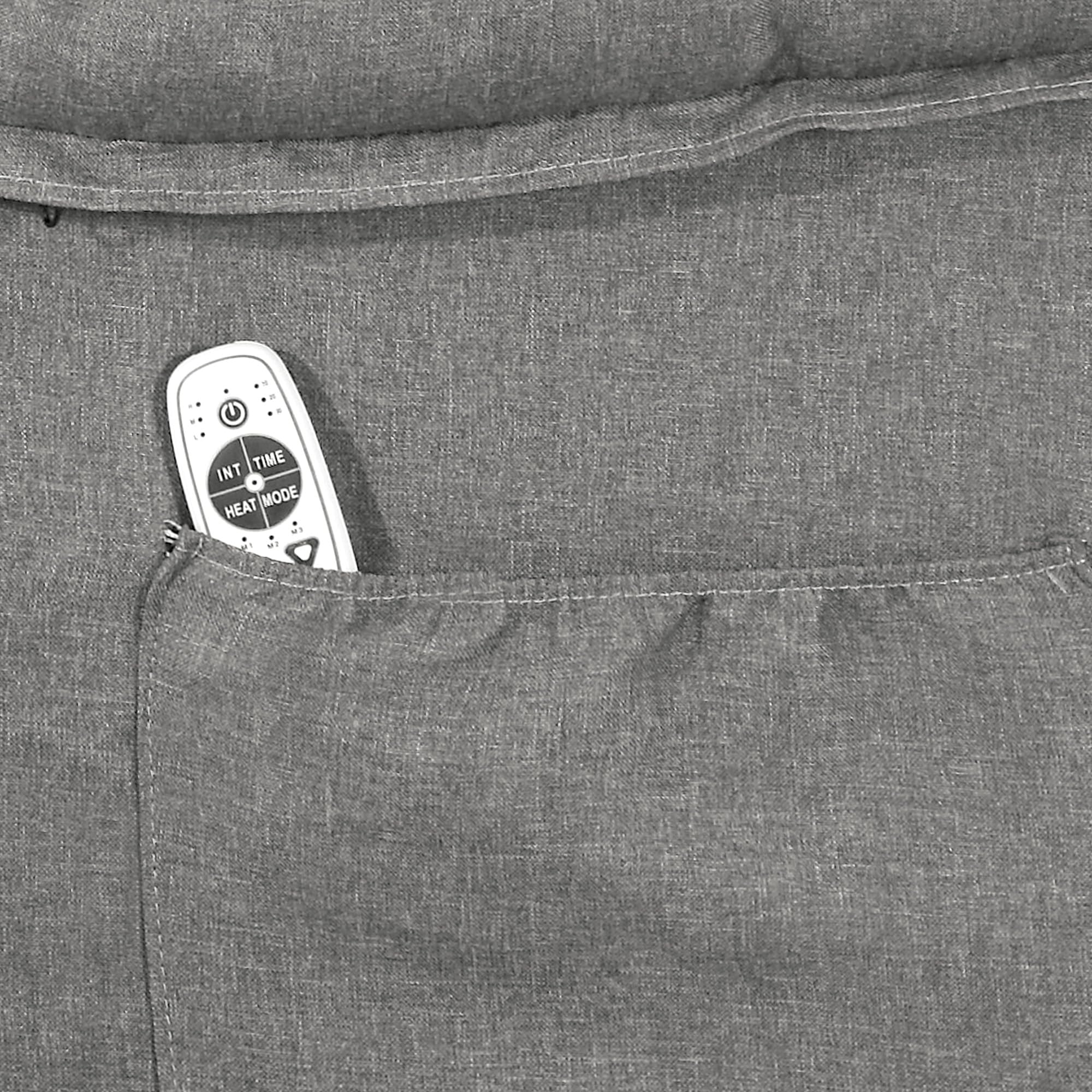
A close-up image showing the remote control conveniently placed in one of the chair's side pockets.
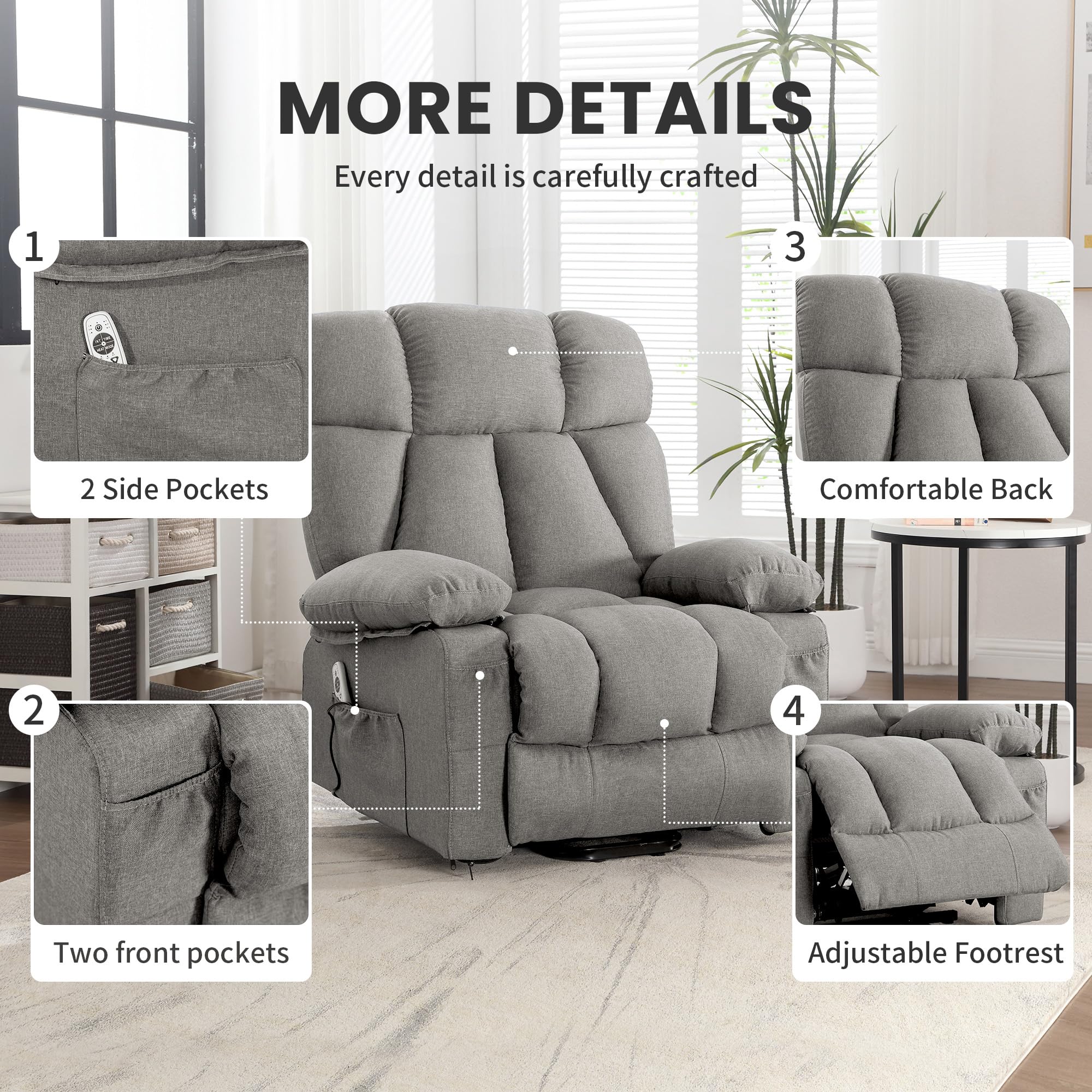
Close-up views showcasing the practical design elements: two side pockets for remote storage, two front pockets for small items, the comfortable backrest design, and the adjustable footrest mechanism.
Maintenance
Proper care will extend the life and appearance of your recliner chair.
- Cleaning: For general cleaning, use a soft, damp cloth with mild soap. Avoid harsh chemicals or abrasive cleaners. Spot clean spills immediately.
- Fabric Care: The skin-friendly and breathable fabric upholstery should be vacuumed regularly to remove dust and debris.
- Mechanism: Periodically check all bolts and screws to ensure they are tight. Do not lubricate the lift mechanism unless specifically instructed by customer support.
- Power Cord: Inspect the power cord and adapter for any signs of damage. If damaged, discontinue use and contact customer support for a replacement.
Troubleshooting
If you encounter issues with your recliner, refer to the following common problems and solutions:
- Chair Not Responding:
- Ensure the power cord is securely plugged into both the chair and a working wall outlet.
- Check if the wall outlet is functional by plugging in another device.
- Verify that all electrical connections within the chair are properly seated.
- Massage/Heat Not Working:
- Confirm the chair is powered on and the remote control has working batteries (if applicable).
- Ensure the power button on the remote for massage/heat is pressed.
- Unusual Noises During Operation:
- Check for any obstructions around the lift mechanism.
- Ensure all assembly hardware is tightened.
- USB Port Not Charging:
- Ensure the chair is powered on.
- Confirm the device being charged is a low-power device (e.g., smartphone, not a laptop).
- Try a different USB cable.
If these steps do not resolve the issue, please contact customer support.
Specifications
Detailed specifications for the jonpony Power Lift Recliner Chair (Model B0FHPWQFKL):
- Brand: jonpony
- Model: B0FHPWQFKL
- Color: Grey
- Product Dimensions (Upright): 29"D x 34.3"W x 40.5"H
- Recline Angle: Up to 160 degrees
- Special Features: Power Lift, Massage, Heat, Side Pockets, USB Charge Port
- Style: Regular
- Pattern: Solid
- Room Type: Bedroom, Living Room, Study Room
- Fill Material: Cotton
- Manufacturer: jonpony
- Weight Capacity: Up to 350 lbs
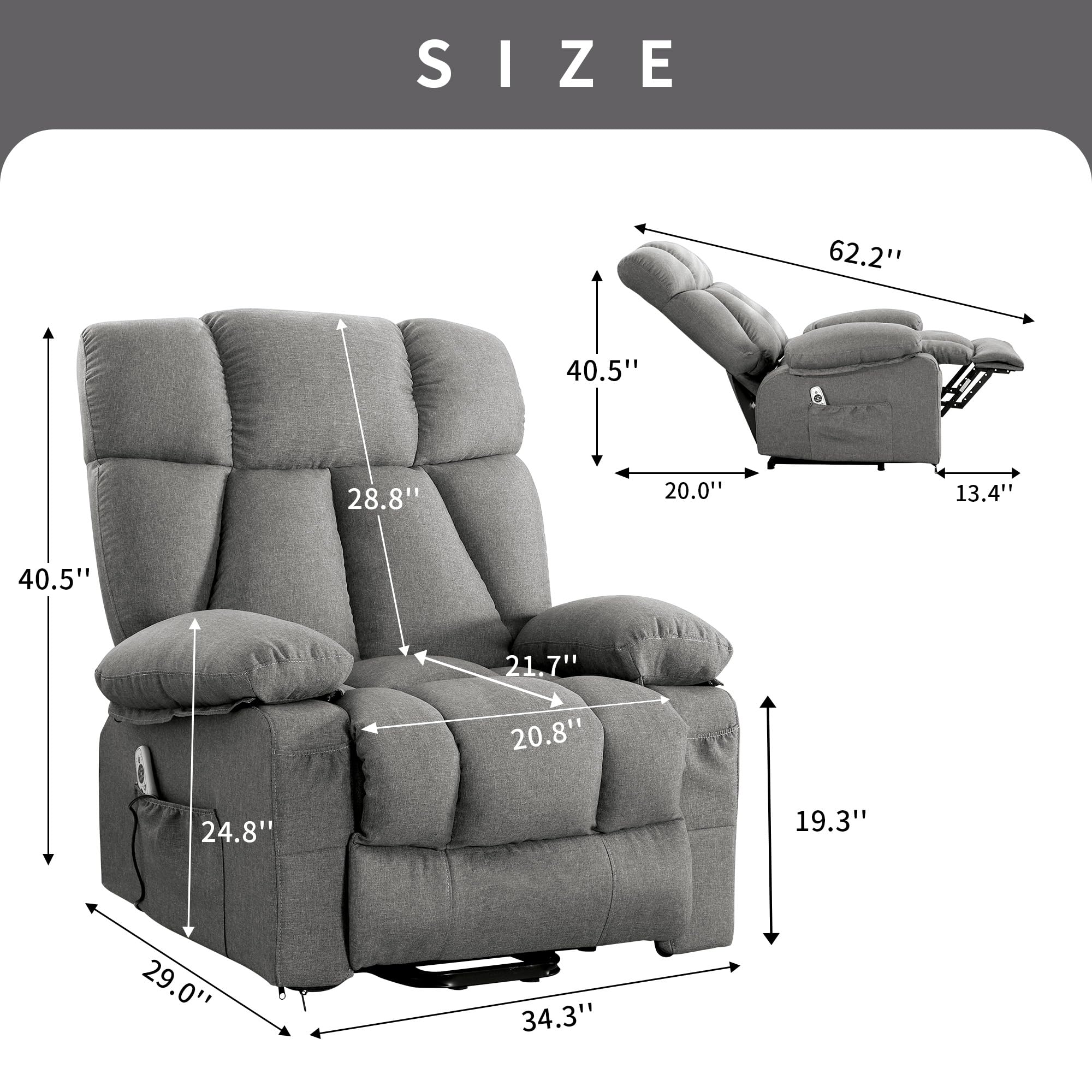
This diagram provides detailed measurements of the recliner chair in both upright and fully reclined positions, including height, width, and depth.
Warranty and Support
Your jonpony Power Lift Recliner Chair comes with a 12-month warranty for free replacement parts from the date of purchase.
For any questions, concerns, or to request replacement parts, please contact our customer service team. We are committed to providing satisfactory service within 24 hours.
Contact Information:
- Refer to your purchase documentation for specific contact details.
- Visit the official jonpony Store on Amazon for more information and support.