
1. Introduction
This manual provides detailed instructions for the safe and effective operation of your XFALIGHTS XMHL-19x25W Zoom Moving Head DJ Light. Please read this manual thoroughly before installation, operation, or maintenance to ensure proper usage and to prevent damage to the unit or injury to personnel. Keep this manual for future reference.

Figure 1: Front view of the XFALIGHTS XMHL-19x25W Moving Head DJ Light.
2. Safety Information
Always observe the following safety precautions to reduce the risk of electric shock, fire, or injury:
- Ensure the power supply voltage matches the unit's requirements.
- Do not open the housing; there are no user-serviceable parts inside. Refer all servicing to qualified personnel.
- Avoid direct eye exposure to the light source.
- Ensure proper ventilation to prevent overheating. Do not block ventilation openings.
- Mount the fixture securely using appropriate hardware and safety cables.
- Disconnect from power before cleaning or servicing.
- Keep the unit away from moisture, excessive heat, and flammable materials.
3. Package Contents
Verify that all items are present and in good condition upon unpacking:
- Moving head light × 1
- Mounting bracket × 1
- Power cord × 1
- Screw × 2
- User manual × 1

Figure 2: Included accessories and main unit.
4. Product Features
The XFALIGHTS XMHL-19x25W Moving Head DJ Light offers a range of features for dynamic stage lighting:
- Beam Wash Effects: Equipped with 19 high-power 25W RGBW 4-in-1 LEDs, providing a zoom range from 3° to 60° for precise beam control and smooth wash coverage. The Bee Eye lens design enhances projection clarity, and a built-in halo effect with 24 SMD5050 RGB LEDs adds atmospheric accents.
- Advanced Color Capabilities: RGBW color mixing allows for over 16.7 million color possibilities. The adjustable color temperature (2000K–8000K) enables matching to various lighting environments. A high-speed strobe function (25 flashes per second) supports dynamic synchronization.
- Multiple Control Modes: Compatible with DMX512, RDM, master-slave, sound-activated, and standalone modes. Channel options include 28, 42, 85, 99, 104, and 106 to tailor functionality.
- Durable Design: Features a 500W power supply and efficient heat management for extended use.

Figure 3: Overview of key operational features.

Figure 4: Beam Wash Zoom capabilities.

Figure 5: Examples of Wash & Halo LED light source effects.

Figure 6: Internal components and control system.
5. Setup
Follow these steps to set up your moving head light:
- Unpacking: Carefully remove the unit and all accessories from the packaging. Inspect for any damage during transit.
- Mounting: Securely attach the mounting bracket to the fixture using the provided screws. Ensure the mounting surface or truss can support the weight of the fixture. Use a safety cable as an additional precaution.
- Power Connection: Connect the power cord to the 'POWER IN' port on the unit and then to a suitable power outlet (AC100-240V, 50/60Hz).
- DMX Connection (Optional): If using DMX control, connect a DMX cable from your DMX controller to the 'DMX IN' port of the first fixture. For multiple fixtures, daisy-chain them by connecting the 'DMX OUT' of the first fixture to the 'DMX IN' of the next.

Figure 7: Ultra-wide-angle scanning capabilities.
6. Operating Modes
The XMHL-19x25W offers several operating modes to suit various applications:
- DMX512 Mode: This is the industry-standard protocol for controlling stage lighting. Connect a DMX controller to manipulate parameters such as color, brightness, motion, and strobe effects. The fixture supports 28, 42, 85, 99, 104, or 106 DMX channels.
- RDM Mode: Remote Device Management (RDM) allows for bi-directional communication between the DMX controller and the fixture. This enables remote monitoring and configuration of fixture settings, eliminating the need for manual adjustments on the unit itself.
- Master-Slave Mode: Link multiple fixtures together. One unit acts as the master, controlling all other slave units. This is ideal for synchronized effects without a DMX controller.
- Sound-Activated Mode: The light responds to ambient sound or music, triggering various effects and color changes. This mode is suitable for parties or events where dynamic lighting is desired without complex programming.
- Automatic Mode: The fixture executes pre-recorded light effects, including gradients, scans, and jumps, providing automated light shows.
Video 1: Demonstration of various lighting effects and operational modes of the XFALIGHTS Moving Head DJ Light, including color mixing, pan/tilt movement, strobe, and halo effects.
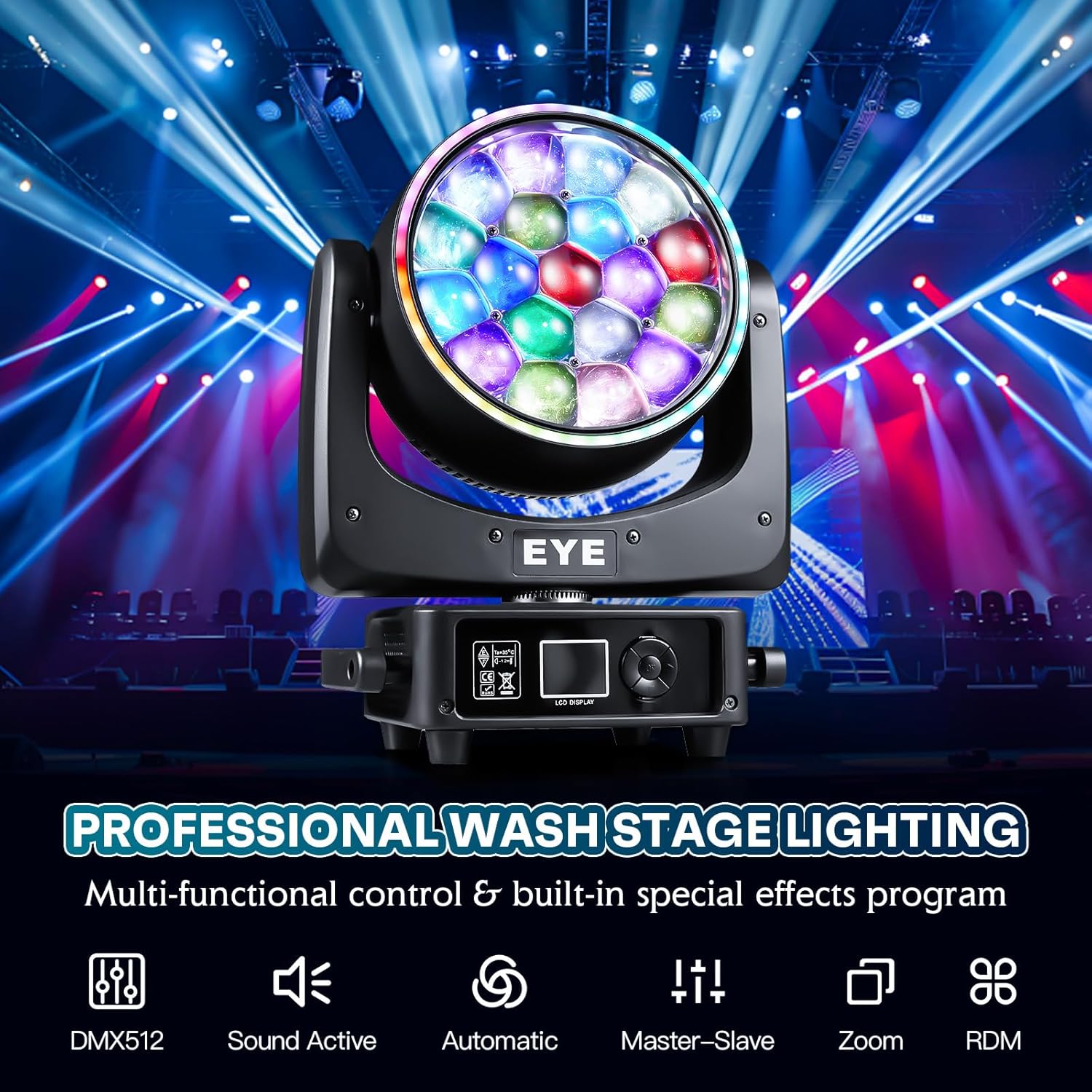
Figure 8: Overview of available control modes.

Figure 9: DMX512 Mode explanation.

Figure 10: RDM Mode explanation.

Figure 11: Automatic Mode effects.

Figure 12: Sound Activation effects.
7. Control Panel
The unit features an LCD display and navigation buttons for configuration and mode selection.

Figure 13: Rear view showing control panel and connections.
The control panel typically includes:
- LCD Display: Shows current settings, DMX address, and menu options.
- Menu Buttons: For navigating through the menu and adjusting parameters.
- DMX IN/OUT: 3-pin XLR connectors for DMX signal input and output.
- POWER IN/OUT: Power connectors for linking multiple units.
- FUSE: Overcurrent protection.
- ON/OFF Switch: Main power switch.
8. Maintenance
Regular maintenance ensures optimal performance and longevity of your light fixture:
- Cleaning: Periodically clean the lenses and exterior with a soft, lint-free cloth. Do not use abrasive cleaners or solvents.
- Inspection: Regularly check power cables, DMX cables, and mounting hardware for any signs of wear or damage.
- Ventilation: Ensure ventilation openings are clear of dust and debris to maintain efficient cooling.
- Storage: When not in use, store the fixture in a dry, dust-free environment.
9. Troubleshooting
If you encounter issues with your light, refer to the following common problems and solutions:
| Problem | Possible Cause | Solution |
|---|---|---|
| No power | Power cable disconnected, faulty outlet, blown fuse. | Check power connections, test outlet, replace fuse if necessary. |
| No DMX control | Incorrect DMX address, faulty DMX cable, incorrect DMX mode. | Verify DMX address, check DMX cable integrity, ensure correct DMX channel mode is selected. |
| Light not moving | Motor locked, DMX signal issue, internal fault. | Check for obstructions, verify DMX signal, perform a system reset. If problem persists, contact support. |
| Overheating | Blocked ventilation, prolonged use in high ambient temperatures. | Ensure clear airflow around the unit. Allow the unit to cool down. |
10. Specifications
| Feature | Detail |
|---|---|
| Model Number | XMHL-19x25W |
| Light Source | 19x 25W RGBW 4-in-1 LEDs (Bee Eyes), 24x SMD5050 RGB 3-in-1 LEDs (Halo Effect) |
| Power Supply | AC100-240V, 50/60Hz |
| Maximum Power Consumption | 500 Watts |
| Zoom Range | 3° to 60° |
| Pan Scan | 540° (16-bit Electric Correction) |
| Tilt Scan | 270° (16-bit Electric Correction) |
| Color Temperature | 2000K-8000K |
| Strobe Rate | 25 flashes per second |
| Dimmer | Electronic variable (0-100%) |
| Control Modes | DMX512, Master-Slave, Auto, Sound-Activated, RDM |
| DMX Channels | 28/42/85/99/104/106 channels |
| Control Panel | LCD Display Screen |
| Product Dimensions | 12"L x 10"W x 15"H (39x30x19.4 cm) |
| Item Weight | 15.4 Pounds (7.1 kg) |
| Material | Plastic |
11. Warranty and Support
XFALIGHTS products are designed for reliability and performance. For any issues or questions regarding your XMHL-19x25W Moving Head DJ Light, please contact XFALIGHTS customer support. Refer to your purchase documentation for specific warranty terms and contact information.
For technical assistance or service inquiries, please reach out via the contact details provided with your product or on the official XFALIGHTS website.