
Introduction
Thank you for choosing the DurayLoly 56" L-Shaped Gaming Desk. This desk is designed to maximize space efficiency and provide a functional workstation for your home office or bedroom. It features an L-shaped desktop, integrated monitor stand, power outlets, LED lighting, and various storage options. Please read this manual carefully before assembly and use to ensure proper setup and safe operation.
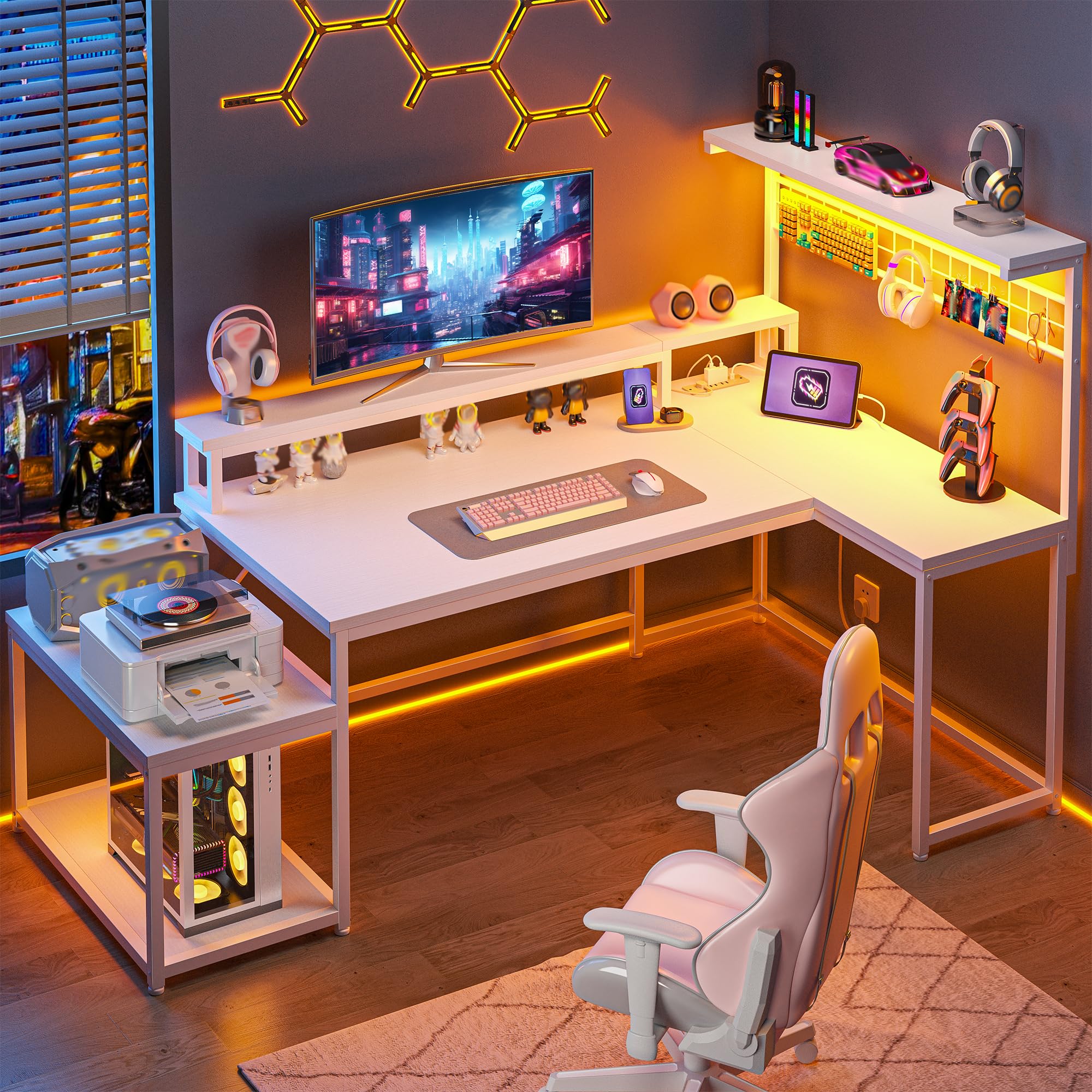
Image: The DurayLoly 56 inch L-Shaped Gaming Desk, showcasing its design and features in a modern room setting.
Safety Information
Please adhere to the following safety guidelines to prevent injury or damage:
- Always assemble the desk strictly according to the provided instructions.
- Ensure the desk is properly anchored to the floor to prevent tipping, especially when utilizing the upper shelves or when the desk is fully extended.
- Do not place heavy items on the upper shelves if the desk is not securely anchored.
- Keep all electrical components (power outlets, LED lights) away from liquids to avoid electrical hazards.
- Do not overload the power outlets.
Product Dimensions
Understanding the dimensions of your desk is crucial for proper placement and use. The DurayLoly 56" L-Shaped Gaming Desk measures 31.5"D x 56"W x 53"H.
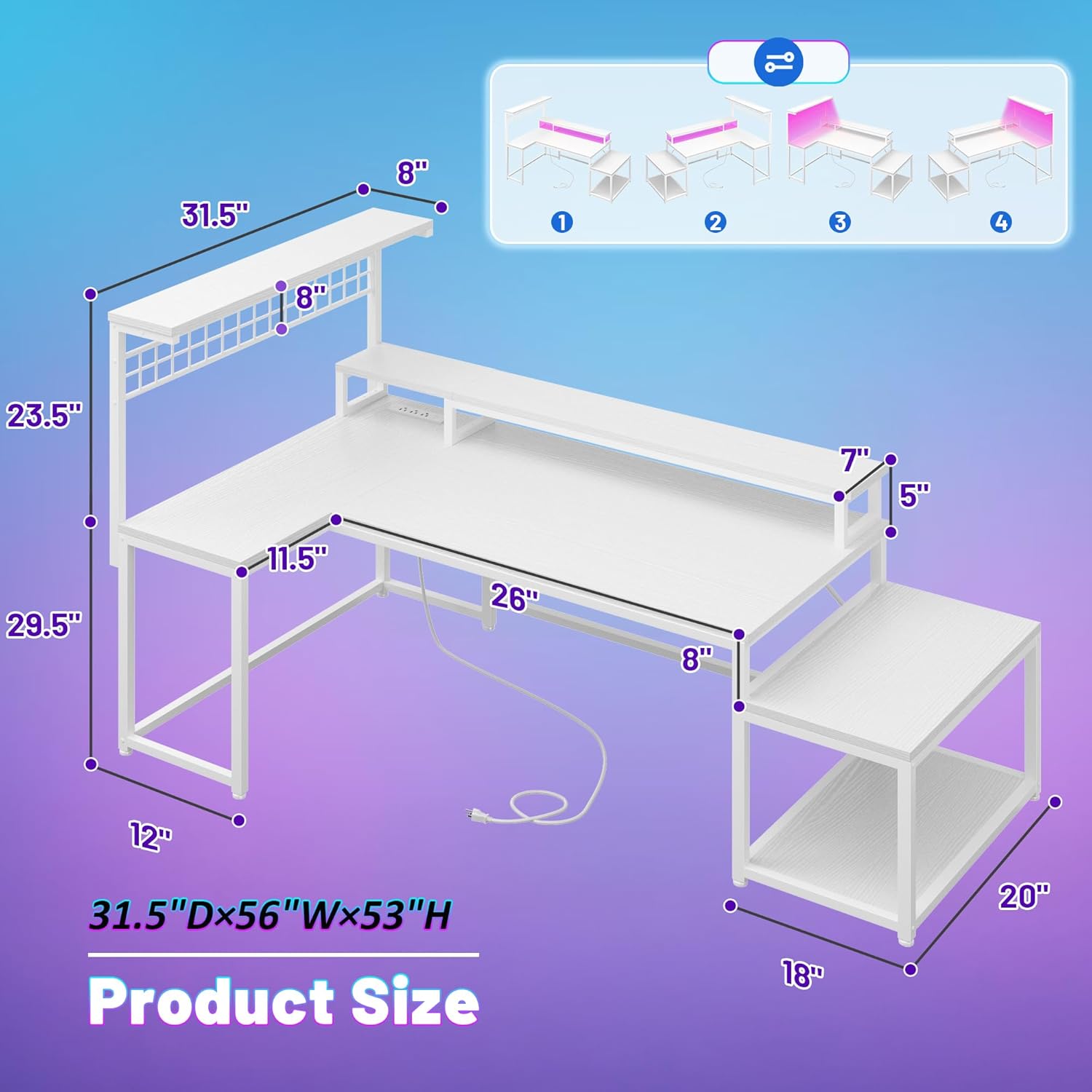
Image: An illustration detailing the dimensions of the DurayLoly L-Shaped Gaming Desk, including depth, width, and height measurements for various sections.
Assembly Instructions
Assembly is required for this product. All necessary hardware and a detailed step-by-step guide are included. For a visual guide, please refer to the official assembly video below.
Video: Official assembly guide for the DurayLoly L-Shaped Gaming Desk, demonstrating each step of the installation process.
General Assembly Steps:
- Unpack all components and verify against the parts list in your included manual.
- Begin by assembling the main frame sections, ensuring all screws are tightened securely.
- Attach the desktop panels, aligning them carefully with the frame.
- Install the monitor stand and any additional shelves or storage units.
- Connect the power outlets and LED light strip as per the electrical diagram.
Operating Instructions
Power Outlets and USB Port
The desk is equipped with 3 standard AC power outlets (125V/12A) and 1 Type-C port (5V/2A) for convenient charging of your devices. Simply plug your devices into the appropriate ports. Ensure the desk is connected to a grounded power source.

Image: A detailed view of the desk's integrated power strip, featuring three AC outlets and a Type-C USB port, with devices connected for charging.
LED Lighting System
The integrated LED strip offers 20 static colors and 20 dynamic modes to customize your workspace ambiance. Use the included remote control to adjust colors, modes, and brightness. The memory function will recall your last setting when the lights are turned back on.

Image: The DurayLoly Gaming Desk with its RGB LED light strip illuminated, showcasing various color and dynamic mode options in a gaming environment.
Storage Features
The desk is designed with multiple storage solutions to keep your workspace organized:
- Monitor Stand: An ergonomic adjustable monitor mount helps reduce strain on your back and neck.
- Side Mesh Panel: Ideal for hanging headphones, cables, or other small personal items.
- Sideboard: Provides dedicated space for a printer on the upper level and a computer tower below.
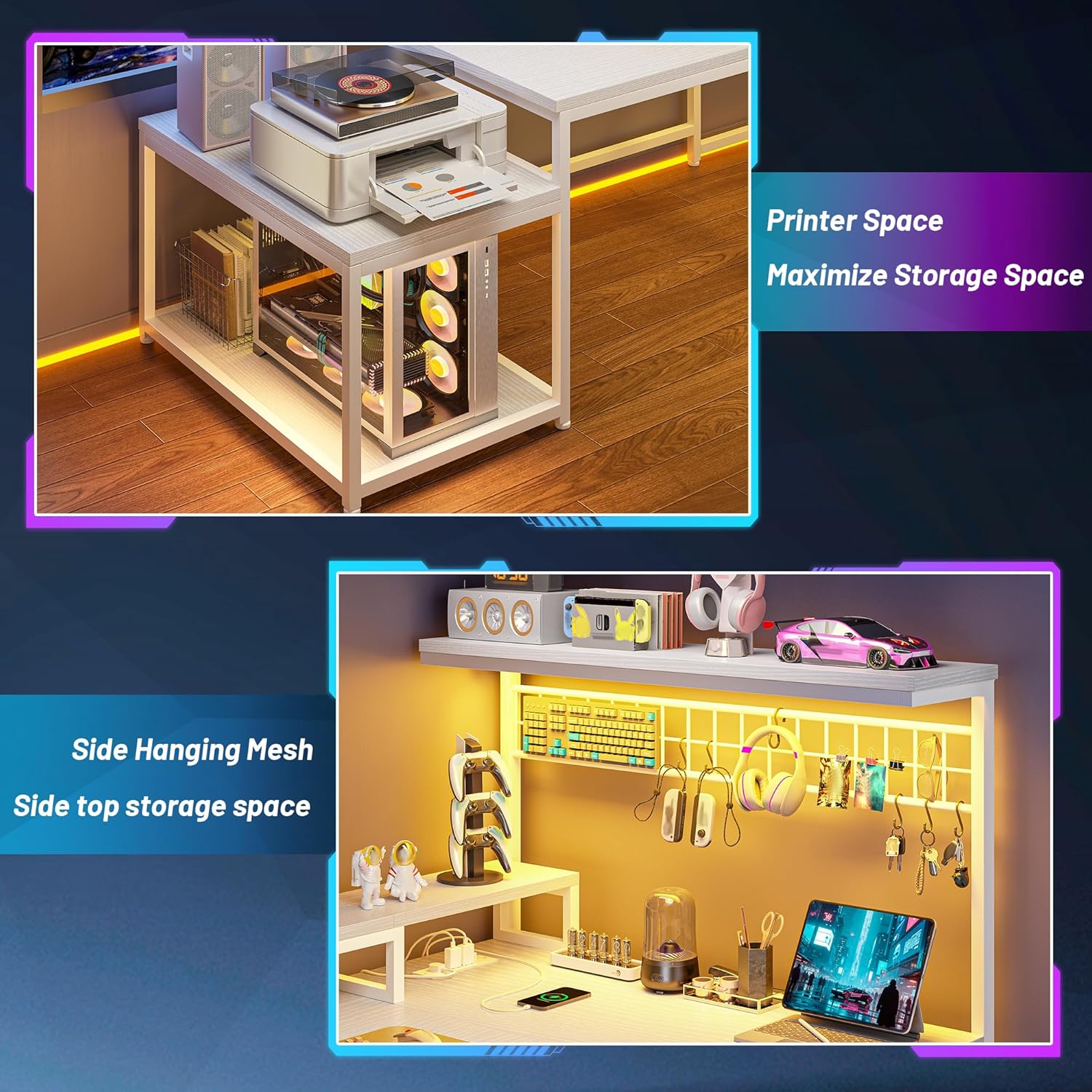
Image: Close-up views of the DurayLoly desk's storage features, including the dedicated printer space and the side mesh panel with hooks for accessories.

Image: A visual comparison highlighting the ergonomic benefits of the monitor stand, promoting correct sitting posture and reducing strain.
Maintenance
To ensure the longevity and appearance of your DurayLoly Gaming Desk, follow these maintenance tips:
- Regularly wipe surfaces with a soft, damp cloth. Avoid harsh chemicals or abrasive cleaners.
- Check all screws and connections periodically and tighten if necessary to maintain stability.
- Keep the desk away from direct sunlight and extreme temperature changes to prevent warping or fading of the wood finish.
- Ensure proper ventilation around electronic components to prevent overheating.
Troubleshooting
If you encounter any issues with your DurayLoly Gaming Desk, please refer to the following common solutions:
- Desk Wobbles: Check all assembly screws and ensure they are fully tightened. Verify that the adjustable feet are evenly set on the floor.
- LED Lights Not Working: Ensure the power adapter is securely plugged into both the desk and a working wall outlet. Check the remote control battery.
- Power Outlets Not Functioning: Confirm the desk's power cord is properly connected to a live electrical outlet. Avoid overloading the outlets.
For further assistance, please contact DurayLoly customer support.
Specifications
| Feature | Detail |
|---|---|
| Brand | DurayLoly |
| Model Number | B0FHPMSCQZ |
| Product Dimensions | 31.5"D x 56"W x 53"H |
| Material | Steel and Wood |
| Color | White |
| Power Outlets | 3 AC Outlets (125V/12A) |
| USB Port | 1 Type-C Port (5V/2A) |
| LED Lights | 20 Static Colors, 20 Dynamic Modes, Memory Function |
| Storage Options | Monitor Stand, Side Mesh Panel, Sideboard (2 levels), Hooks |
| Assembly Required | Yes |
Warranty and Support
DurayLoly products are manufactured with quality and customer satisfaction in mind. For any warranty claims, missing parts, or technical support, please refer to the contact information provided with your purchase documentation or visit the official DurayLoly website.