
Introduction
Thank you for choosing the CZOCPOS mic-001 Wireless Lavalier Microphone. This manual provides detailed instructions for setting up, operating, and maintaining your new wireless microphone system. Designed for seamless audio capture, this device is compatible with a wide range of smartphones and is ideal for video recording, vlogging, live streaming, interviews, and more.
What's in the Box
- 2 x Microphone Transmitters
- 1 x Receiver (USB-C & iOS compatible)
- 1 x Charging Case
- 1 x Charging Cable
- 2 x Windproof Ball Covers (Furry)
- 2 x Foam Windscreen Covers
- 2 x Microphone Clips

Setup Guide
1. Automatic Connection
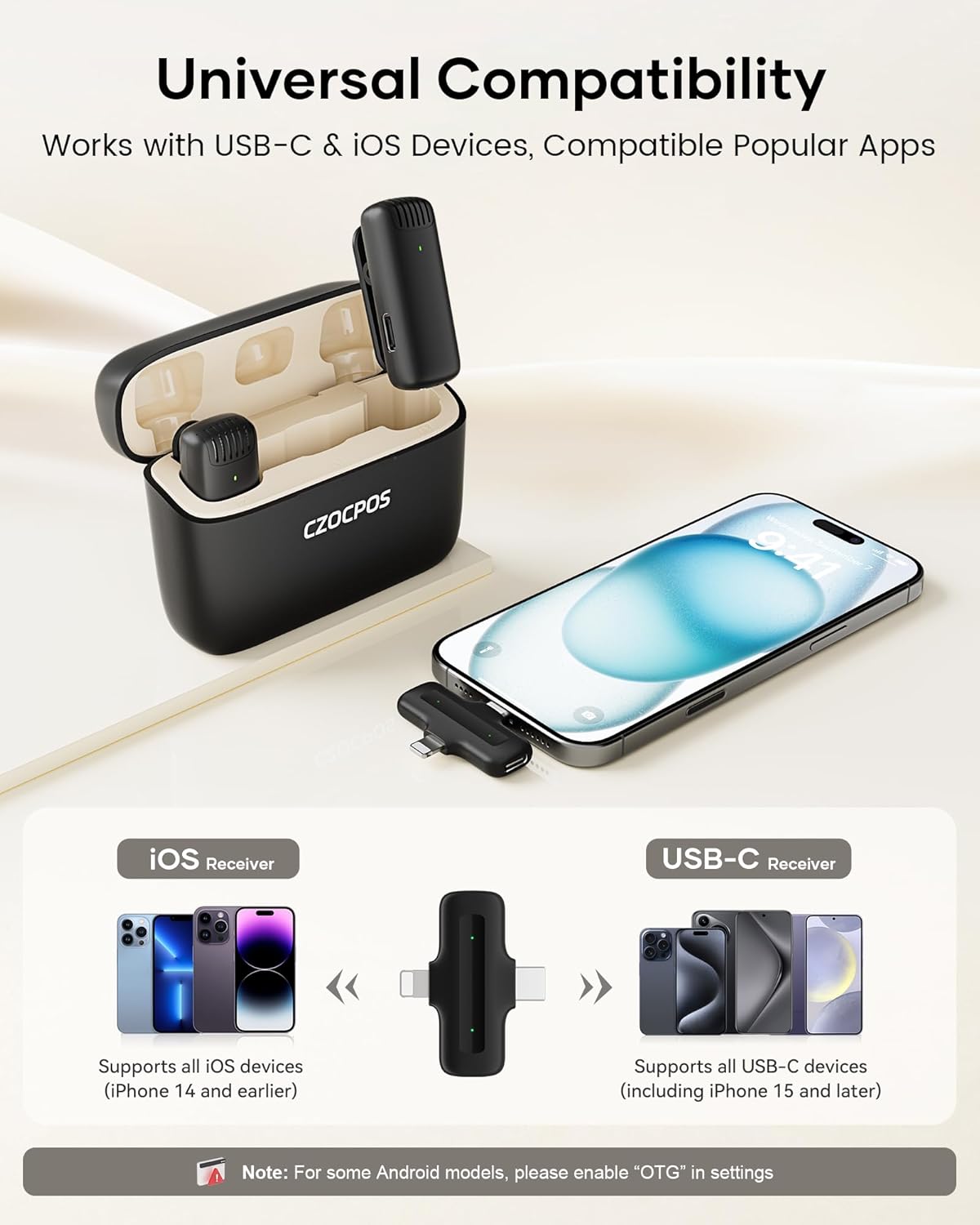
The CZOCPOS mic-001 features an easy plug-and-play setup. No adapters, Bluetooth, or apps are required for initial connection.
- Plug the receiver into your recording device (smartphone, tablet, PC).
- Turn on the wireless microphone(s) by pressing and holding the power button.
- The microphone(s) and receiver will automatically pair. A steady green light on the microphone indicates a successful connection.

2. Device Compatibility
The receiver is designed with a 2-in-1 connector, supporting both USB-C and iOS-compatible ends. This allows for broad compatibility with:
- iPhones (Lightning port)
- iPads (Lightning or USB-C, depending on model)
- Android phones (USB-C port)
- Windows PCs and Mac computers (USB-C port)
Note: For Android devices, please ensure the OTG function is enabled in your device settings before use.
Operating Instructions
1. Power On/Off
- To power on: Press and hold the power button on the microphone transmitter for 3 seconds. The green indicator light will illuminate.
- To power off: Press and hold the power button on the microphone transmitter for 3 seconds. The indicator light will turn off.
2. Audio Modes
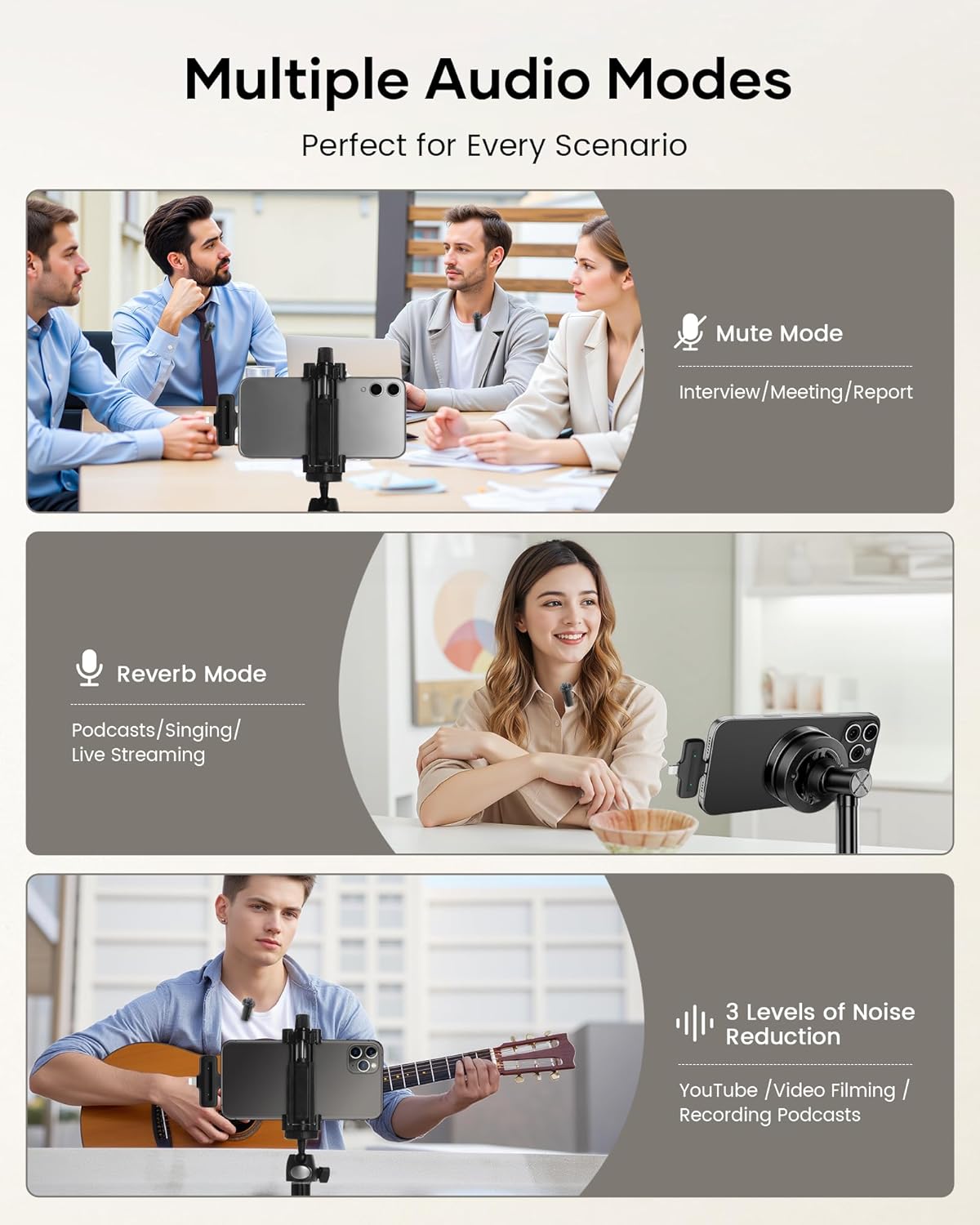
The microphone offers multiple intelligent modes for various recording scenarios:
- Noise Reduction Mode: Activated automatically on start (green light). Single-click the power button to cycle through 3 adjustable noise reduction levels.
- Mute Mode: Double-click the power button to toggle microphone mute/unmute. The green light will flash when muted.
- Reverb Mode: Triple-click the power button to toggle reverb on/off.
3. Dual Microphone Operation
The system includes two mini microphones, allowing two users to record simultaneously. Both microphones will connect to the single receiver, making it ideal for interviews or collaborative content creation.

4. Wireless Transmission Range
The microphone provides stable wireless transmission up to 135 feet (40 meters), offering freedom of movement for clear recordings both indoors and outdoors.

Charging and Battery Life
The CZOCPOS mic-001 is designed for extended use with efficient charging capabilities.
- Each microphone transmitter features a built-in rechargeable battery, providing up to 6 hours of continuous use after a 1.5-hour charge.
- The included 300mAh charging case can recharge the lapel microphones two additional times, extending the total battery life up to 36 hours.
- The receiver allows you to charge your phone during use, preventing interruptions during long recording sessions.

Noise Reduction Technology
The microphone is equipped with an intelligent noise reduction chip and comes with two windproof ball covers to effectively minimize background interference. This ensures clear audio capture regardless of the surrounding environment.

Maintenance
1. Cleaning
- Wipe the microphone transmitters and receiver with a soft, dry cloth.
- For the windproof covers, gently shake or brush off any dust or debris. They can be hand-washed with mild soap and water if necessary, then air-dried completely before reattaching.
2. Storage
Store the microphones and receiver in the provided charging case when not in use to protect them from dust and damage, and to ensure they remain charged.
Troubleshooting
1. Microphone Not Pairing
- Ensure both the receiver and microphone(s) are powered on.
- Verify the receiver is securely plugged into your device.
- Check if the microphone(s) are charged. Place them in the charging case to recharge if needed.
- For Android devices, confirm that the OTG function is enabled in your phone's settings.
2. Poor Audio Quality
- Ensure the microphone is positioned correctly, ideally clipped to clothing near the mouth.
- Check if the appropriate noise reduction level is selected for your environment.
- Make sure the windproof covers are properly installed, especially in outdoor or windy conditions.
- Verify that the microphone is within the optimal transmission range (up to 135 feet).
Specifications
| Feature | Detail |
|---|---|
| Microphone Form Factor | Lavalier |
| Power Source | Battery Powered |
| Number of Batteries | 1 Nonstandard Battery (included) |
| Material | Plastic |
| Signal-to-Noise Ratio | 70 dB |
| Hardware Platform | Smartphone |
| Number of Channels | 2 |
| Item Weight | 5 ounces |
| Connectivity Technology | 2.4Ghz Wireless |
| Connector Type | USB Type-C, iOS |
| Special Features | Clip, Mute Function, Noise Reduction, Reverb Mode |
| Compatible Devices | Smartphone |
| Polar Pattern | Omnidirectional |
Warranty and Support
CZOCPOS is committed to providing quality audio solutions. We offer ongoing technical support for your wireless microphone. If you encounter any questions or issues, please feel free to contact us for assistance.


