
1. Product Overview
This LZHIF Android 15 9-inch touchscreen car radio is specifically designed for SsangYong Rexton Y290 III 3 models manufactured between 2012 and 2017. It is not compatible with other vehicle models. The system features an Android 15.0 operating system, an octa-core processor, and 6GB RAM with 128GB ROM for smooth performance. Key functionalities include built-in Carplay, Android Auto, Mirror Link, WiFi connectivity, FM/RDS radio, Bluetooth 5.0, and dual USB ports. It also integrates a built-in DSP for enhanced audio, supports factory steering wheel controls, and includes an external microphone and rearview camera for convenience.
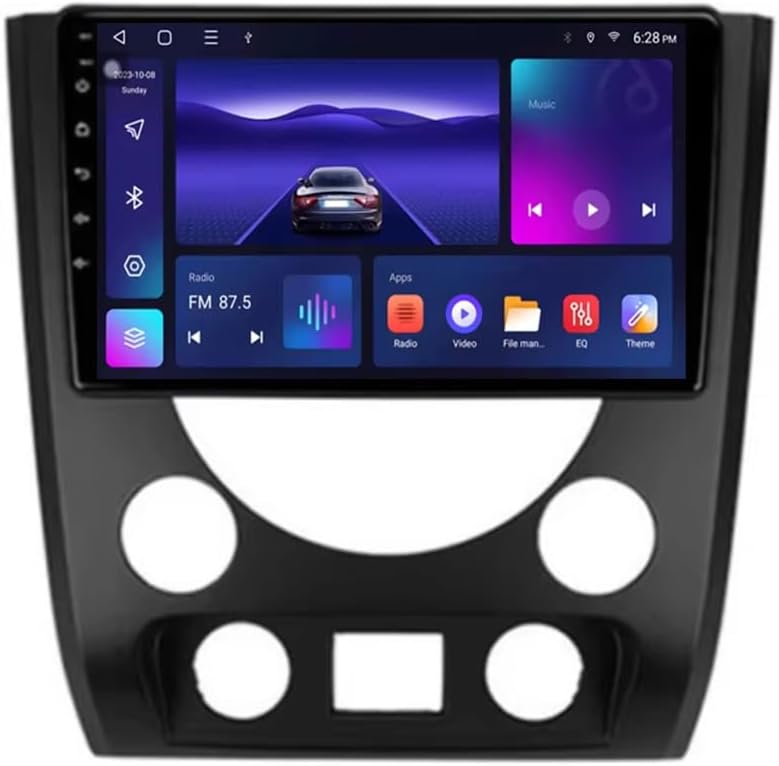
Figure 1.1: Front view of the LZHIF Android 15 9-inch touchscreen car radio, showcasing its display and integrated frame.
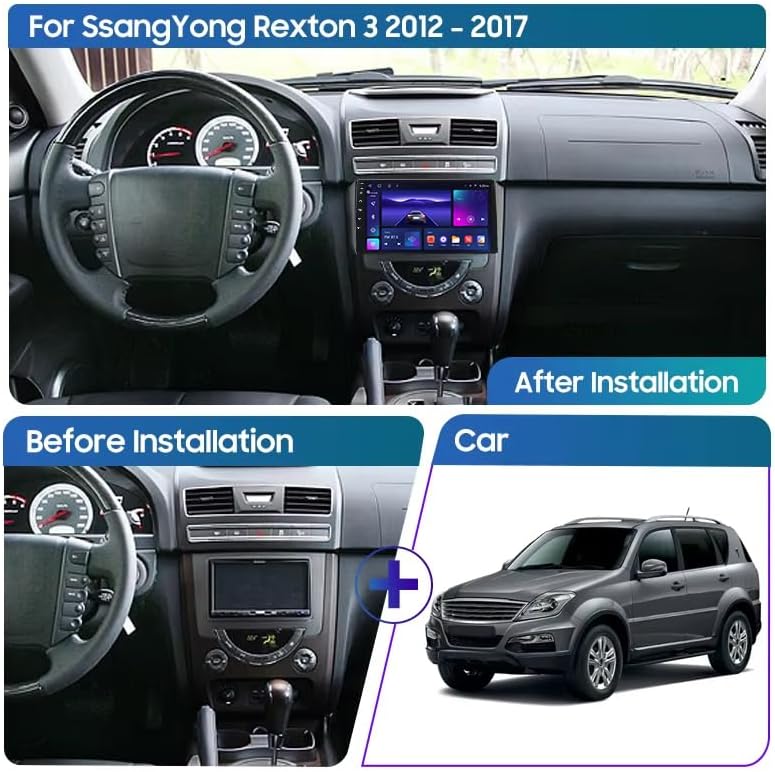
Figure 1.2: Visual comparison of the SsangYong Rexton dashboard before and after the installation of the LZHIF car radio, demonstrating seamless integration.
2. Technical Specifications
| Feature | Specification |
|---|---|
| System | Android 15.0 |
| Processor | Octa-core |
| Memory (RAM/ROM) | 6GB RAM / 128GB ROM (Current Model) |
| Screen Type | 9-inch Touchscreen |
| Resolution | 1024*768 |
| Bluetooth Version | 5.0 |
| Output Power | 4*45W |
| Connectivity | WiFi, 4G (via SIM card, if supported by specific variant) |
| Dimensions | 16 x 34 x 40 cm |
| Item Weight | 3 Kilograms |
| Model Number | LZHIF-821096-04 |
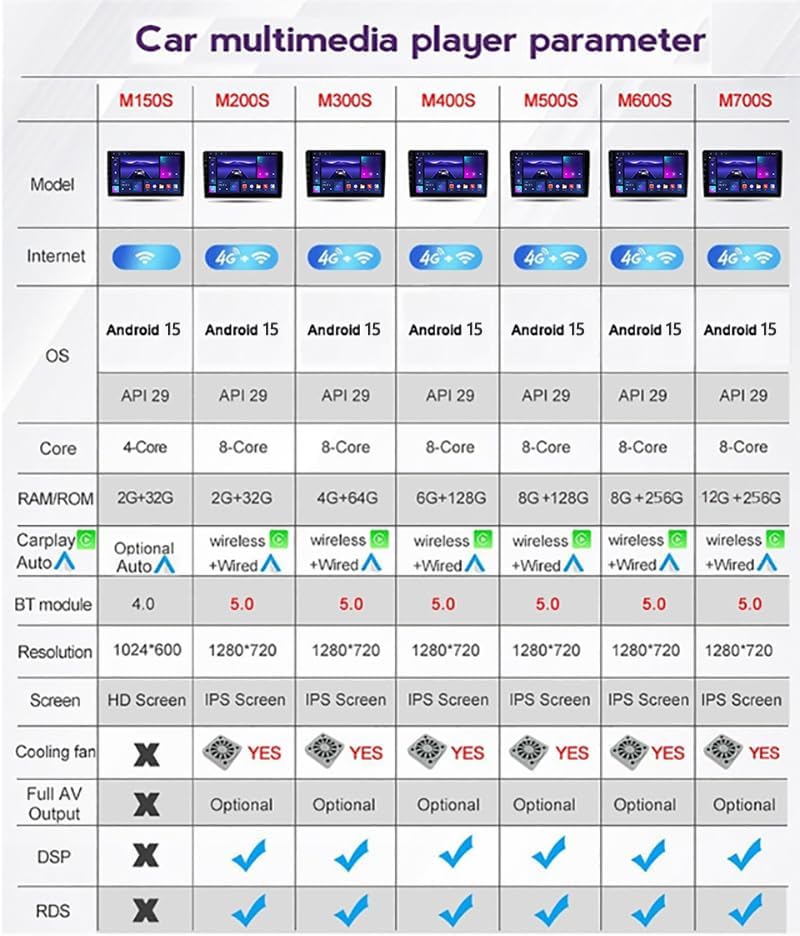
Figure 2.1: Detailed parameter comparison for various car multimedia player models, including core specifications like OS, CPU, RAM/ROM, and features.
3. Key Features and Functions
- Android/iOS Mirror Link: Supports screen mirroring for both Android and iOS devices. Connect your phone via the original data cable to synchronize content such as videos and GPS navigation to the car stereo display.
- Android System: Equipped with the latest Android 15.0 system, offering fast response times, a smooth operating experience, and high-resolution display. Supports 1080P video playback.
- Carplay & Android Auto: Built-in Carplay and Android Auto functions allow seamless integration of your smartphone. Connect via Bluetooth to access navigation, make calls, send/receive messages, and listen to music using voice commands.
- Steering Wheel Control (SWC): Supports the vehicle's original steering wheel control buttons, enabling convenient operation of the car radio while driving.
- Rearview Camera Support: Includes a waterproof rearview camera with night vision. The device automatically displays the rear view when reverse gear is engaged.
- Built-in DSP: Integrated Digital Signal Processor for enhanced audio quality and customization.
- GPS Navigation: Supports various navigation applications (e.g., Navitel, Google Maps, Waze, IGO).
- Bluetooth 5.0: For hands-free calling and audio streaming.
- FM/RDS Radio: For listening to local radio stations with Radio Data System support.
- USB Ports: Two USB ports for media playback and device charging.
- Multi-language Support: Supports a wide range of languages including English, German, French, Italian, Spanish, Dutch, and more.

Figure 3.1: Examples of the new user interface (UI) display themes, offering various customization options.
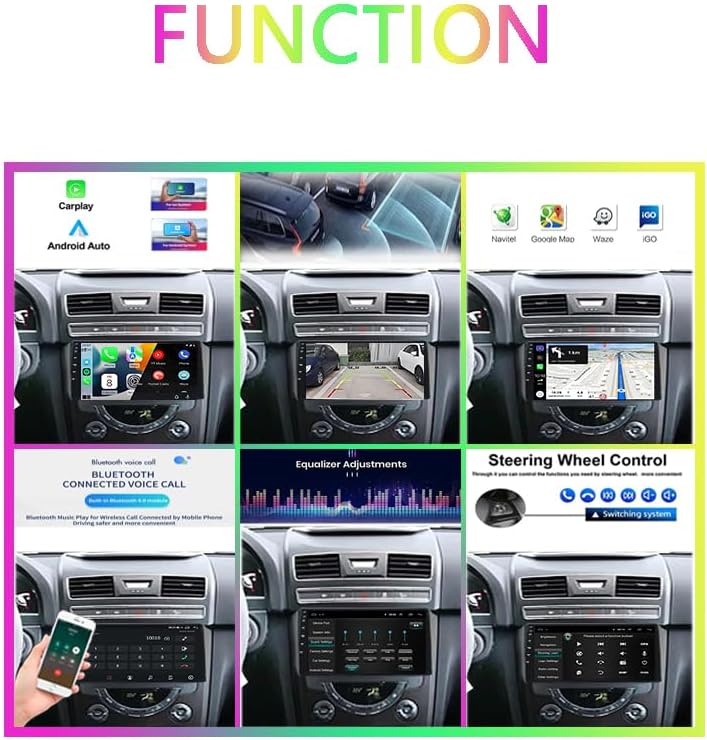
Figure 3.2: Overview of key functions, including Carplay, Android Auto, GPS navigation, rearview camera, equalizer adjustments, and steering wheel control.

Figure 3.3: Comprehensive visual representation of the car radio's features, including Bluetooth, backup camera, high-definition display, USB connectivity, and more.
4. Installation Guide
The installation of this car radio requires professional knowledge and should ideally be performed by a qualified technician. Ensure your vehicle is a SsangYong Rexton Y290 III 3 (2012-2017) model before attempting installation. If you are unsure about compatibility, please contact the seller with your car's model, year of manufacture, and a photo of your car's center console for confirmation.
4.1. Wiring Connections
Carefully connect all cables according to the provided wiring diagram. Ensure secure connections to avoid malfunctions. The package includes a power cable, RCA cables, USB cables, and a GPS antenna. The external microphone and rearview camera also have dedicated connections.
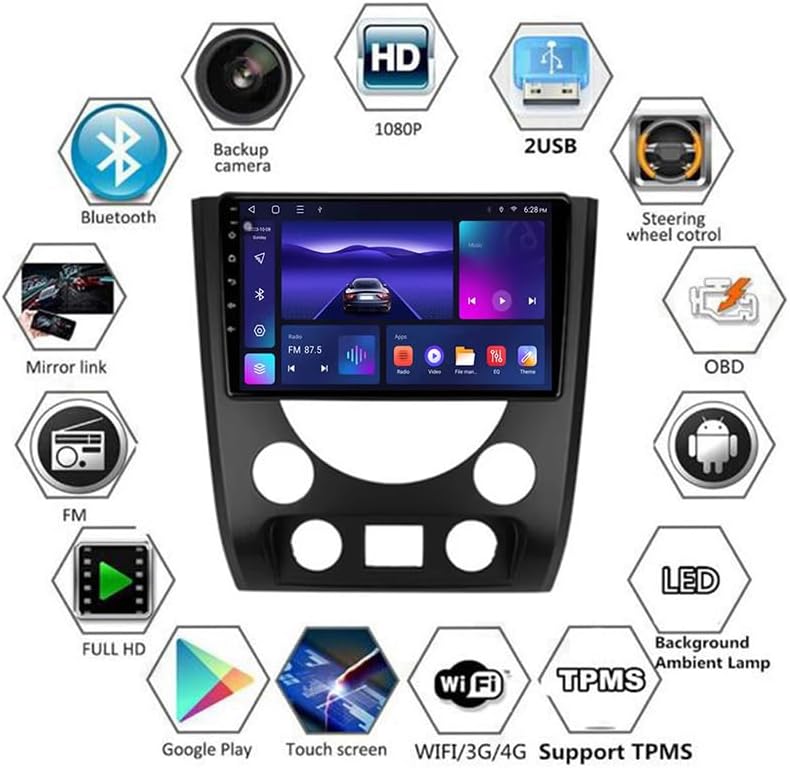
Figure 4.1: Rear view of the car radio unit, illustrating the various ports and cable connections for power, audio, USB, and GPS.
5. Operating Instructions
5.1. Basic Operation
- Power On/Off: The unit typically powers on automatically with the vehicle's ignition. To manually power off, press and hold the power button on the unit or use the software interface.
- Volume Control: Adjust volume using the on-screen controls or the vehicle's steering wheel controls.
- Navigation: Access GPS navigation through the main menu. Ensure the GPS antenna is properly installed for accurate positioning.
5.2. Connectivity
- Bluetooth Pairing: Go to the Bluetooth settings on the unit, enable Bluetooth, and search for available devices on your smartphone. Select the car radio's name to pair.
- Wi-Fi Connection: Navigate to Wi-Fi settings, select your desired network, and enter the password to connect to the internet.
- Carplay/Android Auto: Connect your smartphone via USB or Bluetooth (for wireless Carplay/Android Auto, if supported by your phone and the unit) to activate these features. Follow on-screen prompts.
5.3. Media Playback
- USB Media: Insert a USB drive into one of the USB ports. The unit will automatically detect and allow playback of supported audio and video files.
- Radio: Select the FM/RDS application to tune into radio stations. Use the scan function to find available frequencies.
6. Maintenance and Care
- Cleaning: Use a soft, dry cloth to clean the touchscreen and unit surface. Avoid abrasive cleaners or solvents that may damage the display or finish.
- Software Updates: Periodically check for software updates to ensure optimal performance and access to new features. Follow instructions provided by the manufacturer for safe updating.
- Environmental Conditions: Avoid exposing the unit to extreme temperatures, direct sunlight for prolonged periods, or excessive moisture.
7. Troubleshooting
If you encounter issues with your LZHIF car radio, refer to the following common troubleshooting steps:
- No Power: Check all power cable connections. Ensure the vehicle's ignition is on. Verify the fuse.
- No Sound: Check speaker connections. Ensure volume is not muted or set too low. Verify audio settings.
- GPS Signal Loss: Ensure the GPS antenna is properly installed and has a clear view of the sky. Move the vehicle to an open area if signal is weak.
- Bluetooth Connection Issues: Ensure Bluetooth is enabled on both the unit and your phone. Delete previous pairings and try re-pairing.
- Touchscreen Unresponsive: Try restarting the unit. If the issue persists, a factory reset might be necessary (note: this will erase all user data).
For persistent issues not resolved by these steps, please contact LZHIF customer support.
8. Package Contents
The standard package for the LZHIF Android 15 9-inch touchscreen car radio includes the following items:
- Main Head Unit (Machine)
- Installation Frame
- Power Cable
- RCA Cable
- USB Cables (x2)
- GPS Antenna
- 4G RCA Cable (Only for 4G Function variants)
- Installation Tool (Gift)
- Camera Input Cable
- External Microphone
- Rearview Camera
- Canbus Decoder (if required for vehicle integration)
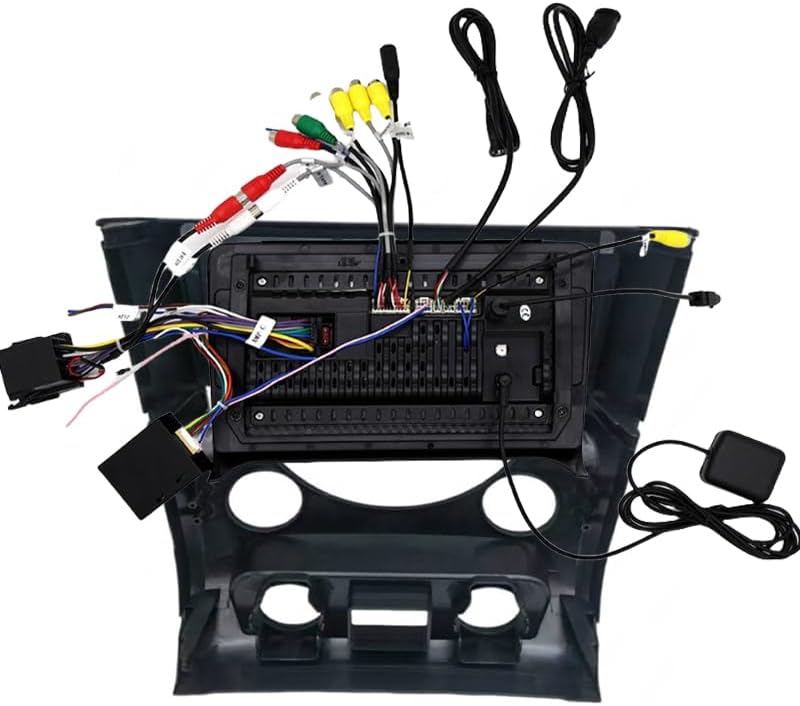
Figure 8.1: Visual representation of the complete package contents, including the main unit, frame, and all necessary cables and accessories.
9. Warranty and Support
For information regarding product warranty, returns, or technical support, please refer to the purchase platform's policies or contact the seller directly. Keep your proof of purchase for any warranty claims.