
RAMYPOKET SJ-PBJ-FR
RAMYPOKET Foldable Treadmill User Manual
Model: SJ-PBJ-FR
Introduction
Welcome to the RAMYPOKET Foldable Treadmill user manual. This guide provides essential information for the safe and effective operation, maintenance, and troubleshooting of your new treadmill. Please read this manual thoroughly before first use and keep it for future reference.
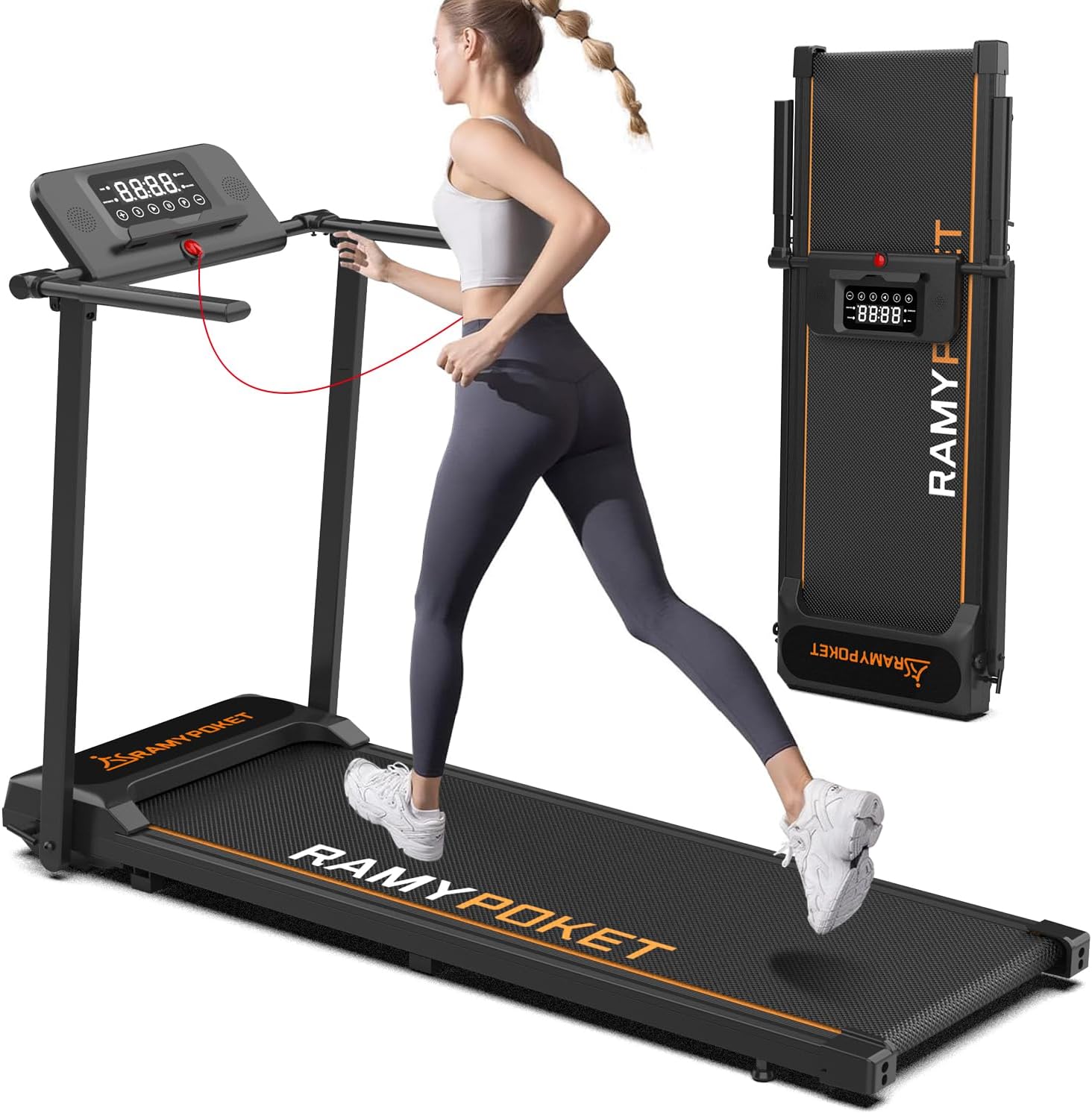
Image: The RAMYPOKET Foldable Treadmill shown in both its operational state with a user running, and its compact, folded state for easy storage.
Important Safety Information
Before operating the treadmill, please observe the following safety precautions:
- Always consult with a healthcare professional before starting any new exercise program.
- Place the treadmill on a flat, stable surface with adequate clearance around it.
- Ensure the safety key is properly attached before starting the treadmill.
- Do not allow children or pets near the treadmill while it is in operation.
- Wear appropriate athletic footwear during use.
- Do not use the treadmill if you feel dizzy, nauseous, or experience any pain.
- Unplug the treadmill from the power outlet when not in use or before cleaning/maintenance.
- Maximum user weight: 130 kg (286 lbs).

Image: A visual representation highlighting the treadmill's multi-layer running belt designed for shock absorption and knee protection during exercise.
What's in the Box
Upon unpacking, please verify that all components are present:
- Foldable Treadmill
- User Manual
- Lubricant
- Power Cord
- Tool Kit
Setup and Assembly
The RAMYPOKET Foldable Treadmill requires no assembly. Follow these steps to prepare your treadmill for use:
- Carefully remove the treadmill from its packaging.
- Place the treadmill on a level, solid surface.
- Unfold the treadmill by lifting the console and securing the armrests into their upright position. Ensure they click into place.
- Connect the power cord to the treadmill and then to a grounded electrical outlet.
- Attach the safety key to the designated slot on the console.
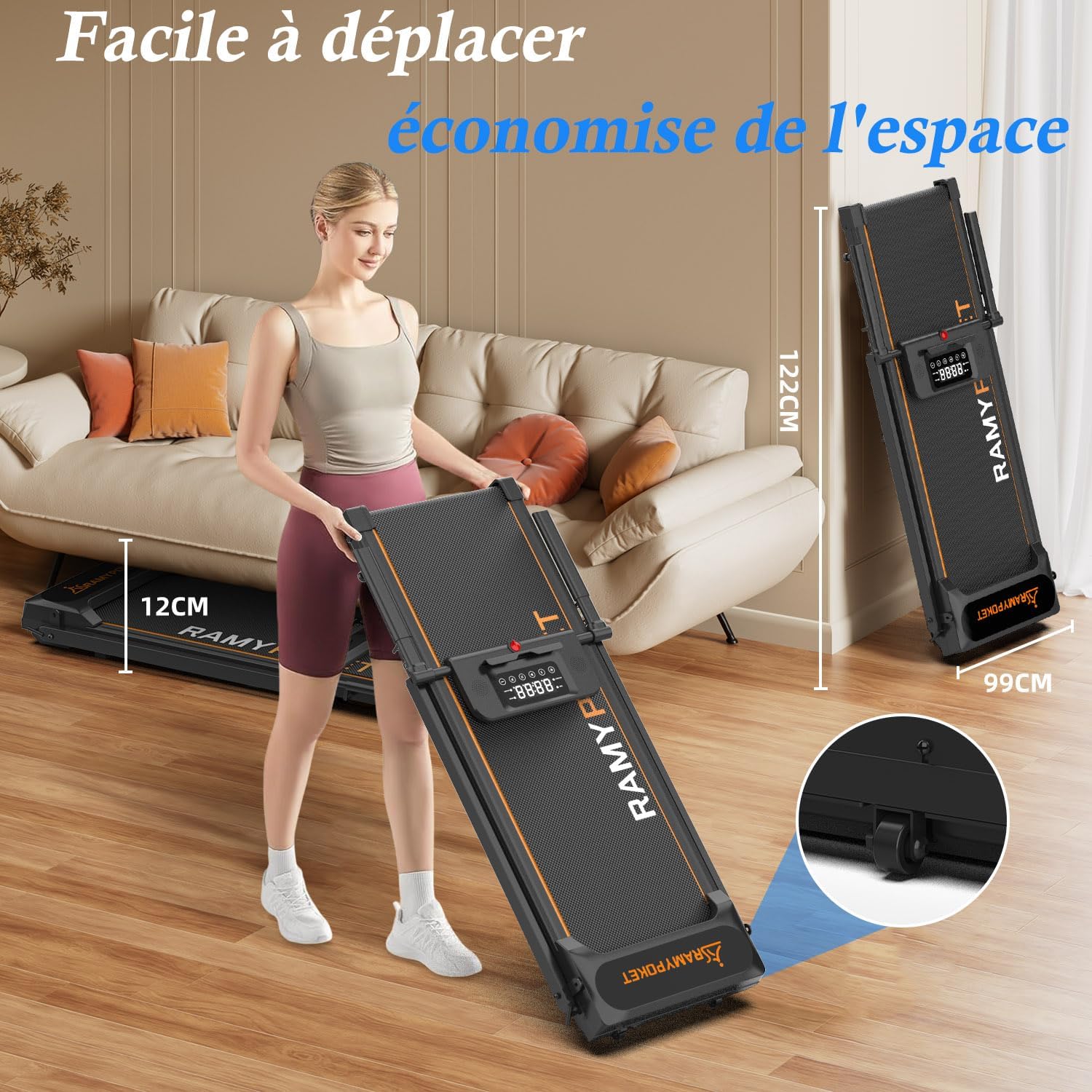
Image: A woman demonstrating the ease of moving and folding the treadmill, highlighting its compact dimensions for storage under furniture or upright.

Image: An illustration demonstrating how the treadmill's armrests can be folded down for compact storage, with an arrow indicating the folding motion.
Operating Instructions
Control Panel Overview
The treadmill features an intuitive LED display and control panel to manage your workout.

Image: A close-up of the treadmill's control panel, showing the LED display which tracks time, distance, speed, and calories, along with buttons for control and a tablet slot.
The LED display shows real-time data including speed, time, distance, and calories burned. It also features a slot for your tablet or phone.
Starting a Workout
- Ensure the safety key is in place.
- Press the "Start" button on the console. The belt will begin to move at a low speed.
- Adjust the speed using the "+" and "-" buttons.
- To stop, press the "Stop" button or pull the safety key.
Speed Modes (4-in-1 Treadmill)
This treadmill offers versatile speed ranges for different activities:
- Slow Walk: 1-3 KM/H
- Walk: 4-6 KM/H
- Run: 7-9 KM/H
- Fast Run: 10-12 KM/H
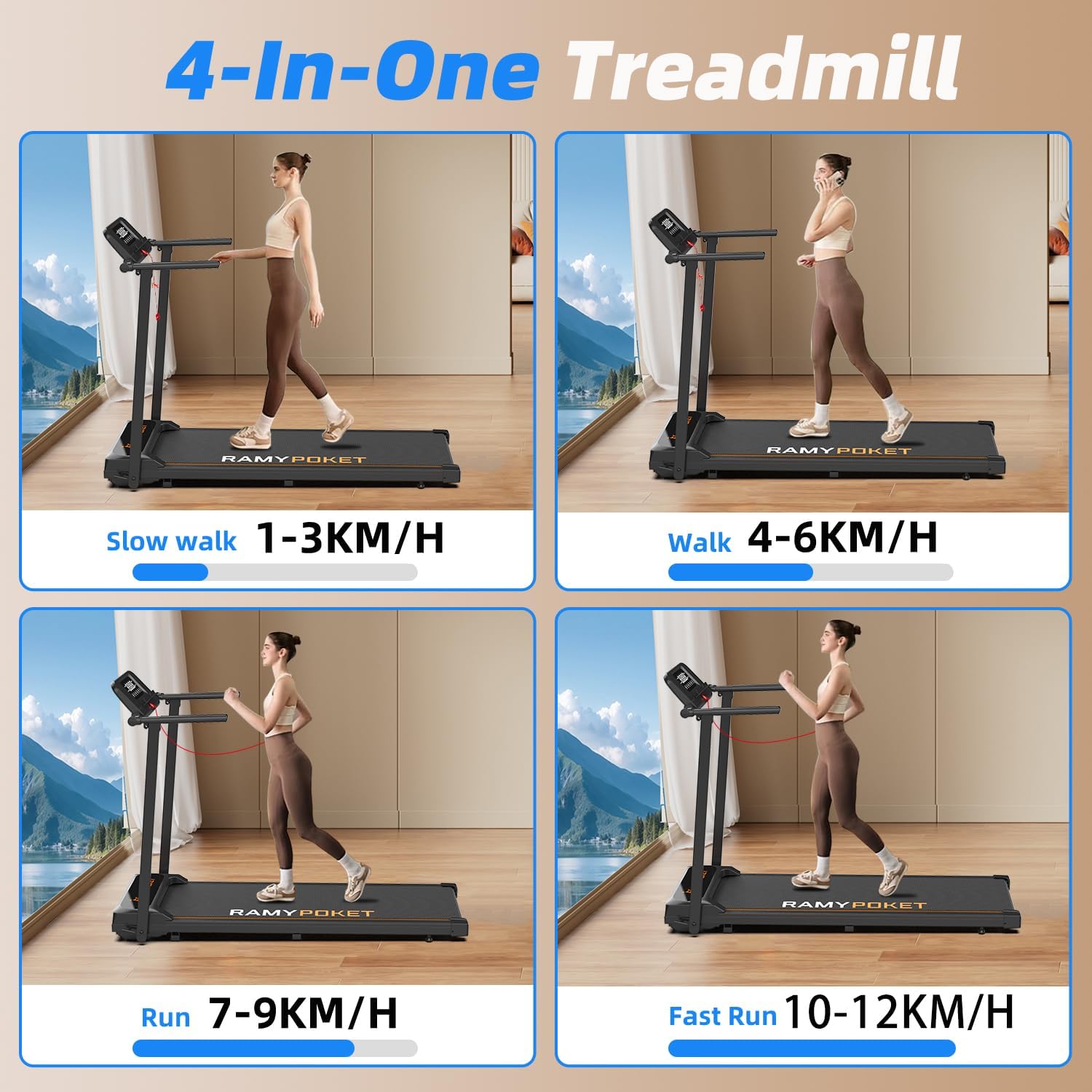
Image: A collage of four images illustrating different exercise intensities on the treadmill: slow walk (1-3 KM/H), walk (4-6 KM/H), run (7-9 KM/H), and fast run (10-12 KM/H).
Pre-set Programs
The treadmill includes 12 pre-set exercise programs. Select a program to automatically adjust speed and intensity throughout your workout.
Bluetooth Connectivity and App Integration
Connect your treadmill via Bluetooth to the dedicated fitness application (e.g., Fitshow) to track and analyze your exercise data, optimize your fitness plan, and access additional features.
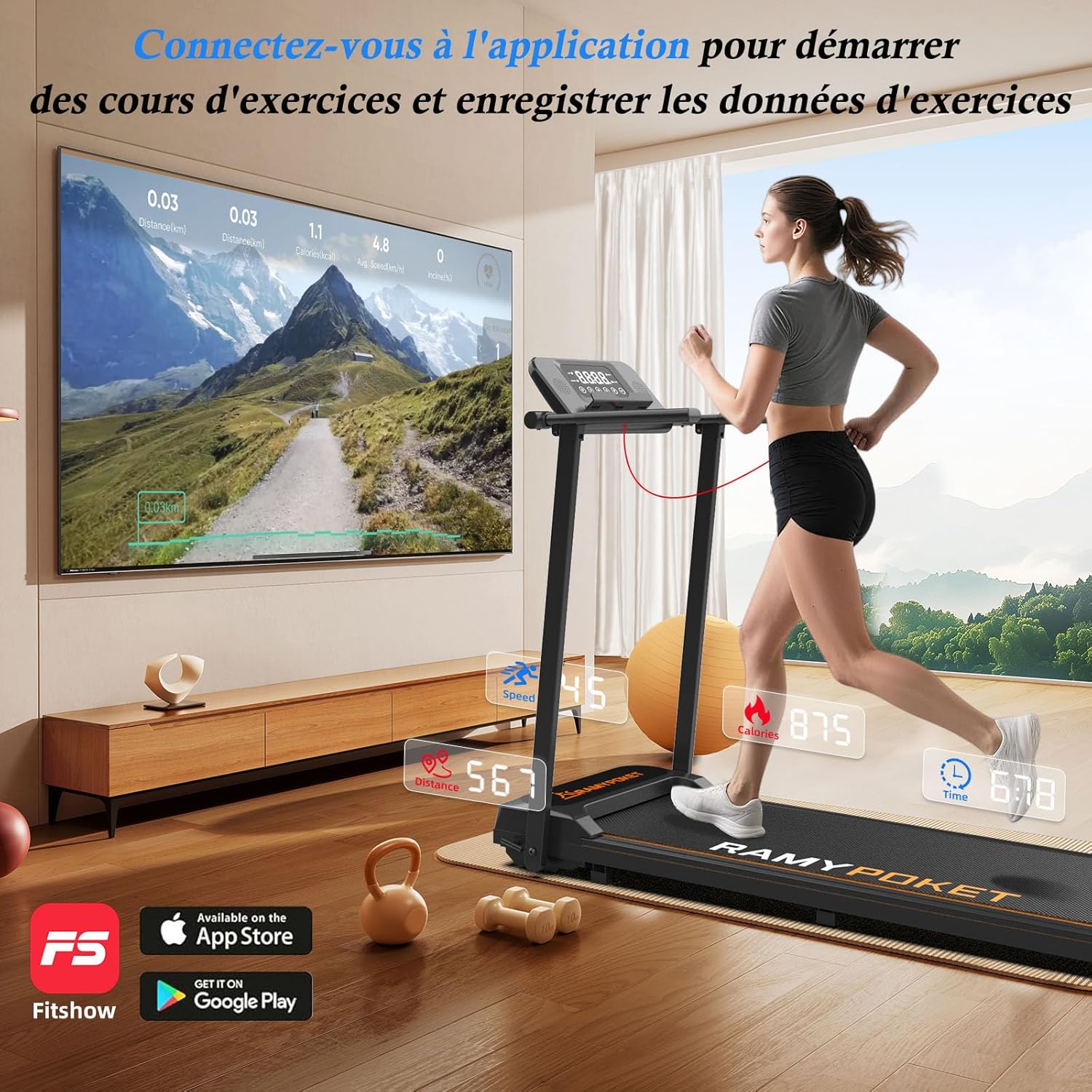
Image: A user running on the treadmill while a large screen displays the connected fitness application, showing real-time exercise data and available workout courses.
Maintenance
Regular maintenance ensures the longevity and optimal performance of your treadmill.
Cleaning
- Wipe down the treadmill with a damp cloth after each use to remove sweat and dust.
- Do not use abrasive cleaners or solvents.
- Periodically vacuum under the treadmill to prevent dust buildup.
Lubrication
The running belt requires periodic lubrication to reduce friction and extend its lifespan. Use the provided lubricant or a silicone-based treadmill lubricant.
- Unplug the treadmill.
- Loosen the rear roller bolts slightly to lift the belt.
- Apply a small amount of lubricant evenly under the center of the running belt.
- Tighten the bolts and run the treadmill at a low speed for a few minutes to distribute the lubricant.
- Refer to the specific instructions in the full user manual for lubrication frequency (typically every 3-6 months depending on usage).

Image: A detailed cross-section diagram illustrating the five layers of the treadmill's running belt, including the wear-resistant surface, sound insulation, high-resistance support, shock-absorbing, and compression layers.
Troubleshooting
If you encounter issues with your treadmill, refer to the following common problems and solutions:
| Problem | Possible Cause | Solution |
|---|---|---|
| Treadmill does not start. | Power cord not connected; Safety key not in place; Power switch off. | Ensure power cord is securely plugged in; Insert safety key; Turn on power switch. |
| Running belt slips or hesitates. | Belt too loose; Insufficient lubrication. | Adjust belt tension (refer to full manual); Lubricate the running belt. |
| Unusual noise during operation. | Loose components; Motor issue; Belt misalignment. | Check for loose screws; Contact customer support if noise persists after checking basic components. |
| Display not working. | Loose connection; Power issue. | Check all connections; Ensure stable power supply. |
Specifications
Key technical specifications for the RAMYPOKET Foldable Treadmill:
- Model Number: SJ-PBJ-FR
- Brand: RAMYPOKET
- Color: Black
- Material: Alloy Steel
- Motor Power: 3.0 HP (Peak)
- Speed Range: 1 - 12 KM/H
- Maximum Load Capacity: 130 kg (286 lbs)
- Noise Level: <45 dB
- Display Type: LED
- Programs: 12 Pre-set Programs
- Connectivity: Bluetooth (for App synchronization)
- Dimensions (L x W x H): 130 x 61.3 x 145 cm (Unfolded)
- Folded Dimensions (Approx.): 122 cm (Height) x 61.3 cm (Width) x 12 cm (Thickness)
- Product Weight: 27 kg
- Special Features: Adjustable Height (via foldable armrests), Foldable, Shock Absorption, Quiet Operation
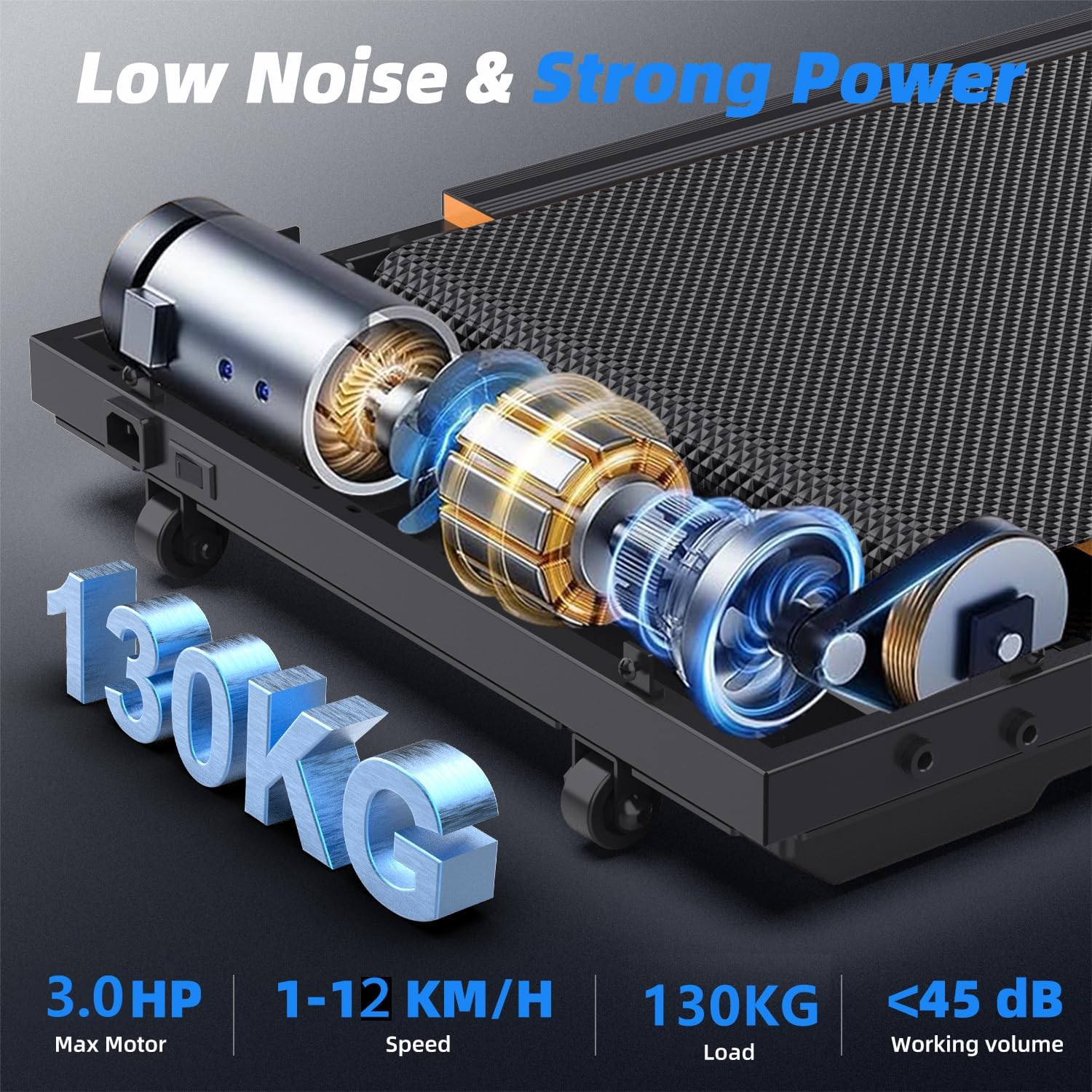
Image: An internal view of the treadmill's motor and components, with key specifications overlaid: 3.0 HP Max Motor, 1-12 KM/H Speed, 130 KG Load, and <45 dB Working Volume.

Image: A comparison chart highlighting the superior specifications of this treadmill (3.0hp motor, 130kg max load, <45dB noise, 12KM/H max speed) against typical alternatives.
Warranty and Support
For warranty information, technical support, or service inquiries, please refer to the contact details provided in the full user manual included with your product or visit the official RAMYPOKET website. Keep your purchase receipt as proof of purchase.
Ask a question about this manual
Ask about setup, troubleshooting, compatibility, parts, safety, or missing instructions. Manuals+ will review the question and use this page’s manual context to help answer it.