1. Product Overview
The CUGEFRE ST-6691Plus is a versatile 4-in-1 cordless handheld vacuum cleaner designed for various cleaning tasks in your home, car, and office. It features a powerful brushless motor, offering up to 28,000Pa suction across three speed settings. Its multi-functional design allows for vacuuming, blowing, inflating, and suction compression. The device includes a one-touch dust removal system and a washable HEPA filter for easy maintenance.

Image 1.1: The CUGEFRE ST-6691Plus handheld vacuum cleaner shown with its various attachments and accessories.

Image 1.2: An internal diagram illustrating the double-layer filter system, powerful motor, and dust cup components of the vacuum cleaner.
2. Safety Instructions
Please read all safety instructions carefully before using the CUGEFRE ST-6691Plus handheld vacuum cleaner. Failure to follow these instructions may result in electric shock, fire, or serious injury.
- This appliance is for household and car use only. Do not use it for industrial or commercial purposes.
- Do not handle the charger or appliance with wet hands.
- Do not vacuum liquids, hot ashes, burning cigarettes, or sharp objects.
- Keep hair, loose clothing, fingers, and all parts of the body away from openings and moving parts.
- Ensure the filter is properly installed before operation.
- Do not charge the vacuum cleaner without starting the vehicle if using a car charger, as this may cause the vehicle's battery to discharge.
- Only use the provided USB-C charging cable.
- All parts can be washed and cleaned except the main vacuum cleaner body itself. Always unplug the device from the electrical socket before cleaning.
- Store the appliance in a dry place when not in use.
3. Package Contents
Verify that all items listed below are included in your package:

Image 3.1: An illustration detailing the main unit and all included accessories.
- Host (Main Vacuum Unit)
- Inflatable Nozzle
- Long Flat Nozzle + Brush Nozzle
- Floor Brush
- Dust Cup
- Air Suction Nozzle
- Short Mouthpiece
- Long Mouthpiece + Brush Mouthpiece
- Large Inflatable Mouth
- Type-C Charging Cable
- 2x Filter Elements
4. Setup and Charging
4.1 Initial Charging
Before first use, fully charge the vacuum cleaner. Connect the provided USB-C charging cable to the charging port on the vacuum and to a suitable USB power source (e.g., wall adapter, car charger, laptop). A full charge typically takes approximately 2 hours.

Image 4.1: The vacuum cleaner connected to a USB-C charging cable, illustrating different charging options such as a wall adapter, car charger, and laptop.
4.2 Attaching Accessories
Select the appropriate attachment for your cleaning task. Align the accessory with the vacuum's nozzle and push firmly until it clicks into place. To remove, pull the accessory straight off.
5. Operation
5.1 Power Settings
The vacuum cleaner features three power settings, indicated by the power button. Press the power button repeatedly to cycle through the suction levels:
- First Press: Low power (6,000Pa) for light debris.
- Second Press: Medium power (12,000Pa) for general cleaning.
- Third Press: High power (28,000Pa) for stubborn dirt and pet hair.
- Fourth Press: Turns the device off.

Image 5.1: Visual representation of the vacuum's powerful suction, highlighting its brushless motor and high performance.
5.2 4-in-1 Multi-Function Use
This device offers four primary functions:
- Vacuuming: Use various nozzles to clean dust, crumbs, pet hair from surfaces, crevices, and upholstery.
- Blowing: Attach the appropriate nozzle to the exhaust port to blow away dust from keyboards, air vents, or other delicate areas.
- Inflating: Use the inflatable nozzles to inflate air mattresses, swimming rings, or other inflatables.
- Suction Compression: Attach the air suction nozzle to vacuum storage bags to remove air and compress contents.

Image 5.2: Demonstrations of the vacuum's four functions: vacuuming car interiors, blowing dust from a keyboard, inflating an air pillow, and compressing a storage bag.
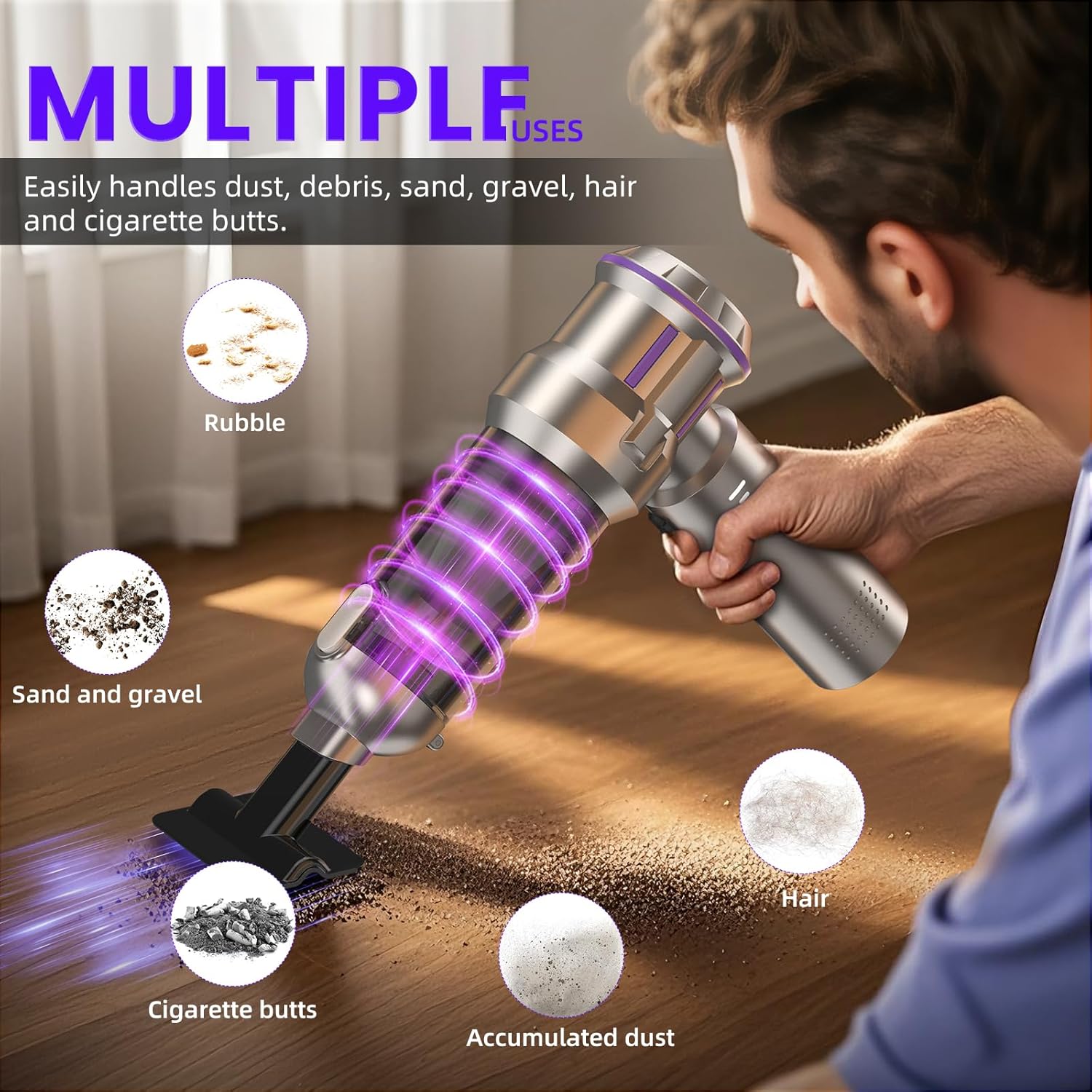
Image 5.3: The vacuum effectively cleaning different types of debris, including sand, hair, and cigarette butts, from a floor surface.

Image 5.4: Examples of the vacuum's versatility, showing its use for cleaning car interiors, household surfaces, and compressing storage bags.
6. Maintenance
6.1 Emptying the Dustbin
The vacuum features a one-touch dust removal design. To empty the dustbin:
- Hold the vacuum over a trash receptacle.
- Press the designated button on the dustbin to release the bottom flap.
- Allow the collected dust and debris to fall out.
- Close the flap securely after emptying.

Image 6.1: A visual guide demonstrating the one-touch dust removal process and how to clean the filter by washing and drying it.
6.2 Cleaning the Filter
The filter cartridge is washable and reusable. Regular cleaning ensures optimal suction performance.
- Ensure the vacuum is turned off and unplugged.
- Remove the dust container from the main body.
- Carefully remove the filter from the dust container.
- Rinse the filter under running water until clean. Do not use harsh detergents.
- Allow the filter to air dry completely in a well-ventilated area before reinserting it. Ensure it is completely dry to prevent damage and maintain suction.
- Reassemble the filter and dust container, then attach them back to the vacuum body.

Image 6.2: A detailed visual guide showing the process of removing the dust box, emptying dust, washing the filter, and drying it.
7. Troubleshooting
If you encounter any issues with your CUGEFRE ST-6691Plus, please refer to the following common problems and solutions:
| Problem | Possible Cause | Solution |
|---|---|---|
| Low suction power | Dustbin is full; Filter is clogged; Nozzle is blocked. | Empty the dustbin; Clean or replace the filter; Check and clear any blockages in the nozzle or hose. |
| Vacuum does not turn on | Battery is depleted; Device is not charged. | Charge the vacuum cleaner fully using the provided USB-C cable. |
| Short battery life | Battery not fully charged; Using high power setting continuously. | Ensure the battery is fully charged; Use lower power settings for lighter tasks to conserve battery. |
| Attachments do not fit securely | Incorrect attachment used; Not pushed in firmly. | Ensure you are using the correct attachment for the intended function; Push the attachment firmly onto the nozzle until it clicks. |
If the problem persists, please contact customer support for assistance.
8. Specifications
| Feature | Detail |
|---|---|
| Brand | CUGEFRE |
| Model Name | ST-6691Plus |
| Suction Power | Up to 28,000Pa (3 power levels) |
| Motor Type | Brushless High-Speed Motor |
| Functions | Vacuuming, Blowing, Inflating, Suction Compression |
| Filter Type | HEPA Filter (Washable) |
| Dust Cup Capacity | 0.6 Liters (approx.) |
| Charging Port | USB-C |
| Charging Time | Approx. 2 hours |
| Battery | 1 x 12V battery (included) |
| Product Dimensions | 10"L x 5"W x 12"H |
| Item Weight | 1 pound |
| Color | Silver |
9. Warranty and Support
The CUGEFRE ST-6691Plus comes with a manufacturer's warranty. For specific warranty details, please refer to the documentation included with your purchase or contact the seller directly. If you encounter any problems or have questions regarding your product, please feel free to contact CUGEFRE customer support for assistance.