
1. Introduction
This manual provides comprehensive instructions for the assembly, operation, maintenance, and troubleshooting of your SANGMUCEN HBF025H01 Double Bed Frame. This bed frame is designed to offer a comfortable sleeping solution with integrated features such as a storage headboard, charging station, and LED lighting. Please read these instructions carefully before assembly and use to ensure proper function and safety.

Figure 1: SANGMUCEN HBF025H01 Double Bed Frame with LED headboard and charging station.
2. Safety Information
Important Safety Guidelines:
- Do not exceed the maximum weight recommendation of 700 pounds.
- Be cautious of sharp edges during assembly and use.
- Always follow the assembly instructions carefully to ensure stability and prevent collapse.
- Ensure all electrical connections for the charging station and LED lights are secure and properly installed to prevent electrical hazards.
- Keep children and pets away from small parts during assembly.
3. Package Contents
Before beginning assembly, verify that all components listed below are present and undamaged. If any parts are missing or damaged, please contact customer support.
- Bed Frame Components (Metal frame, slats, support legs)
- Upholstered Headboard with Storage Shelves
- Integrated Power Station (with USB and Type-C ports)
- LED Light Strips
- Hardware Pack (screws, bolts, Allen key, etc.)
- Installation Manual
4. Assembly Instructions
Assembly of the SANGMUCEN HBF025H01 bed frame is designed to be straightforward. It is recommended to have a second person assist with assembly. All necessary tools are included. Follow the detailed, illustrated instructions provided in the separate installation manual for step-by-step guidance. Ensure all numbered parts are correctly identified and assembled.
Key Assembly Points:
- Begin by organizing all parts and hardware.
- Assemble the main bed frame structure first, ensuring all connections are tightened securely.
- Attach the upholstered headboard, making sure it is firmly connected to the frame.
- Install the bed slats evenly across the frame. The design eliminates the need for a box spring.
- Connect the power station and LED light strips according to the electrical diagrams in the separate manual.

Figure 2: Visual representation of bed frame assembly features.
5. Operating Instructions
5.1. Charging Station
The integrated power panel in the headboard provides convenient charging for your electronic devices. It includes 2 USB ports and 1 Type-C port. Connect the bed frame's power cord (6.5-foot length) to a standard wall outlet. Once connected, the ports are ready for use.
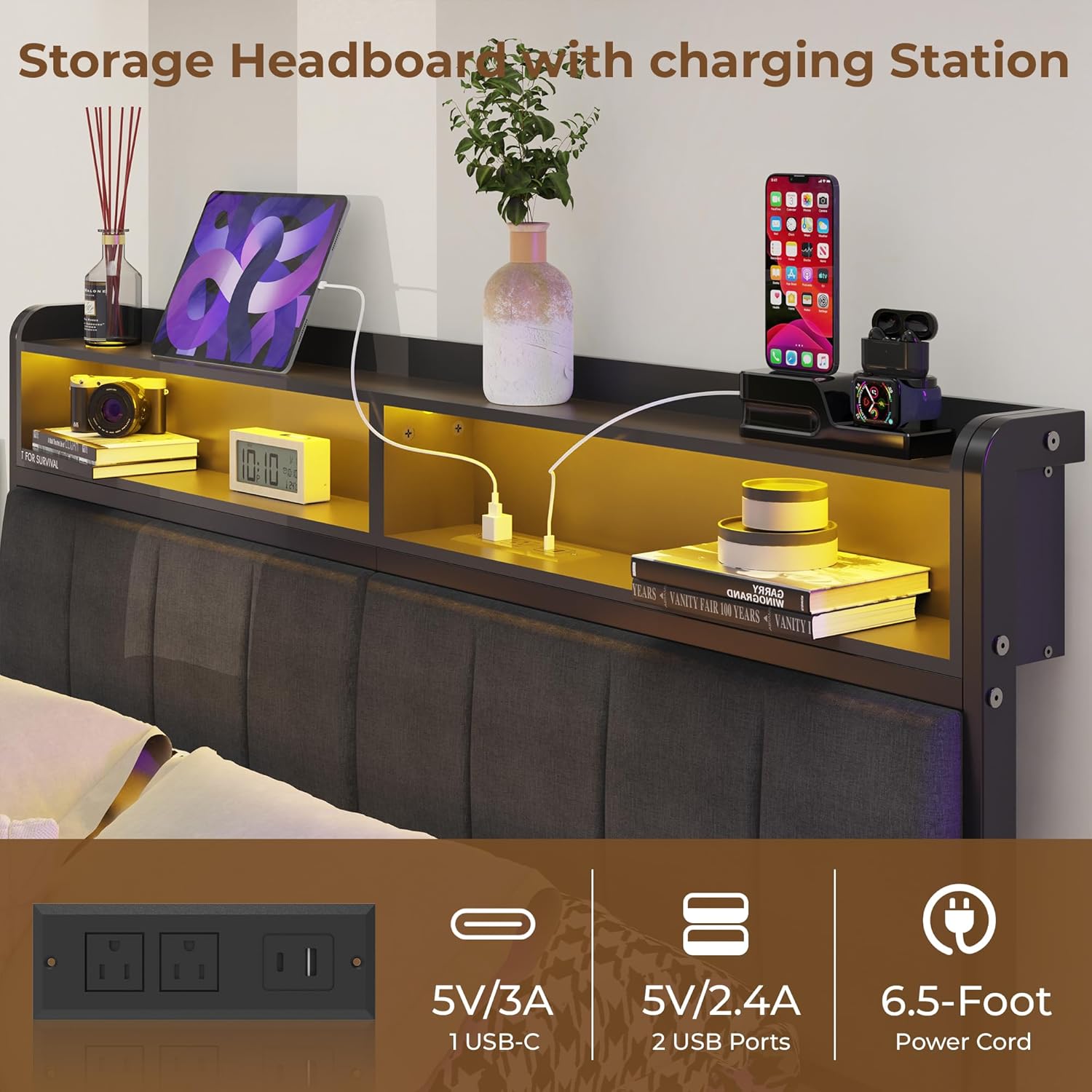
Figure 3: Headboard charging station with USB and Type-C ports.
5.2. RGB LED Lighting
The bed frame features multi-colored RGB LED light strips integrated into the headboard. These lights can be controlled via a mobile application. Refer to the separate LED light manual for instructions on downloading and pairing the app. Through the app, you can adjust brightness, select from various colors, and choose different lighting effects to customize your room's ambiance.
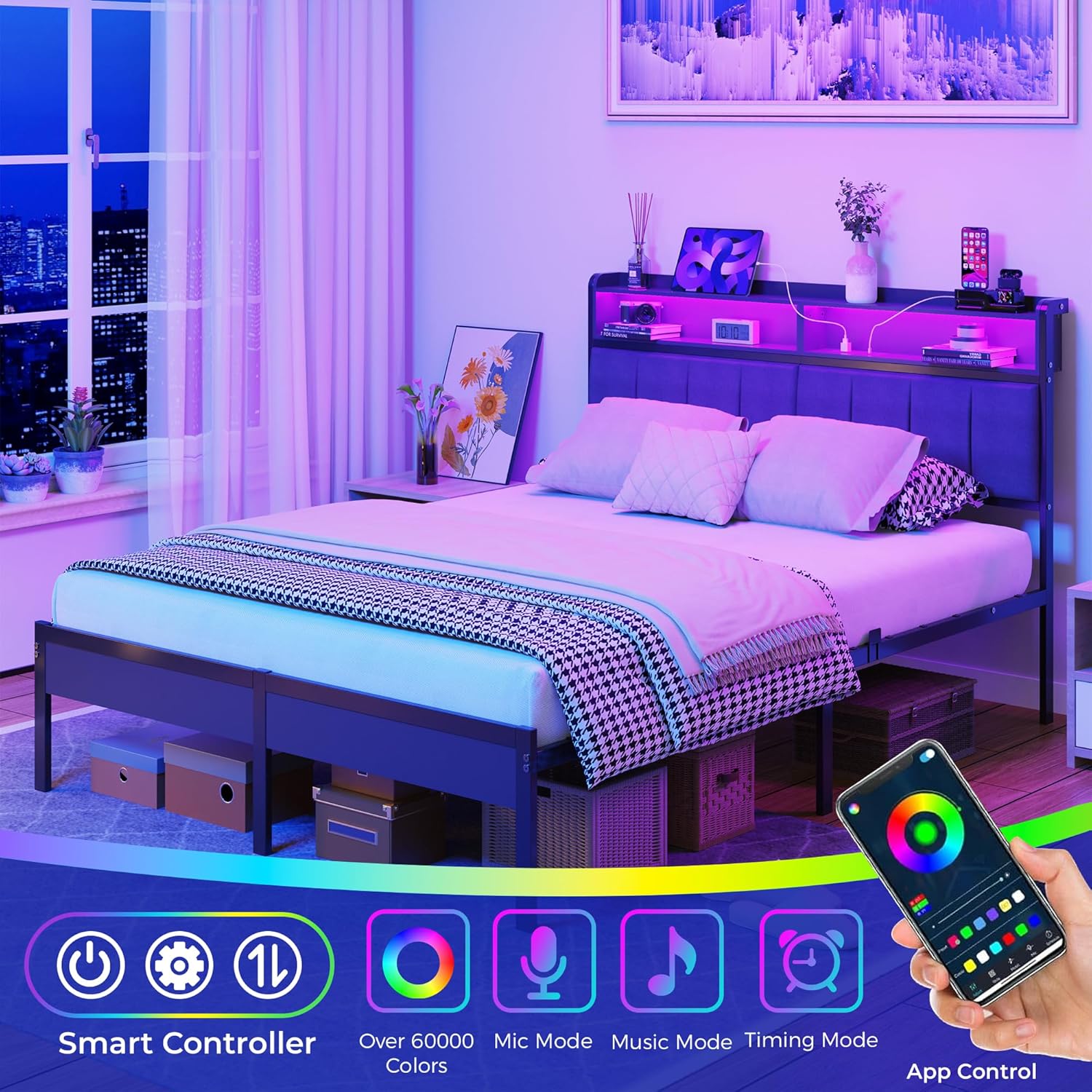
Figure 4: RGB LED lighting with app control.
6. Maintenance
Regular maintenance helps prolong the life and appearance of your bed frame.
- Cleaning the Frame: Wipe metal surfaces with a soft, damp cloth. Avoid abrasive cleaners.
- Cleaning the Upholstered Headboard: Use a vacuum cleaner with a brush attachment to remove dust. For spills, blot immediately with a clean, dry cloth. For stubborn stains, consult a professional upholstery cleaner.
- Checking Connections: Periodically inspect all bolts and screws to ensure they remain tight. Retighten as necessary to maintain stability and prevent noise.
- Electrical Components: Ensure the power cord and connections for the charging station and LED lights are free from damage. Do not attempt to repair electrical components yourself.
7. Troubleshooting
If you encounter any issues with your bed frame, refer to the following common problems and solutions:
| Problem | Possible Cause | Solution |
|---|---|---|
| Bed frame is noisy/squeaks | Loose bolts or connections. | Check and tighten all bolts and screws on the frame and headboard. Ensure slats are properly seated. |
| Charging station not working | Power cord not plugged in; outlet issue; device cable issue. | Ensure the bed frame's power cord is securely plugged into a functional wall outlet. Test the outlet with another device. Try a different charging cable for your device. |
| LED lights not turning on/changing colors | Power connection issue; app not paired; remote battery low (if applicable). | Verify the LED light power connection. Ensure the mobile app is correctly paired with the lights. If using a remote, check its battery. |
| Parts do not align during assembly | Incorrect orientation of parts; manufacturing variation. | Double-check the assembly manual for correct part orientation. If parts are significantly misaligned or damaged, contact customer support. |
If the problem persists after attempting these solutions, please contact SANGMUCEN customer support for further assistance.
8. Specifications
Detailed specifications for the SANGMUCEN HBF025H01 Double Bed Frame:
| Feature | Detail |
|---|---|
| Brand | SANGMUCEN |
| Model Number | HBF025H01 |
| Size | Full/Double |
| Color | Grey |
| Product Dimensions | 217 x 137 x 110 cm (approx. 85.4 x 53.9 x 43.3 inches) |
| Item Weight | 24 kg (approx. 52.9 lbs) |
| Material | Alloy Steel, Upholstered Fabric |
| Weight Capacity | 700 lbs |
| Special Features | Charging Station, LED Lighting, Storage Headboard, Under-Bed Storage, No Box Spring Needed, Noise Free |
| Charging Station Ports | 2 USB ports, 1 Type-C port |
| Power Cord Length | 6.5 feet |
| Under-Bed Clearance | 10.4 inches (approx. 26.4 cm) |

Figure 5: Dimensional specifications of the bed frame.

Figure 6: Under-bed storage space of 10.4 inches.
9. Warranty and Support
For warranty information, product support, or to report missing/damaged parts, please contact SANGMUCEN customer service directly. Refer to the contact details provided in your purchase documentation or on the official SANGMUCEN website.