
1. Introduction
Thank you for choosing HXWEIYE Rechargeable Fairy Lights. This manual provides essential information for the safe and efficient use of your new 6-pack of 7ft, 20LED warm white string lights. Designed for versatility, these lights feature a detachable rechargeable battery pack, remote control, and a customizable DIY timer, making them perfect for various indoor and outdoor decorative applications.

Image: HXWEIYE Rechargeable Fairy Lights creating a warm ambiance in a living space.
2. Package Contents
Please verify that all items listed below are included in your package:
- 6 x HXWEIYE Rechargeable Fairy Lights (7ft, 20 Warm White LEDs each)
- 2 x USB Charging Cables
- 1 x Remote Control
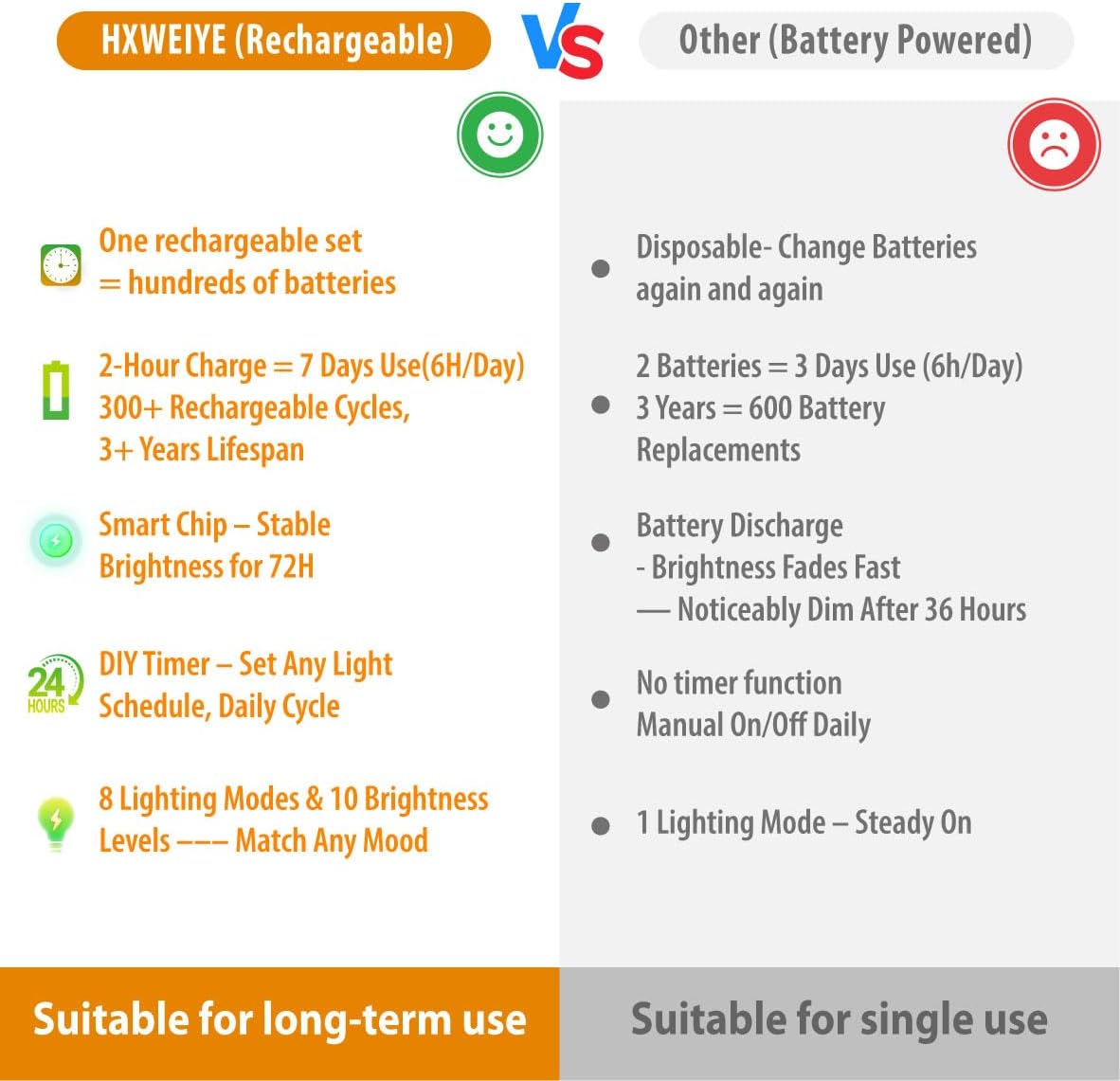
Image: All components included in the HXWEIYE 6-pack fairy lights set.
3. Setup
- Initial Charge: Before first use, fully charge the detachable battery packs. Connect the provided USB charging cables to the Type-C charging port on each battery pack and plug into a USB power source (e.g., USB charger, computer, power bank, power strip). The indicator light will turn red during charging and off when fully charged (approximately 2 hours).
- Connect Lights: Once charged, connect the fairy light string to the battery pack. Ensure a secure connection.
- Placement: Gently uncoil the silver copper wire and shape the lights as desired. The flexible wire allows for easy bending, twisting, and wrapping around objects like stairs, trees, jars, or furniture.
Video: Demonstrates how to set up and use the rechargeable fairy lights with the remote control.
4. Operating Instructions
Your HXWEIYE Fairy Lights come with a remote control for convenient operation. The battery pack also has a manual button for basic functions.
Remote Control Functions:
- ON/OFF: Press the 'ON' or 'OFF' buttons to power the lights.
- 6H Timer: Activates a 6-hour timer. The lights will stay on for 6 hours and then turn off for 18 hours, repeating the cycle daily.
- DIY Timer: To set a custom ON/OFF schedule, press 'Timer On' at your desired turn-on time and 'Timer Off' at your desired turn-off time. The lights will automatically follow this schedule from the next day.
- CLEAR TIMER: Resets any active timer settings.
- MODE: Cycle through 8 lighting effects: Combination, In Wave, Sequential, Slo Glo, Chasing/Flash, Slow Fade, Twinkle/Flash, Steady On.
- DIM +/-: Adjust the brightness levels (10 levels available).
Manual Button Operation:
Press the 'PRESS' button on the battery pack to cycle through the 8 lighting modes and turn the lights off. This button does not control dimming or timer functions.
Memory Function:
Your selected mode and timer settings are saved if the battery is recharged before it is fully drained. No need to reset your preferences.

Image: Remote control layout with various lighting modes and timer options.
5. Features
- Rechargeable & Detachable: The lightweight battery pack can be easily disconnected for charging without moving the entire light string, eliminating the need for disposable batteries.
- Long-Lasting Battery Life: A full charge (approx. 2 hours) provides up to 100 hours of continuous light, or over 7 days with 5-6 hours of daily use. The battery supports approximately 300 charges.
- Custom DIY Timer: Set personalized ON/OFF times, or use the fixed 6-hour timer. Features a memory function to retain settings.
- Flexible Design: 7ft silver copper wire with 20 warm white LEDs can be bent, twisted, and wrapped to suit any decorative need.
- Balanced Glow & 8 Modes: Upgraded smart chip ensures soft, even brightness from start to finish. Choose from 8 lighting effects and 10 brightness levels to create the perfect mood.

Image: Rechargeable and detachable battery pack for convenience.

Image: Comparison of battery performance, highlighting steady brightness.
6. Maintenance
- Charging: Always use the provided USB cables for charging. Ensure the battery pack is fully charged before initial use for optimal performance.
- Storage: When not in use, store the fairy lights in a cool, dry place away from direct sunlight and extreme temperatures.
- Cleaning: Wipe the lights and battery pack with a soft, dry cloth. Do not immerse the battery pack in water.
- Safety: Do not cut the wire near the battery box. Keep away from open flames and excessive heat.
7. Troubleshooting
- Lights Not Turning On:
- Ensure the battery pack is fully charged.
- Check that the light string is securely connected to the battery pack.
- Verify the remote control battery is functional and the plastic tab has been removed.
- Remote Control Not Responding:
- Ensure there are no obstructions between the remote and the battery pack.
- Check the remote control battery.
- Lights Dimming Prematurely:
- The battery may be low. Recharge the battery pack.
- Ensure the lights are not set to a very low brightness level.
8. Specifications
| Brand | HXWEIYE |
| Model Number | HYRE1001 |
| Color | Warm White |
| Light Source Type | LED |
| Number of LEDs | 20 per string (120 total for 6-pack) |
| Item Length | 7 Feet per string |
| Power Source | Battery Powered (Rechargeable) |
| Special Features | Rechargeable, Remote Controlled, DIY Timer |
| Indoor/Outdoor Usage | Indoor, Outdoor |
| Charging Time | Approx. 2 hours |
| Battery Life | Up to 100 hours (continuous) |
9. Warranty and Support
For warranty information or technical support, please refer to the product packaging or contact HXWEIYE customer service directly. Contact details can typically be found on the product packaging or the official brand website.