Introduction
This manual provides detailed instructions for the setup, operation, maintenance, and troubleshooting of your FRONTECH KB-0028P 2.4Ghz Wireless Keyboard and Mouse Combo. This combo offers a reliable and convenient wireless solution for your PC or laptop, featuring a 104-key ergonomic keyboard and a 1600 DPI optical mouse.
Package Contents
Please verify that all items are present in your package:
- FRONTECH 2.4Ghz Wireless Keyboard (104-key)
- FRONTECH 2.4Ghz Wireless Mouse (4-button, 1600 DPI)
- USB Nano Receiver
- User Manual (this document)
Note: Batteries are not included. You will need 1x AA battery for the mouse and 1x AA battery for the keyboard.

Image: The FRONTECH KB-0028P wireless keyboard and mouse combo, along with the USB nano receiver.
Setup Instructions
- Insert Batteries:
- Open the battery compartment on the underside of the keyboard and insert 1x AA battery, ensuring correct polarity.
- Open the battery compartment on the underside of the mouse and insert 1x AA battery, ensuring correct polarity.

Image: Underside view of the keyboard and mouse showing their respective battery compartments, each requiring one AA battery.
- Connect USB Nano Receiver: Locate the USB Nano Receiver, typically stored within the mouse's battery compartment or packaged separately. Plug this receiver into an available USB port on your PC or laptop.

Image: A close-up of the USB Nano Receiver plugged into a laptop, illustrating the 2.4GHz wireless connection to both the keyboard and mouse.
- Power On Devices: Ensure the power switch on the mouse (usually on the underside) is set to the "ON" position. The keyboard typically powers on automatically once batteries are inserted and the receiver is connected.
- Automatic Connection: The keyboard and mouse are designed for plug-and-play functionality. They should automatically connect to your computer within a few seconds. If they do not connect, ensure the receiver is securely plugged in and batteries are correctly installed.
Operating Instructions
Keyboard Usage
- 104-Key Layout: The keyboard features a standard 104-key layout, including a numeric keypad, function keys (F1-F12), and navigation keys.
- Suspended High Keycaps: The design provides a comfortable typing experience with responsive keys.
- Adjustable Height: Utilize the adjustable height clips on the underside of the keyboard to set your preferred typing angle.

Image: A close-up of the FRONTECH keyboard highlighting its 104-key layout and suspended high keycaps for comfortable typing.
Mouse Usage
- 4-Button Optical Mouse: The mouse includes left-click, right-click, scroll wheel (which also functions as a middle button), and a DPI control button.
- DPI Adjustment: Press the DPI button (located behind the scroll wheel) to cycle through different sensitivity settings, up to 1600 DPI, to match your preference.
- Anti-Skid Scroll Wheel: Provides precise scrolling control.
- Ergonomic Design: Designed for comfortable use over extended periods.

Image: A detailed view of the FRONTECH mouse, illustrating its three primary buttons (left, right, scroll wheel) and the DPI control button.
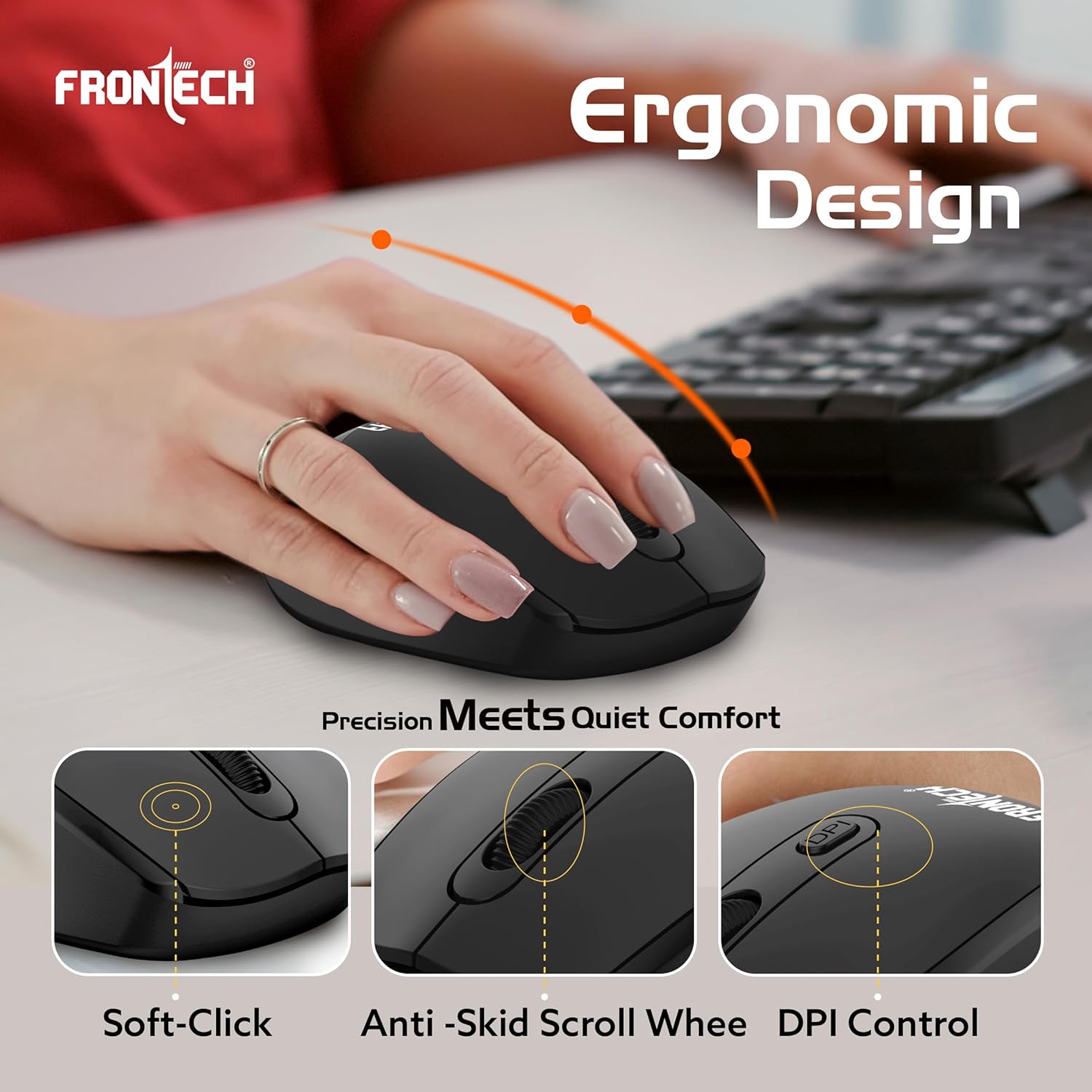
Image: An illustration highlighting the ergonomic design of the FRONTECH mouse, emphasizing soft-click buttons, an anti-skid scroll wheel, and DPI control.
Wireless Connectivity
- 2.4 GHz Wireless: The combo uses 2.4 GHz wireless technology for a stable connection.
- Operating Range: The keyboard and mouse have an operating range of up to 10 meters (approximately 33 feet) from the USB Nano Receiver.
- Compatibility: Compatible with operating systems including Windows 10, Windows 8, Windows 7, Windows Vista, and Windows XP.
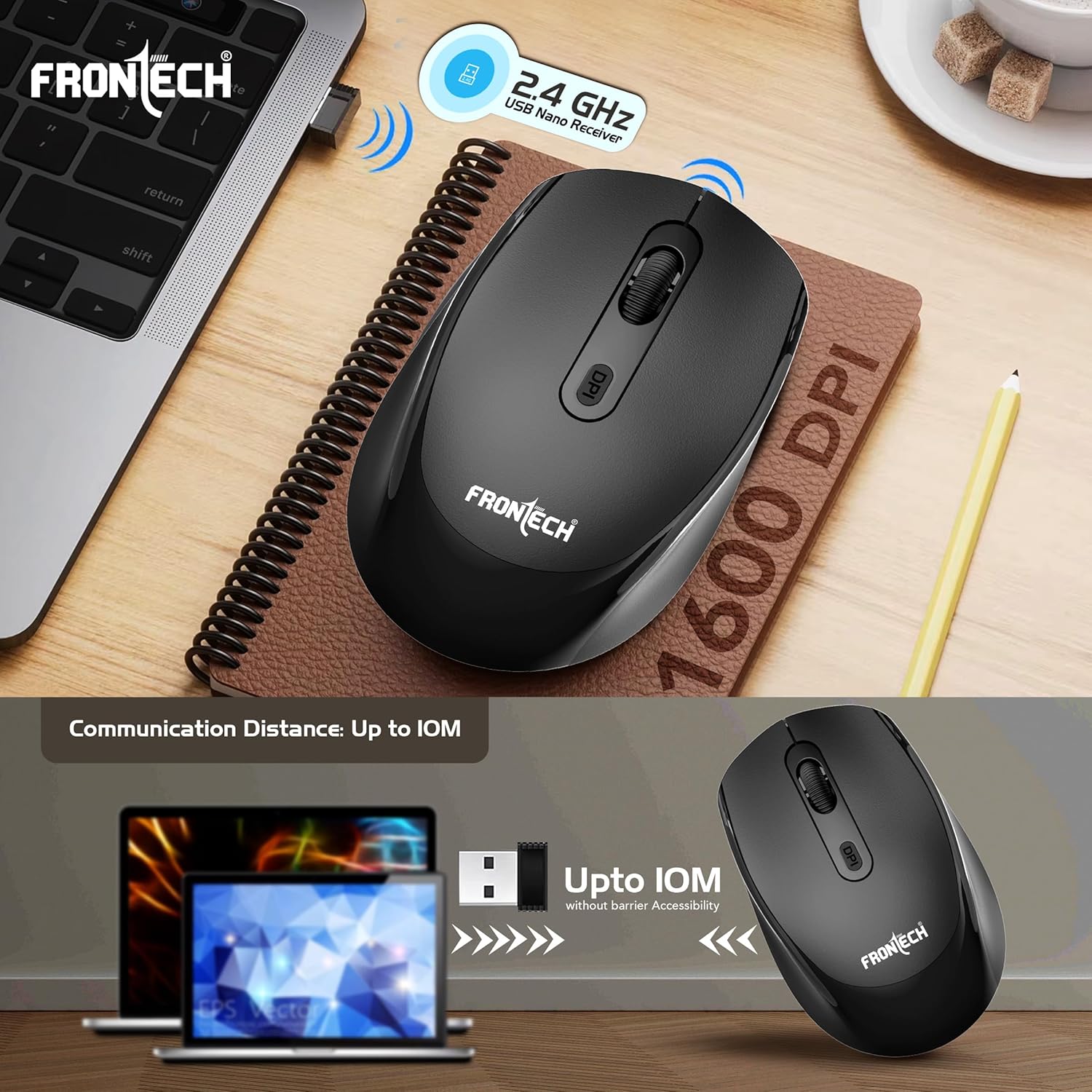
Image: The FRONTECH wireless mouse next to a laptop, illustrating the 2.4 GHz USB Nano Receiver and the 1600 DPI optical tracking capability.
Maintenance
- Cleaning: Use a soft, dry cloth to clean the surfaces of the keyboard and mouse. For stubborn dirt, a slightly damp cloth can be used, but ensure no moisture enters the devices. Avoid harsh chemicals or abrasive cleaners.
- Battery Replacement: Replace batteries when performance degrades or devices become unresponsive. Always use fresh AA batteries.
- Storage: When not in use for extended periods, remove batteries to prevent leakage and store the devices in a cool, dry place.
Troubleshooting
| Problem | Solution |
|---|---|
| Keyboard/Mouse not responding |
|
| Lag or intermittent connection |
|
| Mouse cursor erratic or not moving smoothly |
|
Specifications
| Feature | Detail |
|---|---|
| Brand | FRONTECH |
| Model Number | KB-0028P |
| Connectivity Technology | 2.4 GHz Wireless (USB Receiver) |
| Keyboard Layout | 104-Key, Suspended High Keycaps |
| Mouse Type | 4-Button Optical Mouse |
| Mouse DPI | Up to 1600 DPI |
| Operating Range | Up to 10 meters |
| Power Source | Battery Powered (1x AA for Keyboard, 1x AA for Mouse) |
| Compatible Operating Systems | Windows 10, Windows 8, Windows 7, Windows Vista, Windows XP |
| Color | Black |
| Item Dimensions (Keyboard) | 43.6 x 13 x 2.1 cm (approx.) |
| Item Weight | 427 g (combo, approx.) |
| Country of Origin | China |
Warranty and Support
The FRONTECH KB-0028P Wireless Keyboard and Mouse Combo comes with a 1-Year Warranty from the date of purchase. This warranty covers manufacturing defects. Please retain your proof of purchase for warranty claims.
For technical support or warranty inquiries, please contact FRONTECH customer service.
- Manufacturer: Frontech Private Limited
- Address: Ecocentre, Unit-801, EM-4, Sector - V, Kolkata, West Bengal, 700091
- For further assistance, please visit the official FRONTECH website or contact their support channels.