
1. Introduction
Thank you for choosing the STACOO Electric Wheelchair. This manual provides essential information for the safe and efficient operation, maintenance, and troubleshooting of your new mobility device. Please read this manual thoroughly before using the wheelchair to ensure proper function and user safety.
2. Safety Information
Your safety is paramount. Adhere to all warnings and instructions provided in this manual. Failure to do so may result in injury or damage to the wheelchair.
General Safety Precautions:
- Always wear the provided seat belt when operating the wheelchair.
- Ensure the battery is fully charged before extended use.
- Do not operate the wheelchair under the influence of alcohol or medication that impairs judgment.
- Avoid operating the wheelchair on steep inclines beyond its specified climbing angle (12°).
- Regularly inspect tires, brakes, and electrical connections for wear or damage.
- Keep hands and clothing clear of moving parts.
- Use anti-tip wheels for enhanced stability, especially on uneven terrain.
3. Package Contents
Upon unpacking, verify that all components are present and undamaged:
- STACOO Electric Wheelchair (Folded)
- Joystick Controller
- Battery Pack(s)
- Charger
- User Manual
- Footrests (if detachable)
- Seat Cushion
- Backrest Cushion
- Storage Bag
4. Setup and Assembly
Follow these steps to prepare your wheelchair for first use:
4.1 Unfolding the Wheelchair
Carefully remove the folded wheelchair from its packaging. Place it on a flat, stable surface. Gently pull the backrest upwards and outwards until the frame locks into place. Ensure all locking mechanisms are secure.

Image: The electric wheelchair in its unfolded state, highlighting adjustable armrests, removable seat cushion, ergonomic armrest design, and detachable seat belt.
Video: A demonstration of unboxing and unfolding an electric wheelchair, showing the initial setup process.
4.2 Attaching Footrests and Cushions
Attach the footrests to the designated slots on the front frame. Place the seat cushion and backrest cushion onto the seat and backrest, securing them if they have Velcro or straps.
Video: An unpacking video for an electric wheelchair, demonstrating the assembly of components like footrests and cushions.
4.3 Installing the Joystick Controller
Mount the joystick controller onto either the left or right armrest, depending on user preference. Secure it firmly using the provided knob. Connect the controller cable to the corresponding port on the wheelchair frame.

Image: A close-up of the 360-degree joystick controller, showing buttons for speed, battery level, power switch, horn, acceleration, deceleration, SOS, and mute functions.
4.4 Battery Installation and Charging
Insert the battery pack into its compartment, ensuring it clicks securely into place. Connect the battery cable to the wheelchair's power system. Before first use, fully charge the battery using the provided charger. The battery indicator on the joystick will show the charge level.

Image: An illustration of the upgraded battery system, emphasizing its safe and assured quality, and indicating 800+ charging cycles compared to 300+ for other batteries.
5. Operating Instructions
Familiarize yourself with the controls and practice in a safe, open area before operating in public spaces.
5.1 Powering On/Off
Press the power button on the joystick controller to turn the wheelchair on or off. The battery indicator lights will illuminate upon activation.
5.2 Driving the Wheelchair
- Joystick Control: Use the 360-degree joystick for intuitive directional control. Push forward to move forward, pull back to move backward, and push left or right to turn.
- Speed Adjustment: Use the '+' and '-' buttons on the joystick to increase or decrease the speed.
- Braking: Release the joystick to engage the electromagnetic brakes, which will automatically stop the wheelchair.
- Horn: Press the horn button to alert others.
Video: A demonstration of the electric wheelchair in use, showcasing its maneuverability and ease of control in various outdoor settings.
5.3 Manual Mode Operation
The wheelchair can be switched to manual mode for pushing by an attendant. Locate the red levers near the rear wheels. Push these levers to disengage the motors and allow the wheels to move freely. Pull the levers back to re-engage electric mode.
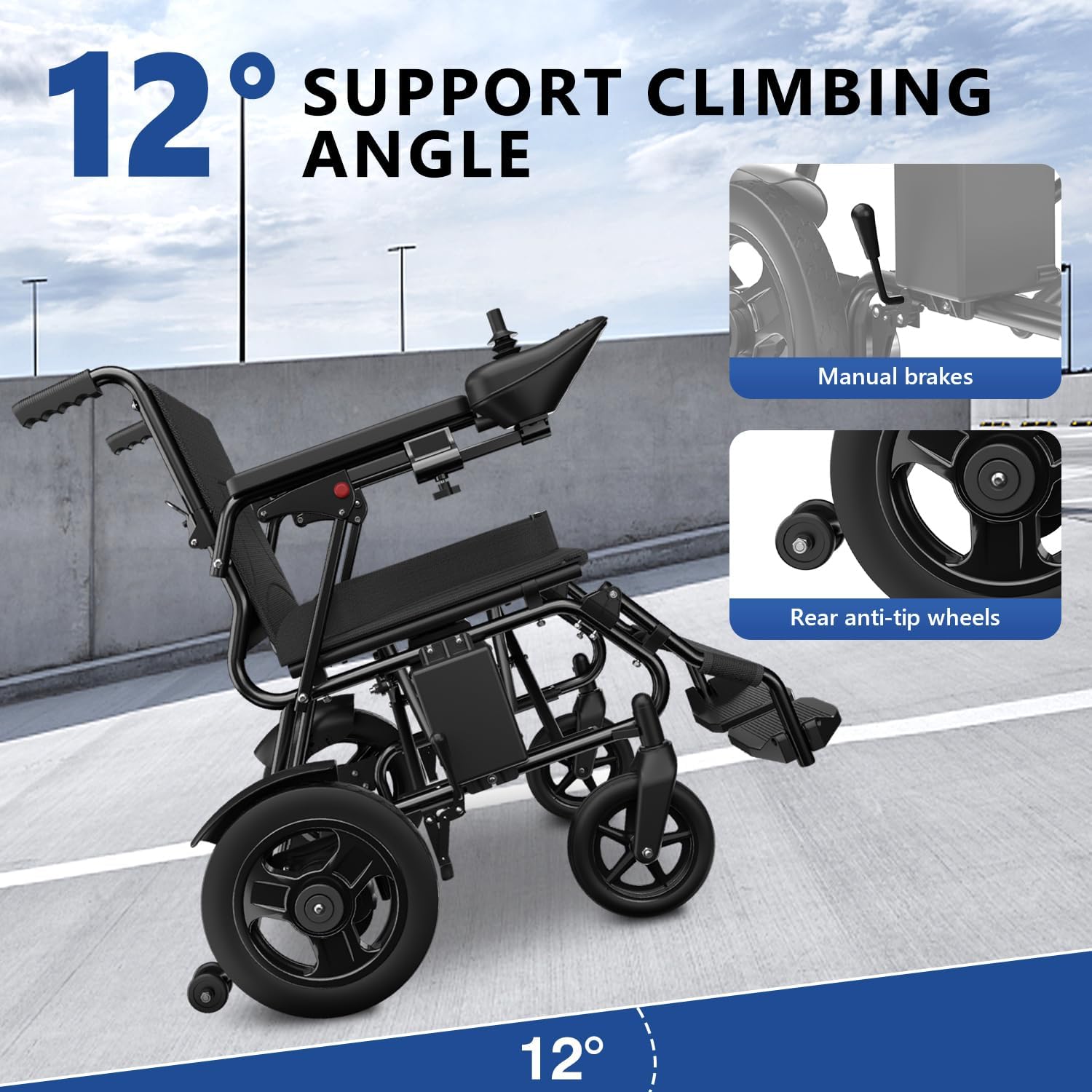
Image: The electric wheelchair demonstrating its ability to support a 12° climbing angle, highlighting the manual brakes and rear anti-tip wheels for safety and control.
6. Maintenance
Regular maintenance ensures the longevity and safe operation of your wheelchair.
- Cleaning: Wipe down the frame and seating surfaces with a damp cloth. Avoid using abrasive cleaners.
- Battery Care: Charge the battery regularly, even if not in frequent use, to maintain battery health. Store the battery in a cool, dry place.
- Tire Inspection: Check tire pressure (if applicable) and inspect for wear or punctures.
- Brake Check: Periodically test the electromagnetic brakes to ensure they engage properly.
- Fasteners: Ensure all bolts and screws are tight. Do not overtighten.
7. Troubleshooting
If you encounter issues, refer to the following common problems and solutions:
| Problem | Possible Cause | Solution |
|---|---|---|
| Wheelchair does not power on. | Battery not connected, battery low, power button not pressed. | Ensure battery is securely connected. Charge battery. Press power button firmly. |
| Wheelchair moves slowly or inconsistently. | Low battery, speed setting too low, motor disengaged. | Charge battery. Increase speed setting on joystick. Check if manual mode levers are engaged. |
| Wheelchair makes unusual noises. | Loose components, debris in wheels, motor issue. | Inspect for loose parts and tighten. Clear any debris from wheels. Contact support if noise persists. |
| Joystick unresponsive. | Loose connection, controller fault. | Check joystick cable connection. Restart wheelchair. Contact support if issue continues. |
8. Specifications
Key technical details of your STACOO Electric Wheelchair:
- Model: B0FHH4R5QH
- Brand: STACOO
- Motor Power: 500W Dual Motor System
- Travel Range: 15+ miles per charge
- Weight Capacity: Up to 350 lbs
- Color: Black
- Safety Features: Secure lap belt, EABS hill-hold, anti-tip stability wheels
- Wheel Technology: Premium composite wheels for all-terrain use
- Control System: Advanced 360-degree joystick
- Portability: Ultra-portable folding frame
- Date First Available: July 14, 2025

Image: Detailed dimensions of the electric wheelchair, including its weight capacity of 350 lbs, 8-inch front tires, and 13-inch rear tires, along with folded dimensions.

Image: An illustration highlighting the 500W powerful dual motor system, emphasizing velocity stabilization for safe driving, continued strong momentum, and ultra-low volume travel.

Image: An image illustrating the sturdier frame of the wheelchair with upgraded thicker frames, indicating increased loading weight, portability, and flexibility, along with a 350 lbs weight capacity.

Image: The electric wheelchair demonstrating its EABS hill-hold system, adaptable to a wide range of road conditions, enhancing safety and comfort.
9. Warranty Information
This product comes with a standard manufacturer's warranty. Please refer to the warranty card included in your package for specific terms, conditions, and duration. Keep your proof of purchase for warranty claims.
10. Customer Support
For technical assistance, troubleshooting not covered in this manual, or spare parts, please contact STACOO customer support. Refer to the contact information provided on the product packaging or the official STACOO website.