
Introduction
The HANMATEK IE02 Industrial Endoscope is a versatile inspection tool designed for detailed visual examinations in hard-to-reach areas. It features a 4.3-inch TFT display, a 16.5ft (5-meter) flexible cable with an 8mm camera, and adjustable LED lights for optimal visibility. This manual provides essential information for the safe and effective use of your endoscope.
Please read this manual thoroughly before operating the device and retain it for future reference.
Safety Warnings
General Safety Information
- CHOKING DANGER: Always keep children away from packaging materials.
- Do not use the product in locations where there is a risk of explosion.
- This product is not suitable for children under 9 years of age or under adult supervision.
- Do not use the product for medical purposes.
- Avoid violent shocks or falls of the product.
- Do not store the product in environments with extreme temperatures or high humidity.
Safety Notes for Batteries
- RISK OF DEATH! Keep batteries out of reach from children. In the event of ingestion, seek immediate medical attention.
- May be swallowed, burns, perforation of soft tissue and lead to death. Severe burns can occur within 2 hours of ingestion.
- Do not charge non-rechargeable batteries. Do not disassemble, crush, heat or short-circuit rechargeable batteries and do not open them.
- Do not expose batteries to fire or water.
- RISK OF EXPLOSION! Never expose batteries to excessive heat or direct sunlight. Avoid extreme conditions.
- Avoid contact with leaking or damaged batteries. If contact occurs, rinse immediately with water. If battery fluid comes into contact with eyes, rinse immediately with water and seek medical attention.
- If battery fluid comes into contact with skin, clothing, or other objects, rinse immediately with water.
- Only use the charger specified by the manufacturer.
- Do not overcharge or over-discharge the battery.

Image: Safety warnings for the HANMATEK IE02 Industrial Endoscope, including general safety and battery precautions.
Package Contents
Please check the package contents upon receipt to ensure all items are present and undamaged:
- HANMATEK IE02 Industrial Endoscope Unit (with 4.3-inch TFT screen and integrated 16.5ft flexible cable)
- USB-C Charging Cable
- 32GB Micro SD Card
- Accessory Set:
- Mirror Attachment
- Hook Attachment
- Magnet Attachment
- User Manual

Image: The HANMATEK IE02 Industrial Endoscope package contents, including the main unit, USB-C cable, SD card, and various attachments.
Product Overview
The HANMATEK IE02 features a robust design for industrial use. Familiarize yourself with the main components and controls:

Image: Front view of the HANMATEK IE02 Industrial Endoscope, showing the display screen, control buttons, flexible cable, and camera head with LED lights.
Key Components:
- 4.3-inch TFT Display: Provides a clear, real-time view of the inspection area with 480x272 resolution.
- Flexible Snake Cable (16.5ft/5m): Allows access to confined and hard-to-reach spaces.
- 8mm Camera Head: Equipped with a 1 million pixel sensor for sharp imaging.
- Adjustable LED Lights: 8 integrated LEDs provide illumination in dark environments.
- Control Panel: Intuitive buttons for navigation, settings, and media capture.
- USB-C Port: For charging the device.
- Micro SD Card Slot: For storing photos and videos (supports up to 32GB).

Image: The endoscope display, emphasizing the 4.3-inch screen size and the 180-degree image rotation feature for versatile viewing.
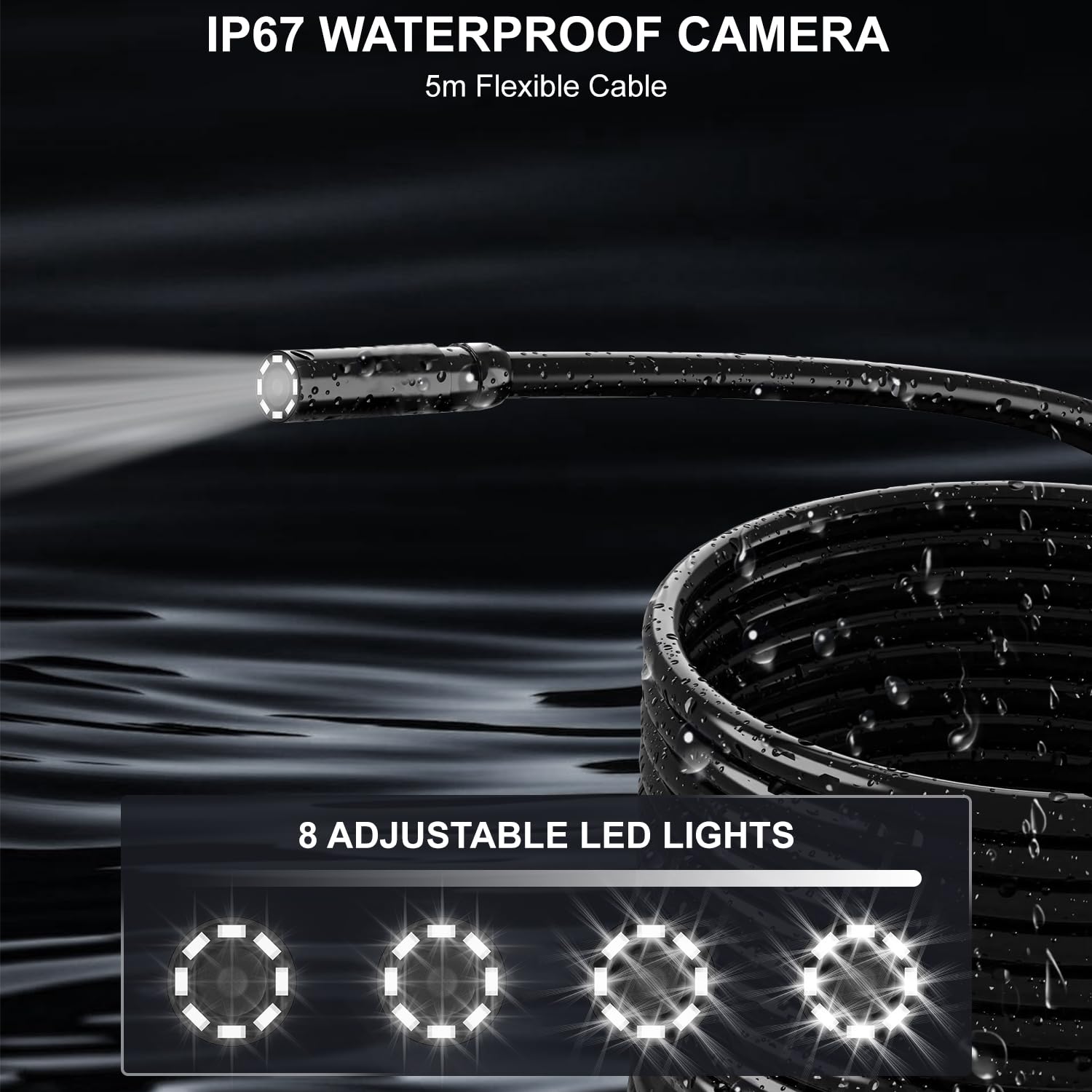
Image: Close-up of the IP67 waterproof camera head and the 8 adjustable LED lights, illustrating their function in illuminating dark inspection areas.
Setup
1. Charging the Device
Before first use, fully charge the endoscope. Connect the supplied USB-C charging cable to the device's USB-C port and a compatible USB power adapter (not included). The charging indicator will show the charging status. A full charge provides up to 4 hours of continuous use.
2. Inserting the Micro SD Card
Locate the Micro SD card slot on the side of the device. Insert the provided 32GB Micro SD card with the gold contacts facing down until it clicks into place. This card is essential for saving photos and videos.
3. Attaching Accessories
The endoscope comes with mirror, hook, and magnet attachments. To attach an accessory, carefully slide it onto the camera head until it is securely in place. Ensure it does not obstruct the camera lens or LED lights.

Image: The endoscope's flexible cable and the included practical accessories: mirror, hook, and magnet, designed to assist in various inspection tasks.
Operating Instructions
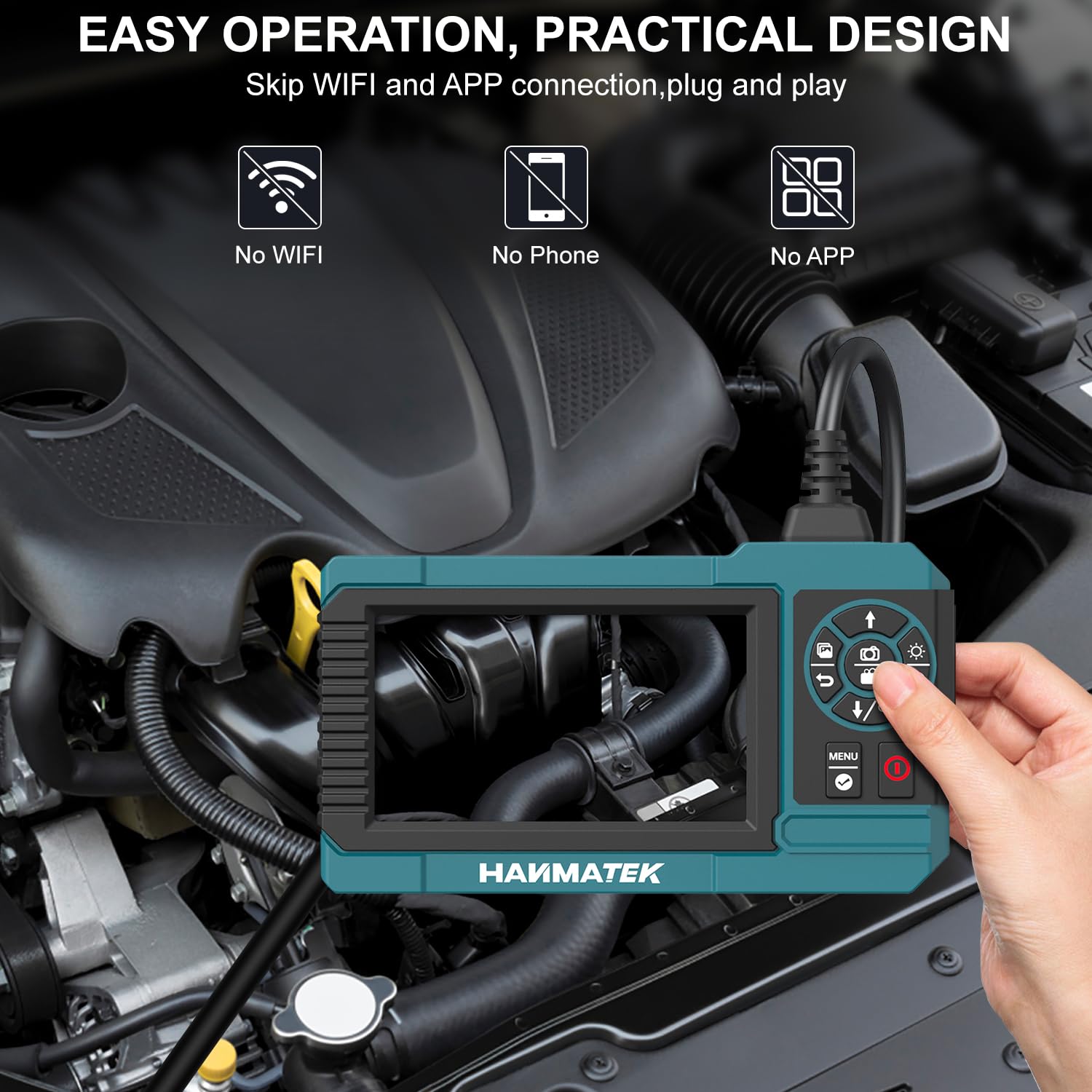
Image: The HANMATEK IE02 Industrial Endoscope in use, demonstrating its easy operation and practical design without the need for Wi-Fi or external apps.
1. Powering On/Off
- To power on, press and hold the Power button (usually marked with a red circle or power symbol) until the screen illuminates.
- To power off, press and hold the Power button again until the screen turns off.
2. Adjusting LED Lights
Press the Light Adjustment button (often marked with a light bulb icon) to cycle through the 8 levels of LED brightness. Adjust as needed for optimal visibility in different environments.
3. Image Rotation
To rotate the image 180 degrees, press the Rotation button (often marked with a circular arrow). This is useful for correcting image orientation when the camera is in an inverted position.
4. Zoom Function
Use the Zoom buttons (often marked with '+' and '-' or magnifying glass icons) to zoom in or out on the live feed. The IE02 supports 1.0x, 2.0x, and 3.0x zoom levels.
5. Photo/Video Recording
- To take a photo: Press the Photo button (often marked with a camera icon). The image will be saved to the Micro SD card.
- To record a video: Press the Video button (often marked with a video camera icon) to start recording. Press it again to stop recording. Videos are saved to the Micro SD card.
6. Viewing Media
Enter the playback mode by pressing the Menu/Mode button. Navigate through your saved photos and videos using the arrow buttons. Press the OK/Select button to view a selected file.
Maintenance
Proper maintenance ensures the longevity and optimal performance of your HANMATEK IE02 Industrial Endoscope.
- Cleaning the Camera Head and Cable: After each use, especially in dirty or wet environments, wipe the camera head and flexible cable with a soft, damp cloth. For stubborn dirt, a mild detergent can be used, followed by wiping with a clean, damp cloth. Ensure no liquid enters the main unit. The camera head is IP67 waterproof, but the main unit is not.
- Cleaning the Display Screen: Use a soft, lint-free cloth to gently wipe the display screen. Avoid abrasive materials or harsh chemicals that could scratch or damage the screen.
- Battery Care: To prolong battery life, avoid fully discharging the battery frequently. If storing the device for an extended period, charge it to about 50% and recharge every few months.
- Storage: Store the endoscope in a cool, dry place, away from direct sunlight and extreme temperatures. Keep it in its original packaging or a protective case to prevent damage.
- Avoid Bending the Cable Sharply: While the cable is flexible, avoid sharp bends or kinks that could damage the internal wiring.
Troubleshooting
If you encounter issues with your HANMATEK IE02, refer to the following common problems and solutions:
- Device does not power on:
- Ensure the battery is charged. Connect the device to a charger and try again.
- Check the power button for proper function.
- No image on screen or poor image quality:
- Check if the camera lens is clean and free from obstructions.
- Adjust the LED brightness using the light adjustment button.
- Ensure the camera cable is securely connected to the main unit.
- Verify the focal length (2-10cm) for optimal clarity.
- Cannot record photos or videos:
- Ensure a Micro SD card is properly inserted into the slot.
- Check if the Micro SD card has sufficient free space.
- The Micro SD card might be full or corrupted. Try formatting the card (refer to device settings) or using a different card.
- Battery drains quickly:
- Ensure the device is fully charged before use.
- Reduce LED brightness if not needed.
- Operating in extremely cold environments can reduce battery performance.
If the problem persists after trying these solutions, please contact HANMATEK customer support for further assistance.
Specifications
| Feature | Specification |
|---|---|
| Model Number | IE02 |
| Display Screen | 4.3-inch TFT, 480x272 resolution |
| Camera Diameter | 8mm |
| Cable Length | 16.5ft (5 meters) |
| Camera Resolution | 1 Million Pixels (1080P equivalent for still images) |
| Field of View | 58° |
| Focal Length | 2-10cm |
| LED Lights | 8 adjustable LEDs |
| Waterproof Rating | IP67 (for camera probe only) |
| Battery | 3.7V/2600mAh Lithium Battery |
| Battery Life | Up to 4 hours continuous use |
| Charging Port | USB-C |
| Storage | Supports up to 32GB Micro SD card (included) |
| Image Rotation | 180° |
| Zoom Levels | 1.0x, 2.0x, 3.0x |
| Item Weight | 0.58 Kilograms (1.28 Pounds) |
| Manufacturer | Shenzhen Hanmatek Precision Technology Co.,Ltd. |
Warranty and Support
HANMATEK products are designed for reliability and performance. For warranty information or technical support, please refer to the warranty card included in your package or visit the official HANMATEK website. You can also contact their customer service directly for assistance with any product-related inquiries.
For more information, visit the HANMATEK Store on Amazon.