
1. Introduction
Thank you for choosing the KOSERNT AI Translation Earbuds Q16S AI. These earbuds are designed to facilitate real-time communication across various languages, offering advanced audio features and AI functionalities. This manual provides detailed instructions for setup, operation, maintenance, and troubleshooting to help you maximize your product experience.

Image: KOSERNT YYK-Q16S AI Translation Earbuds and charging case, highlighting support for 144 languages.
2. Package Contents
Please verify that all items are present in your package:
- 2 x Translation Earbuds
- 1 x Charging Case
- 1 x Charging Cable (Type-C)
- 1 x User Manual
- 1 x Product Box
3. Product Overview and Features
The KOSERNT Q16S AI Translation Earbuds combine advanced translation capabilities with high-fidelity audio and comfortable design.
3.1 Key Features
- Real-Time Translation: Supports two-way translation across 144 languages and accents.
- Multi-Scenario Modes: Includes Live Recording, Simultaneous Interpretation, Face-to-Face, Video Call, and Voice Call Translation.
- AI Integration: Features AI Assistant, AI Chat, and AI Image Generation.
- High-Fidelity Audio: Equipped with a 14.2mm diaphragm speaker and 4 high-precision microphones for clear sound and calls.
- Advanced Connectivity: Bluetooth 5.4 for stable, low-latency connections.
- Noise Cancellation: Environmental Noise Cancellation (ENC) for reduced ambient noise.
- Long Battery Life: Up to 6-7 hours of playtime per charge, with 80 hours total using the charging case.
- Ergonomic Design: Open-ear design for comfort during extended wear.
- Intuitive Controls: Smart touch controls for music, calls, and translation functions.

Image: The KOSERNT AI Translation Earbuds Q16S AI resting in their open charging case, displaying the digital battery indicator.

Image: A visual summary of the earbuds' features, including Crystal-Clear AAC Sound Quality, Advanced Air Conduction Technology, 80 Hours of Total Playtime, Open-Ear Comfort Design, and IP68 Waterproof Protection.

Image: An illustration comparing the upgraded hook open-ear design of the KOSERNT earbuds, emphasizing comfort and reduced ear strain, against traditional in-ear designs that can cause discomfort or fall out.
4. Setup and Pairing
Follow these steps to connect your KOSERNT AI Translation Earbuds to your mobile device and the companion application.
4.1 Initial Setup
- Charge Earbuds: Before first use, ensure the earbuds and charging case are fully charged. Refer to the 'Charging' section for details.
- Download App: Scan the QR code provided in the user manual or on the charging case to download the "NebulaBuds" application. Alternatively, search for "NebulaBuds" in your device's app store.
- Enable Bluetooth: Turn on Bluetooth on your mobile phone.
- Open App: Launch the "NebulaBuds" app. The app will request permission to find and connect to devices on your local network. Grant the necessary permissions.
- Connect Earbuds: The app will automatically detect and display the "YYK-Q16S AI" earbuds. Tap to connect. Once connected, a confirmation message will appear.

Image: A four-step visual guide demonstrating how to connect the KOSERNT AI Earbuds to the "NebulaBuds" application, including app download, Bluetooth activation, app permissions, and final connection confirmation.
5. Operating Instructions
The KOSERNT AI Translation Earbuds offer various modes and AI features to enhance communication and productivity.
5.1 Translation Modes
The earbuds support multiple translation modes tailored for different communication scenarios:
- Touch Mode: Tap the earbud to initiate translation. Ideal for quick, controlled conversations.
- Free-Speech Mode: Allows for continuous, natural conversation without needing to tap. The system automatically detects and translates speech.
- Speaker Mode: One person speaks into the phone, and the translation is played through the earbuds for the listener, or vice-versa.
- Offline Mode: Supports translation in certain languages without an internet connection. Check the app for supported offline languages.

Image: A visual representation of the four primary translation modes: Touch Mode, Free-speech Mode, Speaker Mode, and Offline Mode, with an earbud worn by a user.

Image: Depicts individuals using the translation earbuds in business settings, illustrating real-time translation across 144 languages to overcome language barriers.

Image: A comprehensive list detailing the 74 languages and 70 accents currently supported by the KOSERNT AI Translation Earbuds, with a note indicating more languages will be added.
5.2 Advanced Translation Features
- Live Recording: Convert spoken recordings into text for meeting notes or documentation.
- Simultaneous Interpretation: Real-time voice translation suitable for conferences or multi-lingual discussions.
- Face-to-Face Translation (Earphones + Mobile Phone): Facilitates two-way translation for direct conversations. One person uses the earbuds, the other speaks into the phone.
- Face-to-Face Translation (Dual-Ear Mode): Share one earbud with another person for simultaneous two-way translation, allowing both parties to speak and listen naturally.

Image: Demonstrates the application interface for Live Recording, Simultaneous Interpretation, and Face-to-Face Translation modes, showing how conversations are captured and translated.

Image: A smartphone screen displaying the real-time translation interface, showing a spoken phrase in one language and its translated text and audio output in another.

Image: The Live Recording interface, showing how spoken content is converted into text, with options for transcription and summary, useful for meeting notes.

Image: The Simultaneous Interpretation screen, illustrating real-time voice translation for international conferences, with language selection and audio waveforms.

Image: Depicts the Face-to-Face translation mode where one user wears an earphone and the other speaks into the mobile phone, facilitating two-way communication.

Image: An illustration of the Face-to-Face Dual-Ear Mode, where two individuals share the earbuds for simultaneous two-way translation, allowing both to speak and listen.
5.3 AI Assistant and Smart Features
The earbuds integrate with the "NebulaBuds" app to provide various AI-powered functionalities:
- AI Voice Smart Dialogue: Use real-time voice interaction to ask questions and receive information.
- AI Chat: Engage with the AI by typing questions and receiving text-based responses.
- AI Assistant: Access over 200 small AI applications for various tasks, such as one-click writing or generating outlines.
- Text-to-Image: Generate images based on provided text descriptions, with customizable size options.
- Image-to-Image: Generate new images based on a reference image and text description.
- Summary & Playback: Review historical recordings, with AI-generated summaries and speaker identification.
- Audio and Video Call: Conduct online calls with real-time translation. No special app is required for the other party.
- Audio and Video History: Easily view call records and support redialing.

Image: The AI Voice Smart Dialogue interface, showing how users can interact with the AI using voice commands to ask questions.

Image: The AI Chat interface, demonstrating text-based interaction with the AI assistant, allowing users to ask questions via typing.

Image: The AI Assistant interface, showcasing a selection of over 200 small AI applications, including one-click writing and outline generation.

Image: The Summary & Playback feature, displaying historical recordings with AI-generated summaries and speaker identification for easy review.

Image: The Text-to-Image generation interface, allowing users to input text descriptions and choose image sizes for AI-generated visuals.

Image: The Image-to-Image generation interface, where users can provide a reference image and text description to generate new images.

Image: A smartphone screen showing an Audio and Video Call in progress, with real-time translation displayed during the conversation.

Image: The Audio and Video History interface, displaying a list of past call records with options to view details or redial.
5.4 Smart Touch Controls
The earbuds feature intuitive touch controls for managing various functions:
- Music Playback: Tap to play/pause, double-tap for next track, triple-tap for previous track.
- Call Management: Tap to answer/end calls, long press to reject calls.
- Translation Activation: Specific tap gestures activate translation modes (refer to in-app instructions for precise gestures for each mode).
6. Charging
To ensure continuous operation, regularly charge your earbuds and charging case.
6.1 Charging the Earbuds
Place the earbuds into the charging case. They will automatically begin charging. The LED indicators on the case will show the charging status.
6.2 Charging the Case
Connect the provided USB Type-C charging cable to the charging port on the case and plug the other end into a compatible USB power source (e.g., wall adapter, computer USB port).
- Battery Life: The earbuds provide approximately 6-7 hours of playtime on a single charge. The charging case extends total playtime to about 80 hours.
- Fast Charging: The case supports fast charging, allowing for quick power replenishment.
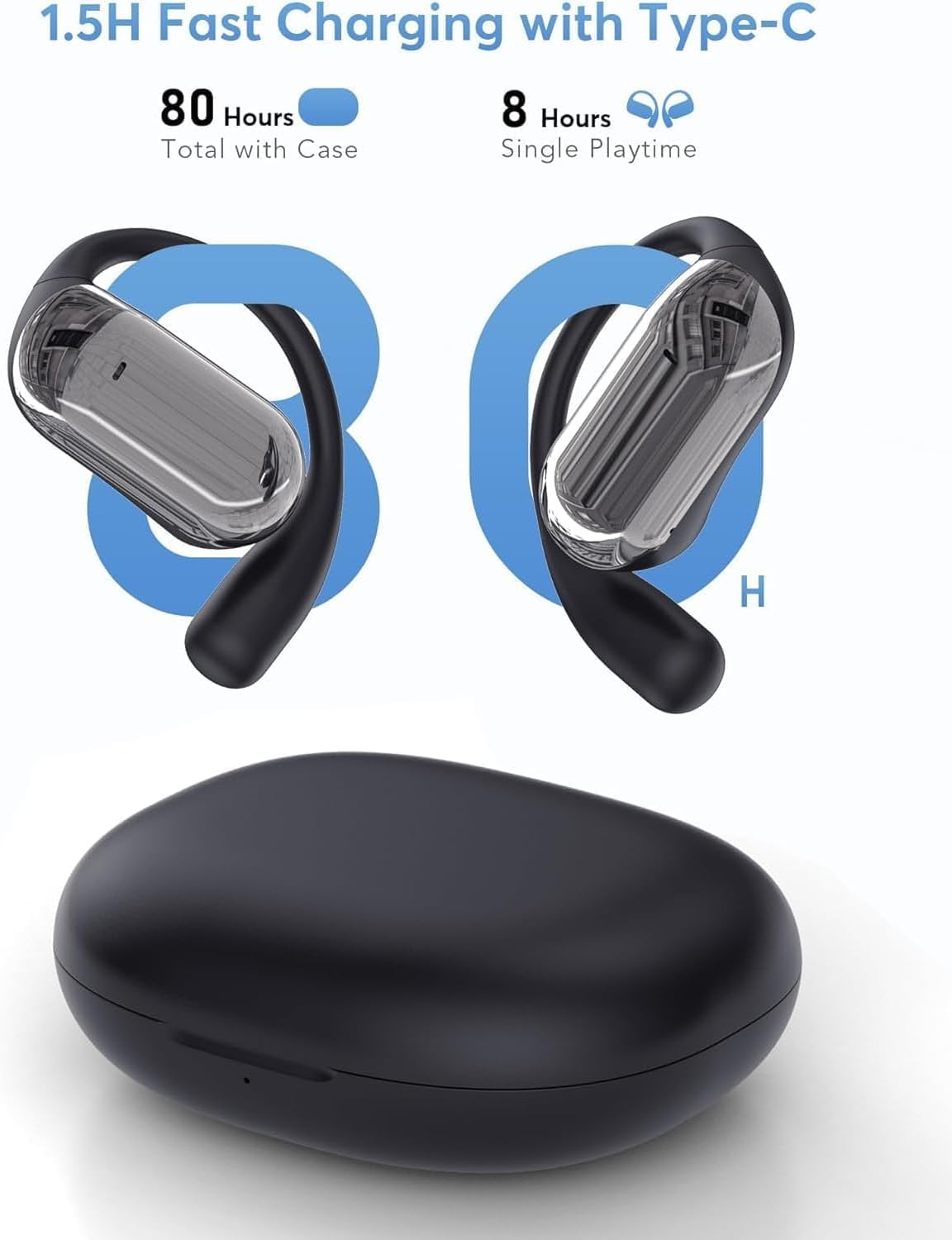
Image: A graphic illustrating the fast charging capabilities via Type-C, highlighting 80 hours of total playtime with the case and 8 hours of single playtime for the earbuds.
7. Maintenance
Proper maintenance ensures the longevity and optimal performance of your earbuds.
- Cleaning: Use a soft, dry, lint-free cloth to clean the earbuds and charging case. Avoid using abrasive materials or harsh chemicals.
- Storage: Store the earbuds in their charging case when not in use to protect them from dust and damage.
- Water Resistance: The earbuds feature IP68 waterproof protection, making them resistant to dust and water immersion up to 1.5 meters for 30 minutes. However, avoid prolonged exposure to water or use during swimming. Ensure they are dry before charging.
- Avoid Extreme Temperatures: Do not expose the earbuds to extreme heat or cold, as this can damage the battery and internal components.
8. Troubleshooting
If you encounter issues with your KOSERNT AI Translation Earbuds, refer to the following common solutions.
8.1 Connection Issues
- Earbuds not pairing: Ensure Bluetooth is enabled on your device and the earbuds are charged. Place earbuds back in the case, close, then reopen to reset pairing mode. Re-attempt connection via the "NebulaBuds" app.
- App not detecting earbuds: Verify that the "NebulaBuds" app has Bluetooth and local network permissions enabled on your phone. Restart the app and your phone if necessary.
8.2 Translation Problems
- Inaccurate translation: Ensure a stable internet connection (unless using offline mode). Speak clearly and at a moderate pace. Verify that the correct source and target languages are selected in the app.
- Translation not activating: Check the selected translation mode. For "Touch Mode," ensure you are performing the correct tap gesture. For "Free-Speech Mode," ensure the microphone is not obstructed.
- Subscription prompt: The KOSERNT AI Translation Earbuds are advertised as requiring no subscription for translation features. If you encounter a subscription prompt, please ensure your "NebulaBuds" app is updated to the latest version. If the issue persists, contact KOSERNT customer support for assistance.
8.3 Audio Issues
- No sound or low volume: Check the volume levels on both your phone and the earbuds. Ensure earbuds are properly seated in your ears.
- Poor call quality: Ensure the microphones are clean and unobstructed. Move to an area with less background noise.
8.4 Charging Issues
- Earbuds not charging: Ensure the charging contacts on both the earbuds and the case are clean and dry. Verify the case has power.
- Charging case not charging: Try a different USB Type-C cable and power adapter. Ensure the charging port is free of debris.
9. Specifications
| Feature | Specification |
|---|---|
| Model Number | Q16S AI |
| Brand | KOSERNT |
| Package Dimensions | 5 x 3.78 x 1.34 inches |
| Item Weight | 3.52 ounces |
| Batteries | 2 x 9V batteries (included) |
| Bluetooth Version | 5.4 |
| Translation Languages | 144 languages & accents |
| Single Playtime | 6-7 hours |
| Total Playtime (with case) | Up to 80 hours |
| Water Protection | IP68 |
10. Safety Information
Please read and follow these safety guidelines to prevent damage to your device or injury to yourself.
- Do not disassemble, repair, or modify the product.
- Keep the device away from extreme temperatures, direct sunlight, and open flames.
- Avoid exposing the device to strong magnetic fields.
- Do not use the earbuds at excessively high volumes for prolonged periods to prevent hearing damage.
- Dispose of batteries and electronic components responsibly according to local regulations.
11. Warranty and Support
KOSERNT products are designed for reliability and performance. For warranty information or technical support, please refer to the contact details provided on the product packaging or the official KOSERNT website. Please have your model number (Q16S AI) and purchase information ready when contacting support.


