
1. Introduction
Welcome to the user manual for your otinsile GS06 Bluetooth Smart Glasses. These innovative glasses combine advanced audio technology with protective eyewear features, including auto-darkening lenses, blue light filtering, and UV400 protection. Designed for comfort and convenience, they allow you to enjoy music, make calls, and interact with voice assistants seamlessly while protecting your eyes.
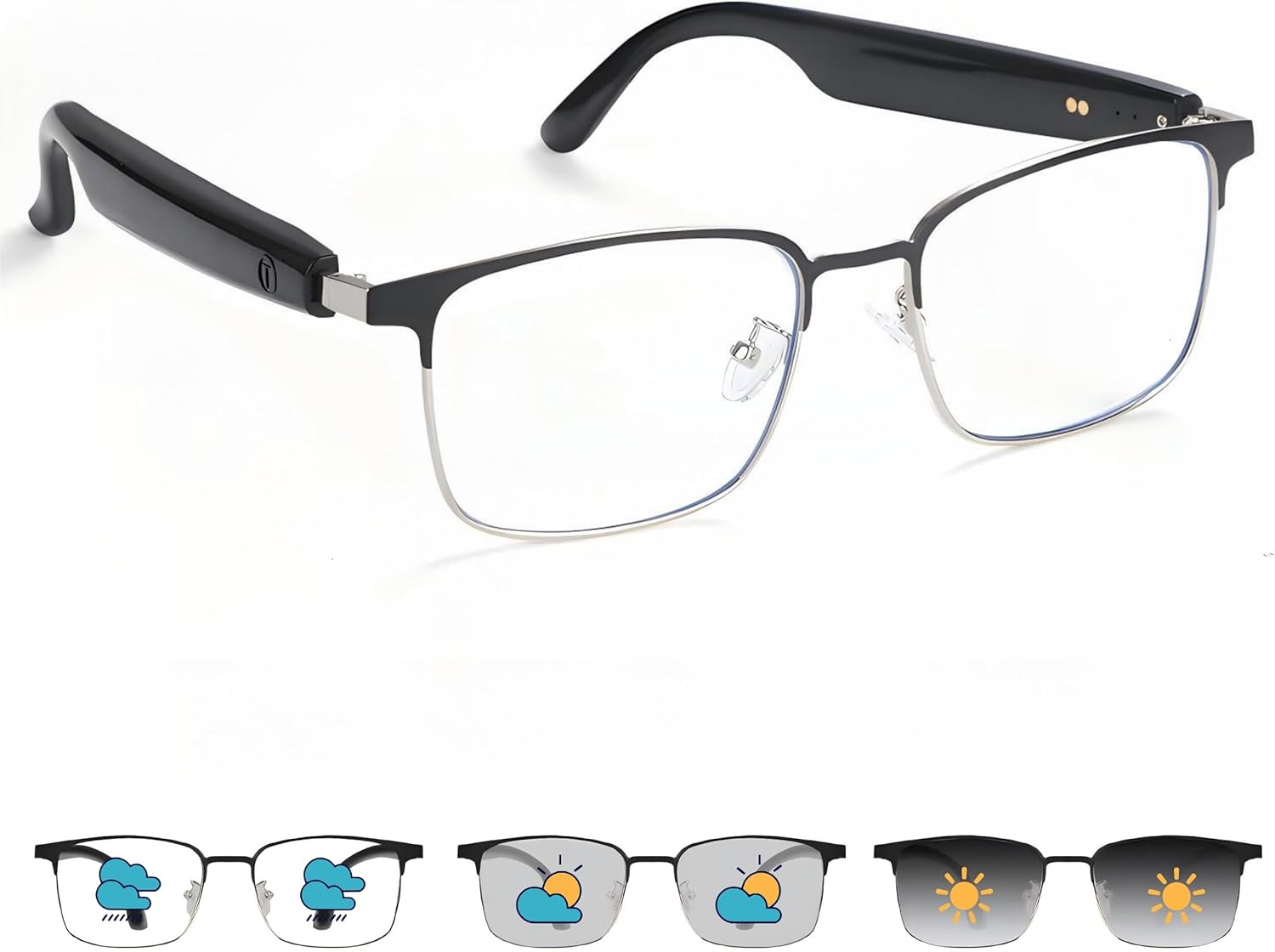
Figure 1: otinsile GS06 Bluetooth Smart Glasses showcasing lens transition.
2. Product Overview
The otinsile GS06 Smart Glasses are engineered for versatility and performance. Key features include:
- Auto-Darkening Lenses: Automatically transition from clear to tinted based on UV exposure.
- Eye Protection: Blocks 95% harmful blue light indoors and provides UV400 polarized protection outdoors.
- HD Speakers & Mic: Built-in high-fidelity stereo speakers and a noise-canceling microphone for clear audio and calls.
- Bluetooth 5.3: Ensures stable, low-latency wireless connectivity up to 33 feet.
- Touch Controls: Intuitive touch sensors for media playback, call management, and voice assistant activation.
- Lightweight Design: Weighing only 33g for comfortable all-day wear.
- IPX4 Sweat-Resistant: Suitable for workouts and outdoor activities.

Figure 2: Overview of Smart Glasses features.
Video 1: A brief demonstration of the smart glasses' features and use cases.
3. Setup
3.1 Charging the Glasses
Before initial use, fully charge your smart glasses. The glasses feature convenient magnetic charging.
- Connect the magnetic charging cable to the charging ports located on the inside of each temple arm.
- Connect the USB end of the cable to a compatible USB power source (e.g., computer, wall adapter).
- A full charge takes approximately 2 hours and provides up to 10 hours of playtime or 5 hours of talk time.

Figure 3: Magnetic charging connection points on the glasses.
3.2 Bluetooth Pairing
To connect your glasses to a device via Bluetooth:
- Ensure the glasses are charged.
- Press and hold the touch control area on both temple arms for approximately 3 seconds until you hear a power-on prompt and the indicator lights flash.
- On your smartphone or Bluetooth-enabled device, go to Bluetooth settings and search for available devices.
- Select "GS06" (or similar model name) from the list to pair. You will hear a confirmation tone once successfully connected.
4. Operating the Glasses
The smart glasses feature intuitive touch controls located on the temple arms:
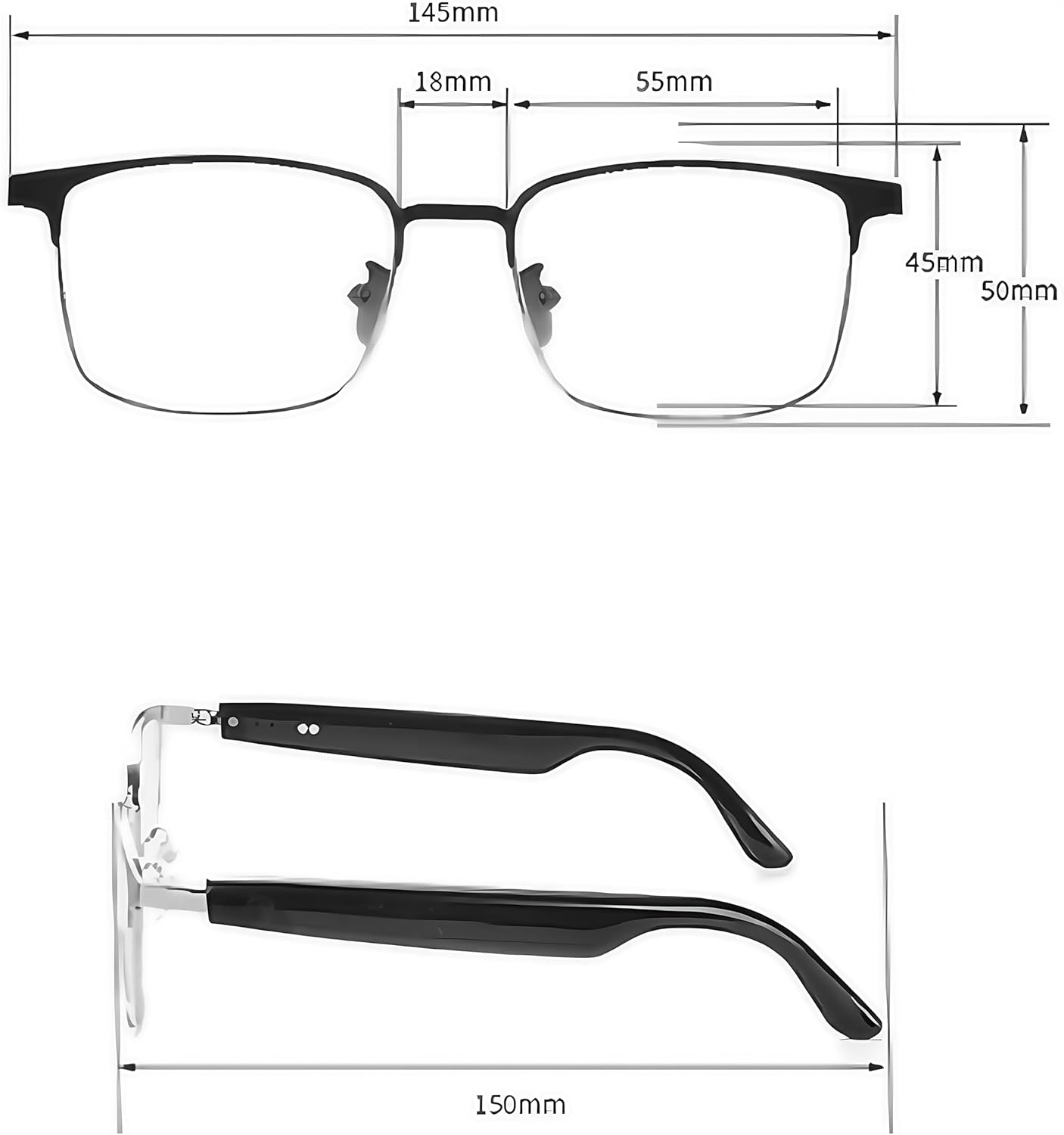
Figure 4: Touch control functions.
- Power On/Off: Press and hold the touch area for 5 seconds.
- Play/Pause Media: Single tap the touch area.
- Skip Tracks: Double tap for next track, triple tap for previous track.
- Activate Voice Assistant: Press and hold for 2 seconds.
- Answer/End Call: Double tap during an incoming call to answer, double tap during a call to end.
- Decline Call: Triple tap during an incoming call.
- Remote Camera Control: Triple tap (functionality may vary by device).
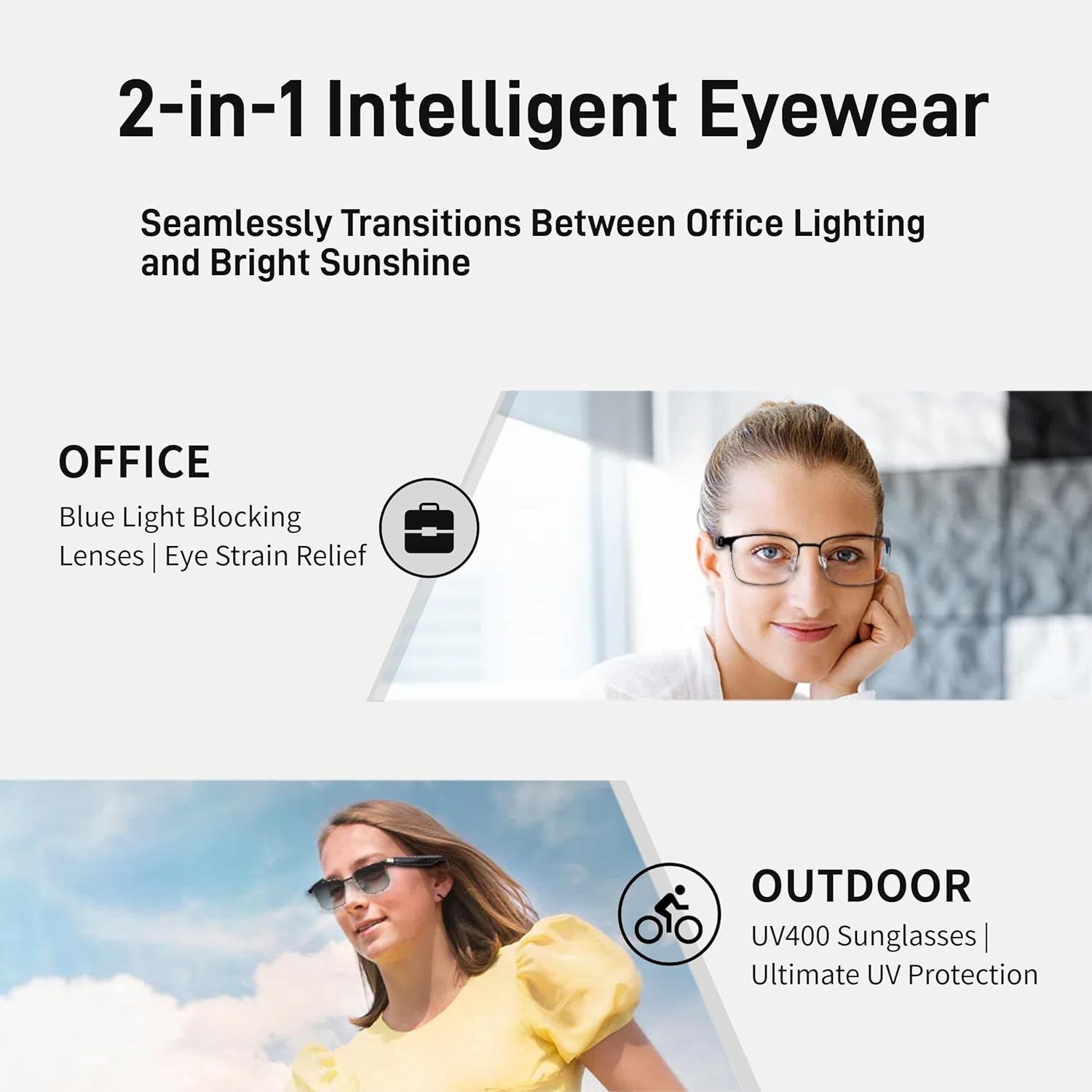
Figure 5: Gentle tap activation for voice commands.
5. Lens Features
The GS06 glasses are equipped with advanced lenses for various environments:
- Auto-Darkening (Photochromic) Lenses: These lenses automatically adjust their tint based on the intensity of UV light. They remain clear indoors and darken to become polarized sunglasses when exposed to sunlight.
- Anti-Blue Light Protection: Indoors, the clear lenses block up to 95% of harmful blue light emitted from digital screens, reducing eye strain during computer use or gaming.
- UV400 Protection: When tinted, the lenses provide full UV400 protection, shielding your eyes from harmful UVA and UVB rays.

Figure 6: 2-in-1 Intelligent Eyewear functionality.
6. Maintenance
To ensure the longevity and optimal performance of your smart glasses, follow these maintenance guidelines:
- Cleaning Lenses: Use the provided microfiber cleaning cloth to gently wipe the lenses. Avoid using abrasive materials or harsh chemicals that could scratch or damage the lens coating.
- Cleaning Frame: Wipe the frame with a soft, damp cloth. Do not submerge the glasses in water.
- Storage: Store the glasses in the provided carrying case when not in use to protect them from dust and scratches.
- Water Resistance: The glasses are IPX4 sweat-resistant, meaning they can withstand splashes and sweat. They are not designed for swimming or submersion in water.
- Temperature: Avoid exposing the glasses to extreme temperatures, both hot and cold, as this can affect battery life and electronic components.
7. Troubleshooting
If you encounter issues with your otinsile GS06 Smart Glasses, refer to the following common solutions:
| Problem | Possible Cause | Solution |
|---|---|---|
| Cannot power on | Low battery | Charge the glasses fully (refer to Section 3.1). |
| Cannot pair via Bluetooth | Glasses not in pairing mode or out of range | Ensure both temple arms are powered on and in pairing mode. Keep the glasses within 33 feet of your device. Turn off and on Bluetooth on your device. |
| No sound or poor audio quality | Volume too low, device not connected, or interference | Adjust volume on glasses and connected device. Re-pair the glasses. Move away from sources of interference. |
| Lenses not darkening/clearing | Insufficient UV light or extreme temperatures | Ensure exposure to direct sunlight for darkening. Lens transition may be slower in very cold temperatures. |
8. Specifications
- Model Number: GS06
- Brand: otinsile
- Connectivity: Bluetooth 5.3
- Battery Life: Up to 10 hours playtime, 5 hours talk time
- Charging Time: Approximately 2 hours (magnetic charging)
- Weight: 4.9 ounces (approx. 139g)
- Water Resistance: IPX4 (sweat-resistant)
- Lens Type: Auto-darkening (photochromic), Anti-Blue Light, UV400 Polarized
- Package Dimensions: 6.3 x 2.68 x 1.97 inches

Figure 7: Product dimensions.
9. Safety Information
Please read and follow these safety guidelines to prevent injury or damage to your device:
- Do not attempt to disassemble, repair, or modify the glasses. This may void the warranty and cause damage.
- Keep the glasses away from extreme heat, direct sunlight, and open flames.
- Avoid exposing the glasses to excessive moisture or corrosive substances.
- Use only the provided charging cable.
- Do not use the glasses while driving or operating heavy machinery if it distracts you from safe operation.
- Keep out of reach of children.
10. Warranty and Support
For detailed warranty information and customer support, please refer to the documentation included in your product packaging or visit the official otinsile website. Keep your purchase receipt for warranty claims.