
1. Introduction
This manual provides essential instructions for the proper use, installation, and maintenance of your HIBRON EXTRAHOUSE V16 Emergency Light. This device is DGT homologated and features geolocation capabilities, designed to enhance safety during roadside emergencies.
The V16 emergency light is a mandatory replacement for traditional warning triangles in Spain by 2026, offering improved visibility and automatic incident reporting to the DGT 3.0 platform.
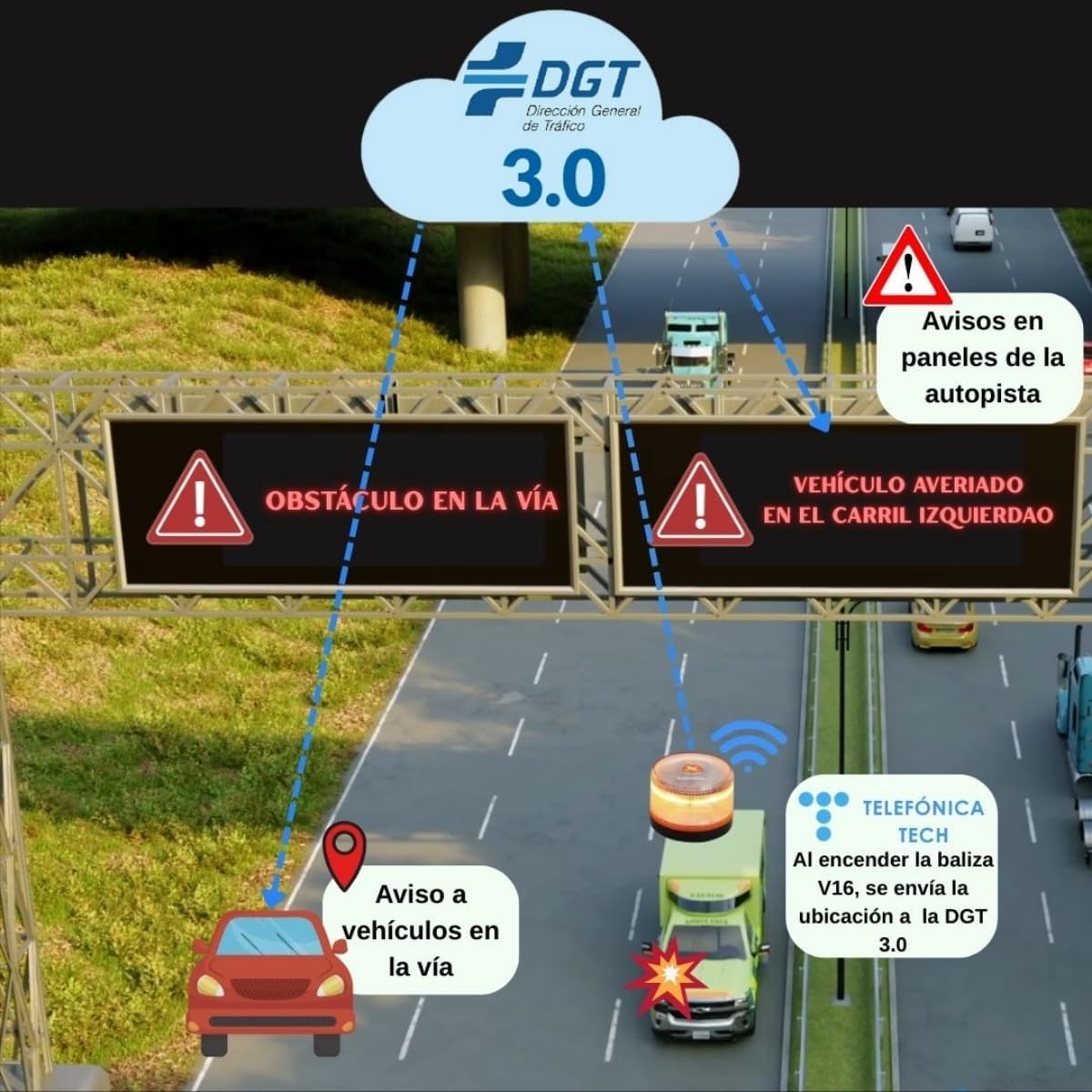
Image: Comparison of the compact V16 emergency light with the larger, traditional warning triangles, highlighting the V16 as the mandatory replacement by 2026.
2. Safety Precautions
- Ensure the device is securely attached to a metallic surface on your vehicle's highest possible point for optimal visibility and stability.
- Do not obstruct the light emission or the GPS signal.
- Keep the device clean and free from debris to maintain maximum visibility.
- Store the device in an easily accessible location within the vehicle, such as the glove compartment.
- Replace batteries as needed to ensure functionality.
3. Setup and Installation
3.1 Unpacking
Your HIBRON EXTRAHOUSE V16 Emergency Light package should contain:
- 1 x HIBRON EXTRAHOUSE V16 Emergency Light
- 3 x AA Alkaline Batteries (pre-installed, with protective plastic)

Image: The HIBRON EXTRAHOUSE V16 Emergency Light features a clear amber lens, an orange activation button on top, and a black base with a magnetic attachment mechanism.
3.2 Battery Installation
The device comes with batteries pre-installed, but a protective plastic film must be removed before first use.
- Open the Base: Gently twist the base counter-clockwise towards the 'open' icon (unlocked padlock symbol) until it detaches.
- Remove Protective Film: Locate the batteries and carefully remove any plastic protective film.
- Align Batteries: Ensure the batteries are correctly aligned according to the polarity indicators (+/-).
- Close the Base: Reattach the base and twist it clockwise towards the 'closed' icon (locked padlock symbol) until it is securely fastened.

Image: The base of the V16 emergency light, revealing the battery compartment.

Image: A close-up view of the battery compartment, showing the correct orientation for inserting the battery.

Image: The base being rotated clockwise to secure the battery compartment.
3.3 Placement on Vehicle
The HIBRON V16 Emergency Light features a strong magnetic base for quick and secure attachment.
- Metallic Surfaces: For vehicles with metallic roofs, simply place the device on the highest possible point. The magnetic base will secure it instantly.
- Non-Metallic Roofs: If your vehicle has a non-metallic roof, the device can be securely placed on a metallic part of the door frame.
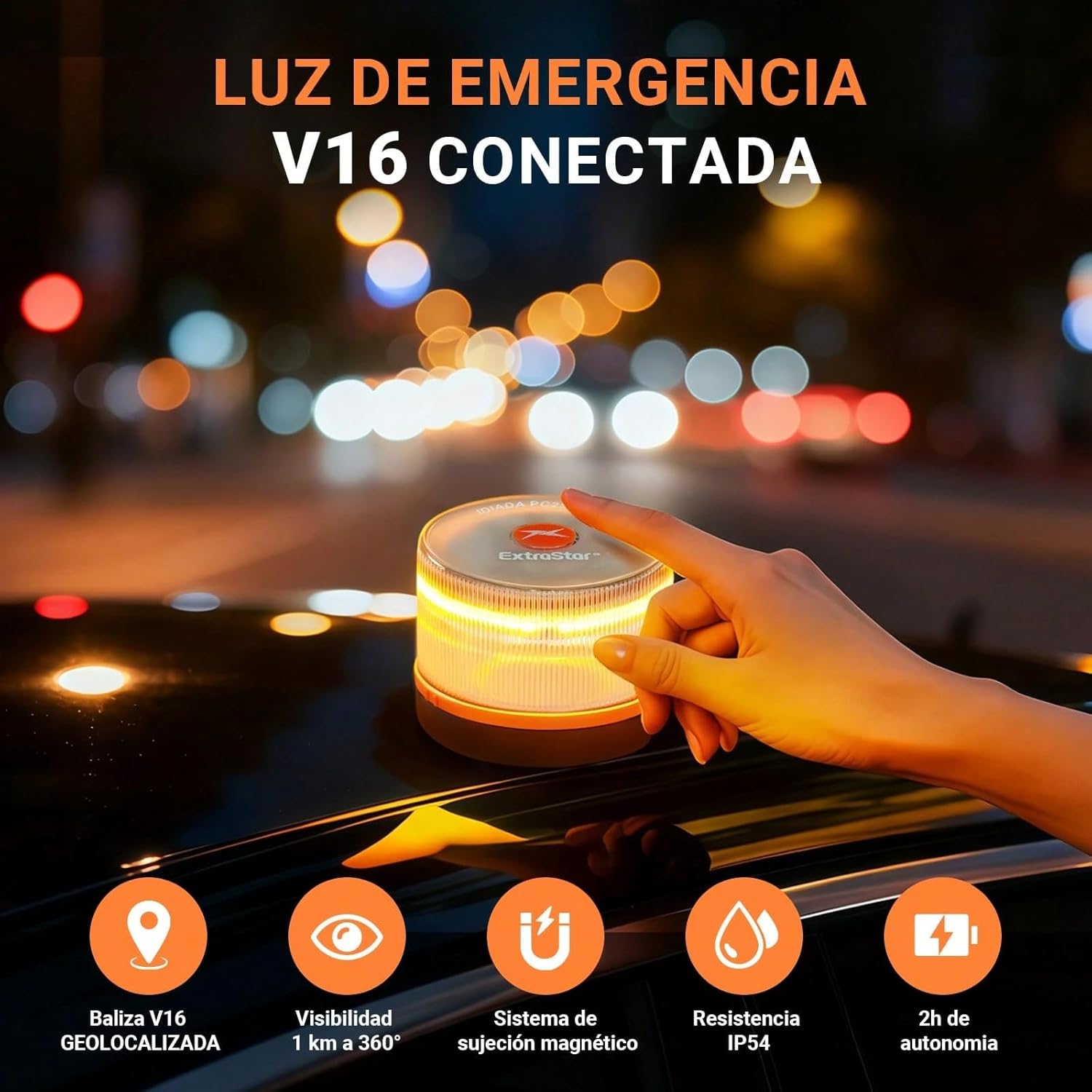
Image: A hand is shown placing the HIBRON V16 emergency light onto the metallic roof of a vehicle, demonstrating its magnetic attachment.
4. Operating Instructions
4.1 Activating the Device
- Power On: Press the orange power button located on the top of the device. The device will immediately emit an automatic amber warning light.

Image: A finger is shown pressing the orange power button on top of the V16 emergency light, which will activate the amber warning light.
4.2 Geolocation and DGT 3.0 Connectivity
- Signal Transmission: Approximately 100 seconds after activation, the device will begin transmitting periodic signals, including its location, to the DGT 3.0 platform.
- Connection Indicator: A green light on the device will blink when transmitting signals and remain constantly lit once a correct connection with DGT 3.0 has been established.

Image: A close-up of the V16 emergency light showing a blinking green LED, indicating that the device is transmitting signals and has established a connection with DGT 3.0.
The DGT 3.0 platform uses this information to alert other drivers and road authorities about your vehicle's location, improving safety.
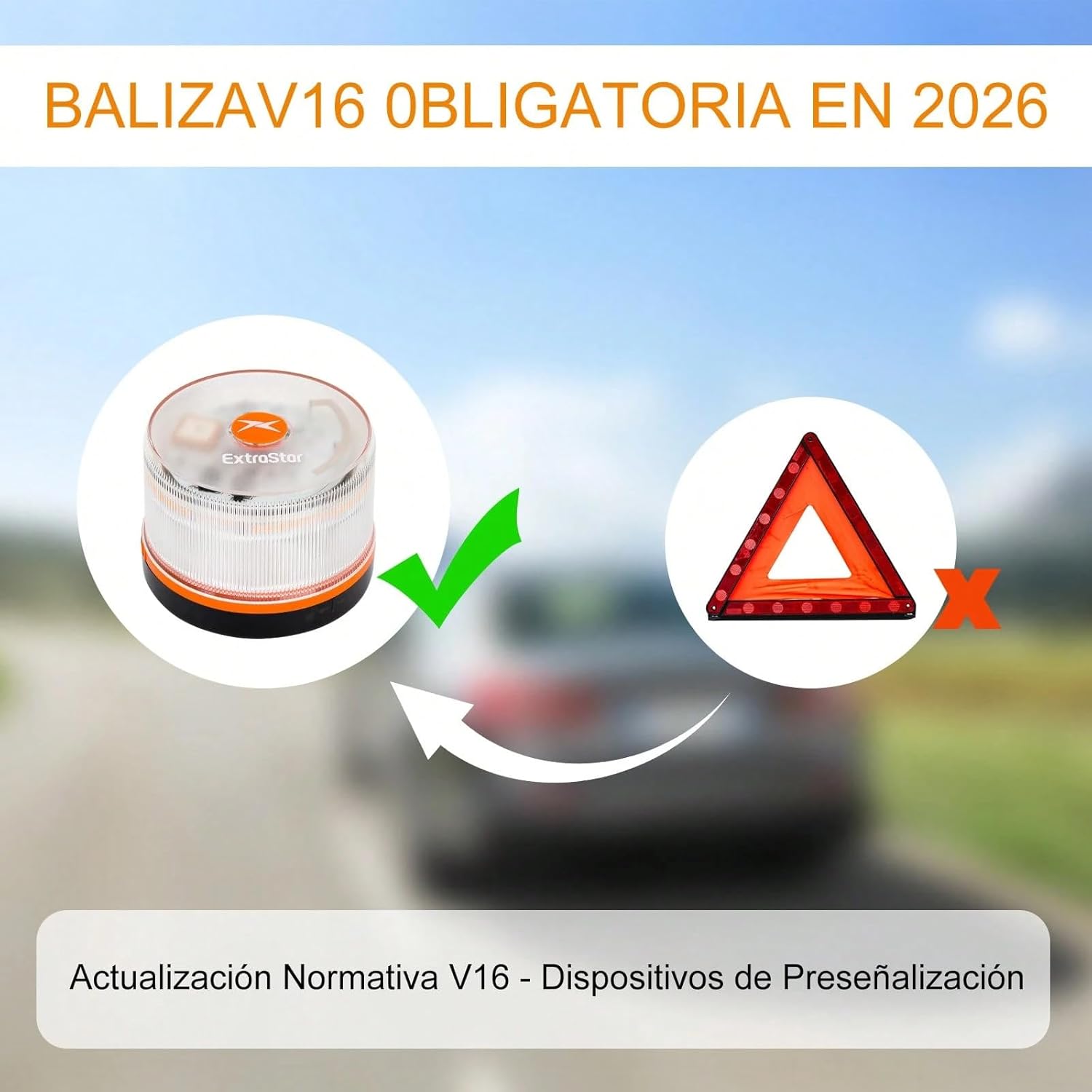
Image: This diagram shows how the V16 emergency light connects to the DGT 3.0 platform, transmitting location data to alert other vehicles and road panels about an incident.
You can verify the device's geolocation status in real-time by scanning the QR code on the product packaging or visiting the official DGT verification website: https://dgt.mobytec.es. You will need to enter the device's IMEI code.

Image: This image displays a QR code and steps to access the DGT.mobytec.es website to verify the device's geolocation status in real-time.
4.3 Deactivating the Device
- Power Off: Press the power button again. The device will turn off and transmit a final data packet indicating that the event has concluded. No further numerical information will be displayed.

Image: The image shows the V16 emergency light being turned off by pressing the button again, which stops the light and signals the end of the event.
5. Maintenance
- Cleaning: Wipe the device with a soft, damp cloth to remove dirt or dust. Do not use abrasive cleaners or solvents.
- Battery Replacement: If the light output diminishes or the device fails to activate, replace the AA alkaline batteries following the instructions in Section 3.2.
- Storage: Store the device in a cool, dry place, preferably in its original packaging or a protective pouch, to prevent damage.
6. Troubleshooting
| Problem | Possible Cause | Solution |
|---|---|---|
| Device does not turn on. | Dead or improperly installed batteries. | Check battery installation and replace with fresh AA alkaline batteries. Ensure protective film is removed. |
| Green indicator light does not appear or blinks intermittently. | Weak GPS signal or no DGT 3.0 connection. | Ensure the device is placed on the highest point of the vehicle with a clear view of the sky. Verify connectivity via dgt.mobytec.es. |
| Device falls off the vehicle. | Improper attachment or non-metallic surface. | Ensure the magnetic base is clean and securely attached to a flat, metallic surface. Avoid placing on curved or dirty areas. |
7. Technical Specifications

Image: This graphic highlights key features such as luminous range over 1000 meters, advanced DGT 3.0 geolocation, wind resistance, national coverage, IP54 rating, and integration with DGT systems.
| Feature | Detail |
|---|---|
| Model | MOD-V16 |
| Homologation | DGT Certified (IDIADA PC25060170 or IDIADA PC25100081) |
| Connectivity | Automatic, free data until 12/2038, DGT 3.0 platform integration |
| Visibility | 360° amber LED light, visible up to 1 km |
| Durability | IP54 water and dust resistance, anti-roll design |
| Attachment | Ultra-strong magnetic base |
| Battery Type | 3 x AA Alkaline (included) |
| Battery Life | Up to 2 hours continuous operation |
| Dimensions | 9.7 x 9.6 x 5.4 cm |
| Weight | 210 g |
8. Warranty and Support
For warranty information and customer support, please refer to the documentation included with your purchase or contact HIBRON customer service through their official channels. Keep your proof of purchase for warranty claims.