
Product Overview
The TOMPROAD L10 Portable Bluetooth Speaker is designed to provide high-quality audio with a vintage aesthetic. Featuring a dual-driver system and DSP technology, it delivers rich, powerful sound with deep bass. This speaker offers multiple connectivity options and a portable design for versatile use.
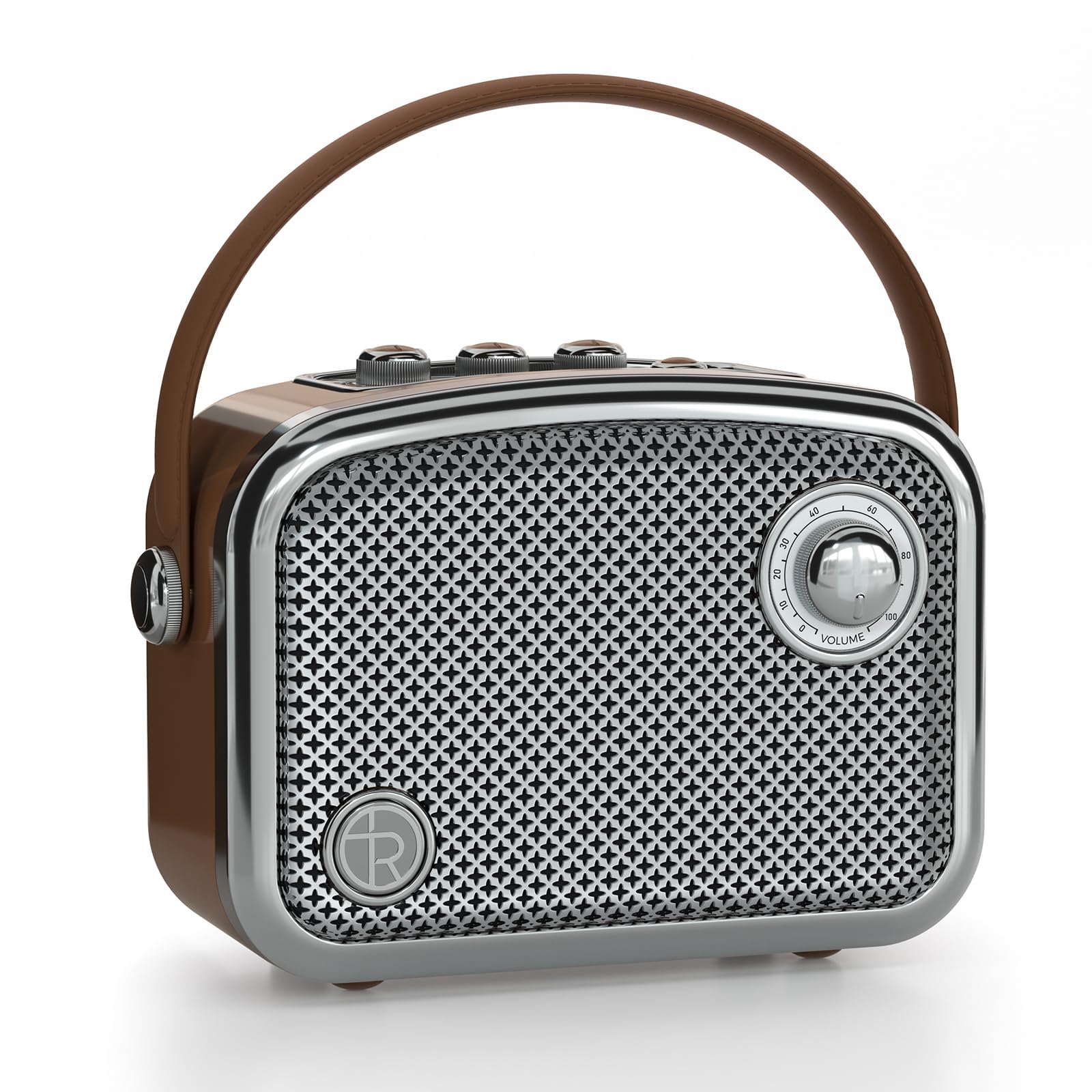
Image: The TOMPROAD L10 Portable Bluetooth Speaker in brown, showcasing its vintage design and portable handle.
What's in the Box
- 1 x L10 Bluetooth Speaker
- 1 x AUX cable
- 1 x USB charger cable
- 1 x User manual
- 1 x Dust-free wiping cloth

Image: The TOMPROAD L10 speaker along with its included accessories: AUX cable, USB charger cable, user manual, and dust-free wiping cloth.
Setup
Charging the Speaker
Before first use, fully charge the speaker using the provided USB charger cable. Connect the USB cable to the DC charging port on the back of the speaker and the other end to a compatible USB power adapter (not included). The digital display will show the battery level.

Image: The TOMPROAD L10 speaker displaying its battery level and indicating charging status.
Powering On/Off
Press the ON/OFF button located on the control panel to power the speaker on or off.
Operating Instructions
Control Panel Overview

Image: Detailed view of the TOMPROAD L10 speaker's control panel, highlighting the various buttons and knobs for operation.
- ON/OFF: Power on/off the audio system.
- Bass Volume Control Knob: Adjusts the bass level.
- Treble Volume Control Knob: Adjusts the treble level.
- Monitor Headphone Volume Control Knob: Adjusts headphone volume.
- Previous Track Button: Short press skips to the previous track; long press fast-rewinds.
- Next Track Button: Short press skips to the next track; long press fast-forwards.
- Mode Button (M): Switches between Bluetooth/USB/TF Card/AUX modes.
- Play/Pause Button: Short press plays/pauses; long press initiates TWS pairing.
Bluetooth Connection
The speaker features Bluetooth 5.3 for stable wireless transmission up to 100ft. To connect:
- Ensure the speaker is powered on and in Bluetooth mode (indicated by "BLUE" on the display).
- Enable Bluetooth on your device (smartphone, tablet, laptop).
- Select "L10" from the list of available devices to pair.
- Once paired, the speaker will confirm the connection.
Video: A demonstration of the TOMPROAD L10 speaker's general operation and sound quality, including Bluetooth connectivity.
True Wireless Stereo (TWS) Pairing
For an enhanced stereo experience, two L10 speakers can be paired together:
- Ensure both L10 speakers are powered on and in Bluetooth mode.
- On one speaker, long press the Play/Pause button to initiate TWS pairing.
- The speakers will automatically connect to each other.
- Once paired, connect your device to one of the speakers via Bluetooth as described above.

Image: Illustration of two TOMPROAD L10 speakers connected via True Wireless Stereo (TWS) technology for a broader soundstage.
Wired Connections (AUX, USB, TF Card)
- AUX Input: Connect external audio devices (TV, computer, MP3/MP4 players) using the provided 3.5mm AUX cable. Press the Mode (M) button to switch to AUX mode.
- USB Playback: Insert a USB flash drive into the USB port on the back of the speaker. Press the Mode (M) button to switch to USB mode.
- TF Card Playback: Insert a TF (MicroSD) card into the TF card slot on the back of the speaker. Press the Mode (M) button to switch to TF card mode.

Image: The rear panel of the TOMPROAD L10 speaker, detailing the USB, TF card, DC charging, AUX, and headphone ports.
Maintenance
- Use the provided dust-free wiping cloth to clean the speaker's surface.
- Avoid exposing the speaker to extreme temperatures, direct sunlight, or moisture.
- Do not attempt to disassemble or repair the speaker yourself, as this may void the warranty.
Troubleshooting
| Problem | Possible Cause | Solution |
|---|---|---|
| No power | Battery is low or depleted. | Charge the speaker using the USB charger cable. |
| Cannot pair via Bluetooth | Speaker is not in Bluetooth mode or too far from device. | Ensure speaker is in Bluetooth mode. Move device closer to speaker (within 100ft). Restart both devices. |
| No sound | Volume is too low or muted. Incorrect mode selected. | Increase volume on speaker and connected device. Press the Mode (M) button to select the correct input source. |
| TWS pairing fails | Speakers are too far apart or one is not in pairing mode. | Ensure both speakers are in Bluetooth mode and close to each other. Long press the Play/Pause button on one speaker to re-initiate TWS pairing. |
Specifications
- Brand: TOMPROAD
- Model Number: L10
- Speaker Maximum Output Power: 60 Watts (Peak)
- Frequency Response: 20 KHz
- Connectivity Technology: Auxiliary, Bluetooth, USB
- Audio Output Mode: Stereo
- Mounting Type: Portable
- Enclosure Material: Acrylonitrile Butadiene Styrene (ABS)
- Speaker Type: Portable Bluetooth Speaker
- Additional Features: Digital Display
- Subwoofer Diameter: 3 Inches
- Tweeter Diameter: 1 Inch
- Controller Type: Built-in Controls, Push Button
- Color: Brown
- Battery Average Life: 4-12 Hours (depends on volume)
- Bluetooth Range: Up to 100 Feet
- Power Source: Battery Powered
- Battery Capacity: 5000 Milliamp Hours
- Battery Charge Time: 4 Hours
- Item Dimensions (D x W x H): 3.94"D x 7.44"W x 7.48"H
Warranty and Support
This TOMPROAD L10 Portable Bluetooth Speaker comes with a 1 Year Limited Manufacturer Warranty.
For any questions or support, please contact TOMPROAD customer service. We aim to reply within 7-24 hours to provide the best customer service.