
1. Setup
1.1 Battery Installation
The remote control requires two AAA 1.5V batteries (not included). Ensure correct polarity when inserting batteries.
- Locate the battery compartment cover on the back of the remote control.
- Slide the cover downwards to open the compartment.
- Insert two AAA batteries, matching the (+) and (-) terminals as indicated inside the compartment.
- Slide the cover back into place until it clicks securely.

Figure 1.1: Back of the remote control with battery compartment.
1.2 Wall Mounting Bracket Installation
The remote control includes a wall mounting bracket for convenient storage.
- Choose a suitable location on a wall, ensuring it is within easy reach and line of sight of the air conditioner.
- Use the bracket as a template to mark the positions for drilling holes.
- Drill two holes at the marked positions.
- Insert wall anchors (if necessary, depending on wall material).
- Secure the bracket to the wall using screws.
- Place the remote control into the mounted bracket.
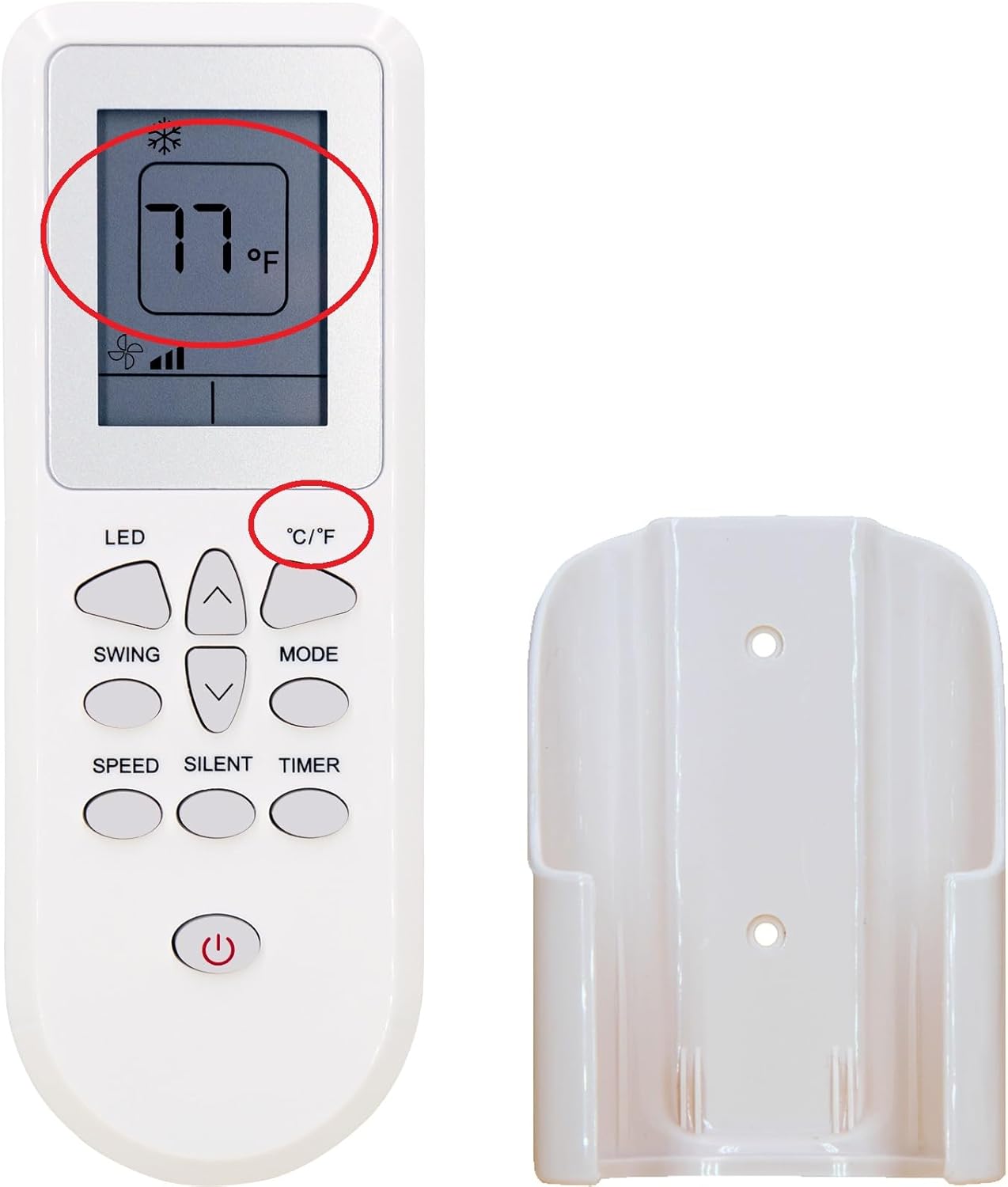
Figure 1.2: Remote control and included wall mounting bracket.

Figure 1.3: Example of remote control mounted on a wall.
2. Operating Instructions
This remote control is designed for intuitive operation of your Beko Arcelik Air Conditioner.

Figure 2.1: Overview of remote control buttons.
2.1 Basic Functions
- Power Button (U): Press to turn the air conditioner ON or OFF.
- MODE Button: Press to cycle through available operating modes (e.g., Cool, Heat, Fan, Dry, Auto). The current mode will be displayed on the remote's screen.
- Temperature Adjustment Buttons (^ / v): Use the Up arrow to increase the temperature and the Down arrow to decrease it.
2.2 Special Features
- °C/°F Button: Press this button to switch the temperature display between Celsius and Fahrenheit.
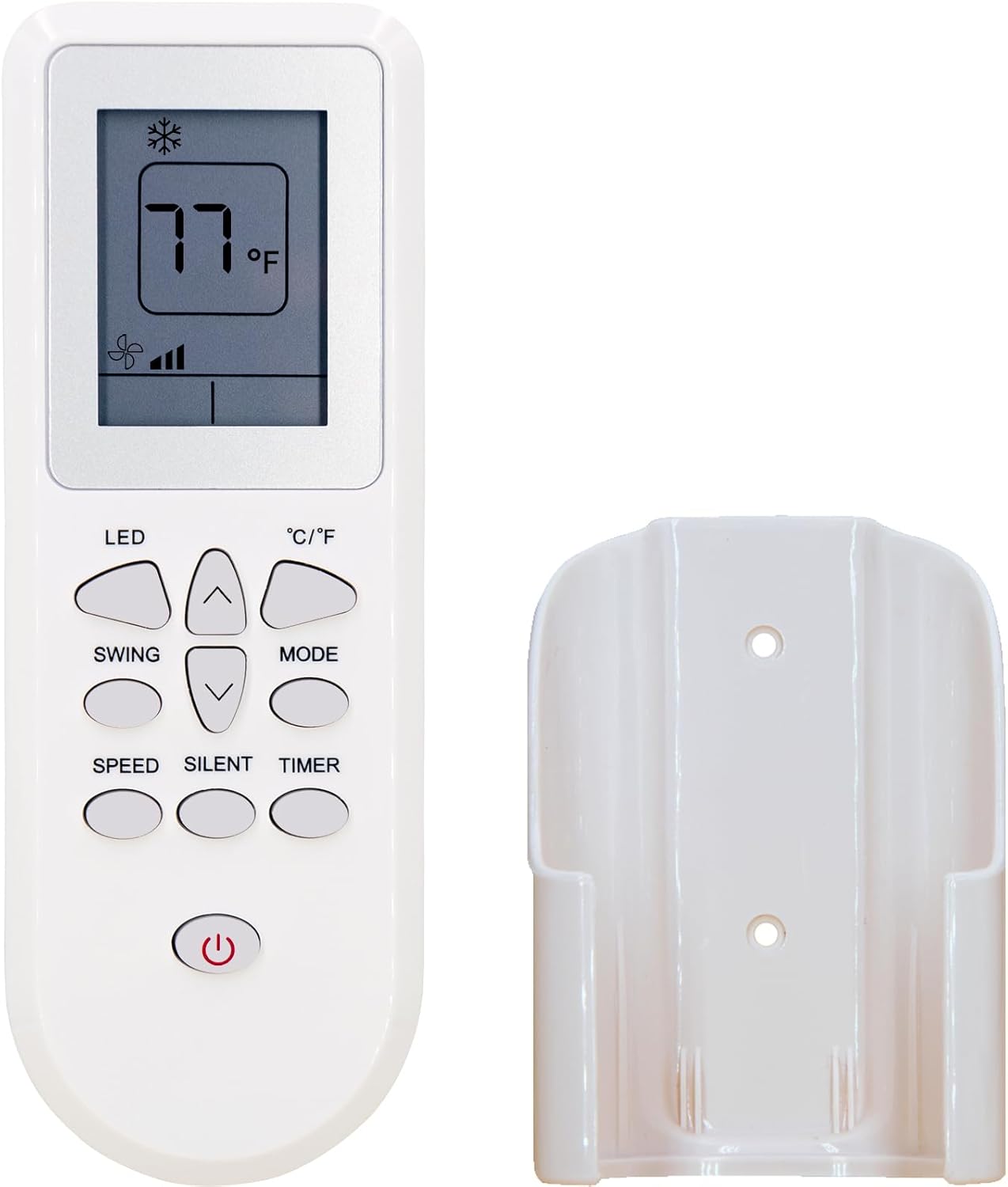
Figure 2.2: Temperature display in Fahrenheit.

Figure 2.3: Temperature display in Celsius.
- LED Button: Controls the display light on the air conditioner unit.
- SWING Button: Activates or deactivates the automatic swing function of the air conditioner's louvers.
- SPEED Button: Adjusts the fan speed (e.g., Low, Medium, High, Auto).
- SILENT Button: Activates a low-noise operating mode for quieter performance.
- TIMER Button: Used to set a timer for the air conditioner to turn ON or OFF automatically. Refer to your air conditioner's manual for specific timer programming details.
3. Maintenance
3.1 Battery Replacement
Replace batteries when the remote control's display becomes dim or the remote becomes unresponsive. Always replace both batteries simultaneously with new AAA 1.5V batteries.
3.2 Cleaning
To clean the remote control, wipe it gently with a soft, dry cloth. Do not use liquid cleaners, abrasive materials, or chemical solvents, as these can damage the remote's surface or internal components.
3.3 Storage
If the remote control will not be used for an extended period, remove the batteries to prevent leakage and potential damage. Store the remote in a cool, dry place away from direct sunlight and extreme temperatures.
4. Troubleshooting
- Remote not responding:
- Check if the batteries are inserted correctly with the correct polarity.
- Replace old batteries with new ones.
- Ensure there are no obstructions between the remote control and the air conditioner's receiver.
- Confirm the remote is pointed directly at the air conditioner unit.
- Display is dim or blank:
- This usually indicates low battery power. Replace the batteries.
- Air conditioner not responding to specific functions:
- Ensure the air conditioner unit supports the specific function (e.g., Swing, Silent mode). Refer to your air conditioner's original manual.
- Some functions may only be available in certain operating modes.
5. Specifications
| Feature | Detail |
|---|---|
| Model Number | D125071001E13 |
| Brand | GAIGAICHONG |
| Compatible Devices | Beko Arcelik Air Conditioners (BP407C, BP409C, BP412C, BPN112H, BPN112C, BPN109C, BP109C, BP113H, BP112C, BP109AC, BP112H, BP109AH, BP1095C, BP1125C, BP1125H, BP1095CN, BP1125CN, BP1095GAC) |
| Power Source | 2 x AAA 1.5V Batteries (not included) |
| Special Features | Display in Fahrenheit and Celsius, Wall Mounting Bracket included |
| Item Weight | 1.23 ounces |
| Package Dimensions | 4 x 1 x 0.5 inches |
6. Warranty and Support
Information regarding product warranty and customer support is not available in the provided product data. Please refer to the seller's information on the purchase platform or contact the manufacturer, GAIGAICHONG, directly for details.