
1. Introduction
This manual provides essential instructions for the safe and efficient use of your Generic 48V-54.6V Battery Charger. This charger is designed to provide a reliable power supply for compatible 48V lithium-ion battery systems found in specific electric mobility scooters and e-bikes. Please read this manual thoroughly before use and retain it for future reference.
2. Safety Information
WARNING: To reduce the risk of electric shock, fire, or injury, always follow these basic safety precautions:
- Compatibility: This charger is designed exclusively for 48V lithium-ion battery systems with a DC 2.1mm barrel connector. It is not compatible with SLA/lead-acid batteries or devices requiring a 3-pin connector. Verify your device's voltage and battery type before purchase and use.
- Indoor Use Only: Do not expose the charger to rain or moisture. Use only in dry indoor conditions.
- Ventilation: Ensure adequate ventilation around the charger during operation. Do not cover the charger.
- Damage Inspection: Before each use, inspect the charger, cord, and connector for any signs of damage. Do not use if damaged.
- Proper Connection: Always connect the charger to the battery first, then plug it into the AC power outlet. Disconnect from the AC outlet before disconnecting from the battery.
- Unplug When Not In Use: Disconnect the charger from the power outlet when not in use.
- Children and Pets: Keep the charger out of reach of children and pets.
- Certified Safety: This charger is UL, CE, and RoHS certified, providing Over Voltage Protection, Over Current Protection, and Short-circuit Protection.
3. Product Overview
The Generic 48V-54.6V Battery Charger is a compact and efficient power adapter designed for specific electric mobility devices. It features an integrated microchip to prevent overcharging and other malfunctions, thereby prolonging battery life. An LED indicator provides charging status at a glance.

Image 1: The 48V-54.6V battery charger with its DC barrel connector.

Image 2: The charger unit connected to both the AC power cord and the DC output cable.
LED Indicator Display:
- Red Light Flashing: Charging in progress.
- Green Light Solid: Charge full or disconnected.
- Red Light Flashes Fast: Defective charger or battery issue.
- Red Light Flashes Fast & Slow: Temperature anomaly.
Image 3: Visual representation of the LED indicator display and its meanings.
4. Setup
- Unpack: Carefully remove the charger and its components from the packaging.
- Inspect: Check the charger, AC power cord, and DC output cable for any visible damage. Do not proceed if any damage is found.
- Placement: Place the charger on a stable, flat surface in a well-ventilated area, away from direct sunlight, heat sources, and moisture.
5. Operating Instructions
- Connect to Device: Insert the DC barrel connector of the charger firmly into the charging port of your compatible 48V lithium-ion device (e.g., VEVOR 3 Mobility Scooter, Funhang EB-M1, HiKeep D20 Electric Bike).
- Connect to Power: Plug the AC power cord into a standard AC 100-240V wall outlet.
- Monitor Charging: Observe the LED indicator on the charger. A red flashing light indicates that the battery is currently charging.
- Charging Complete: When the battery is fully charged, the LED indicator will turn to a solid green light.
- Disconnect: First, unplug the AC power cord from the wall outlet. Then, disconnect the DC barrel connector from your device's charging port.
Note: The charger is equipped with overcharge protection, but it is recommended to disconnect the charger once the battery is fully charged to conserve energy.
6. Maintenance
- Cleaning: Disconnect the charger from all power sources before cleaning. Use a soft, dry cloth to wipe the exterior of the charger. Do not use liquid cleaners or solvents.
- Storage: Store the charger in a cool, dry place when not in use. Avoid extreme temperatures and humidity.
- Cable Care: Do not bend or crimp the power cords excessively. Avoid placing heavy objects on the cables.
7. Troubleshooting
| Problem | Possible Cause | Solution |
|---|---|---|
| No LED light when plugged in | No power from outlet; loose connection; faulty charger. | Check wall outlet with another device. Ensure all connections are secure. If problem persists, charger may be faulty. |
| LED shows red flashing, but battery doesn't charge | Battery issue; incorrect battery type; charger not fully connected. | Ensure battery is a 48V lithium-ion type. Verify charger is firmly connected to the device. Consult device manual for battery troubleshooting. |
| LED shows red light flashing fast | Defective charger or battery issue. | Disconnect charger and reconnect. If error persists, the charger or battery may be defective. |
| LED shows red light flashing fast & slow | Temperature anomaly. | Move charger to a cooler, well-ventilated area. Allow it to cool down before resuming charging. |
8. Specifications
| Feature | Detail |
|---|---|
| Input Voltage Range | AC 100V - 240V |
| Output Voltage | DC 54.6V |
| Output Current | 2A |
| Wattage | 110 Watts |
| Connector Type | DC 2.1mm Barrel Plug |
| Compatible Battery Type | 48V Lithium-ion (Li-ion) only |
| Product Dimensions | 4.5 x 2 x 1.25 inches |
| Item Weight | 8 ounces |
| Special Feature | Charging Indicator (LED) |
| Certifications | UL, CE, RoHS |
| Safety Protections | Over Voltage, Over Current, Short-circuit |
| Compatible Devices | VEVOR Portable 3 Wheel Mobility Scooter (Models: W3331, BL300G), Funhang EB-M1 Electric Bike (Model: MF001001), HiKeep D20 Electric Folding Bike (Versions: D20 1.0, D20 2.0) |
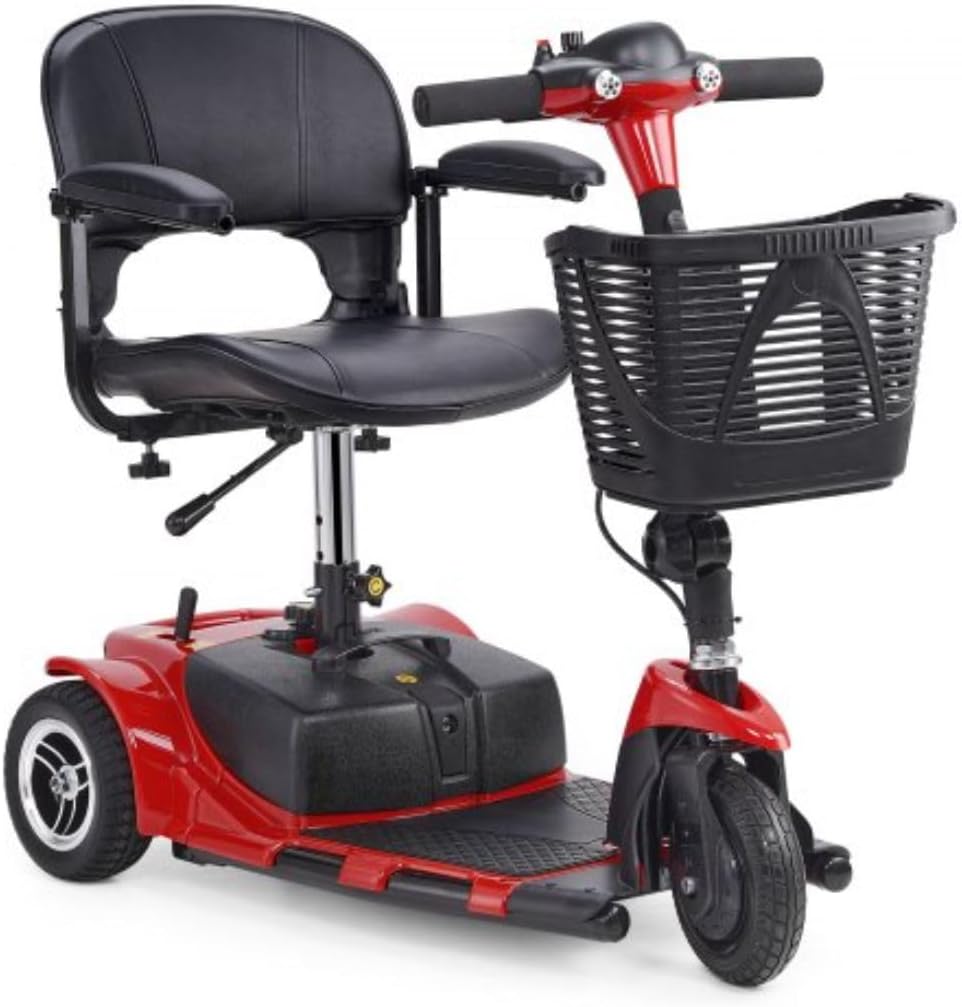
Image 4: A VEVOR 3-wheel portable mobility scooter, one of the compatible devices.
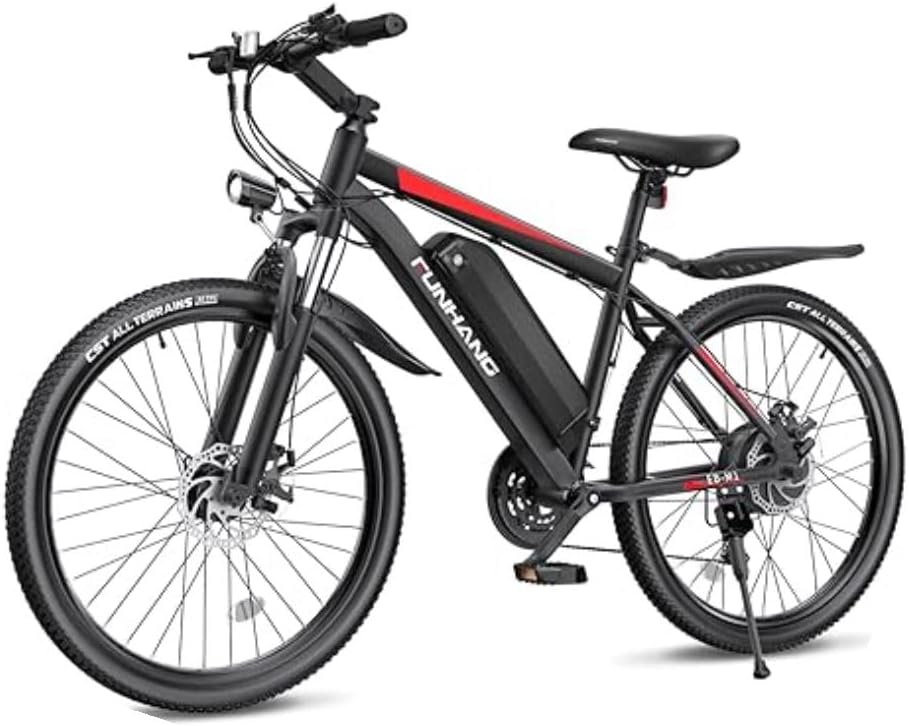
Image 5: The Funhang EB-M1 electric bike, another compatible device.
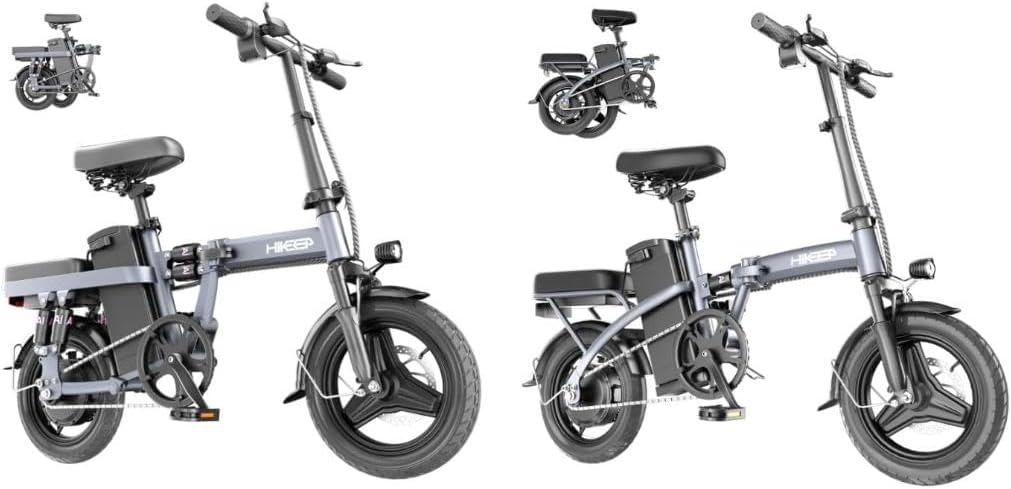
Image 6: HiKeep D20 folding electric bikes, compatible with this charger.
9. Warranty and Support
This product comes with a 1-Year Limited Manufacturer Warranty covering quality-related issues. Additionally, a 30-Day Return for Any Reason policy allows for a full refund for undamaged products returned within 30 days of purchase.
For technical support or inquiries regarding compatibility, please contact the manufacturer or seller. Ensure you have your model number and purchase details available.

Image 7: Information on warranty, returns, and technical support.