
KUMORE M519
KUMORE M519 OBD2 Scanner Car Diagnostic Tool User Manual
Model: M519 | Brand: KUMORE
1. Introduction
This manual provides detailed instructions for the proper use and maintenance of your KUMORE M519 OBD2 Scanner Car Diagnostic Tool. The M519 is designed to assist in diagnosing vehicle issues by reading and clearing diagnostic trouble codes (DTCs), viewing live data, checking I/M readiness, and performing battery tests. Please read this manual thoroughly before operating the device to ensure correct usage and to prevent damage.
2. Safety Information
- Always perform automotive repairs in a well-ventilated area.
- Wear appropriate eye protection and protective clothing.
- Keep the device away from hot engine parts or moving components.
- Ensure the vehicle's ignition is off before connecting or disconnecting the scanner, unless instructed otherwise for specific tests.
- Refer to your vehicle's service manual for specific information regarding your vehicle's systems.
- Do not attempt to disassemble or modify the scanner. There are no user-serviceable parts inside.
3. Package Contents
Verify that all items are present in your package:
- KUMORE M519 OBD2 Scanner
- User Manual
- OBD2 Cable (integrated)

Image: Contents of the KUMORE M519 package, including the scanner, manual, and packaging box.
4. Product Overview
The KUMORE M519 is a compact and user-friendly OBD2 scanner designed for quick and accurate vehicle diagnostics. It features a 2.8-inch color screen for clear display of information and operates as a plug-and-play device, requiring no external battery as it draws power directly from the vehicle's OBD2 port.

Image: The KUMORE M519 OBD2 Scanner, showing its 2.8-inch color screen and control buttons.
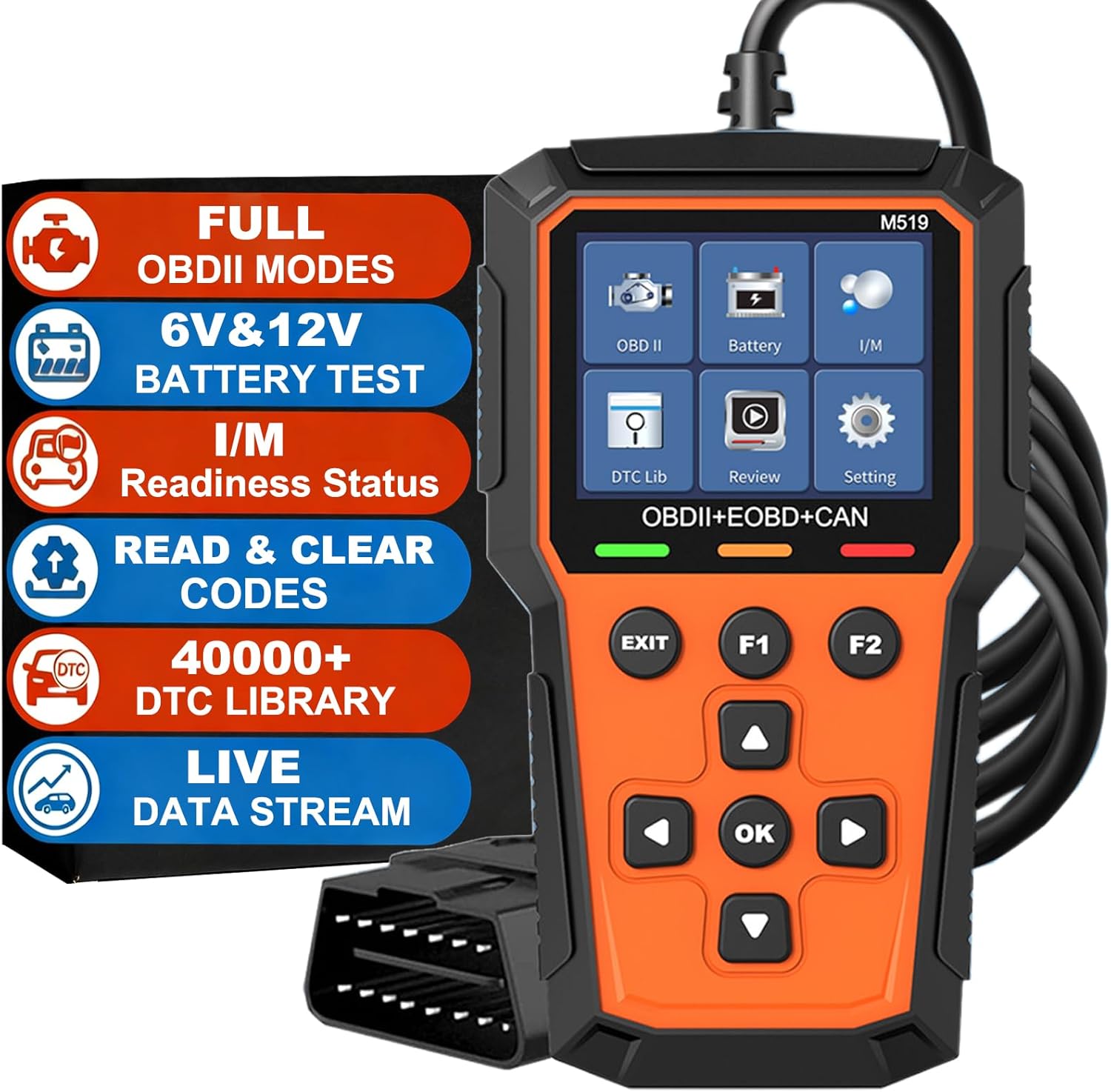
Image: The M519 scanner with a list of its main functions, including Full OBDII Modes, 6V&12V Battery Test, I/M Readiness Status, Read & Clear Codes, 40000+ DTC Library, and Live Data Stream.

Image: A detailed view of the M519's capabilities, such as engine fault diagnosis, code clearing, freeze frame information, vehicle information reading, I/M ready status, real-time data stream, battery voltage test, Mode 6/8 detection, oxygen sensor testing, fault code library retrieval, playback function, 2.8-inch color screen, 40000+ fault code database, and 13 languages.
5. Setup
The M519 scanner is designed for ease of use with a plug-and-play setup. Follow these steps to connect the device to your vehicle:
- Locate the OBD2 Port: The 16-pin OBD2 diagnostic port is typically located under the dashboard on the driver's side of the vehicle. Refer to your vehicle's manual if you cannot find it.
- Ensure Vehicle Compatibility: The M519 is compatible with most gasoline vehicles manufactured in the US (1996 and newer), EU (2002 and newer), and Asia (2008 and newer). It is not compatible with Electric Vehicles (EVs) or Hybrid vehicles.
- Turn Off Ignition: Ensure the vehicle's ignition is in the OFF position before connecting the scanner.
- Connect the Scanner: Firmly plug the M519's OBD2 connector into the vehicle's OBD2 port.
- Turn On Ignition: Turn the vehicle's ignition to the ON position (engine off or running, depending on the test). The scanner will power on automatically.

Image: A visual guide demonstrating the six steps to use the M519 OBD2 Scanner: Connect to vehicle, Turn on ignition, Read fault codes, Figure out what codes mean, Fix the issues, Clear the fault codes. A note emphasizes that fault codes can only be erased after the fault is repaired.

Image: An illustration detailing the wide vehicle compatibility of the M519 scanner, covering gasoline cars (sedans, pickups, SUVs, light-duty trucks) from America (1996-Now), Europe (2000-Now), and Asia (2000-Now). It also highlights 97% OBD2/EOBD Protocol Vehicles and a 40000+ DTC Library, with a note that the M519 does not support ABS system diagnosis.
6. Operating Instructions
Once connected and powered on, navigate the M519 using the directional buttons and the OK button. The main menu provides access to various diagnostic functions.
6.1. Reading Diagnostic Trouble Codes (DTCs)
- From the main menu, select "OBD II" or "DTC Lib".
- The scanner will automatically link to the vehicle's ECU and display any stored codes.
- Codes are typically displayed as a P-code (e.g., P0420) along with a brief description.
6.2. Clearing Diagnostic Trouble Codes (DTCs)
Warning: Clearing codes without addressing the underlying issue will result in the codes reappearing. Always diagnose and repair the fault before clearing codes.
- After successfully repairing a fault, navigate to the "OBD II" menu.
- Select the option to "Erase Codes" or "Clear DTCs".
- Confirm the action when prompted. The Check Engine Light (MIL) should turn off.
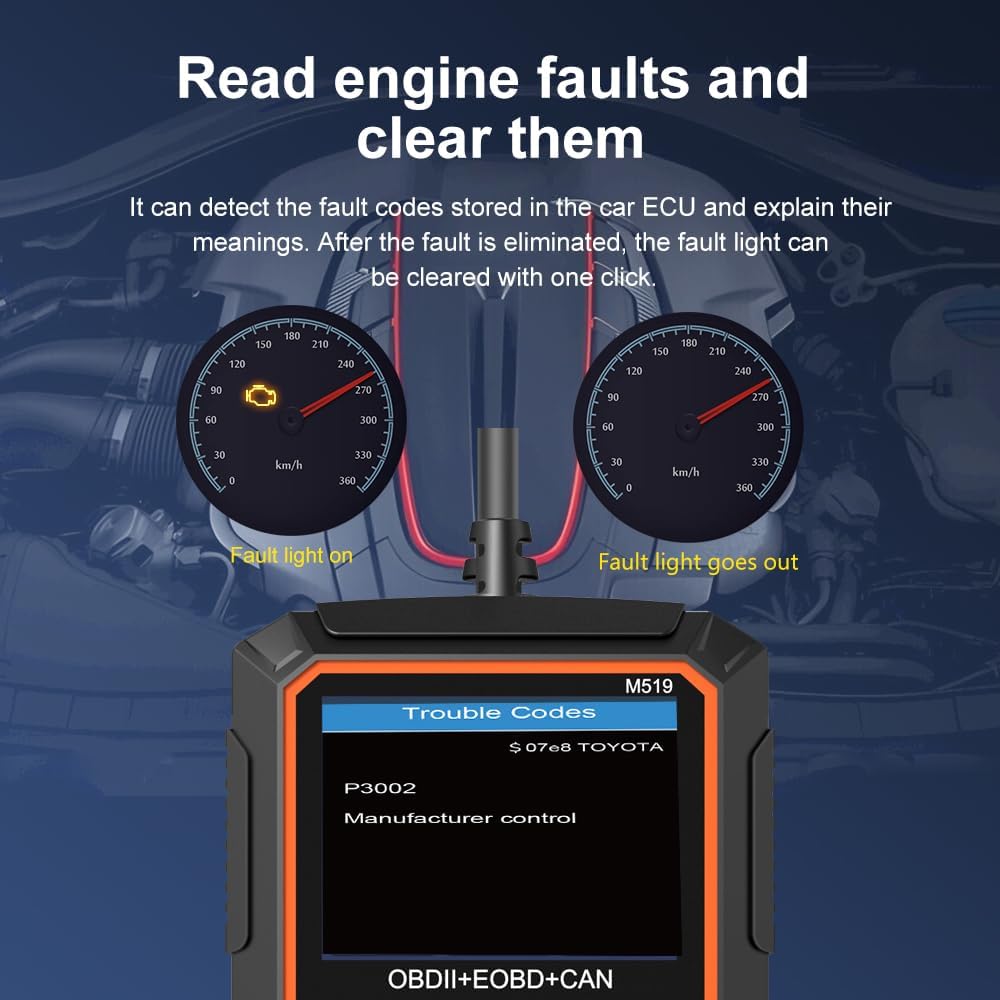
Image: A visual representation showing a vehicle's dashboard with a fault light on, and then off after using the M519 scanner to read and clear a P3002 trouble code.
6.3. Viewing Live Data Stream
- From the main menu, select "OBD II" and then "Live Data".
- The scanner will display real-time sensor data such as RPM, coolant temperature, fuel system status, and more. This data can be crucial for diagnosing intermittent issues.
6.4. I/M Readiness Status
I/M Readiness indicates whether the various emissions-related systems on the vehicle are operating correctly and have completed their self-tests. This is important for emissions inspections.
- From the main menu, select "I/M".
- The scanner will display the status of various monitors (e.g., O2 Sensor Monitor, Catalyst Monitor). A "Ready" status indicates the monitor has completed its test.
6.5. Battery Test
The M519 includes a battery test function to check the health of your vehicle's 6V or 12V battery.
- From the main menu, select "Battery".
- Follow the on-screen prompts to perform the battery test. The scanner will display voltage and other relevant battery health information.
6.6. DTC Library Lookup
The M519 has a built-in library of over 40,000 Diagnostic Trouble Codes, providing instant definitions.
- From the main menu, select "DTC Lib".
- Enter the specific DTC code you wish to look up. The scanner will display its definition.

Image: The M519 scanner displayed next to a graphic indicating a "40000+ Trouble Code Lookup" database, emphasizing its extensive diagnostic capabilities.

Image: An infographic showing the universal OBD2 functions supported by the M519 scanner, including Read Codes, DTC Library (40000+), Erase Codes, I/M Readiness, Freeze Frame, Live Data, Oxygen Sensor Test, Vehicle Info, Mode 6, and Mode 8.
7. Maintenance
To ensure the longevity and optimal performance of your KUMORE M519 OBD2 Scanner, follow these maintenance guidelines:
- Cleaning: Use a soft, dry cloth to clean the scanner's exterior. Do not use abrasive cleaners or solvents.
- Storage: Store the device in a cool, dry place, away from direct sunlight and extreme temperatures.
- Protection: The M519 is equipped with a durable silicone protective cover, which is slip-resistant and impact-resistant. Keep this cover on during use and storage to protect the device from minor drops and wear.
- Cable Care: Avoid bending or twisting the OBD2 cable excessively. Store it neatly to prevent damage.
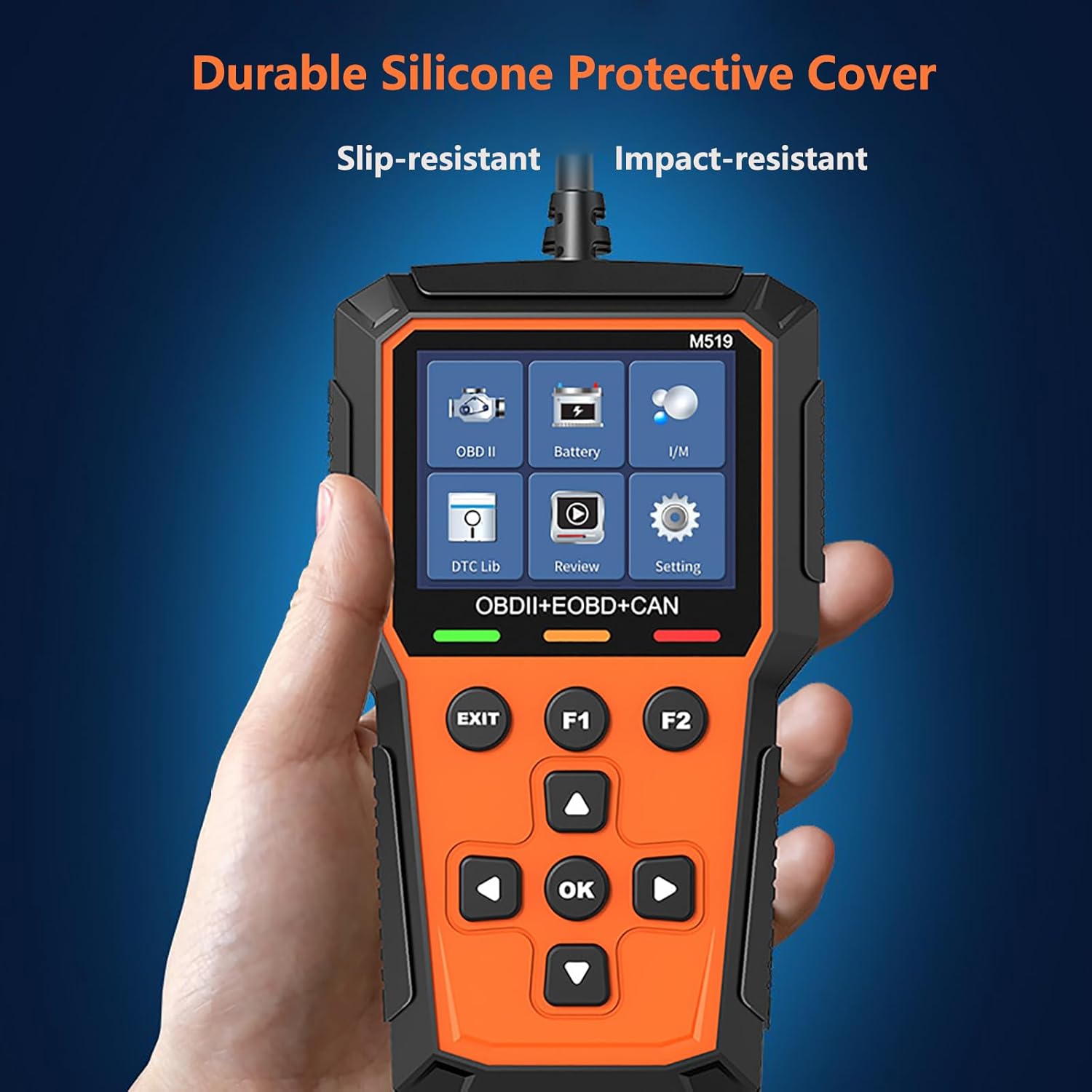
Image: A hand holding the M519 scanner, showcasing its durable silicone protective cover, which provides slip-resistant and impact-resistant properties.
8. Troubleshooting
If you encounter issues with your M519 scanner, refer to the following common problems and solutions:
- Device Does Not Power On:
- Ensure the OBD2 connector is firmly plugged into the vehicle's port.
- Verify the vehicle's ignition is in the ON position.
- Check the vehicle's fuse for the OBD2 port (consult your vehicle's manual).
- "Linking Error" or "Communication Error":
- Confirm the vehicle is OBD2 compliant (US 1996+, EU 2002+, Asia 2008+ gasoline cars).
- Ensure the connection is secure.
- Try connecting to a different OBD2 compliant vehicle to rule out a vehicle-specific issue.
- Codes Not Clearing:
- Ensure the underlying fault has been repaired. Codes will reappear if the issue persists.
- Follow the clearing procedure carefully.
- Screen Freezes or Malfunctions:
- Disconnect the scanner from the vehicle, wait a few seconds, and reconnect it.
- If the issue persists, contact customer support.
9. Specifications
| Feature | Specification |
|---|---|
| Brand | KUMORE |
| Model | M519 |
| Product Dimensions | 6.1"L x 3.54"W x 1.39"H |
| Item Weight | 8.8 ounces |
| Operating System | OBD2 |
| Language | English (and 12 other languages) |
| Automotive Fit Type | Universal Fit (for compatible OBD2 vehicles) |
| Screen | 2.8-inch Color Screen |
| DTC Library | 40000+ Codes |
10. Warranty and Support
KUMORE products are manufactured to high-quality standards. For warranty information, please refer to the warranty card included with your product or contact KUMORE customer support directly. If you have any questions, require technical assistance, or need to report an issue, please contact KUMORE customer service through the retailer where the product was purchased or visit the official KUMORE website for support options.
Ask a question about this manual
Ask about setup, troubleshooting, compatibility, parts, safety, or missing instructions. Manuals+ will review the question and use this page’s manual context to help answer it.