
1. Introduction
This manual provides instructions for the Fitpolo AR-01 Smartwatch. It covers setup, operation, maintenance, and troubleshooting to ensure proper use of your device. The Fitpolo AR-01 is designed to monitor various health metrics, track fitness activities, and provide smart notifications.

Figure 1.1: Fitpolo AR-01 Smartwatch (Black)

Figure 1.2: Fitpolo AR-01 Smartwatch (Purple)
2. What's in the Box
The Fitpolo AR-01 Smartwatch package typically includes:
- Fitpolo AR-01 Smartwatch (Black)
- Fitpolo AR-01 Smartwatch (Purple)
- Charging Cable(s)
- User Manual (this document)
3. Setup
3.1 Charging the Smartwatch
Before initial use, fully charge your Fitpolo AR-01 Smartwatch. Connect the charging cable to the charging port on the back of the watch and plug the USB end into a standard USB power adapter (not included) or a computer's USB port. The watch display will indicate charging status.
3.2 App Installation and Pairing
To utilize all features of your Fitpolo AR-01 Smartwatch, you must install the companion application on your smartphone and pair the devices.
- Download the official Fitpolo application from the App Store (for iOS 10.0+ devices) or Google Play Store (for Android 5.0+ devices). Search for "Fitpolo" or refer to the QR code in the quick start guide (if provided).
- Ensure Bluetooth is enabled on your smartphone.
- Open the Fitpolo application and follow the on-screen instructions to create an account or log in.
- Within the app, navigate to the device pairing section.
- Select "AR-01" from the list of available devices.
- Confirm the pairing request on both your smartphone and the smartwatch.
Note: The smartwatch is compatible with smartphones only, not PCs, iPads, or tablets.
4. Operating Instructions
4.1 Display and Watch Faces
The Fitpolo AR-01 features a 1.3-inch AMOLED touch screen. You can customize watch faces through the companion app. The always-on display mode provides continuous time visibility.

Figure 4.1: 1.3-inch AMOLED Display and Customizable Watch Faces
4.2 Communication Features
With built-in Bluetooth connectivity, the smartwatch allows you to make and receive calls directly from your wrist. It also displays notifications for calls, text messages, and various applications.
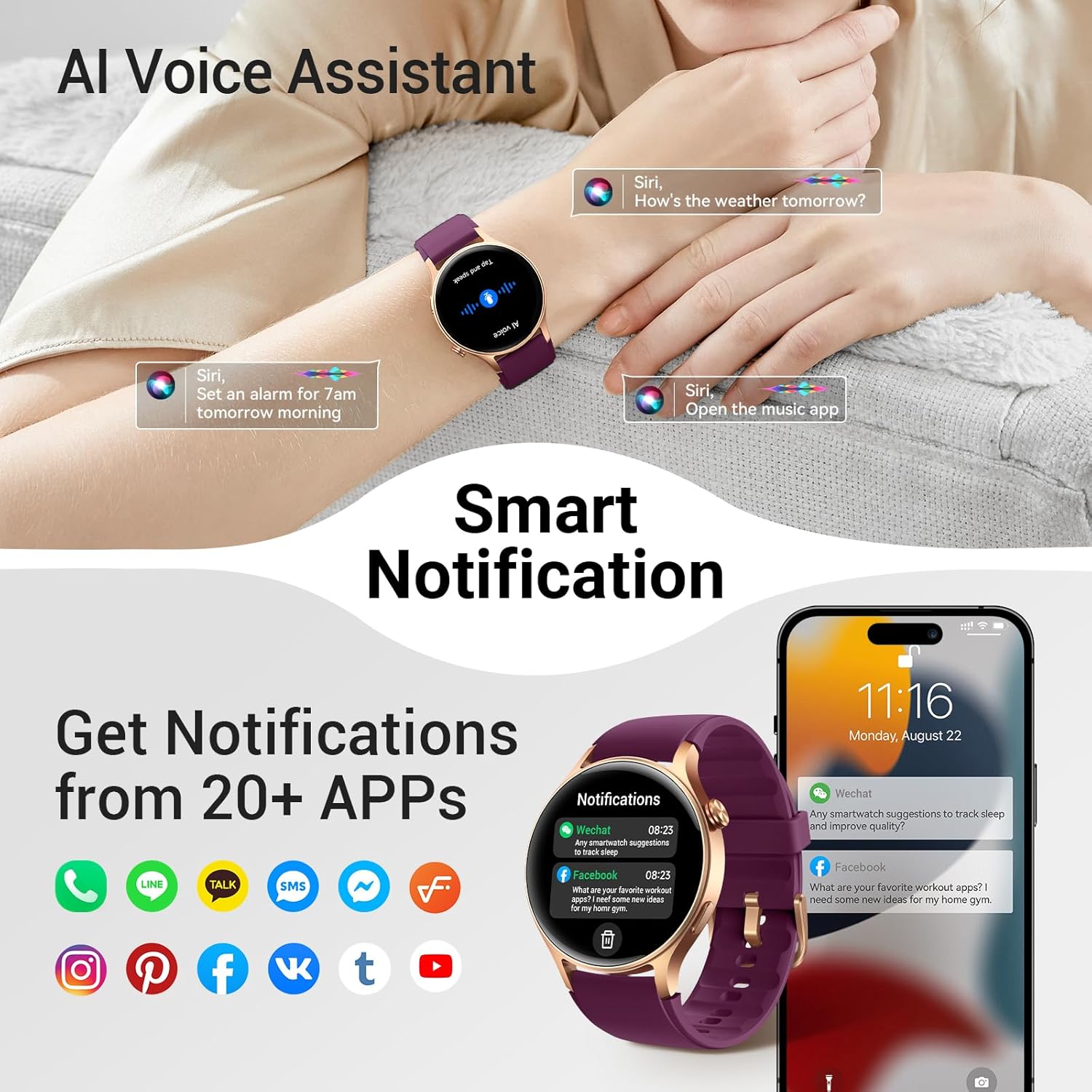
Figure 4.2: Smart Notifications and AI Voice Assistant
The AI Voice Assistant can be activated to perform tasks such as setting alarms or checking weather. The watch supports notifications from over 20 applications.
4.3 Health Monitoring
The Fitpolo AR-01 provides comprehensive health tracking capabilities:
- Heart Rate Monitoring: Continuously tracks your heart rate.
- SpO2 (Blood Oxygen) Levels: Measures blood oxygen saturation.
- Breathing Rate: Monitors your breathing patterns.
- Stress Management: Provides a stress score.
- Menstrual Health Tracking: Supports tracking for menstrual cycles.
- Sleep Tracking: Automatically records sleep stages (light, deep, REM).
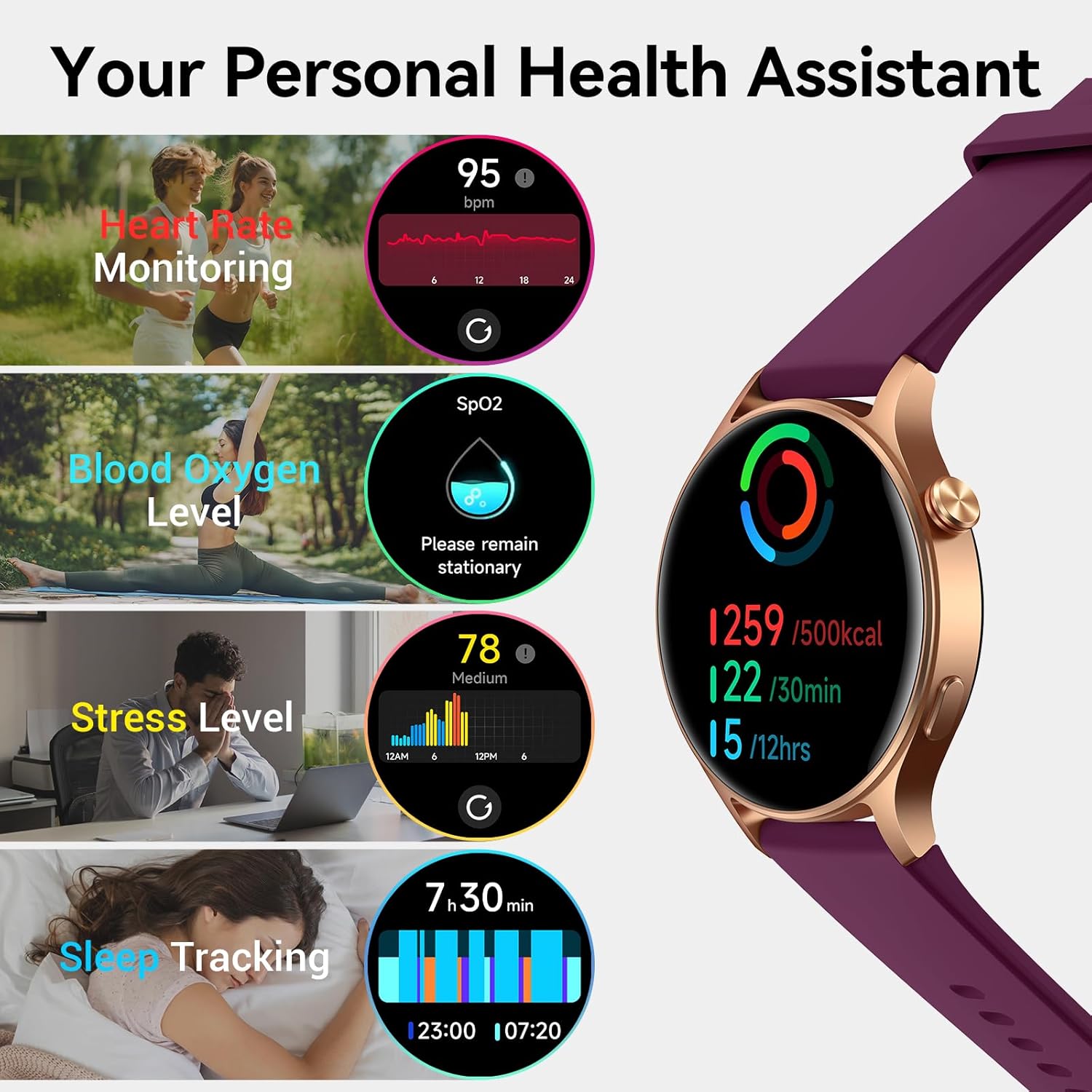
Figure 4.3: Health Monitoring Features
Disclaimer: This device is not a medical device and is not intended for use in the diagnosis of disease or other conditions, or in the cure, mitigation, treatment, or prevention of disease. Consult a medical professional for any health concerns.
4.4 Exercise Modes and Water Resistance
The smartwatch supports over 120 exercise modes, tracking metrics such as steps, distance, and calories burned. It is water-resistant up to 3ATM, making it suitable for activities like swimming.
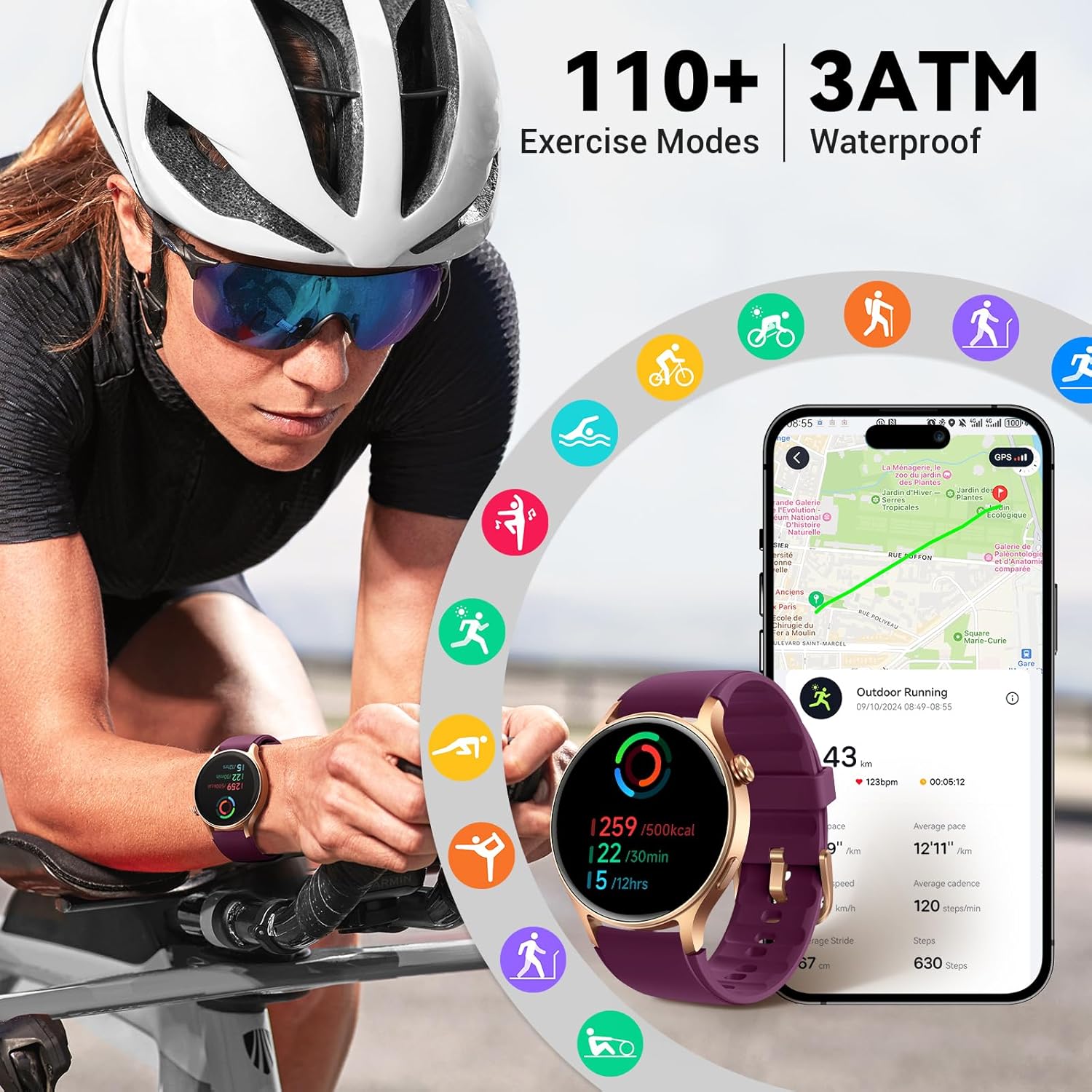
Figure 4.4: Exercise Modes and Water Resistance
4.5 Additional Features
The Fitpolo AR-01 includes several utility features:
- Pomodoro Technique: Timer for productivity.
- Music Control: Control music playback on your phone.
- Camera Control: Remotely trigger your phone's camera.
- World Clock: Displays time in different zones.
- Timer: Countdown timer function.
- Weather: Provides current weather information.
- Event Reminder: Set reminders for important events.
- Alarm: Set alarms.
- Find Phone: Helps locate your paired smartphone.
- Flashlight: Uses the screen as a light source.

Figure 4.5: Additional Smartwatch Features and Battery Life
5. Maintenance
5.1 Cleaning Your Smartwatch
Regularly clean your smartwatch to maintain its appearance and functionality. Wipe the screen and strap with a soft, damp, lint-free cloth. Avoid using harsh chemicals or abrasive materials.
5.2 Water Resistance
The Fitpolo AR-01 is rated 3ATM water-resistant. This means it can withstand splashes, rain, and brief immersion in water, such as during swimming. It is not suitable for diving, high-pressure water activities, or hot water environments (e.g., hot showers, saunas) as steam can penetrate the seals.
5.3 Battery Life
The smartwatch offers varying battery performance depending on usage:
- Intensive Use: Up to 7 days
- Ease of Use (Typical): Up to 12 days
- Power Saving Mode: Up to 30 days
Battery life may vary based on settings, usage patterns, and other factors.
6. Troubleshooting
6.1 Device Not Turning On or Charging
- Ensure the charging cable is securely connected to both the smartwatch and the power source.
- Try a different USB power adapter or USB port.
- Clean the charging contacts on the watch and cable.
- Allow the watch to charge for at least 30 minutes before attempting to turn it on.
6.2 Pairing Issues
- Ensure Bluetooth is enabled on your smartphone.
- Make sure the smartwatch is within Bluetooth range of your phone.
- Restart both your smartphone and the smartwatch.
- Forget the device in your phone's Bluetooth settings and attempt to pair again through the Fitpolo app.
- Verify that your phone's operating system meets the compatibility requirements (iOS 10.0+ or Android 5.0+).
6.3 Inaccurate Health Data
- Ensure the watch is worn snugly on your wrist, but not too tight.
- Clean the sensors on the back of the watch.
- Avoid excessive movement during measurements (e.g., SpO2).
- Environmental factors and individual physiology can affect readings.
6.4 Notifications Not Appearing
- Check that the smartwatch is successfully paired with your phone.
- Verify that notification permissions are granted to the Fitpolo app in your phone's settings.
- Ensure notifications are enabled for specific apps within the Fitpolo app.
- Confirm that "Do Not Disturb" mode is not active on either your phone or the smartwatch.
7. Specifications
| Model | AR-01 |
| Display | 1.3-inch AMOLED Touch Screen |
| Compatibility | iOS 10.0+ / Android 5.0+ (Smartphones only) |
| Water Resistance | 3ATM |
| Battery Life (Typical) | Up to 12 days |
| Connectivity | Bluetooth |
| Health Monitoring | Heart Rate, SpO2, Breathing Rate, Stress, Sleep, Menstrual Health |
| Exercise Modes | 120+ |
| Dimensions (Watch Face) | 43 mm diameter (approx.) |
| Strap Length (Min-Max) | 153 mm - 212 mm |
| Strap Width | 20 mm |
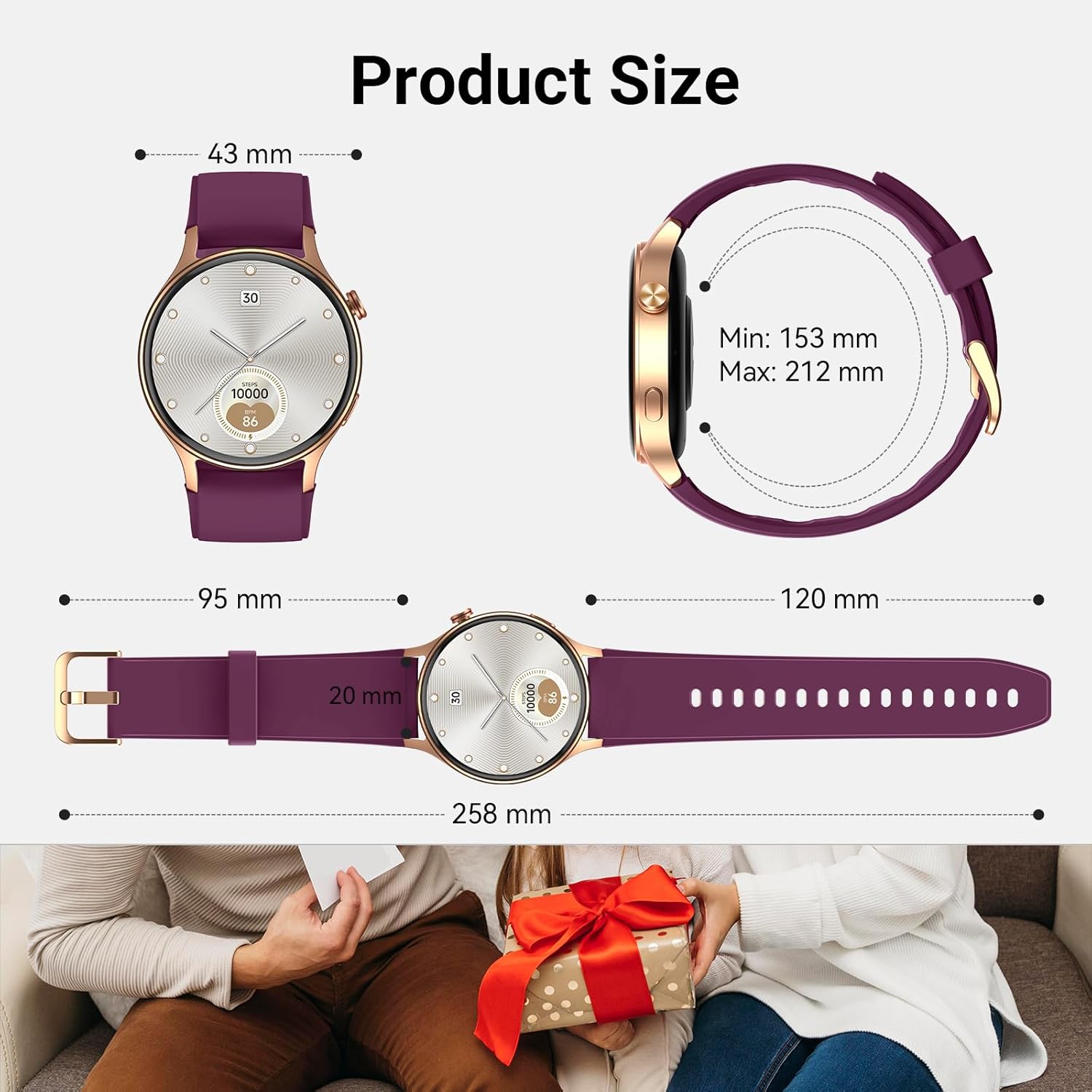
Figure 7.1: Product Dimensions
8. Warranty and Support
For warranty information and customer support, please refer to the official Fitpolo website or contact the retailer where the product was purchased. Keep your proof of purchase for warranty claims.


