1. Introduction
This manual provides detailed instructions for the Tissot PR100 Chronograph Black Dial Men's Watch, model T1014171605100. It covers setup, operation, maintenance, and troubleshooting to ensure optimal performance and longevity of your timepiece. Please read this manual carefully before using your watch.

Image 1.1: Front view of the Tissot PR100 Chronograph watch, showcasing the black dial, silver-tone hands, and chronograph sub-dials.
2. Setup
Your Tissot PR100 Chronograph watch is equipped with an ETA G10.211 quartz movement. Before first use, ensure the crown is pushed in to activate the movement.
2.1 Setting the Time
- Pull the crown out to position 2 (the outermost position).
- Rotate the crown clockwise or counter-clockwise to set the hour and minute hands to the correct time.
- Push the crown back in to position 0 (the innermost position) to start the watch.
2.2 Setting the Date
- Pull the crown out to position 1 (the middle position).
- Rotate the crown to adjust the date. Avoid setting the date between 9 PM and 3 AM, as this can interfere with the automatic date change mechanism.
- Push the crown back in to position 0.
2.3 Adjusting the Strap
The watch features a black leather strap with a tang clasp. Adjust the strap length by selecting the appropriate hole for a comfortable and secure fit on your wrist.

Image 2.1: Close-up of the watch's tang clasp on the black leather strap.
3. Operating the Chronograph
The Tissot PR100 Chronograph is equipped with a precise timing function. The chronograph features three sub-dials: a 60-second counter, a 30-minute counter, and a 1/10th of a second counter.
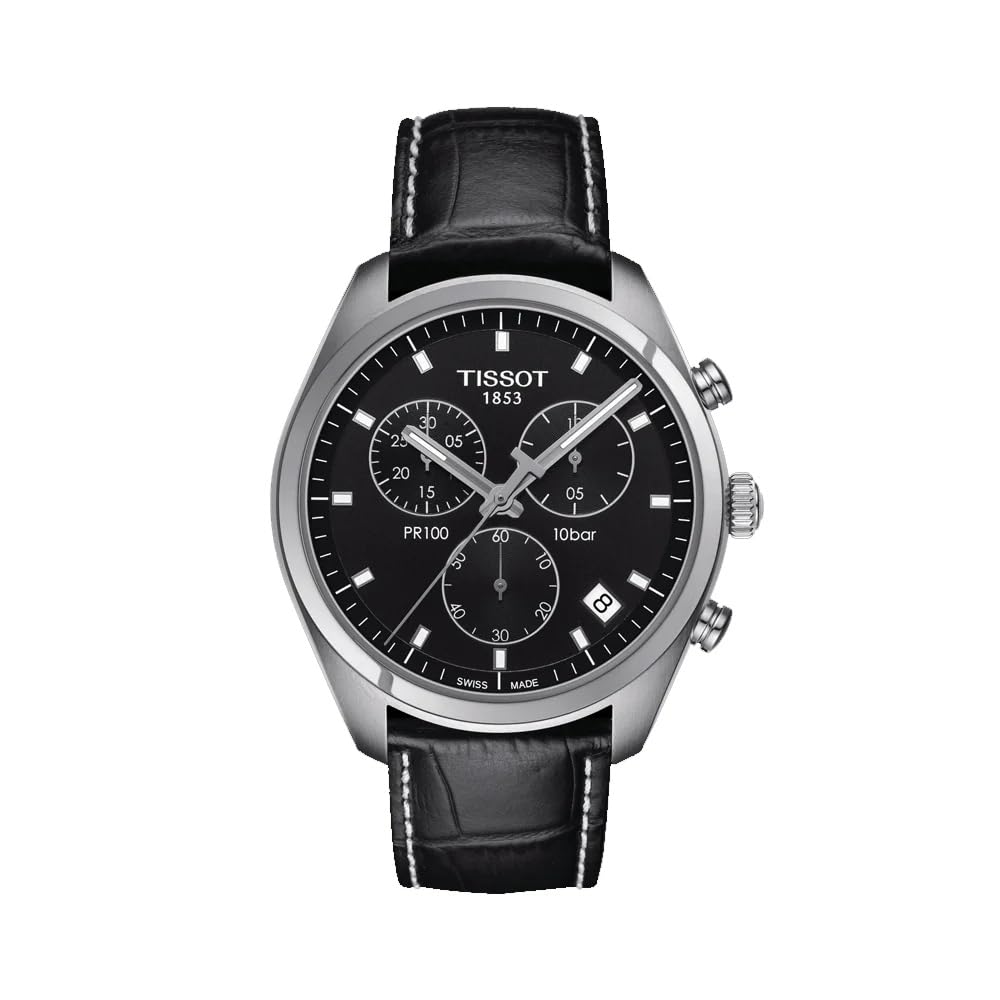
Image 3.1: Side view of the watch, showing the crown and the two chronograph pushers.
3.1 Starting and Stopping the Chronograph
- To start the chronograph, press the upper pusher (A). The central chronograph second hand will begin to move.
- To stop the chronograph, press the upper pusher (A) again. The elapsed time will be indicated by the central second hand and the sub-dials.
3.2 Resetting the Chronograph
- After stopping the chronograph, press the lower pusher (B) to reset all chronograph hands to their zero positions.
3.3 Water Resistance
This watch is water resistant up to 100 meters (330 feet). It is suitable for swimming and snorkeling but not for diving. Always ensure the crown is fully pushed in to position 0 before any water exposure to maintain water resistance.
4. Maintenance
Proper care and maintenance will help preserve the appearance and functionality of your Tissot watch for many years.
4.1 Cleaning
- Regularly wipe your watch with a soft, dry, lint-free cloth to remove dust, perspiration, and moisture.
- For the leather strap, avoid excessive water exposure. If cleaning is necessary, use a specialized leather cleaner and conditioner, following the product instructions.
4.2 Battery Replacement
As a quartz watch, it is powered by a battery. When the battery is low, the second hand may jump every few seconds (End-of-Life indicator). Battery replacement should be performed by an authorized Tissot service center to ensure the correct battery type is used, and to maintain the watch's water resistance and warranty.
4.3 Crystal Care
The watch features a scratch-resistant sapphire crystal. While highly durable, it is not entirely impervious to damage. Avoid direct impact or abrasive contact to prevent scratches or cracks.
5. Troubleshooting
If you encounter any issues with your watch, please refer to the following common troubleshooting steps:
- Watch Not Running: Ensure the crown is fully pushed in to position 0. If the watch still does not run, the battery may need replacement. Contact an authorized service center.
- Date Not Changing Correctly: Verify that the date is not being set between 9 PM and 3 AM, as this can interfere with the automatic date change mechanism. Adjust the time past 3 AM before setting the date.
- Chronograph Hands Not Resetting to Zero: This may indicate a need for calibration. Consult an authorized Tissot service center for adjustment.
- Water Inside the Watch: If you notice condensation or water droplets inside the watch, immediately take it to an authorized service center. Do not attempt to open the watch yourself.
6. Specifications
| Feature | Detail |
|---|---|
| Model Number | T1014171605100 |
| Movement Type | ETA G10.211 Quartz |
| Case Material | Stainless Steel |
| Case Diameter | 41 mm |
| Case Thickness | 10.7 mm |
| Band Material | Leather |
| Band Color | Black |
| Band Width | 20 mm |
| Water Resistance | 100 meters (330 feet) |
| Crystal Type | Scratch-resistant Sapphire |
| Functions | Chronograph, Date, Hour, Minute, Second |
| Item Weight | 140 g |
| Manufacturer | TheSwatchGroup. |
7. Warranty and Support
Your Tissot PR100 Chronograph watch comes with a 2-year international manufacturer's warranty. This warranty covers manufacturing defects under normal use, as per the terms and conditions provided by Tissot.
For warranty claims, service, or technical support, please contact an authorized Tissot service center. You can find a list of authorized service centers on the official Tissot website or by contacting TheSwatchGroup, the manufacturer.

Image 7.1: The Tissot PR100 Chronograph watch presented in its original packaging, as it would be received.


