
1. Introduction
This manual provides essential information for the proper use and maintenance of your MORPTRA Professional 16-in-1 Indoor Air Quality Monitor. This device is designed to detect various air quality parameters in real-time, helping you maintain a healthier indoor environment. Please read this manual thoroughly before operating the device.
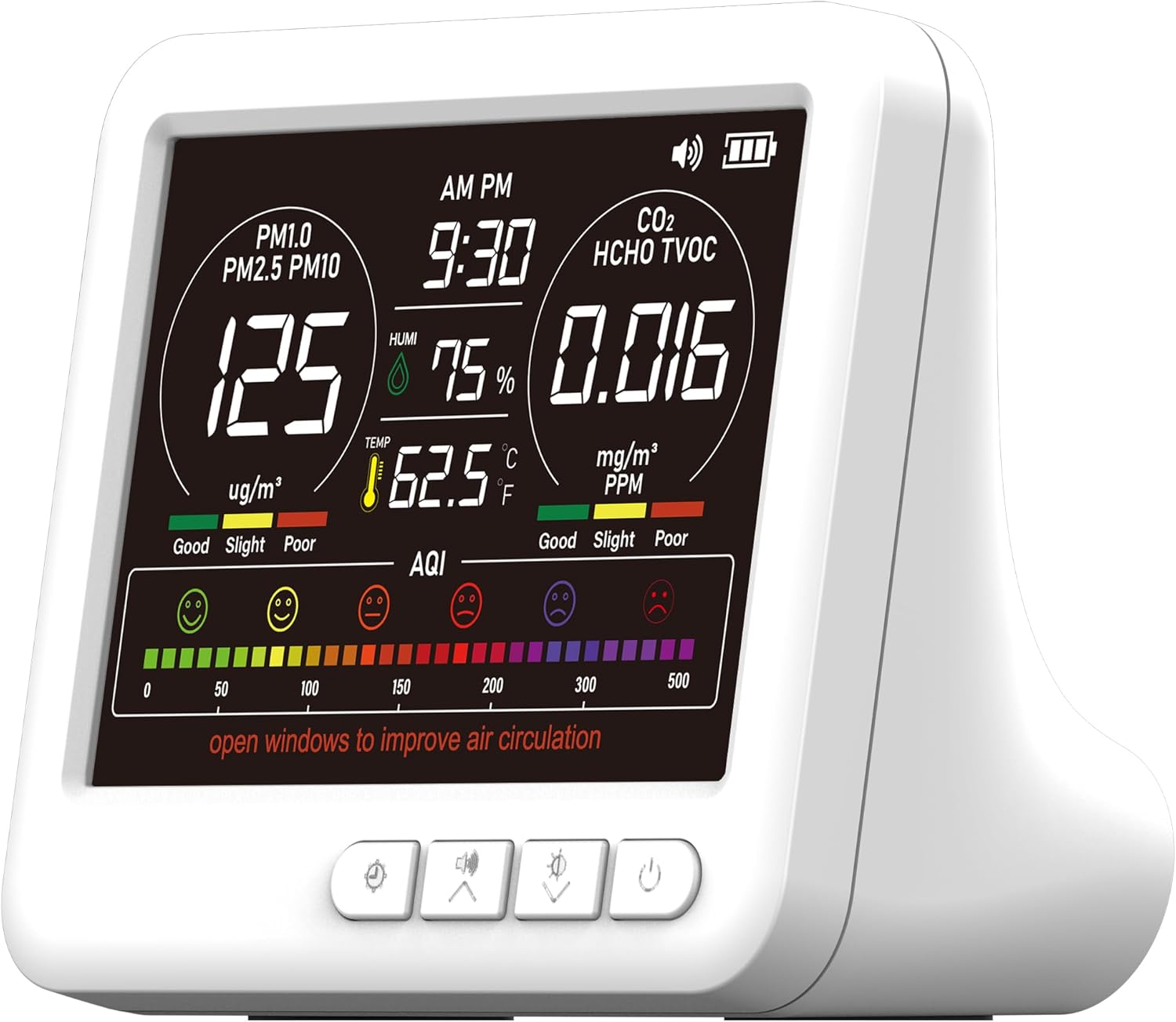
Image 1.1: Front view of the MORPTRA 16-in-1 Indoor Air Quality Monitor displaying various air quality metrics.
2. Product Features
- 16-in-1 Real-time Detection: Monitors PM1.0, PM2.5, PM10, CO2, TVOC, HCHO, Temperature, and Humidity.
- 7 AQI Alert Buzzers: Provides audible alerts for critical air quality levels.
- One-button Operation: Simple controls for power, unit switching, and alarm management.
- High-precision Sensor System: Continuously collects and analyzes air data every 3 seconds for accurate readings.
- HD Large Color Display: Clear and advanced display for enhanced readability.
- Long Battery Life & Fast Charging: Up to 4-5 hours of wireless operation with Type-C fast charging.
- Versatile Placement: Suitable for various indoor environments including homes, offices, cars, and nurseries.
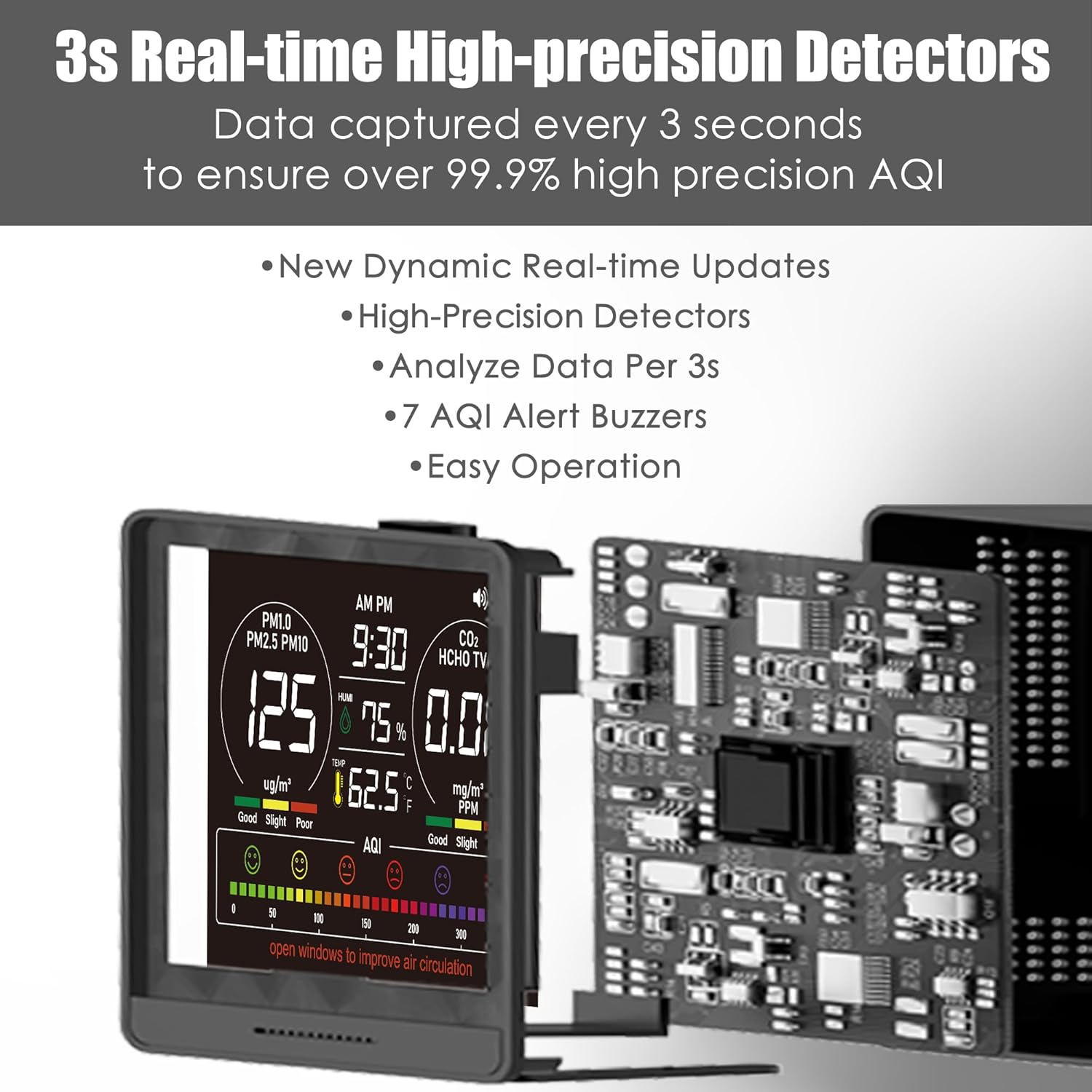
Image 2.1: Illustration of the internal high-precision sensor system for real-time data analysis.
3. Package Contents
Verify that all items are present in the package:
- 1 x MORPTRA Air Quality Monitor
- 1 x Charging Adapter
- 1 x USB-C Cable
- 1 x User Manual (this document)

Image 3.1: Product dimensions and a list of included accessories.
4. Setup
- Initial Charge: Before first use, fully charge the monitor using the provided USB-C cable and adapter. The battery indicator on the display will show charging status.
- Power On: Press and hold the power button (usually located on the front or side) for a few seconds until the display illuminates.
- Placement: Place the monitor in the desired location. Ensure it is on a stable surface and not obstructed. Avoid placing it near direct heat sources, vents, or in direct sunlight.
- Automatic Calibration: The device will begin real-time monitoring automatically after powering on. Allow a few minutes for initial sensor stabilization.
5. Operating Instructions
- Power On/Off: Press and hold the power button for approximately 3 seconds to turn the device on or off.
- Temperature Unit Switch (°C/°F): A dedicated button or a short press of the power button (refer to on-screen prompts if available) allows switching between Celsius and Fahrenheit.
- Silence Alarms: If an air quality alarm sounds, double-tap the alarm button (or a designated button) to silence the audible alert. The visual alert on the screen will remain until the air quality improves.
- Real-time Monitoring: The device continuously updates readings every 3 seconds. No further action is required for continuous monitoring.
6. Understanding the Display
The monitor features a high-definition color display that presents various air quality indicators. The display uses color coding (Green for Good, Yellow for OK, Red for Poor) to quickly convey air quality status.

Image 6.1: Detailed breakdown of the display indicators and their functions.
- PM1.0 / PM2.5 / PM10: Particulate Matter readings in micrograms per cubic meter (µg/m³). These indicate the concentration of fine inhalable particles.
- CO2: Carbon Dioxide levels in parts per million (ppm). High CO2 can indicate poor ventilation.
- TVOC: Total Volatile Organic Compounds in milligrams per cubic meter (mg/m³). These are chemicals that can evaporate into the air.
- HCHO: Formaldehyde levels in milligrams per cubic meter (mg/m³). A common indoor air pollutant.
- TEMP: Ambient Temperature in Celsius (°C) or Fahrenheit (°F).
- HUM: Relative Humidity in percentage (%).
- AQI: Air Quality Index. A comprehensive indicator based on multiple pollutants, represented by a color-coded scale and corresponding emojis.
- Clock: Displays the current time.
- Battery Symbol: Indicates the current battery level.
- Voice Symbol: Indicates if audible alerts are enabled or disabled.
7. Air Quality Alarms
The MORPTRA monitor is equipped with 7 types of AQI alert buzzers to notify you when specific air quality parameters exceed safe thresholds. These alerts are designed to prompt action, such as improving ventilation.

Image 7.1: Air quality level thresholds and associated alert conditions.
When an alert is triggered, the device will emit an audible buzzer. To silence the buzzer, double-tap the designated alarm button. The visual indication on the display will persist until the air quality returns to acceptable levels.
8. Charging and Battery
The monitor is powered by a high-performance lithium battery, offering 4-5 hours of wireless operation on a full charge. It can also operate continuously when connected to the Type-C charger.
- Charging Time: A full charge typically takes approximately 4.5 hours.
- Charging Indicator: The battery icon on the display will animate during charging and show full when complete.
- Charging Port: Use the provided USB-C cable and adapter to charge the device.

Image 8.1: Information on battery life and charging components.
9. Placement and Usage Scenarios
The MORPTRA air quality monitor is designed for versatile placement and can be used in various indoor settings to monitor air quality effectively.
- Recommended Locations: Bedrooms, living rooms, offices, nurseries, kitchens, cars, and greenhouses.
- Placement Options: The device can stand on a table, be mounted on a wall, or carried with you for portable monitoring.
- Considerations: For accurate readings, place the monitor away from direct airflow (e.g., open windows, air conditioning vents) and sources of high humidity or temperature fluctuations.

Image 9.1: Examples of suitable environments for placing the air quality monitor.
10. Maintenance
- Cleaning: Use a soft, dry cloth to clean the exterior of the device. Do not use liquid cleaners or aerosols, as they may damage the sensors or internal components.
- Sensor Care: Avoid obstructing the sensor vents. Do not attempt to clean the internal sensors directly.
- Storage: When not in use for extended periods, store the device in a cool, dry place, away from direct sunlight and extreme temperatures.
- Battery: For optimal battery health, avoid completely draining the battery frequently. Charge the device regularly.
11. Troubleshooting
| Problem | Possible Cause | Solution |
|---|---|---|
| Device does not power on | Low battery; Power button not pressed correctly | Charge the device fully; Press and hold the power button for 3 seconds. |
| Inaccurate readings | Sensor obstruction; Device placed in an unsuitable environment; Initial calibration period | Ensure sensor vents are clear; Relocate the device away from direct airflow or pollutants; Allow 5-10 minutes for sensors to stabilize after power-on. |
| Alarm not sounding | Audible alarm disabled; Air quality not exceeding threshold | Check the voice symbol on the display to ensure alarms are enabled; Refer to the alarm threshold table (Section 7) to confirm conditions. |
| Battery drains quickly | Aging battery; Continuous use in high-power mode (e.g., with backlight always on) | Ensure the device is fully charged; Reduce screen brightness if adjustable; Consider keeping it plugged in for extended use. |
12. Specifications
| Parameter | Value |
|---|---|
| Brand | MORPTRA |
| Model Number | 9AQI+7 AQI Alert Buzzers+Time |
| Power Source | Battery Powered |
| Color | Cloud White |
| Product Dimensions (D x W x H) | 4.17" x 3.54" x 1.97" |
| Item Weight | 10.4 ounces (0.65 Pounds) |
| Alarm Type | Audible |
| Battery Type | Lithium Ion (1 x 12V battery included) |
| Measurement Accuracy | +/-0.01% |
| UPC | 717352564370, 717710606261 |
13. Warranty and Support
The MORPTRA Professional 16-in-1 Indoor Air Quality Monitor comes with a 12-month warranty from the date of purchase. This warranty covers manufacturing defects and malfunctions under normal use.
For technical support, warranty claims, or any questions regarding your device, please contact MORPTRA customer service through the retailer's platform or the official brand website. Please have your purchase receipt and model number ready when contacting support.
14. Product Overview Video
Watch this video for a visual overview of the MORPTRA Professional Portable Indoor Air Quality Monitor.
Video 14.1: An overview of the MORPTRA Professional Portable Indoor Air Quality Monitor, demonstrating its features and use.


