
Samsung RF90F29AECEA
Samsung Smart Refrigerator User Manual
Model: RF90F29AECEA
Introduction
This manual provides essential information for the safe and efficient operation, maintenance, and troubleshooting of your Samsung RF90F29AECEA 29 Cu. Ft. Bespoke Charcoal 4-Door French Door Smart Refrigerator with AI Family Hub. Please read this manual thoroughly before using the appliance and keep it for future reference.
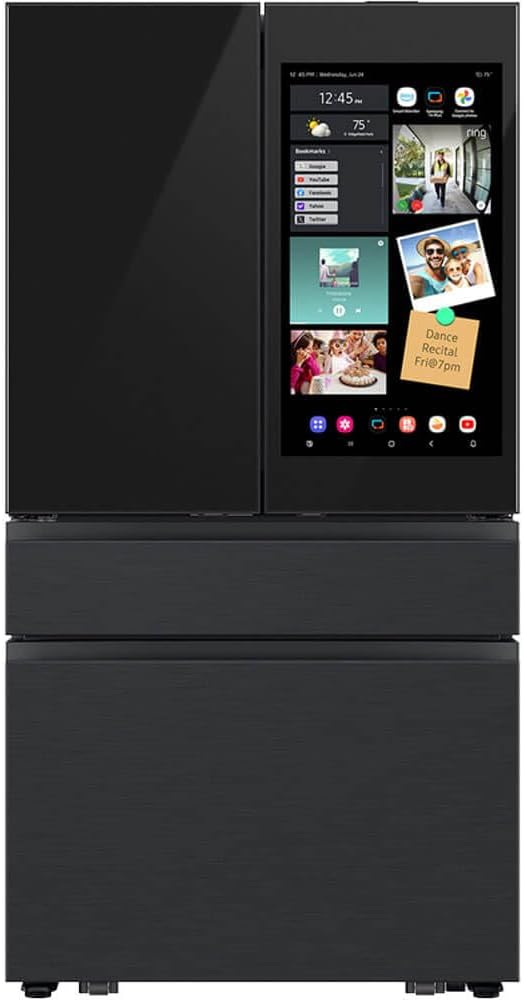
Image: The Samsung RF90F29AECEA refrigerator features a sleek charcoal finish, four doors, and an integrated AI Family Hub display on the upper right door.
Setup
1. Placement and Installation
Ensure the refrigerator is placed on a level, stable surface away from direct sunlight or heat sources. Allow adequate clearance around the unit for proper ventilation. Refer to the dimensions below for space planning.

Image: This diagram illustrates the refrigerator's dimensions: approximately 70 1/4 inches in height, 35 3/4 inches in width, and 34 1/4 inches in depth.

Image: The refrigerator is shown seamlessly integrated into a modern kitchen setting, demonstrating its freestanding installation.
2. Power Connection
Connect the refrigerator to a dedicated, grounded electrical outlet. Do not use extension cords or adapters.
3. Initial Cleaning
Before first use, clean the interior and exterior of the refrigerator with a mild detergent and soft cloth. Rinse thoroughly and dry.
4. Network Connection (for Smart Features)
To utilize the AI Family Hub and other smart features, connect the refrigerator to your home Wi-Fi network. Follow the on-screen prompts on the Family Hub display to complete the setup.
Operating Instructions
1. Temperature Control
Adjust the refrigerator and freezer temperatures using the controls located on the internal panel or via the AI Family Hub display. Recommended temperatures are 37°F (3°C) for the refrigerator and 0°F (-18°C) for the freezer.
2. AI Family Hub™
The AI Family Hub is a large touchscreen display integrated into the refrigerator door, offering a variety of smart functions. It allows you to manage food, connect with family, and enjoy entertainment.

Image: A detailed view of the AI Family Hub screen, showing various widgets for weather, calendar, notes, and media playback.

Image: This image highlights the impressive 32-inch diagonal measurement of the AI Family Hub display, emphasizing its large viewing area.
- Food Management: Create shopping lists, view expiration dates, and see what's inside your fridge with internal cameras.
- Family Communication: Share notes, photos, and calendars with family members.
- Entertainment: Stream music, watch videos, and mirror content from your Samsung TV or smartphone.
3. AI Vision Inside™
AI Vision Inside uses internal cameras to identify items placed in and removed from the refrigerator, helping you keep track of your inventory. You can view the contents of your fridge remotely via the SmartThings app.

Image: A woman is shown reaching into the refrigerator, while the AI Vision Inside display on the Family Hub shows a list of detected food items, demonstrating how the system tracks contents.
4. Beverage Center™
The Beverage Center provides convenient access to chilled water and includes an AutoFill Water Pitcher that automatically refills with filtered water.

Image: A detailed view of the Beverage Center, highlighting the internal water dispenser and the removable AutoFill Water Pitcher.
5. Dual Auto Ice Maker
The refrigerator is equipped with a dual auto ice maker, producing both standard ice cubes and smaller Ice Bites™ for various beverage needs.
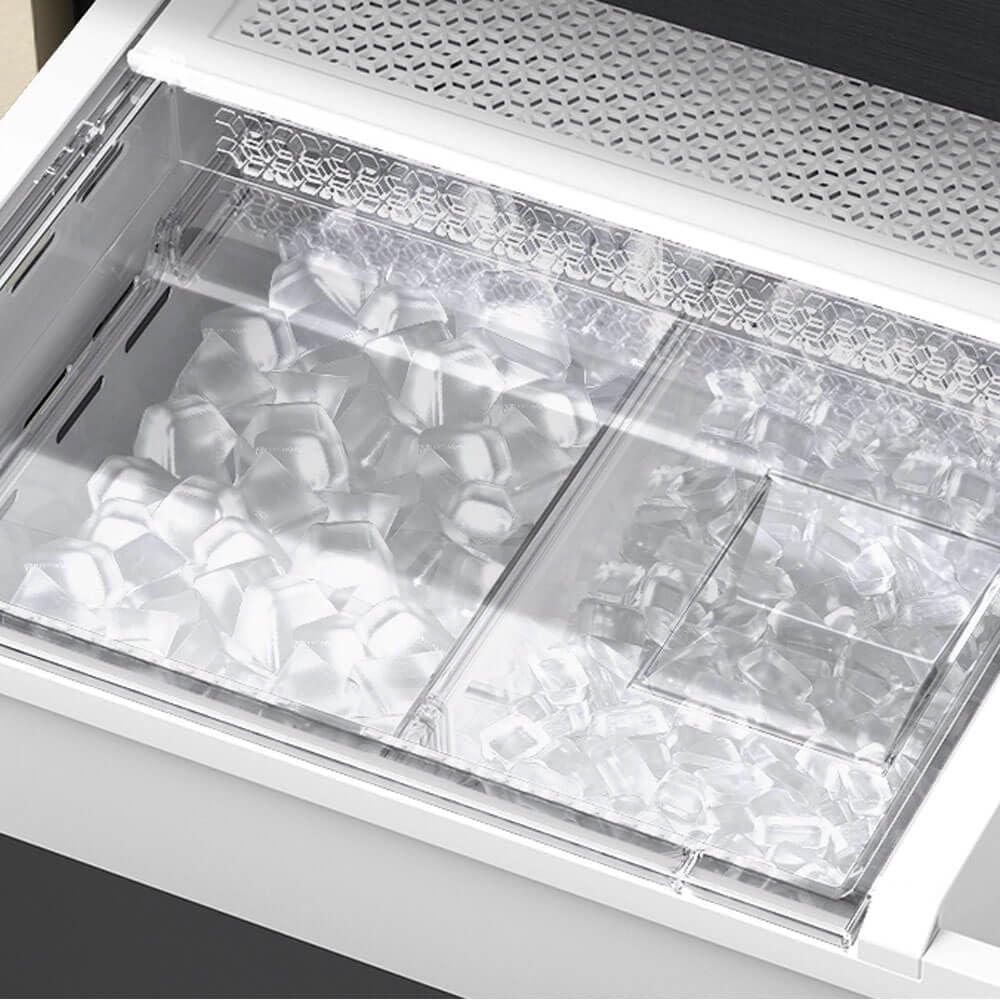
Image: A clear view of the ice maker compartment, showing both standard ice cubes and the smaller Ice Bites™ in their respective bins.
Maintenance
1. Cleaning
- Interior: Clean spills immediately. Use a mild soap and water solution. Avoid abrasive cleaners.
- Exterior: Wipe surfaces with a soft, damp cloth. For the stainless steel finish, use a stainless steel cleaner.
- Door Gaskets: Clean door gaskets regularly to ensure a tight seal.
2. Water Filter Replacement
Replace the water filter every 6 months or when the filter indicator light illuminates on the display. Refer to the filter replacement instructions provided with the filter cartridge.
3. Condenser Coils
Periodically clean the condenser coils located at the back or bottom of the refrigerator to maintain efficiency. Unplug the unit before cleaning.
Troubleshooting
Before contacting service, review the following common issues and solutions:
- Refrigerator Not Cooling: Check if the power cord is securely plugged in. Ensure temperature settings are correct. Verify doors are fully closed.
- Unusual Noises: Some operational noises (e.g., fan, compressor) are normal. Check if the refrigerator is level.
- Water Leaks: Ensure the water line connection is secure. Check for clogs in the defrost drain.
- Family Hub Display Not Responding: Try restarting the refrigerator by unplugging it for a few minutes and then plugging it back in.
For more detailed troubleshooting, refer to the full digital manual available on the Samsung support website.
Specifications
| Feature | Specification |
|---|---|
| Brand | Samsung |
| Model Info | RF90F29AECEA |
| Capacity | 29 Cubic Feet |
| Installation Type | Freestanding |
| Form Factor | French Door |
| Defrost System | Frost Free |
| Number of Doors | 4 |
| Cooling Method | Compressor |
| Adjustable Temperature Control | Yes |
| Has Convertible Freezer | No |
Warranty and Support
Your Samsung refrigerator comes with a limited warranty. Please refer to the warranty card included with your purchase for specific terms and conditions. For technical support, service requests, or to purchase replacement parts, please visit the official Samsung support website or contact Samsung customer service.
Online Support: www.samsung.com/us/support/
Related Documents - RF90F29AECEA
 |
Samsung Bespoke 4-Door French Door Refrigerator (29 cu. ft.) with Family Hub™ Product Guide This product guide provides detailed information on the Samsung Bespoke 4-Door French Door Refrigerator (29 cu. ft.) with Family Hub™, model RF29BB8900. It covers product overview, features, benefits, specifications, installation guidance, warranty, and energy information. |
 |
Samsung RF23BB8900ACAC Bespoke 4-Door French Door Refrigerator with Family Hub™ & Beverage Center Explore the features, specifications, and installation details of the Samsung RF23BB8900ACAC Bespoke 4-Door French Door Counter-Depth Refrigerator. Includes Family Hub™, Beverage Center, customizable panels, and dual ice maker. |
 |
Samsung Bespoke Counter Depth 4-Door French Door Refrigerator with Family Hub RF23BB8900 Product Guide A comprehensive product guide for the Samsung Bespoke Counter Depth 4-Door French Door Refrigerator (23 cu. ft.) with Family Hub, model RF23BB8900. Details features, benefits, specifications, and installation information. |
 |
Samsung RF23BB8900 Bespoke Counter Depth Refrigerator with Family Hub™ | Product Guide Explore the Samsung RF23BB8900 Bespoke Counter Depth 4-Door French Door Refrigerator with Family Hub™. Discover customizable design, smart features, and advanced cooling technology. |
 |
Samsung RF29BB8900 Bespoke 4-Door French Door Refrigerator with Family Hub™ | Features, Specs, Dimensions Explore the Samsung RF29BB8900 Bespoke 4-Door French Door Refrigerator. Features include Family Hub™, Beverage Center™, customizable doors, 29 cu. ft. capacity, and FlexZone™ drawer. View specifications, dimensions, and warranty information. |
 |
Samsung RF90F29A 29 cu. ft. Bespoke 4-Door French Door Refrigerator with AI Family Hub™+ | Features, Specs, Installation Explore the Samsung RF90F29A, a 29 cu. ft. Bespoke 4-Door French Door Refrigerator featuring the AI Family Hub™+. Discover its smart features, spacious design, performance, and installation requirements. |