
1. Introduction
Thank you for choosing the HIBRON EBOX V16 Emergency Light. This device is designed to enhance your safety on the road in the event of a breakdown or accident. It is officially approved by the DGT (Dirección General de Tráfico) and complies with the latest regulations, including automatic geolocation via the DGT 3.0 platform. This manual provides essential information for the proper setup, operation, and maintenance of your EBOX V16 emergency light.
2. Safety Information
- Roadside Safety: Always prioritize your safety when deploying the device. Ensure you are in a safe location away from traffic before exiting your vehicle.
- Battery Handling: Use only the specified AA batteries. Do not mix old and new batteries, or different types of batteries. Dispose of used batteries responsibly according to local regulations.
- Water Exposure: While the device is IP54 rated for water and dust resistance, avoid submerging it in water.
- Storage: Store the device in a cool, dry place, away from direct sunlight and extreme temperatures.
- Children: Keep the device out of reach of children.
3. Package Contents
Please check the package for the following items:
- HIBRON EBOX V16 Emergency Light (4 units)
- AA Batteries (pre-installed or included separately)
- User Manual (this document)
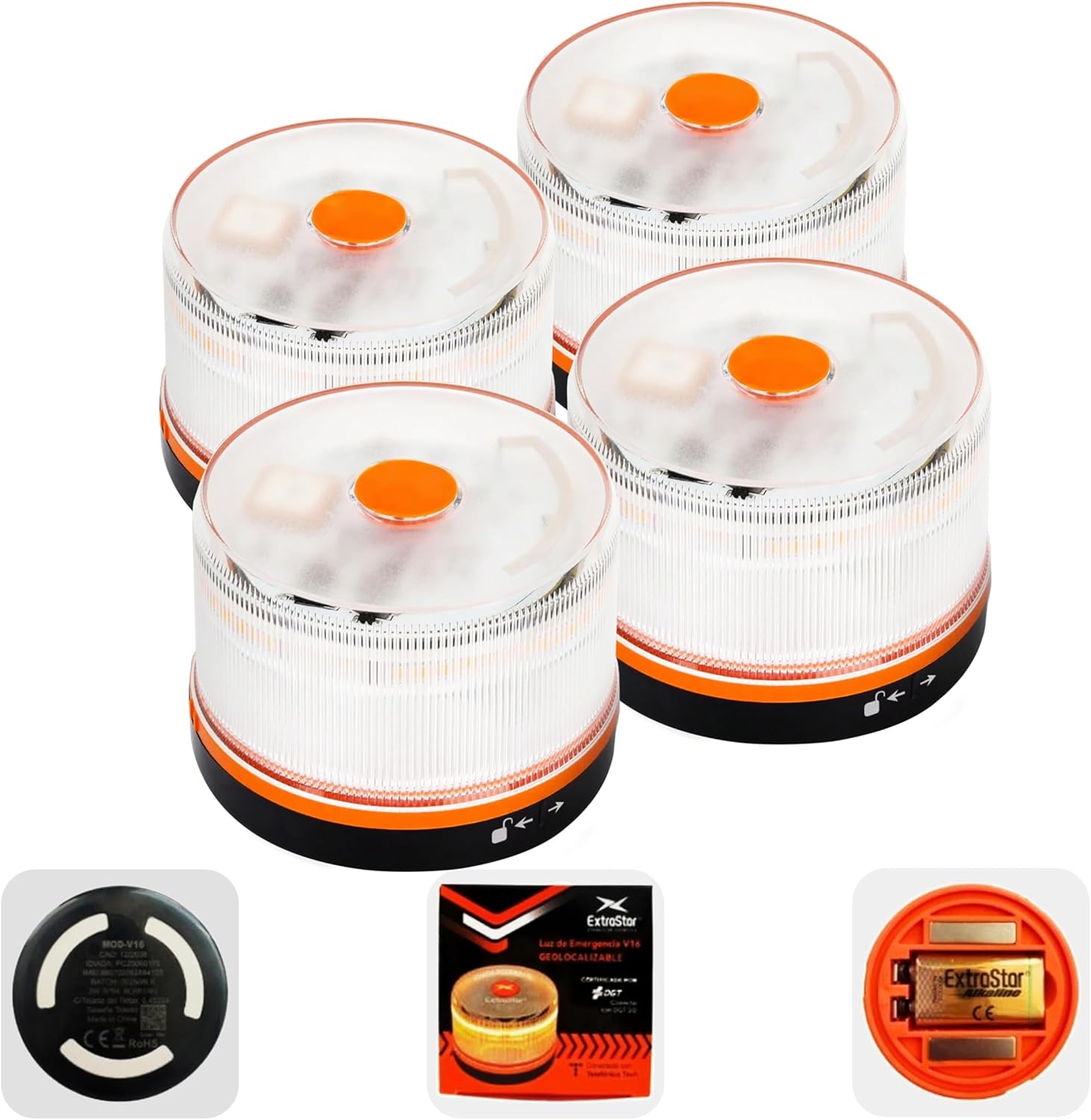
Image: Four HIBRON EBOX V16 Emergency Lights, showing the compact design and the included packaging.
4. Product Features
- DGT 3.0 Approved: Officially certified (IDIADA PC25040153) for compliance with Spanish traffic regulations, mandatory from January 1, 2026.
- Automatic Geolocation: Integrated SIM card (Telfonica Tech) automatically transmits your vehicle's location to the DGT 3.0 platform upon activation. Data service is included until December 2038 without additional subscriptions.
- 360° Visibility: High-intensity amber LED lights provide visibility up to 1 km, even in adverse weather conditions like rain or fog.
- Durable Design: IP54 rated for water and dust resistance, with an anti-tipping design to withstand wind.
- Ultra-Strong Magnetic Fixing: Securely attaches to the vehicle roof in seconds, allowing deployment without leaving the vehicle.
- Long Battery Life: Operates for up to 6 continuous hours on 3 AA batteries.
- Easy Activation: Simple one-button operation.
- Compact and Lightweight: Measures approximately 72mm in diameter and 58mm in height, weighing 130g, for easy storage.
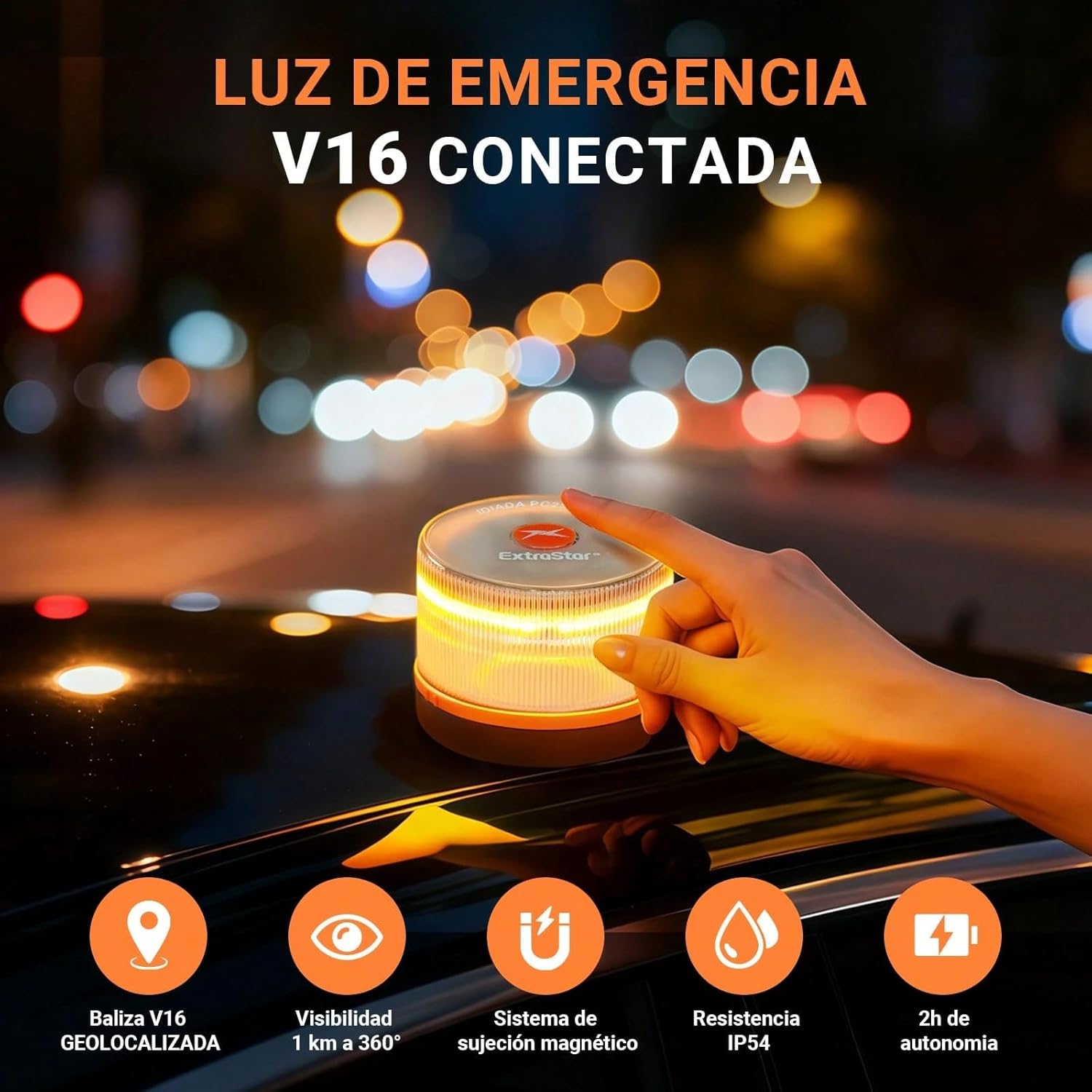
Image: The EBOX V16 light on a car roof, demonstrating its high visibility and magnetic attachment.
5. Setup
5.1 Battery Installation
- Locate the battery compartment cover on the underside of the device.
- Twist the cover counter-clockwise to unlock and remove it.
- Insert 3 AA batteries, ensuring correct polarity (+/-) as indicated inside the compartment.
- Replace the cover and twist clockwise to secure it.

Image: The battery compartment of the EBOX V16, illustrating the location for AA battery insertion.
5.2 Initial Check
After installing the batteries, press the activation button once to ensure the light flashes. Press again to turn it off. If the light does not activate, check battery installation and charge.
6. Operating Instructions
6.1 Activation
To activate the emergency light, simply press the central button once. The amber LED lights will begin to flash, indicating activation.
6.2 Placement
In an emergency situation, place the activated EBOX V16 light on the highest possible metallic surface of your vehicle, typically the roof. The strong magnetic base will secure it in place. This can often be done without exiting the vehicle, by simply extending your arm out the window.
6.3 Deactivation
To turn off the emergency light, press the central button again. The flashing lights will cease.

Image: The EBOX V16 replacing the traditional warning triangle, highlighting its compliance with new regulations.
7. Geolocation and DGT 3.0 Connectivity
The HIBRON EBOX V16 is equipped with an integrated IoT module and a pre-activated SIM card. When the device is turned on, it automatically transmits your vehicle's location to the DGT 3.0 platform. This anonymous notification allows traffic authorities and other drivers to be aware of your position, enhancing safety and facilitating quicker response.
- Automatic Transmission: No manual setup or pairing is required. The device connects automatically.
- Data Included: The SIM card provides free data service until December 2038, with no contracts or additional fees.
- Real-time Status Check: You can verify the device's geolocation status online.
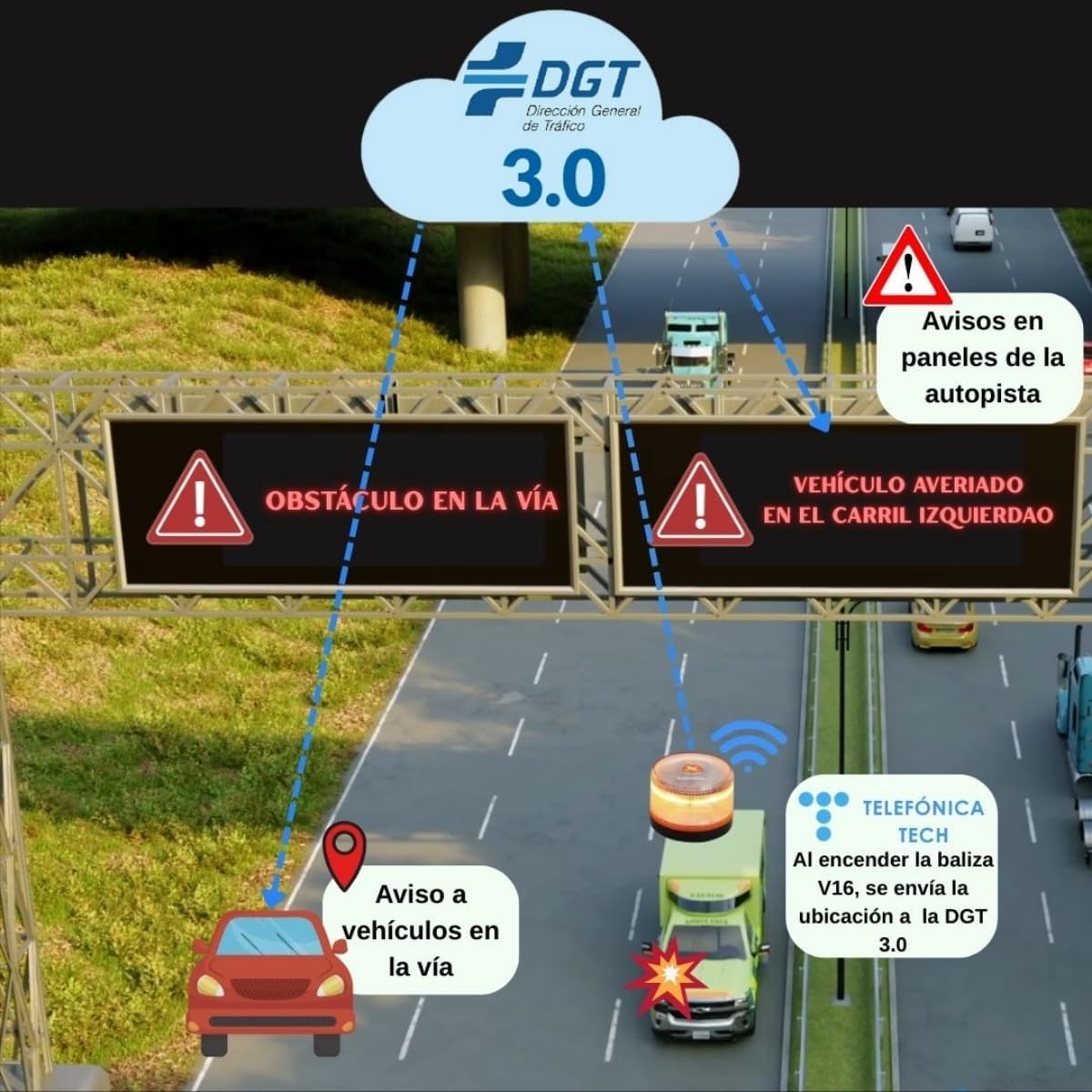
Image: Diagram showing the EBOX V16's connectivity to the DGT 3.0 platform, alerting authorities and other drivers.
7.1 Checking Geolocation Status
To check the real-time geolocation status of your device:
- Scan the QR code provided on the device or packaging, or visit the official website: dgt.mobytec.es.
- Enter the device's IMEI code (found on the base of the unit) into the designated field on the website.
- The website will display the current geolocation status of your device.
Image: Visual guide for scanning the QR code and entering the IMEI to check geolocation status online.
8. Maintenance
- Cleaning: Wipe the device with a soft, damp cloth. Do not use abrasive cleaners or solvents.
- Battery Replacement: Replace all 3 AA batteries when the light dims or fails to activate. Always use new, high-quality batteries.
- Storage: Store the device in its original packaging or a protective case in your vehicle's glove compartment or trunk. Ensure batteries are not depleted for readiness.
9. Troubleshooting
- Light does not activate:
- Check if the batteries are correctly installed with the right polarity.
- Replace the batteries with new ones.
- Light is dim or flashes intermittently:
- The batteries may be low. Replace all 3 AA batteries.
- Geolocation status not updating online:
- Ensure the device is activated and placed on the vehicle roof in an open area with clear sky visibility.
- Verify the IMEI code entered on the website is correct.
- Connectivity may be affected by extreme environmental conditions or signal interference.
10. Specifications
| Model Number | MOD-V16 |
| Brand | HIBRON |
| DGT Approval | IDIADA PC25040153 |
| Dimensions (Diameter x Height) | 72mm x 58mm (approx. 9.5 cm diameter, 5 cm high) |
| Weight | 130g |
| Visibility | 360°, up to 1 km |
| Water and Dust Resistance | IP54 |
| Battery Type | 3 x AA (included) |
| Continuous Operation Time | Up to 6 hours |
| Connectivity | Integrated IoT module, SIM card (Telfonica Tech) with data until 12/2038 |

Image: Dimensions of the EBOX V16, highlighting its compact size for easy storage.
11. Warranty and Support
For warranty information, please refer to the documentation provided at the time of purchase or contact your retailer. For technical support or further inquiries, please contact HIBRON customer service through the contact information provided on their official website or product packaging.