
1. Introduction
This manual provides comprehensive instructions for the assembly, operation, and maintenance of your Halitaa 67-inch Farmhouse Executive Desk with Hutch. Please read all instructions carefully before beginning assembly and retain this manual for future reference.
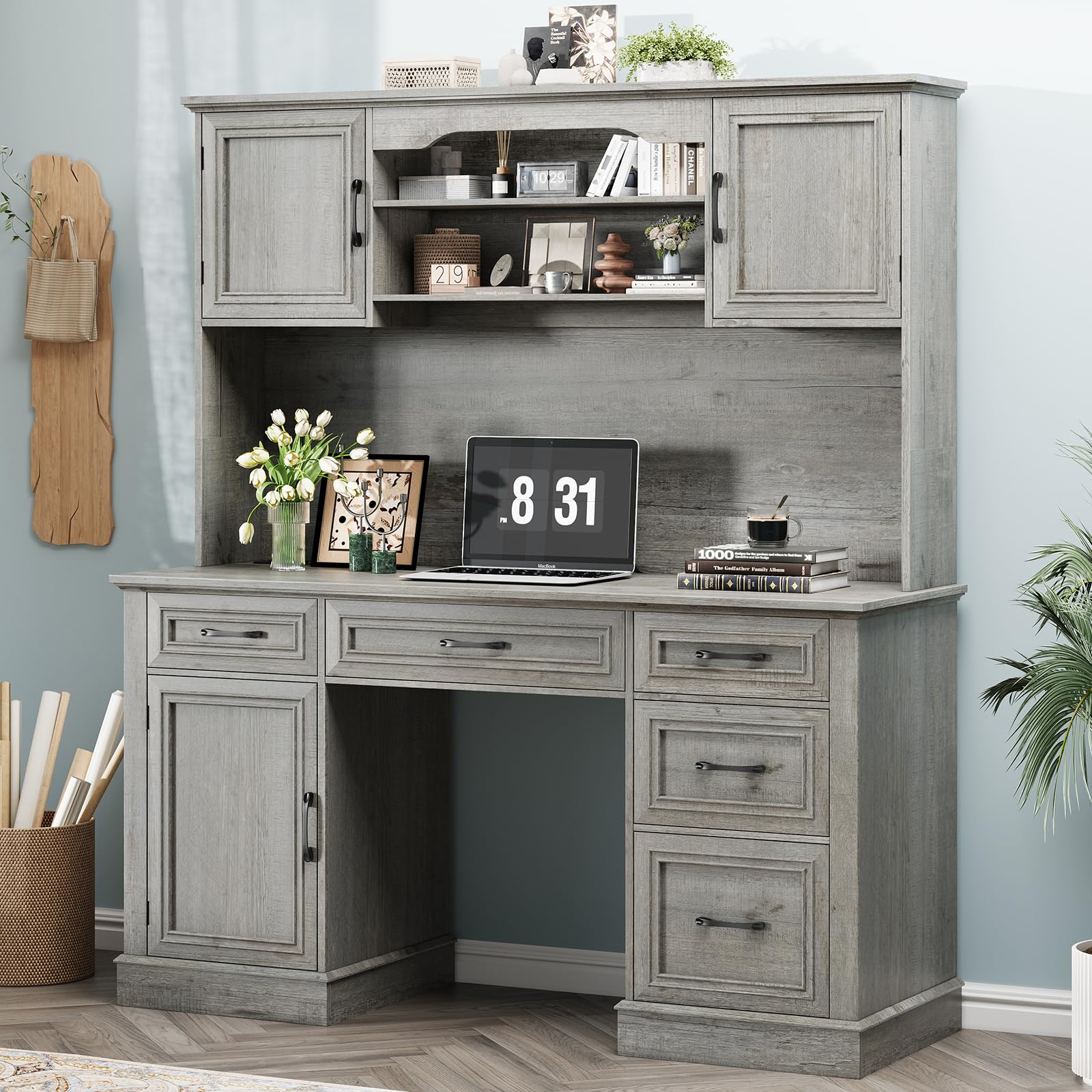
Image: The Halitaa 67-inch Farmhouse Executive Desk with Hutch, showcasing its rustic design and ample storage.
2. Safety Information
WARNING: Failure to follow these safety instructions may result in injury or damage to the product.
- Always assemble the desk on a stable, level surface.
- Ensure the desk is properly anchored to the wall or floor to prevent tipping.
- Do not place heavy objects on the desk that could cause it to tip over.
- Always follow the assembly instructions carefully to ensure the desk is assembled correctly and safely.
3. Product Features
- Rustic Farmhouse Design: Boasting a hutch and two barn-style doors, this elegant executive desk captures the essence of farmhouse charm, making it a fantastic addition to any home office. It comes with a spacious desktop and ample storage, fostering an organized and cozy work area.
- Abundant Storage Capacity: This large executive desk, 61" wide and 67" tall, provides plenty of space for files, computers, and printers. It has five drawers, including dedicated file drawers that can hold both letter and A4-sized documents. There are also roomy storage cabinets, offering an organized way to keep files, books, and other necessities.
- Convenient Charging Station: Our charging hub has 4 outlets and 2 USB ports, enabling it to power up to 6 devices at the same time. Fitted with an on-off switch, it ensures safe electricity use and adds the convenience of one-button power-off, enhancing security. The power outlets can charge various devices like cell phones, tablets, and laptops.
- Versatile Use: Besides functioning as a workspace, this desk also serves as an elegant furniture piece that boosts the aesthetic of any room. With its generous surfaces and storage, it suits professionals, remote workers, and students well.
4. Components Overview
The Halitaa Farmhouse Executive Desk consists of a main desk unit with integrated drawers and a hutch. Key components include:
- Spacious Desktop (19.7"D x 59.1"W)
- Hutch with two barn-style doors and open shelving
- Five drawers, including file drawers for letter/A4 size documents
- Two storage cabinets with adjustable shelves
- Built-in charging station with 4 AC outlets and 2 USB ports

Image: Detailed dimensions of the desk and hutch, indicating the product is shipped in two separate packages.
5. Setup and Assembly
Your desk is shipped in two separate packages. Please ensure both packages have arrived before beginning assembly. Clear assembly instructions and labeled parts are included to facilitate the setup process.
Assembly Overview Video:
Video: An overview of the assembly process for a similar Sedeta farmhouse computer desk with hutch and drawers, demonstrating key steps and features.
Detailed Features Video:
Video: A closer look at the features of a Sedeta farmhouse computer desk with hutch, highlighting storage and design elements.
For detailed step-by-step instructions, please refer to the included assembly manual. Ensure all parts are present and undamaged before starting. It is recommended to have at least two people for assembly.
6. Operating Instructions
Drawers and Cabinets:
The desk features five smooth-gliding drawers, including dedicated file drawers designed to accommodate both letter and A4-sized documents. The hutch and lower sections include storage cabinets with barn-style doors. These cabinets feature adjustable shelves, allowing you to customize storage space for various items like books, office supplies, or decorative pieces.

Image: A top-down view of the desk with multiple drawers open, showcasing file storage and compartments for various items.

Image: The hutch section of the desk with its barn-style doors open, displaying adjustable shelves filled with books and decorative objects.
Charging Station:
The integrated charging station provides 4 standard AC outlets and 2 USB ports. To use, simply plug your devices into the appropriate ports. The station is equipped with an on-off switch for convenient and safe power management. Press the switch to turn the power on or off to all connected devices.

Image: A close-up view of the built-in charging station, featuring four power outlets and two USB ports, with an on/off switch.
7. Maintenance
- Regularly wipe the desk surfaces with a soft, damp cloth to remove dust and spills.
- Avoid using harsh chemicals or abrasive cleaners, as these can damage the engineered wood finish.
- Periodically check all screws and fasteners to ensure they are tight. Retighten if necessary.
- Keep the desk away from direct sunlight and extreme temperature changes to prevent warping or discoloration.
8. Troubleshooting
- Wobbly Desk: Ensure all screws and fasteners are securely tightened. Check that the desk is on a level surface.
- Drawers Not Sliding Smoothly: Check the drawer slides for any obstructions or misalignment. Ensure the drawer runners are properly installed according to the assembly instructions.
- Charging Station Not Working: Verify that the desk's main power cord is securely plugged into a working wall outlet. Check the on-off switch on the charging station to ensure it is in the 'on' position.
- Missing Parts: If you find any parts missing or damaged upon delivery, please contact Halitaa customer support immediately.
9. Specifications
| Feature | Detail |
|---|---|
| Brand | Halitaa |
| Model | B0FH6HFJ9X |
| Color | Grey |
| Style | With Hutch (Barn Doors) |
| Product Dimensions (D x W x H) | 19.7"D x 59.1"W x 66.9"H |
| Top Material Type | Engineered Wood |
| Number of Drawers | 5 (Multi-drawer, File Drawer) |
| Number of Cabinets | 2 (Built-In) |
| Number of Shelves | 2 |
| Charging Station | 4 AC Outlets, 2 USB Ports, On-Off Switch |
| Assembly Required | Yes |
10. Warranty and Support
This Halitaa product comes with a Limited Warranty. For specific details regarding warranty coverage, terms, and conditions, please refer to the documentation included with your purchase or contact Halitaa customer service.
For any questions, assistance with assembly, or to report missing/damaged parts, please contact Halitaa customer support through the retailer where the product was purchased or visit the official Halitaa store online: Halitaa Store.