
1. Introduction
This manual provides essential information for the safe and efficient installation, operation, and maintenance of your Outequip 24V Black RV Air Conditioner. Please read this manual thoroughly before installation and use, and retain it for future reference. This unit is designed to provide powerful 11,000 BTU cooling and heating for recreational vehicles, trucks, vans, and campers, ensuring optimal cabin temperature in all seasons.
2. Safety Instructions
- Always disconnect power before performing any installation, maintenance, or troubleshooting.
- Ensure proper ventilation during installation and operation.
- Use appropriate personal protective equipment (PPE) during installation.
- Verify that the power supply voltage matches the unit's requirements (24V DC).
- Ensure all wiring connections are secure and correctly polarized (positive to positive, negative to negative).
- Do not block the drainage outlet to prevent water accumulation and potential damage.
- Keep the unit clear of flammable materials.
3. Package Contents
Verify that all items are present before beginning installation:
- Outequip 24V Black RV Air Conditioner Unit
- Remote Control
- Power Cables (with Anderson connectors)
- Mounting Accessories (bolts, nuts, brackets)
- Sponge Pad and Sponge Strips for sealing and leveling
- Interior Panel with Control Display and Air Vents
- Drainpipe
- Installation Guide (this manual)
4. Installation Guide
The Outequip RV Air Conditioner is designed for easy top-mounted installation in standard 14" x 14" openings. Ensure your vehicle's roof structure can support the unit's weight (45 lbs).
4.1. Preparation
- Choose a suitable location on the RV roof, preferably a standard 14" x 14" vent opening.
- Ensure the area is clean and free of debris.
- Gather all necessary tools: screwdriver, wrench, sealant, measuring tape, drill.
4.2. Step-by-Step Installation
- Install the Sponge Pad: Align the positioning holes on the air conditioner unit with the sponge pad. Attach the sponge mat to the external machine, ensuring a secure fit. This provides a seal between the unit and the roof.

Image: External unit with sponge pad being installed.
- Leveling with Sponge Strip: If your roof opening requires additional leveling or sealing due to varying skylight styles or roof contours, use the provided sponge strips. Press the sponge pad to fit the outside machine. Two sponge strips of different thicknesses are provided for adaptability.

Image: Leveling the roof opening with sponge strips.
- Place the External Air Conditioner: Carefully lift and place the external air conditioner unit on top of the prepared skylight opening on the roof. Ensure it is centered and properly seated on the sponge pad.
Video: Installation of RV Rooftop Air Conditioner, showing placement of the external unit.
- Install External Support: Install two external support brackets on the tail of the air conditioner unit. These supports provide additional stability and secure the unit to the roof.
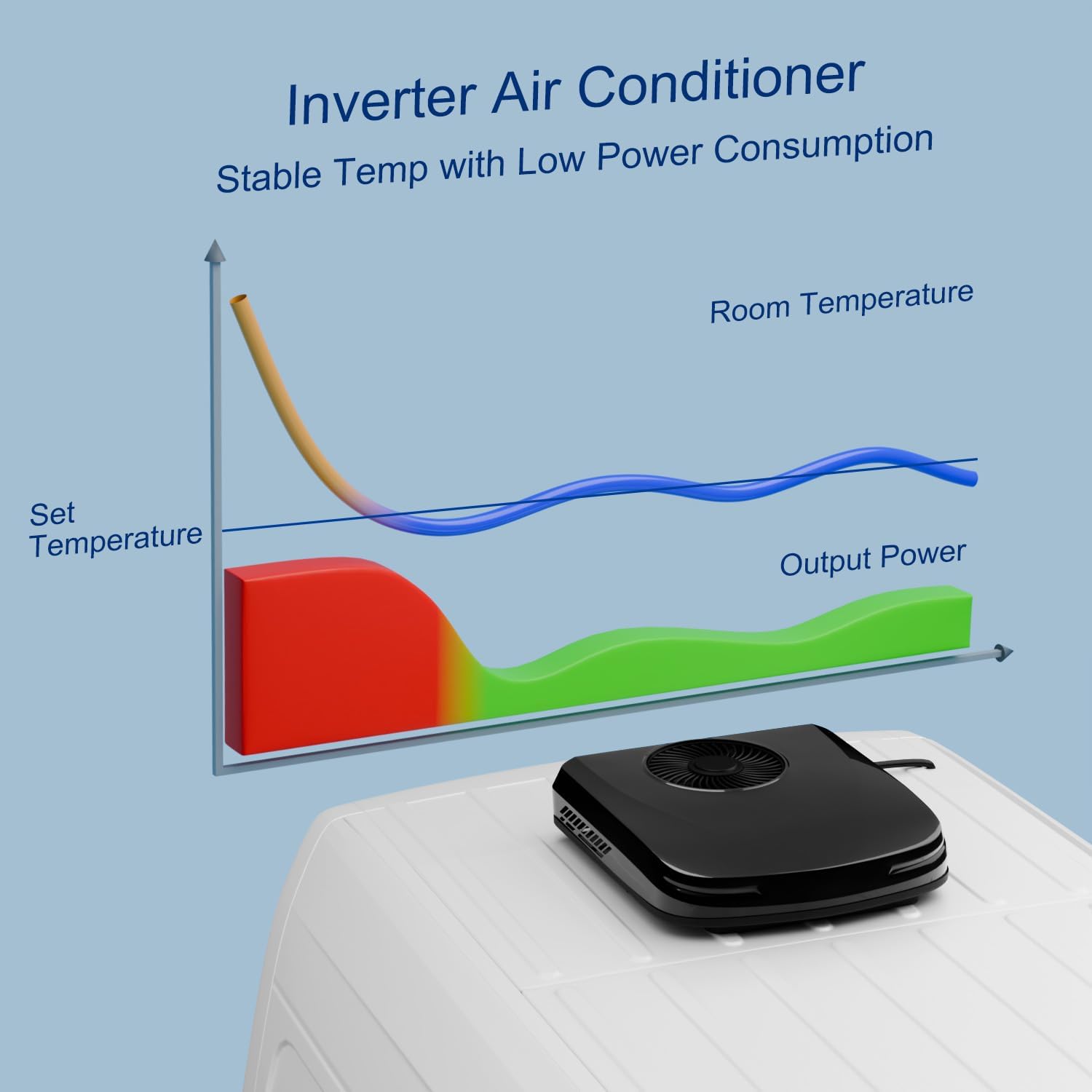
Image: Installing external support brackets.
- Arrange the Panel Circuit: From inside the vehicle, pull out the external circuit wires of the air conditioner for sorting and easy wiring.
- Interior Panel Mounting Screws: Install interior panel setting screws. These screws will secure the interior trim panel to the external unit.
- Upholstery Panel Bracket: Install upholstery plate brackets based on the size of your skylight opening. The support is fixed with nuts. Use a wrench to tighten the nuts securely.
- Connect Power Cables: Connect the power cable from the vehicle's 24V power source to the unit's power input. Hide the power cord at the top of the car for a clean installation. Ensure correct polarity.

Image: Connecting the power cables.
- Install the Control Panel: Clamp the control panel into the trim panel. Note the panel orientation during installation. Connect the external line to the control panel line. The white line connection point is on the left side of the control panel, and the red connection points are above the control panel.
- Secure the Interior Panels: Secure the interior panels using the provided screws. Use the screw caps to hide the screws for a clean finish. Clamp the air inlet net according to the position of the buckle to make the interior panel more aesthetically pleasing.
- Install the Drainpipe: Connect the drainpipe to the designated outlet on the external unit. Route the drainpipe to allow condensation to exit the vehicle without causing damage. Ensure the drainpipe is not blocked.
5. Operation Guide
Your Outequip RV Air Conditioner can be operated via the integrated control panel or the included remote control.
5.1. Control Panel Display
The control panel features a digital display and buttons for various functions:
- Power Button: Turns the unit On/Off.
- Mode Adjustment: Cycles through cooling, heating, fan-only, and sleep modes.
- Temperature Adjustment: Use '+' and '-' buttons to set desired temperature.
- Wind Speed Regulation: Adjusts fan speed (Low, Medium, High, Turbo).
- Voice Broadcast: Provides audible feedback for settings changes.
5.2. Remote Control
The remote control offers convenient access to all functions from anywhere within your vehicle:
- On/Off: Power the unit.
- Mode: Select operating mode (Cool, Heat, Fan, Eco, Sleep).
- Temp +/-: Adjust temperature.
- Fan: Cycle through fan speeds.
- Turbo: Activates maximum cooling/heating power.
- Eco Mode: Optimizes energy consumption for extended use.
- Sleep Mode: Reduces fan noise and adjusts temperature for comfortable sleep.
- Light: Controls any integrated lighting.
- Swing: Activates/deactivates air swing function.
- Voltage: Displays current voltage.
6. Maintenance
- Filter Cleaning: Regularly clean the air filters located on the interior panel to ensure optimal airflow and efficiency. Remove filters, wash with mild soap and water, dry thoroughly, and reinsert.
- Exterior Cleaning: Keep the exterior unit clean from leaves, dirt, and other debris. Use a soft cloth and mild detergent if necessary.
- Drainage Check: Periodically inspect the drainpipe for any blockages or kinks to ensure proper condensation drainage.
- Electrical Connections: Annually check all electrical connections for tightness and signs of corrosion.
7. Troubleshooting
- Unit Not Turning On: Check power connections, ensure the 24V power source is active, and verify the fuse is intact.
- Insufficient Cooling/Heating: Ensure filters are clean, check for any obstructions to airflow, verify temperature settings, and confirm the unit is in the correct mode. Ensure the vehicle is adequately insulated.
- Excessive Noise: Check for loose components or debris in the fan area. Ensure the unit is securely mounted.
- Water Leakage: Inspect the drainpipe for blockages, kinks, or improper connection. Ensure the unit is level.
- Remote Control Not Working: Check and replace batteries. Ensure there are no obstructions between the remote and the unit.
8. Specifications
| Feature | Specification |
|---|---|
| Model Number | OEP2500A |
| Voltage | 24 Volts DC |
| Cooling Power | 11,000 British Thermal Units (BTU) |
| Heating Power | 4,500 British Thermal Units (BTU) |
| Airflow | Up to 450 m³/h |
| Item Weight | 45 pounds |
| Product Dimensions (D x W x H) | 28.3" x 28.3" x 6.3" |
| Noise Level | 40 Decibels |
| Installation Type | Top Mounted, Non-Ducted |
| Special Features | Energy saving, Fast Cooling, Inverter air conditioner, Remote Controlled, Sleep Mode |
| Color | Black |
9. Warranty and Support
For detailed warranty information and customer support, please refer to the manufacturer's official website or contact Outequip customer service directly. Keep your purchase receipt for warranty claims.


