
1. Introduction
This manual provides comprehensive instructions for the installation, operation, and maintenance of the Generic PHILMORE 30-825 Replacement Handheld Pushbutton Switch. This device is a Single-Pole, Single-Throw (SPST), Normally Open (N/O) momentary switch, designed for applications requiring a temporary electrical connection upon activation. Its robust construction, featuring an all-metal XLR housing and solder type terminals, ensures reliable performance in various settings.
2. Safety Information
Please read and understand all safety instructions before installing or operating this product. Failure to follow these instructions may result in electric shock, fire, or serious injury.
- Electrical Safety: Always disconnect power to the circuit before making any electrical connections. Work with caution when dealing with electrical components.
- Professional Installation: If you are unsure about any part of the installation process, consult a qualified electrician or technician.
- Environmental Conditions: Do not expose the switch to excessive moisture, extreme temperatures, or corrosive environments.
- Intended Use: Use this product only for its intended purpose as a momentary pushbutton switch.
3. Package Contents
Verify that all components are present upon unpacking:
- Push button switch (Quantity: 1 per pack)
4. Setup and Installation
4.1 Unpacking
Carefully remove the switch from its packaging. Inspect the switch for any visible damage that may have occurred during transit. If damage is found, do not proceed with installation and contact customer support.
4.2 Wiring Connections
The PHILMORE 30-825 replacement switch features solder type terminals for secure electrical connections. The switch unscrews from its housing to reveal these terminals.
- Ensure the power supply to the circuit is completely disconnected.
- Unscrew the main body of the switch from the XLR housing to access the internal solder tabs.
- Prepare your cable by stripping the insulation to expose the conductors. The rubber strain relief will accept cables up to 0.30 inches (7.6 mm) in diameter.
- Carefully solder the appropriate wires to the designated terminals. This is a Single-Pole, Single-Throw (SPST) switch, meaning it has two terminals for the circuit connection.
- Once soldering is complete, reassemble the switch by screwing the body back into the XLR housing, ensuring the cable passes through the rubber strain relief for protection.
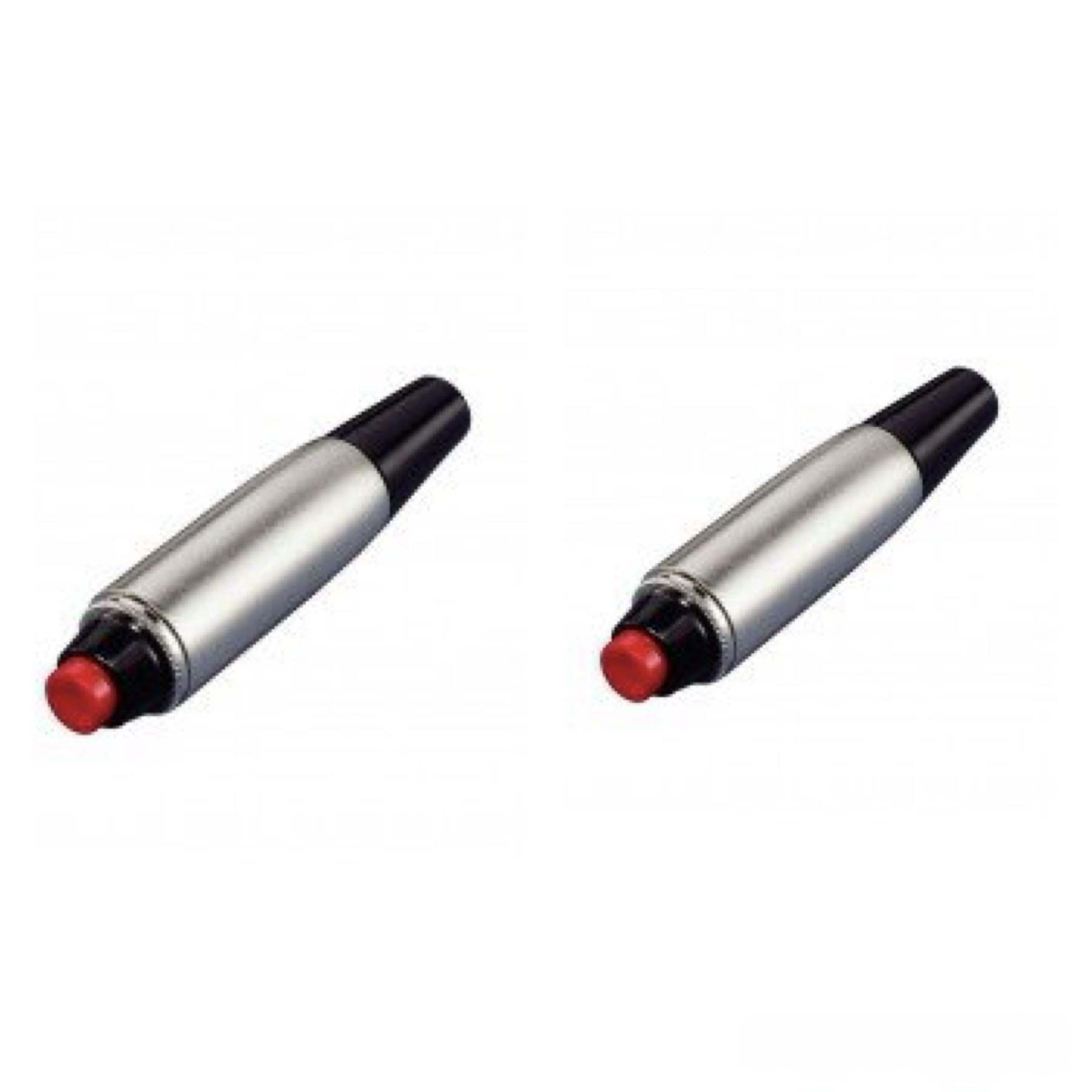
The image displays the handheld pushbutton switch. It features a prominent red push button on top of a silver-colored, all-metal XLR housing. A black rubber strain relief is visible at the base, designed to protect the cable connection. The overall design indicates a robust and functional component.
5. Operation
The PHILMORE 30-825 replacement switch functions as a Normally Open (N/O) momentary switch. This means the electrical circuit is open (no current flow) in its resting state.
- Activation: To activate the switch, press and hold the red push button. This action closes the circuit, allowing current to flow.
- Deactivation: Release the push button to return the switch to its Normally Open state, breaking the circuit.
- Applications: This push-to-talk (PTT) functionality is suitable for various applications such as advancing a slide projector, controlling a momentary signal, or other similar uses where a temporary contact closure is required.
6. Maintenance
The PHILMORE 30-825 replacement switch is designed for durability and requires minimal maintenance.
- Cleaning: Periodically wipe the exterior of the switch with a soft, dry cloth to remove dust and debris. Avoid using harsh chemicals or abrasive cleaners.
- Inspection: Regularly inspect the cable connections and the housing for any signs of wear, damage, or loose connections. Ensure the rubber strain relief is intact.
- Storage: When not in use, store the switch in a clean, dry environment away from direct sunlight and extreme temperatures.
7. Troubleshooting
If you encounter issues with your pushbutton switch, refer to the following troubleshooting guide:
- Switch Not Activating:
- Check all soldered connections for proper contact and ensure no wires are loose or broken.
- Verify that the power supply to the circuit is active and correctly connected.
- Ensure the switch button is fully depressed during operation.
- Intermittent Operation:
- Inspect solder joints for cold solder or poor contact. Re-solder if necessary.
- Check for any internal debris that might be obstructing the switch mechanism.
- Physical Damage:
- If the housing or button is physically damaged, the switch may need replacement.
If these steps do not resolve the issue, please contact customer support for further assistance.
8. Specifications
| Feature | Specification |
|---|---|
| Model | GEN-Phil-30-825 |
| Operation Mode | ON-ON (Momentary) |
| Current Rating | 3A @ 125VAC |
| Operating Voltage | 15 Volts (DC) / 125 Volts (AC) |
| Contact Type | Normally Open (N/O) |
| Connector Type | Plug In (XLR Housing) |
| Switch Type | Push Button, SPST |
| Terminal Type | Solder |
| Material | Metal (Housing), Plastic (Contact) |
| Item Dimensions (L x W x H) | 3 x 2 x 3 inches (approximate) |
| Weight | 0.16 oz (approximate) |
| Contact Resistance | 30 OHM MAX. |
| Insulation Resistance | 100 MEG OHM MIN. |
| Cable Strain Relief | Accepts up to 0.30" cable |
9. Warranty Information
Specific warranty details for this Generic product are not provided in the available information. For any warranty-related inquiries, please refer to the retailer's return policy or contact the seller directly.
10. Customer Support
If you have any questions, require technical assistance, or need further support regarding your Generic PHILMORE 30-825 Replacement Handheld Pushbutton Switch, please contact the retailer or manufacturer through their official support channels. Please have your product model number (GEN-Phil-30-825) and purchase information ready when contacting support.