
Product Overview
About NBA 2K26
NBA 2K26 for Xbox Series X is the latest installment in the critically acclaimed basketball simulation series. This edition brings enhanced realism and immersive gameplay, allowing players to experience the thrill of professional basketball. Bragging rights are on the line in MyCAREER, MyTEAM, MyNBA, The W, and Play Now—leave no doubt that you wear the crown. Please note that an Internet connection and NBA 2K Account are required to redeem and use bonus content. Terms apply. Play Now, MyNBA, and The W are available offline. All other game modes and features require Internet connection and may require online account registration (varies 13+).
Key Features
- POWERED BY ProPLAY: Dominate every possession with immersive technology that directly translates NBA footage into realistic gameplay. Feel more connected to every dribble and crossover with revamped size-ups and experience fast-paced, dynamic movement with all-new ProPLAY features.
- SQUAD UP IN THE CITY: Build a transcendent MyPLAYER and climb the competitive ranks to reach the pinnacle of NBA stardom in an all-new MyCAREER journey. Team up with friends in a stunning, streamlined City, earn recognition and increase your REP, and battle rival squads for Park supremacy.
- UNITE STARS IN MyTEAM: Collect and compete with past and present legends of the game in MyTEAM. Assemble a star-studded roster, put your dream team to the test in new single-player and multiplayer modes, and acquire new cards to make your MyTEAM fantasy a reality.
- YOUR TEAM, YOUR STORY: Lead an NBA franchise as a General Manager in MyNBA. Choose from all 30 teams, experience 30 unique MyGM storylines with real-world inspiration, and chase the ultimate goal: to win a championship. Influence the future of the sport and leave an indelible mark on the league.
Product Visuals
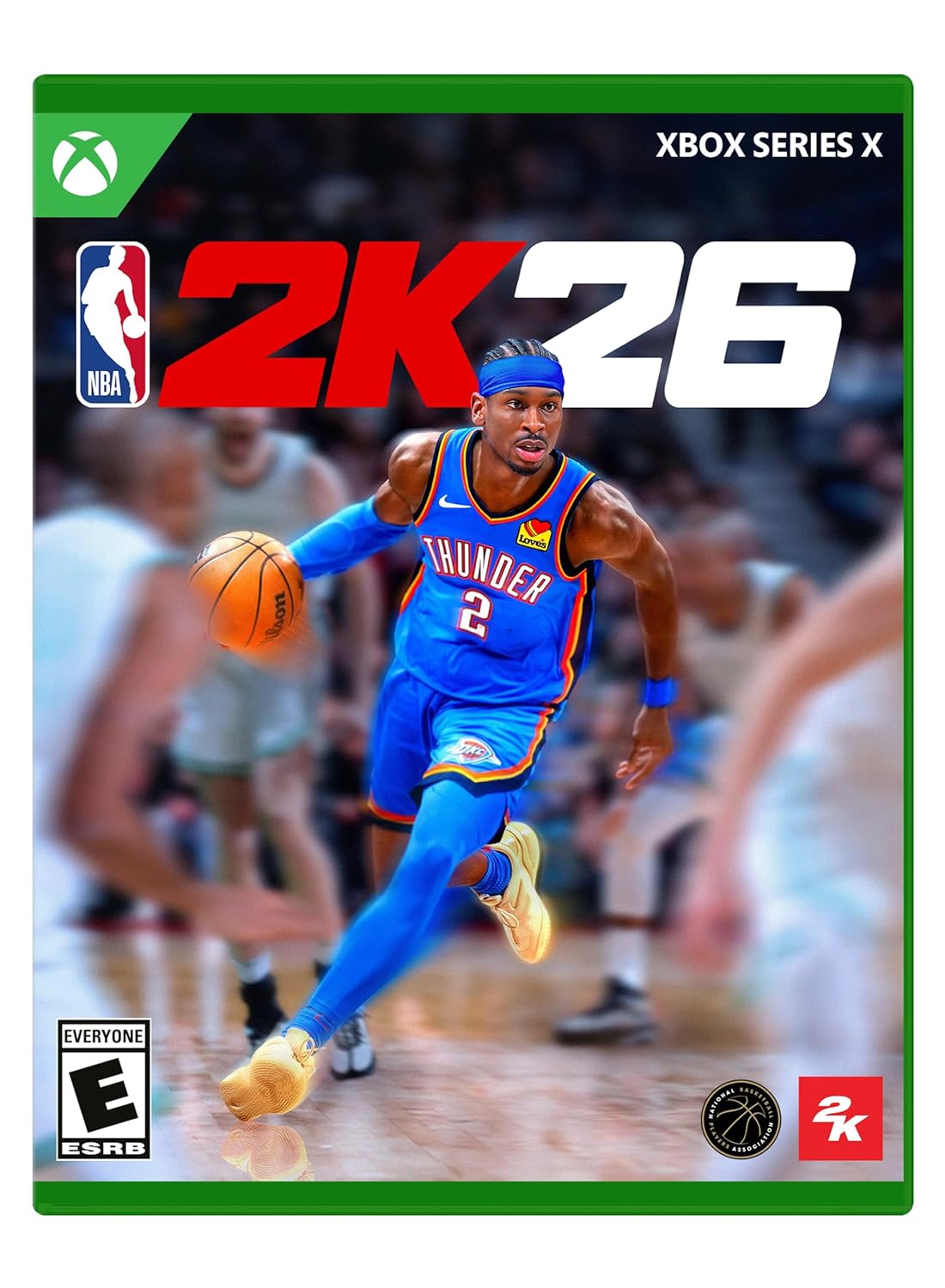
Figure 1: The official game cover for NBA 2K26 Standard Edition on Xbox Series X.
Setup Guide
Installation on Xbox Series X
- Insert Game Disc (Physical Edition): If you have the physical disc, insert it into your Xbox Series X console. The installation process should begin automatically.
- Digital Download (Digital Edition): If you purchased the digital edition, ensure you are signed into the Xbox account used for purchase. Navigate to 'My Games & Apps' and locate NBA 2K26 in your 'Full library' or 'Ready to install' section. Select the game to begin the download and installation.
- Internet Connection: An active internet connection is required for initial setup, game updates, and access to online features. Ensure your Xbox Series X is connected to the internet.
- Storage Space: Verify that your console has sufficient storage space for the game and any necessary updates.
Initial Game Launch
Upon launching NBA 2K26 for the first time, you may be prompted to download and install any available game updates. It is highly recommended to install all updates to ensure the best and most stable gaming experience. You may also be prompted to link or create an NBA 2K Account to access certain online features and bonus content.
Operating Instructions
Main Menu Navigation
The main menu provides access to all game modes and settings. Use your controller's directional pad or left analog stick to navigate between options, and the 'A' button to select. The 'B' button typically serves as a back or cancel function.
Gameplay Modes
- Play Now: Jump straight into a game with your favorite NBA or WNBA teams.
- MyCAREER: Create your own player and embark on a journey from rookie to NBA superstar. This mode features a compelling storyline and progression system.
- MyTEAM: Build your ultimate fantasy roster of current NBA stars and legendary players. Compete in various challenges and online matches.
- MyNBA: Take control of an NBA franchise as a General Manager, managing everything from trades and drafts to coaching strategies.
- The W: Experience the WNBA in a dedicated career mode, focusing on the journey of a female basketball player.
Basic Controls
Familiarize yourself with the in-game control scheme, which can be accessed from the settings menu. Basic controls include movement, passing, shooting, and defensive actions. Advanced controls for dribbling, post play, and specific defensive maneuvers are also available and can be practiced in the 2KU training mode.
ProPLAY Technology
NBA 2K26 introduces ProPLAY, a revolutionary technology that directly translates real NBA footage into in-game animations. This results in incredibly realistic player movements, dribble sequences, and overall gameplay flow, making the experience more authentic than ever before.
Gameplay Screenshots

Figure 2: A dynamic in-game moment featuring a WNBA player, showcasing the detailed graphics and player models.

Figure 3: An NBA player in action during a game, highlighting the realistic court environment and player animations.
Maintenance and Updates
Game Updates
To ensure optimal performance and access to the latest features, regularly check for game updates. Your Xbox Series X console is typically configured to download updates automatically when connected to the internet. You can manually check for updates by highlighting the game tile on your dashboard, pressing the 'Menu' button, and selecting 'Manage game and add-ons', then 'Updates'.
Saving Game Progress
NBA 2K26 features an automatic save system that frequently saves your progress, especially after completing games, challenges, or significant events in career modes. Ensure your console remains powered on and connected to the internet during critical moments to prevent data loss. There is generally no manual save option, as the game manages saves automatically.
System Requirements
- Platform: Xbox Series X
- Storage: Sufficient free space on console hard drive (game size may vary with updates).
- Internet Connection: Required for online features, updates, and initial setup.
- Xbox Live Gold/Game Pass Ultimate: Required for online multiplayer features.
Troubleshooting
Common Issues and Solutions
| Issue | Possible Solution |
|---|---|
| Game not launching or crashing | Ensure the game and console software are up to date. Try restarting your Xbox Series X. If using a physical disc, check for smudges or scratches. Reinstall the game if the issue persists. |
| Online connectivity problems | Verify your internet connection is stable. Check Xbox Live service status. Restart your router/modem. Ensure your Xbox Live Gold or Game Pass Ultimate subscription is active. |
| Lag or performance issues | Close other applications running on your Xbox. Ensure your console has adequate ventilation. Check for game updates that might include performance improvements. |
| Missing content or features | Confirm all game updates and DLCs are installed. Check your NBA 2K Account status and ensure it's properly linked. |
Specifications
| Attribute | Detail |
|---|---|
| ASIN | B0FH5D89JR |
| Release Date | September 5, 2025 |
| Product Dimensions | 0.5 x 5.35 x 5.35 inches |
| Item Weight | 2.72 ounces |
| Type of Item | Video Game |
| Language | English |
| Rated | Everyone |
| Item Model Number | 339529 |
| Manufacturer | 2K |
| First Available | July 9, 2025 |
Warranty and Support
Warranty Information
NBA 2K26 is covered by the standard manufacturer's warranty provided by 2K. For detailed information regarding warranty terms, conditions, and duration, please refer to the official 2K website or the documentation included with your game purchase.
Customer Support
For technical assistance, gameplay inquiries, or any other support needs, please visit the official 2K Support website. You can find FAQs, troubleshooting guides, and contact options for direct assistance. Ensure you have your game version and platform details ready when contacting support.