
1. Important Safety Instructions
Please read all safety instructions carefully before using the uwant D700 Wet Dry Vacuum Cleaner. Failure to follow these instructions may result in electric shock, fire, or serious injury.
- This appliance is for household use only. Do not use outdoors or on commercial surfaces.
- Do not immerse the appliance in water or other liquids.
- Keep hair, loose clothing, fingers, and all parts of the body away from openings and moving parts.
- Use only uwant recommended attachments and accessories.
- Do not use to pick up flammable or combustible liquids, such as gasoline, or use in areas where they may be present.
- Do not pick up anything that is burning or smoking, such as cigarettes, matches, or hot ashes.
- Always turn off the appliance before connecting or disconnecting the brush roll or other accessories.
- Store the appliance indoors in a dry place.
2. Product Overview
The uwant D700 is a versatile wet dry vacuum cleaner designed for efficient cleaning of various floor types. It features advanced technologies for superior performance and ease of use.
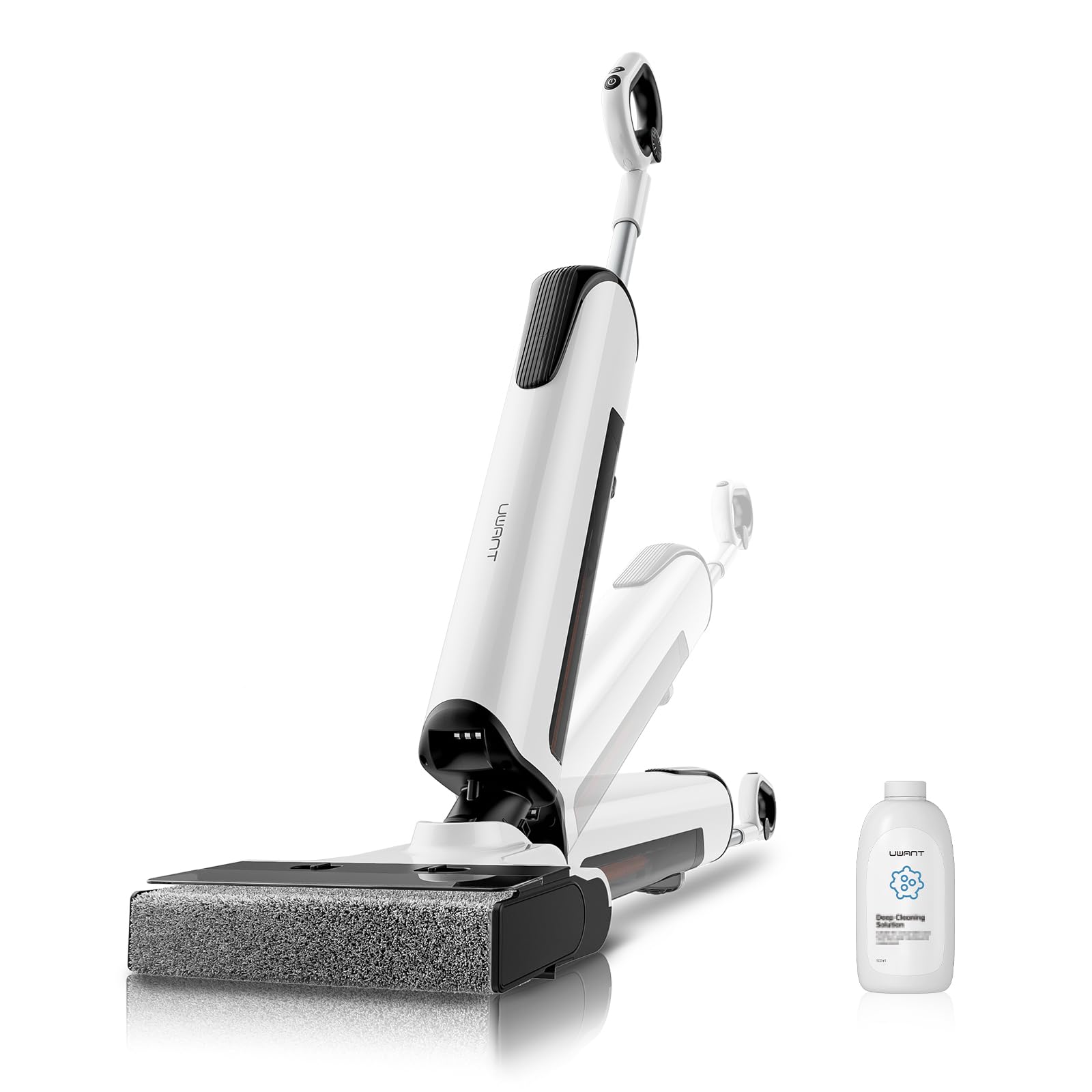
Figure 2.1: uwant D700 Wet Dry Vacuum Cleaner main unit.
Key Features:
- Intelligent Stain Detection: Automatically adjusts suction and water flow based on dirt level.
- 180° Flat Design: Allows cleaning under low furniture with ease.
- 2mm Edge Cleaning: D-shaped brush head ensures thorough cleaning along edges and corners.
- Push-in Self-Cleaning Station: Automated 100°C hot water wash and 75°C hot air drying for the brush roll.
- Electrolyzed Water Sterilization: Generates electrolyzed water to eliminate 99.99% of germs without chemical disinfectants.
- 20,000 Pa Suction Power: Powerful suction for both wet and dry messes.
- Long Battery Life: Up to 45 minutes of runtime for cleaning areas up to 300 m².

Figure 2.2: The D-shaped rotating brush offers a 6 times wider cleaning surface and 0mm edge cleaning on 3 sides.
3. Setup
3.1 Unpacking and Assembly
Carefully remove all components from the packaging. Ensure all parts are present before assembly.
- Insert the handle into the main body of the vacuum cleaner until it clicks securely into place.
- Place the clean water tank and dirty water tank into their respective compartments.
- Ensure the brush roll is correctly installed in the brush head.

Figure 3.1: Illustration of the assembly process, showing components being connected.
3.2 Initial Charging
Before first use, fully charge the vacuum cleaner.
- Place the vacuum cleaner onto the self-cleaning station. The station is designed for easy push-in docking.
- Connect the power adapter to the charging port on the station and plug it into a wall outlet.
- The display will indicate charging status. A full charge typically takes approximately 4-5 hours.

Figure 3.2: The vacuum cleaner easily docks into its station with a single movement for charging and self-cleaning.
3.3 Filling the Clean Water Tank
The clean water tank supplies water for cleaning. For optimal performance, use tap water.
- Remove the clean water tank from the main unit.
- Open the tank cap and fill with clean tap water up to the MAX line.
- Close the cap securely and reinsert the tank into the vacuum cleaner.

Figure 3.3: Filling the clean water tank with tap water.
4. Operating Instructions
4.1 Powering On/Off and Mode Selection
Press the power button on the handle to turn the vacuum cleaner on or off. Use the mode button to switch between cleaning modes.
- Smart Mode: The vacuum automatically detects dirt levels and adjusts suction power and water flow. Ideal for general cleaning.
- Powerful Mode: Provides maximum suction and water flow for heavily soiled areas.
- Dry Mode: Suction only, suitable for picking up dry debris without water.

Figure 4.1: The intelligent dirt detection system automatically adjusts suction and water flow for different stain levels.
4.2 Cleaning Techniques
For best results, move the vacuum cleaner slowly forward and backward over the area to be cleaned.
- Under Low Furniture: Utilize the 180° flat design by tilting the vacuum cleaner back to reach under sofas, beds, and other low-clearance areas.
- Edge Cleaning: The D-shaped brush head is designed to clean within 2mm of edges, ensuring no spots are missed. Guide the vacuum along baseboards and furniture edges.
- Electrolyzed Water Function: The D700 automatically generates electrolyzed water for sterilization during cleaning. No additional disinfectants are needed.

Figure 4.2: The 180° flat design allows easy cleaning under low furniture and in tight corners.

Figure 4.3: The D-shaped rotating brush provides superior edge cleaning, reaching within 2mm of walls.
5. Maintenance
Regular maintenance ensures optimal performance and extends the lifespan of your uwant D700.
5.1 Self-Cleaning Cycle
After each use, it is recommended to run the self-cleaning cycle.
- Place the vacuum cleaner on the self-cleaning station.
- Press the self-clean button on the handle or station.
- The station will perform a 100°C hot water wash of the brush roll, followed by 75°C hot air drying. This process helps prevent odors and bacterial growth.
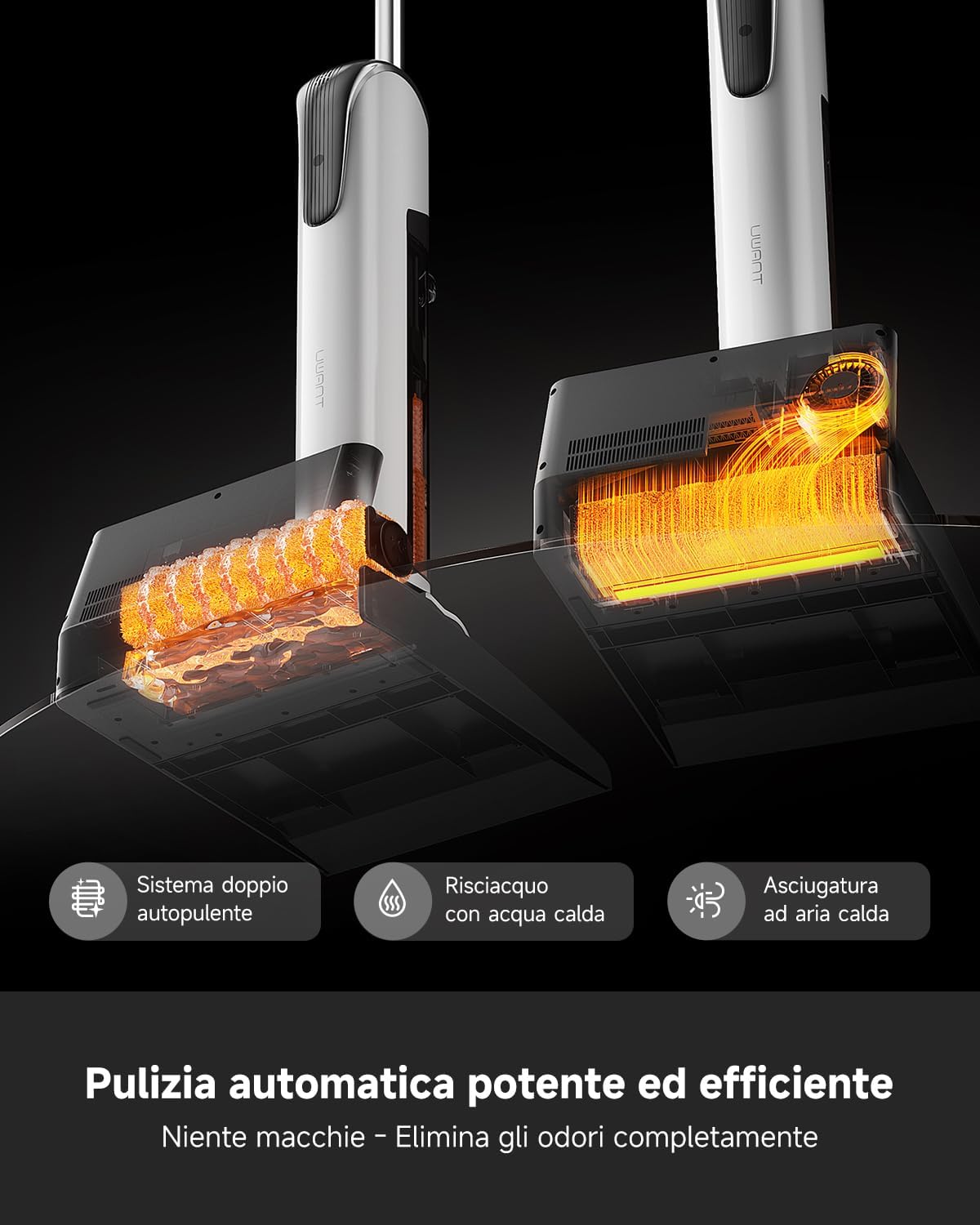
Figure 5.1: The self-cleaning station performs a 100°C hot water wash and 75°C hot air drying for thorough brush maintenance.

Figure 5.2: The ultra-silent high-temperature drying chamber ensures quick and quiet drying of the brush roll.
5.2 Emptying and Cleaning the Dirty Water Tank
Empty the dirty water tank after each use to prevent odors and maintain hygiene.
- Remove the dirty water tank from the main unit.
- Open the tank lid and carefully pour out the dirty water and debris.
- Rinse the tank thoroughly with clean water. You can use the innovative deodorizing device to neutralize odors.
- Allow the tank to air dry completely before reinserting it.

Figure 5.3: The innovative deodorizing device helps eliminate unpleasant odors from the dirty water tank.
5.3 Cleaning the Brush Roll and Filter
Even with self-cleaning, occasional manual cleaning of the brush roll and filter is recommended.
- Turn off the vacuum cleaner and remove the brush roll cover.
- Remove the brush roll. Rinse it under running water to remove any tangled hair or debris. The brush roll is IPX6 waterproof.
- Remove the HEPA filter from the dirty water tank. Tap it gently to remove dust or rinse it if heavily soiled. Ensure it is completely dry before reinstallation.
- Reassemble all parts once dry.
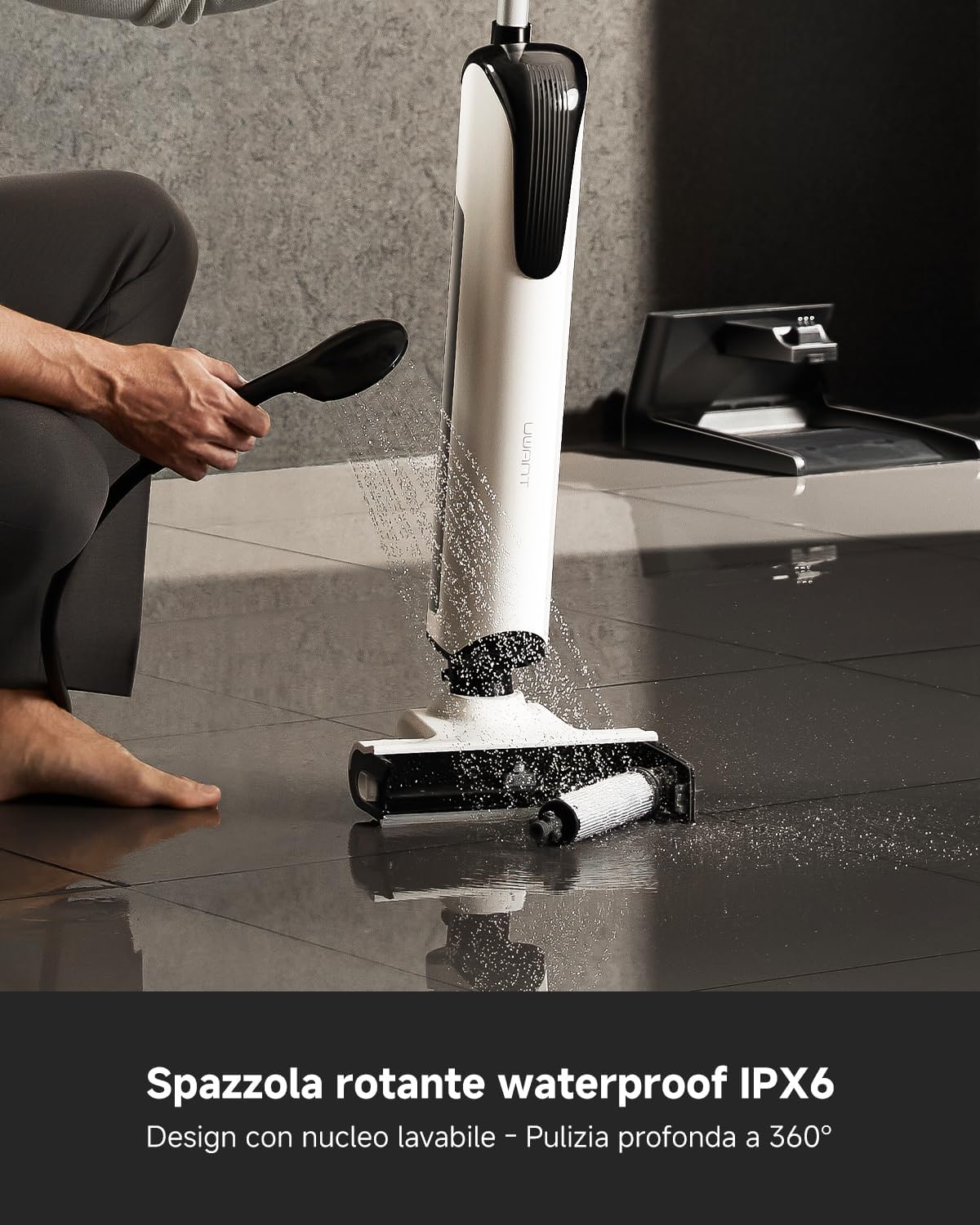
Figure 5.4: The IPX6 waterproof rotating brush can be easily rinsed for deep cleaning.
6. Troubleshooting
If you encounter any issues with your uwant D700, please refer to the following common problems and solutions.
| Problem | Possible Cause | Solution |
|---|---|---|
| No power | Battery is low or depleted. | Charge the vacuum cleaner fully. |
| Poor suction | Dirty water tank is full. Brush roll is tangled or dirty. Filter is clogged. | Empty and clean the dirty water tank. Clean the brush roll. Clean or replace the HEPA filter. |
| Water leakage | Water tank caps are not properly sealed. Tanks are not correctly installed. | Ensure all tank caps are tightly closed. Reinstall water tanks securely. |
| Unpleasant odor | Dirty water tank not cleaned. Brush roll not dried properly. | Empty and clean the dirty water tank thoroughly. Run the self-cleaning cycle and ensure the brush roll is dry. |
If the problem persists after trying these solutions, please contact uwant customer support for assistance.
7. Specifications
| Feature | Specification |
|---|---|
| Brand | uwant |
| Model | D700 |
| Color | White |
| Product Dimensions | 32.4 x 31 x 73.8 cm |
| Item Weight | 11.31 kg |
| Runtime | 45 minutes |
| Suction Power | 20,000 Pa |
| Special Features | Intelligent Stain Detection, 180° Flat Design, 2mm Edge Cleaning, Electrolyzed Water, D-shaped Brush, Anti-tangle, 24-hole Smart Irrigation, 100°C Self-cleaning Station, Dual Drying, Lightweight, Long Autonomy, Waterproof, 90-day Antibacterial Protection |
| Filter Type | HEPA Filter |
| Recommended Surfaces | Hard floors, carpets |
| Power Source | Battery Powered |
8. Warranty and Support
The uwant D700 Wet Dry Vacuum Cleaner comes with a standard manufacturer's warranty. Please refer to the warranty card included in your product packaging for specific terms and conditions.
For technical support, troubleshooting assistance, or warranty claims, please contact uwant customer service. Contact information can typically be found on the official uwant website or on the product packaging.
Please have your model number (D700) and purchase date ready when contacting support.


