
YuqiaoTime YQ-NF-8504
NF-8504 PoE Cable Tester User Manual
Model: YQ-NF-8504
Introduction
The NF-8504 PoE Cable Tester is a versatile and essential tool for network professionals, designed to provide rapid and reliable results for various cable testing needs. Featuring a 2.4-inch full-color LCD display, it offers comprehensive diagnostics including continuity, length measurement, port flash, and Power over Ethernet (PoE) testing. This manual provides detailed instructions for the setup, operation, and maintenance of your NF-8504 PoE Cable Tester.

Figure 1: NF-8504 PoE Cable Tester main unit and remote identifier.
What's in the Box
Upon opening the package, please verify that all the following components are included:
- NF-8504 Transmitter (Main Unit)
- NF-8504 Receiver (Remote Unit)
- User Manual
- Type-C USB Charging Cable
- Gift Box
- Carry Bag
- Lithium Battery Precautions Card
- Qualification Certificate

Figure 2: All components included in the NF-8504 PoE Cable Tester package.
Setup
Before first use, ensure the NF-8504 main unit is fully charged. Use the provided Type-C USB cable to connect the tester to a compatible USB power source. The charging indicator on the device will show the charging status. Once charged, the device is ready for operation.
Operating Instructions
The NF-8504 offers several testing modes accessible via its intuitive interface and 2.4-inch full-color LCD display.

Figure 3: The 2.4-inch full-color LCD display provides clear test results and navigation.
1. Continuity & Wiremap Testing
This function allows for quick verification of CAT5/CAT6 cable integrity. It identifies open circuits, short circuits, and miswiring, ensuring proper cable connections.
- Connect one end of the network cable to the 'CONT' port on the main unit.
- Connect the other end to the remote unit.
- Select the 'CONT' mode on the tester to initiate the wiremap test. The display will show the wiring sequence and any faults.
2. PoE Testing (DC 5-60 V)
The tester supports IEEE802.3af/at/bt standards and non-standard loads, ensuring safe and accurate PoE power delivery diagnostics.
- Connect the network cable from the PoE source to the 'OUT' port on the main unit.
- Select the 'PoE Test' mode. The display will show voltage, polarity, and standard compliance.

Figure 4: The tester connected to a network switch for PoE testing, displaying voltage and power information.
3. Length Measurement (5-300 m)
Accurately pinpoints cable breaks or the distance to a fault up to 300 meters, saving time during cable installations or troubleshooting.
- Connect one end of the cable to the 'IN/Length' port.
- Select the 'LENGTH' mode. The tester will display the cable length or the distance to any detected fault.
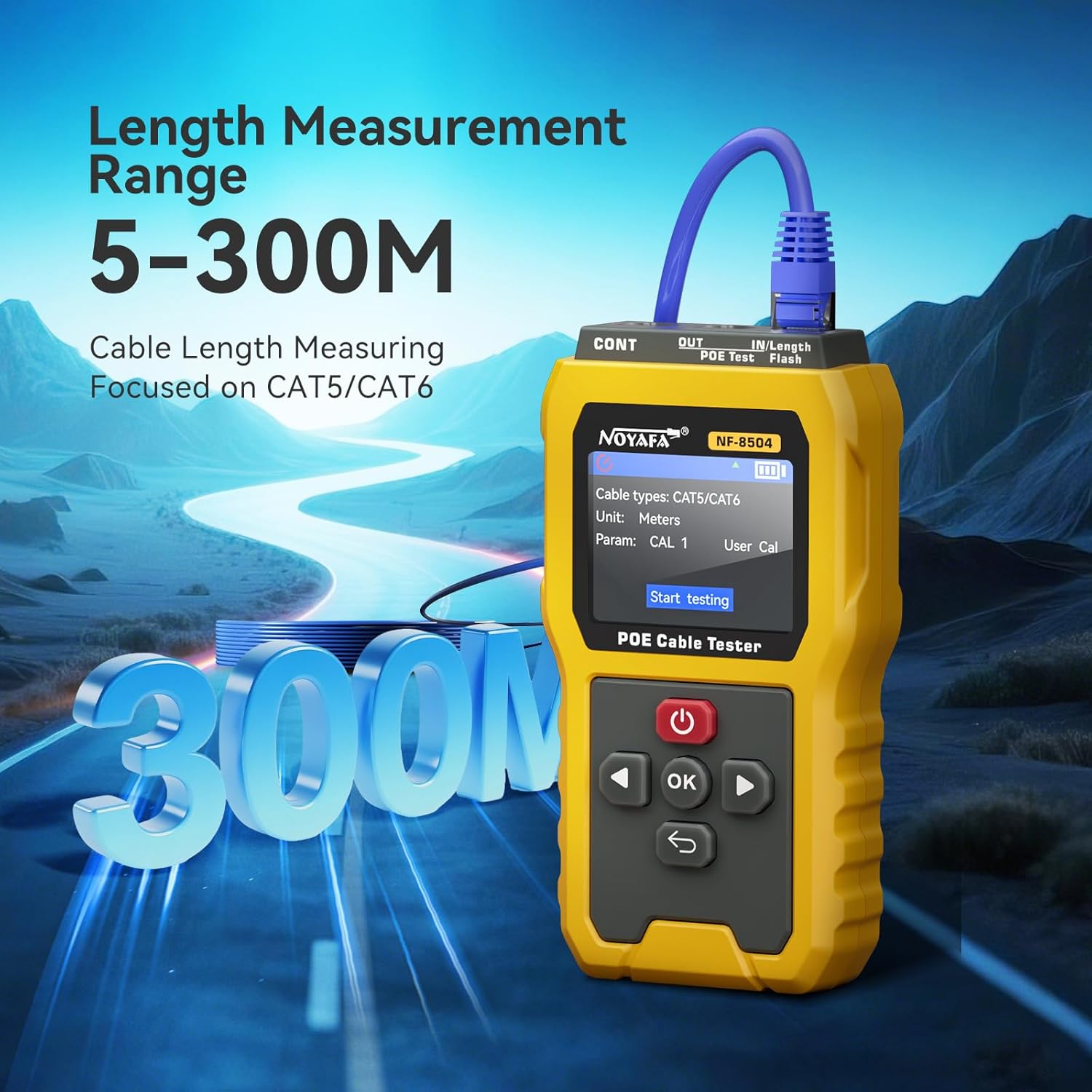
Figure 5: The NF-8504 displaying cable length measurement results.
4. Port Flash (10/100/1000 Mbps)
Quickly identifies active switch ports and their duplex mode (full/half) by flashing the link LEDs on the connected switch.
- Connect the tester to a switch port using a network cable.
- Select the 'Flash' mode. The tester will send signals to make the corresponding port's LED on the switch flash, indicating its location and speed.

Figure 6: The tester connected to a network switch, demonstrating the port flash function to identify the port.
5. Remote Continuity Alignment
The detachable RJ45 remote unit allows for checking cable sequence in-wall or across patch panels, streamlining installation and troubleshooting.
- Connect one end of the cable to the main unit and the other end to the remote unit.
- Perform a continuity test to verify the correct wiring sequence.

Figure 7: The NF-8504 main unit and remote unit connected for remote continuity testing.
6. Anti-Burning Protection (≤ 60 V)
The device is equipped with protection against accidental live voltage up to 60V, safeguarding the tester and prolonging its lifespan.

Figure 8: Visual representation of the anti-burning protection feature, indicating safety up to 60V.
7. Rechargeable Battery and Auto-Off
The integrated 3.7V 1500mAh rechargeable battery provides extended operational hours. The auto-off feature conserves battery life by powering down the device after 5, 15, 30, or 60 minutes of inactivity, configurable in the settings.
Maintenance
To ensure the longevity and optimal performance of your NF-8504 PoE Cable Tester, follow these maintenance guidelines:
- Keep the device clean and free from dust and debris. Use a soft, dry cloth for cleaning.
- Avoid exposing the tester to extreme temperatures, humidity, or direct sunlight.
- Store the device in its protective carry bag when not in use.
- Regularly charge the battery to maintain its health, even if not in frequent use.
- Do not attempt to disassemble or repair the device yourself. Refer to qualified service personnel for any repairs.
Troubleshooting
If you encounter issues with your NF-8504 PoE Cable Tester, consider the following common troubleshooting steps:
- Device not powering on: Ensure the battery is fully charged. If the issue persists, try charging with a different USB-C cable and power adapter.
- Inaccurate test results: Check that cables are properly connected to the correct ports. Ensure the remote unit is securely attached for continuity tests. Clean the RJ45 ports if necessary.
- Display issues: If the screen is dim or unresponsive, ensure the battery is charged. If the screen is damaged, contact support.
- No Port Flash: Verify the switch port is active and the cable is correctly connected. Ensure the switch supports the port flash function.
For issues not resolved by these steps, please refer to the support section.
Specifications
| Feature | Description |
|---|---|
| Model Number | YQ-NF-8504 |
| Brand | YuqiaoTime |
| Power Source | Battery Powered (3.7V 1500mAh Rechargeable) |
| Display | 2.4-inch Full-Color LCD |
| Continuity & Wiremap | CAT5/CAT6, Open/Short/Miswiring detection |
| PoE Testing | DC 5-60V, IEEE802.3af/at/bt, Standard/Non-standard loads |
| Length Measurement Range | 5-300 meters |
| Port Flash Speed | 10/100/1000 Mbps |
| Anti-Burning Protection | ≤ 60V |
| Auto-Off | Configurable (5/15/30/60 minutes) |
| Color | Yellow |
| Manufacturer | SHENZHEN NOYAFA TECHNOLOGY Co., LIMITED |
| Specification Met | CE |
Warranty Information
The NF-8504 PoE Cable Tester comes with a manufacturer's warranty. For EU customers, spare part availability is guaranteed for 2 years from the date of purchase. Please retain your proof of purchase for warranty claims. For specific warranty terms and conditions, refer to the documentation provided with your product or contact the manufacturer directly.
Support
For technical assistance, troubleshooting beyond this manual, or warranty inquiries, please contact the manufacturer, SHENZHEN NOYAFA TECHNOLOGY Co., LIMITED, or your authorized reseller. Please have your product model number (YQ-NF-8504) and purchase information ready when contacting support.
Ask a question about this manual
Ask about setup, troubleshooting, compatibility, parts, safety, or missing instructions. Manuals+ will review the question and use this page’s manual context to help answer it.