
1. Introduction
This manual provides comprehensive instructions for the safe and efficient use of your Athnevy FA0502 3.7V Mini Precision Electric Screwdriver. Designed for delicate electronics and small-scale repairs, this tool offers precise control and convenience. Please read this manual thoroughly before operating the device and retain it for future reference.
2. Product Overview
2.1 Package Contents
- Athnevy FA0502 Electric Screwdriver
- Aluminum Alloy Storage Case
- 24 Precision S2 Steel Bits
- USB-C Charging Cable
- User Manual (this document)
2.2 Key Features
- Precise Torque: 0.2 Nm electric torque, 3 Nm manual torque for delicate tasks.
- High Efficiency: Stable 180 RPM speed for smooth operation.
- Long-Lasting Battery: Integrated 350mAh rechargeable battery, capable of tightening over 450 M2.5x5mm screws per charge.
- USB-C Charging: Convenient and fast charging.
- Integrated LED Light: Automatic LED light ring illuminates the work area in low-light conditions.
- Magnetic Bit Holder: Securely holds bits in place.
- Magnetization/Demagnetization Zone: Easily adjust bit magnetism for specific tasks.
- Durable Construction: Aluminum alloy body and storage case.
- Comprehensive Bit Set: 24 S2 steel precision bits covering 9 types for various applications.
2.3 Product Diagram
Below are images illustrating the product and its components.

Figure 1: Athnevy FA0502 Electric Screwdriver with its aluminum alloy case and 24 precision bits.

Figure 2: Demonstrating the precision torque of the screwdriver during electronics repair.

Figure 3: The pop-up mechanism of the storage case for easy access.

Figure 4: The screwdriver in operation, highlighting its 180 RPM speed for efficient work.

Figure 5: Internal view illustrating the 350mAh battery and USB-C charging capability.
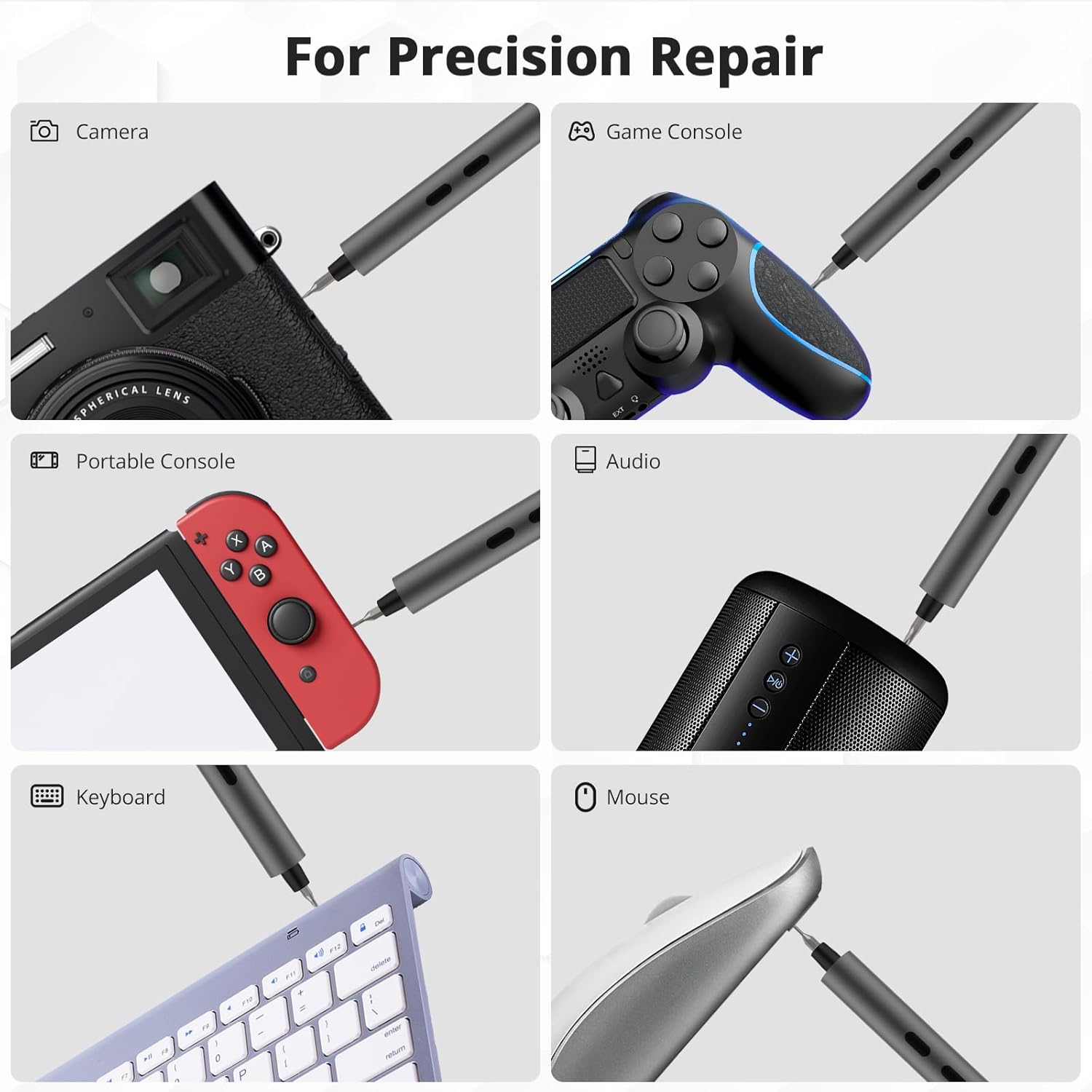
Figure 6: Various applications for precision repair, including cameras, game consoles, and other electronics.

Figure 7: Detailed view of the 24 S2 steel precision bits included with the screwdriver.
3. Setup
3.1 Initial Charging
- Before first use, fully charge the screwdriver. Connect the provided USB-C cable to the charging port at the bottom of the screwdriver.
- Connect the other end of the USB-C cable to a compatible USB power adapter (not included).
- The charging indicator light (if present, typically near the charging port or buttons) will illuminate during charging and turn off or change color when fully charged.
- A full charge typically takes approximately 60 minutes.
3.2 Inserting and Removing Bits
- To select a bit, press the end of the aluminum alloy case to activate the pop-up mechanism, revealing the screwdriver and bits.
- Choose the appropriate S2 steel bit for your task.
- Insert the chosen bit firmly into the magnetic bit holder at the tip of the screwdriver. The magnetic holder will secure the bit in place.
- To remove a bit, pull it directly out of the magnetic holder.
4. Operating Instructions
4.1 Powering On/Off and Rotation
- The screwdriver features two buttons on its body: one for forward (tightening) rotation and one for reverse (loosening) rotation.
- Press and hold the desired rotation button to activate the electric motor. Release the button to stop rotation.
- The integrated LED light ring will automatically illuminate when the screwdriver is in operation, providing visibility to the work area.
4.2 Manual Mode
For screws requiring higher torque or for initial loosening/final tightening, the screwdriver can be used in manual mode. Simply apply manual force to turn the screwdriver like a traditional hand tool. The electric motor will not engage unless a button is pressed.
5. Charging
When the battery is low, the screwdriver's performance may decrease. To charge, connect the USB-C cable to the charging port and a power source. The LED indicator will provide feedback on the charging status. Ensure the screwdriver is fully charged before extended use to maintain optimal performance.
6. Bit Management (Magnetization/Demagnetization)
The storage case includes a built-in magnetization/demagnetization zone. This feature allows you to adjust the magnetic strength of your bits as needed:
- To Magnetize: Rub the tip of the bit several times across the '+' (magnetize) section of the zone. This is useful for holding small screws securely.
- To Demagnetize: Rub the tip of the bit several times across the '-' (demagnetize) section of the zone. This is useful for preventing interference with sensitive electronic components.
7. Maintenance
- Cleaning: Wipe the screwdriver and bits with a soft, dry cloth after each use. Do not use abrasive cleaners or solvents.
- Storage: Store the screwdriver and bits in their original aluminum alloy case in a cool, dry place, away from direct sunlight and moisture.
- Battery Care: To prolong battery life, avoid fully discharging the battery frequently. Charge the device regularly, even if not in use for extended periods.
- Bit Inspection: Periodically inspect bits for wear or damage. Replace worn bits to ensure optimal performance and prevent damage to screws.
8. Troubleshooting
| Problem | Possible Cause | Solution |
|---|---|---|
| Screwdriver not turning on. | Low battery. | Charge the screwdriver fully using the provided USB-C cable. |
| Screwdriver lacks power/torque. | Low battery; screw too tight for electric torque. | Recharge the battery. Use manual mode for initial loosening or final tightening of very tight screws. |
| Bit slips from screw head. | Incorrect bit size; worn bit; insufficient pressure. | Ensure the correct bit size is used. Replace worn bits. Apply firm, steady pressure while operating. |
| LED light not working. | Screwdriver not in operation. | The LED light activates automatically only when a rotation button is pressed. |
9. Specifications
| Feature | Detail |
|---|---|
| Model Name | FA0502 |
| Brand | Athnevy |
| Electric Torque | Max 0.2 N.m |
| Manual Torque | Max 3 N.m |
| No-load Speed | 180 RPM |
| Battery Type | Lithium Polymer |
| Battery Capacity | 350 mAh |
| Charging Port | USB-C |
| Material | Aluminum Alloy (Screwdriver & Case), S2 Steel (Bits) |
| Special Features | LED Light, Magnetic Tip, Non-Slip Grip, Reversible Rotation, Magnetization/Demagnetization Zone |
| Item Weight | 10.9 ounces |
| Package Dimensions | 8.78 x 2.13 x 1.46 inches |
10. Warranty and Support
Athnevy products are manufactured to high-quality standards. For specific warranty information, please refer to the documentation included with your purchase or contact Athnevy customer support. If you encounter any issues or have questions regarding your Athnevy FA0502 Mini Precision Electric Screwdriver, please reach out to our support team for assistance.
Contact information for support can typically be found on the product packaging or the official Athnevy website.