
ANEKIM HL25, UC20
ANEKIM HL25 Red and UC20 Green Hunting Flashlight Kit User Manual
Introduction
Thank you for choosing the ANEKIM HL25 Red and UC20 Green Hunting Flashlight Kit. This manual provides essential information for the safe and effective use, setup, operation, and maintenance of your new hunting flashlights. Please read this manual thoroughly before use and retain it for future reference.
Product Overview
ANEKIM HL25 Red Hunting Flashlight
The ANEKIM HL25 is a 1300-lumen red tactical flashlight designed for predator hunting. Its red light output is intended to minimize disturbance to animals such as hogs, coyotes, and fox, allowing for discreet tracking and observation during nighttime activities. The HL25 features a durable, waterproof construction and a simple single-mode operation.

This image displays the ANEKIM HL25 Red Hunting Flashlight, its remote pressure switch, and a rifle mount. The red illumination is designed to be less disruptive to wildlife during hunting.

The ANEKIM HL25 Red Hunting Flashlight is shown here mounted on a rifle, demonstrating its intended use for tactical applications and hunting. The red light beam is visible.
ANEKIM UC20 Green Hunting Flashlight
The ANEKIM UC20 is a powerful green hunting flashlight, emitting up to 2000 lumens with a long-range visibility of 1586 yards. This flashlight is designed to assist hunters in early prey detection and maintaining safety in wilderness environments. It includes a picatinny rifle rail mount and a two-mode remote pressure switch for versatile use. Constructed from aero-grade aluminum, the UC20 is built for durability and reliability in challenging conditions.
Setup
Battery Installation
- Unscrew the tail cap of the flashlight counter-clockwise.
- Insert the battery with the positive (+) terminal facing towards the flashlight head.
- Screw the tail cap back on clockwise until securely tightened.
Mounting (UC20 Green Flashlight)
The UC20 Green Hunting Flashlight comes with a picatinny rifle rail mount.
- Attach the rail mount to a standard 20mm picatinny/weaver rail on your rifle.
- Secure the flashlight into the mount, ensuring it is firmly held.
- Adjust the position for optimal beam alignment and accessibility.
Remote Pressure Switch Connection (UC20 Green Flashlight)
The UC20 includes a remote pressure switch for convenient operation.
- Remove the standard tail cap from the UC20 flashlight.
- Screw on the remote pressure switch tail cap in its place.
- Position the pressure pad in a location that is easily accessible during use.
Operating Instructions
ANEKIM HL25 Red Hunting Flashlight
- Power On/Off: Press the tail cap button once to turn the flashlight on. Press it again to turn it off. The HL25 operates in a single mode.

The ANEKIM HL25 Red Hunting Flashlight is shown with its removable pressure switch, illustrating the simple operation.
ANEKIM UC20 Green Hunting Flashlight
- Standard Tail Cap Operation: Press the tail cap button once to turn the flashlight on. Press it again to turn it off.
- Remote Pressure Switch Operation: The remote pressure switch offers two modes:
- Button Switch: Press the button to activate the light, release to turn off.
- Pressure Pad: Press and hold the pressure pad for momentary on, release to turn off.
Maintenance
Cleaning
- Wipe the flashlight body with a clean, soft cloth.
- Clean the lens with a lens cleaning cloth to maintain optimal light output.
- Do not use abrasive cleaners or solvents.
Battery Care
- Remove batteries if the flashlight will not be used for an extended period to prevent leakage.
- Store batteries in a cool, dry place.
- Replace batteries when light output diminishes.
Storage
- Store the flashlight in a dry environment, away from direct sunlight and extreme temperatures.
- Keep out of reach of children.
Troubleshooting
- Flashlight not turning on:
- Check if the battery is inserted correctly with the positive (+) terminal facing the head.
- Ensure the tail cap is fully tightened.
- Replace the battery with a fresh one.
- Dim light output:
- The battery may be low; replace it.
- Clean the lens if it is dirty.
Specifications
ANEKIM HL25 Red Hunting Flashlight
| Feature | Specification |
|---|---|
| Model | HL25 |
| Light Color | Red |
| Brightness | 1300 Lumens |
| Beam Distance | 382 Yards |
| Run Time | 10+ Hours (Low Setting) |
| Waterproof Rating | IPX68 |
| Drop Test Resistance | 1.5 Meters |
| Material | Aircraft-grade Aluminum Alloy |
| Modes | 1 (On/Off) |

This infographic highlights key performance specifications of the ANEKIM HL25 Red Hunting Flashlight, including its brightness, battery life, beam range, durability against drops, and water resistance.
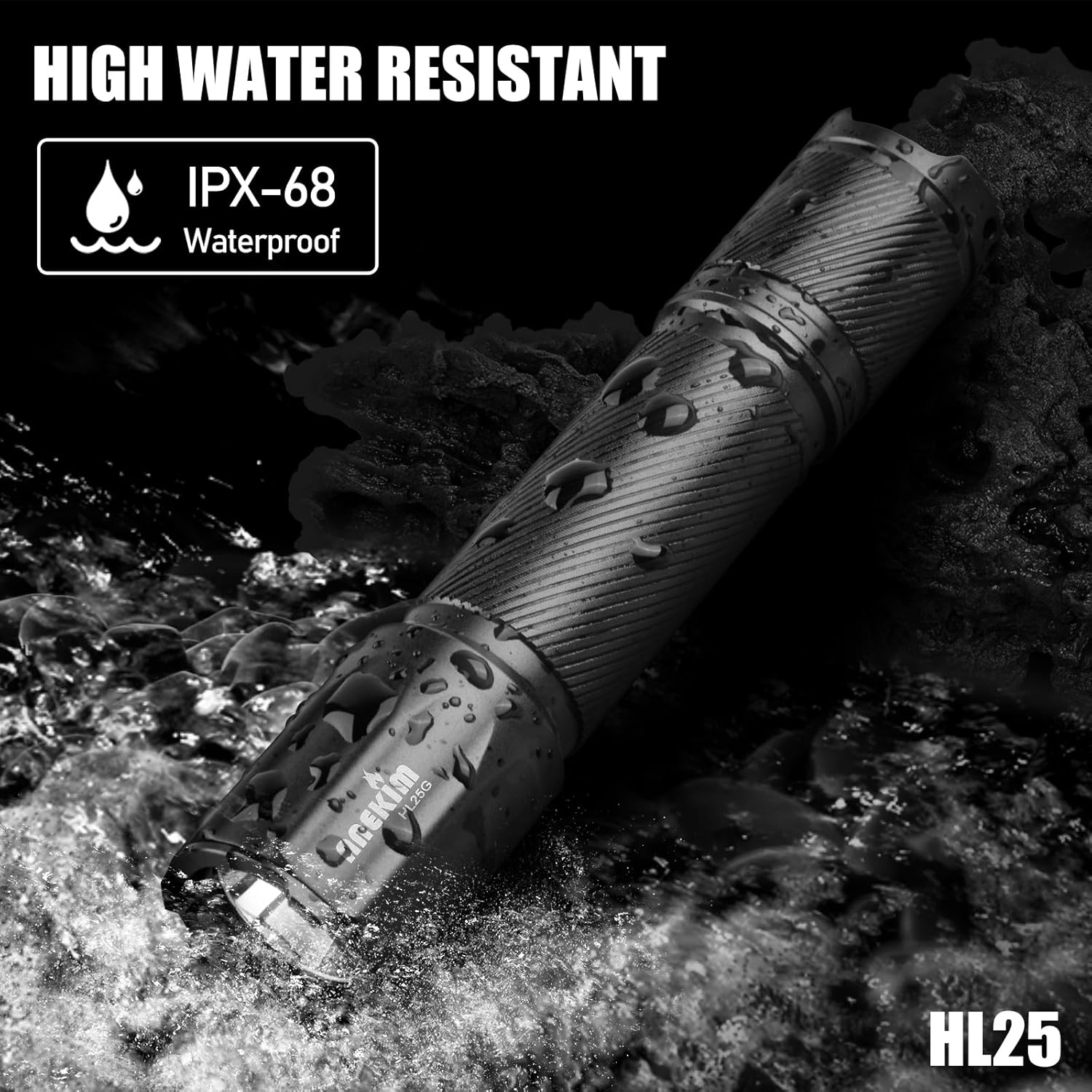
The image demonstrates the ANEKIM HL25 Red Hunting Flashlight's IPX68 waterproof capability, showing it partially submerged in water, suitable for use in various weather conditions.
ANEKIM UC20 Green Hunting Flashlight
| Feature | Specification |
|---|---|
| Model | UC20 |
| Light Color | Green |
| Brightness | Up to 2000 Lumens |
| Beam Distance | 1586 Yards |
| Waterproof Rating | IP68 (5m submersible) |
| Impact Resistance | 1 Meter |
| Material | Aero-grade Aluminum |
| Mount Compatibility | 20mm Picatinny/Weaver Rail |
| Switch Type | Standard Tail Cap, Two-mode Remote Pressure Switch |
Warranty and Support
For warranty information, technical support, or service inquiries, please contact ANEKIM customer support through the retailer where the product was purchased or visit the official ANEKIM website. Please have your product model and purchase date available when contacting support.
Ask a question about this manual
Ask about setup, troubleshooting, compatibility, parts, safety, or missing instructions. Manuals+ will review the question and use this page’s manual context to help answer it.