
Introduction
This manual provides detailed instructions for the Olycism MP3 Player with Bluetooth, Model 002. Please read this guide thoroughly to ensure proper usage, optimal performance, and longevity of your device. Keep this manual for future reference.
Product Overview
The Olycism MP3 Player is a compact and versatile digital music player designed for portable audio enjoyment. It features a 2.01-inch HD touchscreen, Bluetooth 5.3 connectivity, and a built-in 64GB memory card, expandable up to 128GB. Beyond music playback, the device offers a voice recorder, e-reader, FM radio, video playback, and smart alarm functions.
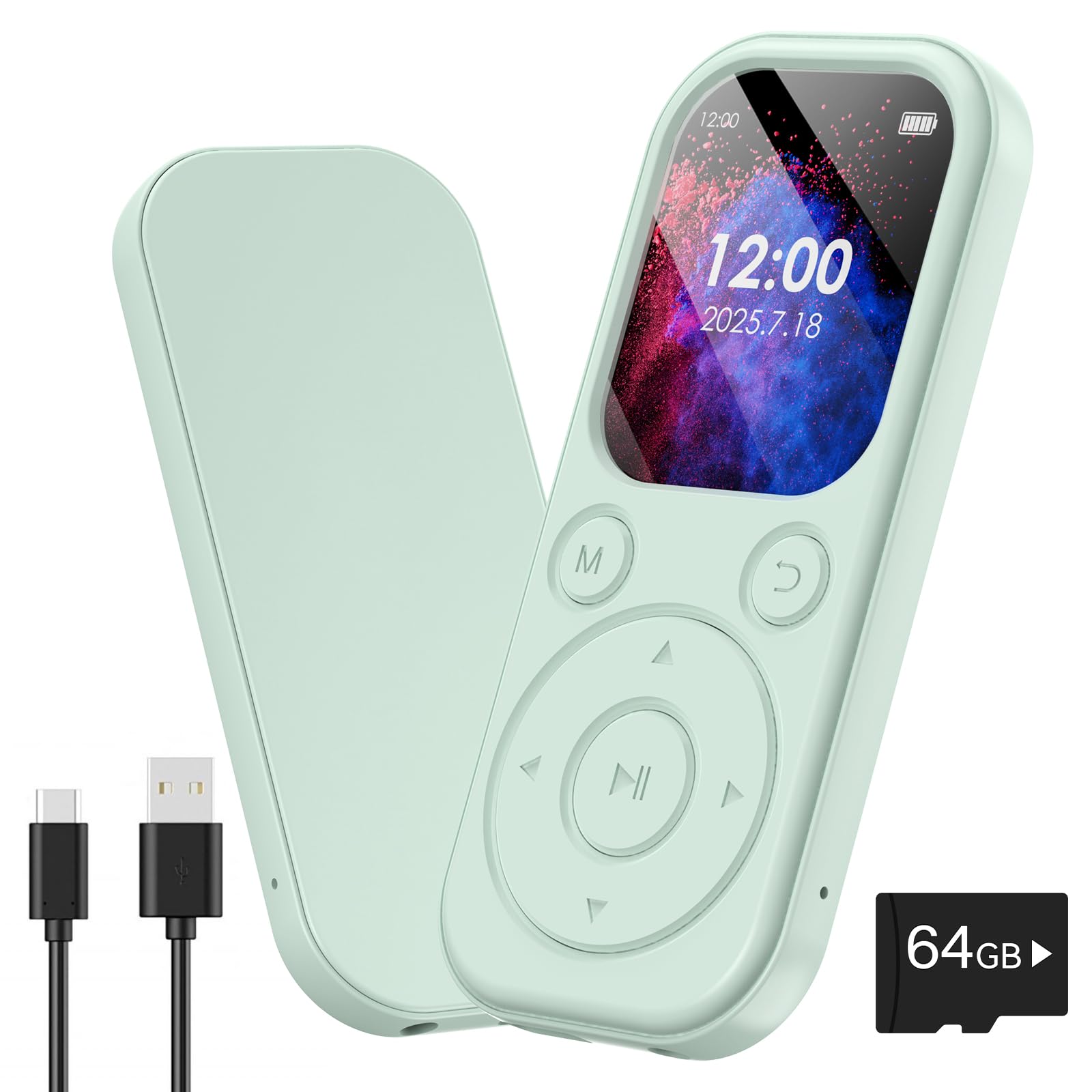
Figure 1: Olycism MP3 Player highlighting Hi-Fi Sound Quality.
Setup
1. Charging the Device
Connect the included USB-C cable to the charging port on the device and to a compatible USB power adapter or computer USB port. The device will indicate charging status on the screen. A full charge typically takes a few hours.
2. Inserting/Managing Memory Card
The MP3 player comes with a 64GB TF card pre-installed. This card can be expanded up to 128GB by replacing it with a larger capacity TF card. Locate the TF card slot on the side of the device. Gently insert or remove the card as needed.

Figure 2: Memory card capacity and expansion options.
3. Transferring Music and Files
To transfer files from your computer to the MP3 player, connect the device using the USB-C cable. Select "Charge & Transfer" on the device screen when prompted. Your computer will recognize the MP3 player as a removable disk. You can then drag and drop music, video, e-book, or photo files into the appropriate folders on the device's memory card. It is recommended to organize your music into folders for easier navigation.
Video 1: Instructions on how to transfer files from a PC to the MP3 player.
4. Connecting Headphones/Bluetooth Devices
For wired listening, plug your 3.5mm headphones into the headphone jack on the device. For wireless listening, navigate to the Bluetooth menu on the device, enable Bluetooth, and pair with your desired Bluetooth headphones or speaker. The device supports Bluetooth 5.3 for stable and fast connections.

Figure 3: Upgraded Bluetooth 5.3 for wireless audio.
Operating Instructions
1. Basic Navigation
The device features a 2.01-inch HD touchscreen for intuitive navigation. Swipe up to unlock the screen. Use the touch buttons on the screen to select applications and options. Physical buttons on the side control power and volume.
Video 2: Demonstration of the MP3 player's touchscreen and button controls.
2. Music Playback
From the main menu, select "Music". You can browse your songs by "All songs", "Artists", "Albums", "Genres", or "Playlists". The device supports various play modes including Loop All, Shuffle, Loop Single, and Sequential Play. After transferring new music, remember to select "Update Playlist" in the Music menu to refresh your library.
Video 3: Demonstrates shuffle playback functionality on the MP3 player.
3. Video Playback
Select "Movie" from the main menu to access video files. The device supports specific video formats (e.g., AMV & AVI with resolution 240*320). If your video files are not in a supported format, you may need to convert them using a video conversion tool on your computer before transferring.
Video 4: Guide on how to convert video files to a supported format for the MP3 player.
4. Other Functions
- Voice Recorder: Select "Record" to capture audio.
- E-reader: Access and read e-books by selecting "Ebook".
- FM Radio: Tune into FM radio stations via the "Radio" application.
- Smart Alarm: Set alarms with your favorite music as a wake-up sound.
- Stopwatch & Calendar: Utilize these tools for time management and scheduling.
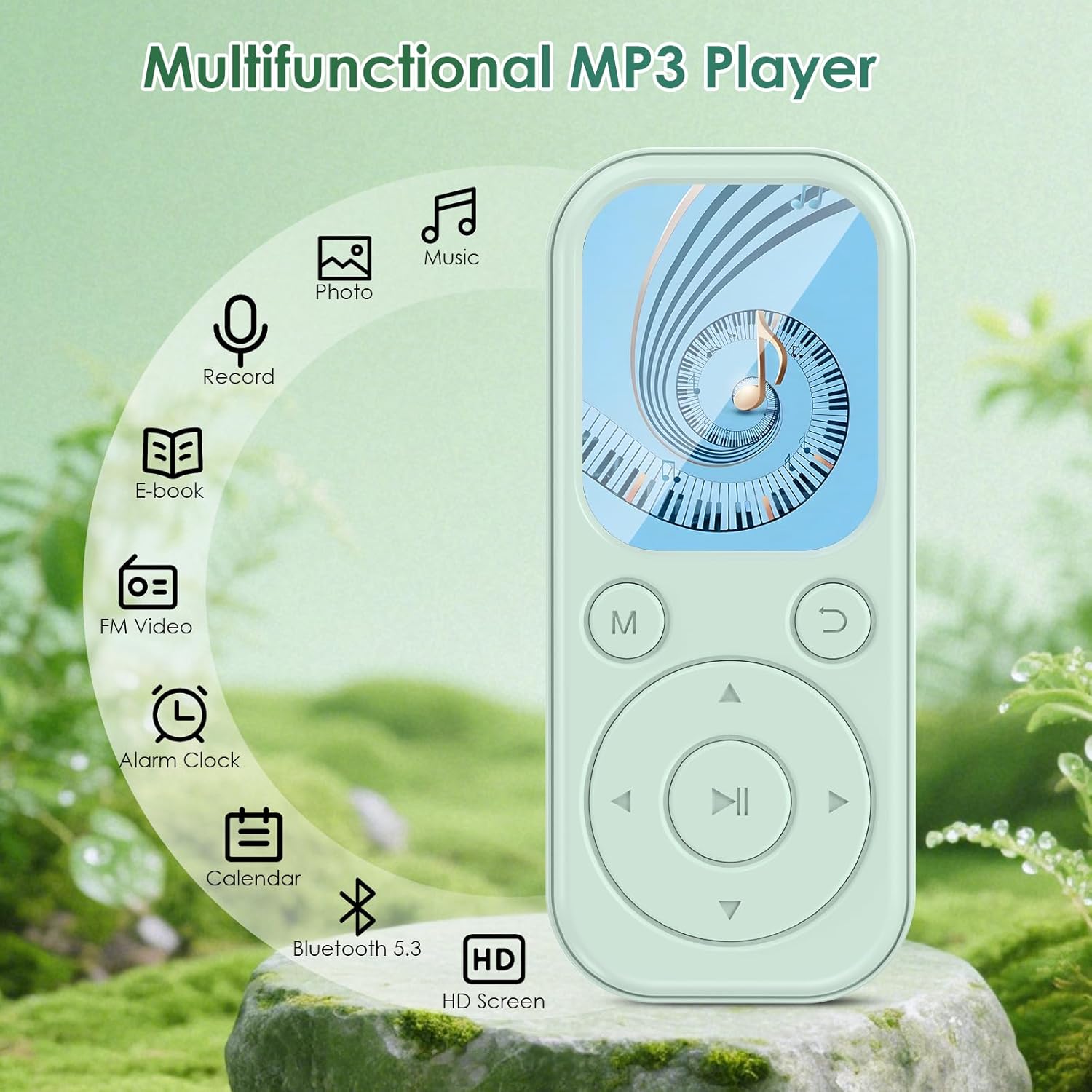
Figure 4: Multifunctional capabilities of the MP3 Player.
Features
- Large Storage & Expandable Capacity: Equipped with a complimentary 64GB high-speed TF card, the MP3 player enables you to store over 5,000 songs or 500 hours of podcasts. Music player supports expansion up to 128GB, providing ample space for all your music and audio favorites.
- Hi-Fi Sound & Clear Display: Adaptive Bluetooth delivers Hi-Fi audio of digital music without any delay, ensuring high-quality sound output for digital music. Paired with a 2.01-inch HD screen, it offers synced lyrics, sharper visuals, and a concert-like listening experience.
- Bluetooth 5.3 & Uninterrupted Listening: Featuring the latest Bluetooth 5.3 technology, the MP3 player with Bluetooth provides faster transmission, longer connection distance, and stronger anti-interference ability. Bluetooth MP3 player guarantees smooth, clear sound anytime, anywhere, with no signal issues.
- Slim, Lightweight & Portable: The ultra-thin 0.21-inch touchscreen MP3 player is lightweight (only 26g) and compact (3.74×1.57 inches). This digital audio player is designed for daily use, allowing you to easily listen to music while exercising, traveling, or during daily routines.
- All-in-One Lifestyle Device: This MP3 player for kids is not just an MP3 player. It can capture ideas with voice recording, serve as an e-reader, keep you updated with FM radio, let you enjoy videos, and even wake you up refreshed with your favorite playlist as a smart alarm.

Figure 5: Slim, lightweight, and portable design.
Maintenance
- Keep the device dry and away from moisture.
- Clean the screen and body with a soft, dry cloth. Avoid using harsh chemicals.
- Avoid dropping the device or subjecting it to strong impacts.
- Store the device in a cool, dry place when not in use.
Troubleshooting
| Problem | Solution |
|---|---|
| Device does not turn on. | Ensure the device is fully charged. Press and hold the power button for a few seconds. |
| Cannot transfer files. | Ensure the USB cable is securely connected and "Charge & Transfer" mode is selected on the device. Try a different USB port or cable. |
| Bluetooth device not pairing. | Ensure Bluetooth is enabled on both devices and they are within range. Try restarting both devices. |
| Poor sound quality from built-in speaker. | The built-in speaker is for basic audio. For optimal sound quality, use headphones or a Bluetooth speaker. |
| Video files not playing. | Ensure video files are in a supported format (e.g., AMV & AVI with 240*320 resolution). Convert files if necessary. |
Specifications
| Feature | Detail |
|---|---|
| Brand | Olycism |
| Model Number | 002 |
| Memory Storage Capacity | 64 GB (expandable up to 128 GB) |
| Display Technology | LCD |
| Screen Size | 2.01 Inches |
| Connectivity Technology | Bluetooth 5.3 |
| Special Features | FM Radio, Voice Recorder, E-reader, Video Playback, Smart Alarm |
| Dimensions | 3.74 × 1.57 inches (0.21-inch ultra-thin) |
| Weight | 26g |
| Media Type | Micro SD |
Warranty and Support
For warranty information or technical support, please refer to the contact details provided with your purchase or visit the official Olycism website. Keep your proof of purchase for warranty claims.