
1. Introduction
This manual provides detailed instructions for the assembly, operation, and maintenance of your TTSITG 2026 Large Rifle Safe, Model TAQ0021-L. Please read this manual thoroughly before attempting to assemble or operate the safe. Proper understanding of these instructions will ensure safe and effective use of your product.
The TTSITG 2026 Large Rifle Safe is designed to securely store firearms and other valuables, featuring a robust alloy steel construction, electronic combination lock, and multiple access options. It includes adjustable storage for rifles, shotguns, and pistols, along with an intelligent alarm system for enhanced security.
2. Important Safety Information
- Firearm Safety: Always store firearms unloaded and locked. Keep ammunition separate from firearms.
- Child Safety: This safe is designed to keep firearms and valuables out of reach of children. Ensure the safe is always locked and keys/passwords are stored securely, away from children.
- Mounting: For maximum security, the safe must be securely mounted to a wall or floor using the provided mounting hardware. Failure to do so may compromise the safe's security.
- Emergency Access: Keep emergency keys and external battery box in a secure location away from the safe, but accessible in case of electronic lock failure or battery depletion.
- Proper Use: Do not attempt to force the safe open. If you encounter issues, refer to the troubleshooting section or contact customer support.

Figure 2.1: The TTSITG rifle safe helps keep firearms secure and away from unauthorized access, especially children.
3. Package Contents
Upon receiving your TTSITG 2026 Large Rifle Safe, please verify that all components are present. The safe is delivered in two packages, which may arrive separately. The package should contain:
- Safe Body and Door
- 29 Holes Rifle Racks
- 4 Removable Shelves
- Door Panel Organizer (includes 3 Storage Pockets, 4 Pistol Holsters, 4 Magazine Pouches, 5 Magazine Clips, 12 Bullet Clips)
- Mounting Bolts (4 pieces)
- Emergency Keys
- External Battery Box
- Instruction Manual
4. Assembly and Setup
The TTSITG 2026 Large Rifle Safe requires self-assembly. Please follow these steps carefully. It is recommended to have assistance during assembly due to the size and weight of the components.
- Unpacking: Carefully remove all components from the packaging. Inspect for any damage.
- Initial Assembly: Refer to the included assembly instructions for detailed steps on connecting the safe body and door. Ensure all screws and fasteners are tightened securely.
- Wall Mounting: For enhanced security, mount the safe to a wall or floor.
- Identify a suitable location, preferably a solid wall stud or concrete surface.
- The safe has 4 pre-drilled holes on the back. Mark the drilling points on the wall/floor through these holes.
- Drill pilot holes as per the recommended size for the mounting bolts.
- Position the safe and secure it using the four provided mounting bolts. Ensure the safe is stable and flush against the surface.
- Battery Installation: Install the required batteries into the electronic keypad. The battery compartment is typically located behind the keypad or inside the door.
- Initial Code Setup: Follow the instructions to set your personal digital password. Test the code multiple times with the door open before closing it.

Figure 4.1: Overview of the assembleable rifle gun safe and its key features.
5. Operation
5.1 Accessing the Safe
The TTSITG 2026 Large Rifle Safe offers three methods for quick access:
- Digital Password: Enter your programmed digital password on the keypad, then turn the handle to open the door.
- Emergency Key: In case of battery failure or forgotten password, insert the emergency key into the keyhole (located behind the key panel), turn it, and then turn the handle.
- External Battery Box: If the internal battery voltage is insufficient, connect the external battery box to the port (also behind the key panel) to power the keypad, then enter your digital password.

Figure 5.1: Three quick access methods for opening the safe door.
5.2 Auto-Lock and Alarm System
- Auto-Lock on Password Error: If an incorrect password is entered consecutively three times, the system will automatically lock for 20 seconds. If three more incorrect attempts are made, the system will lock for an additional 5 minutes. During the lock period, all operations are invalid. After the lock time expires, the safe can be opened with the correct password.
- Silent Mode: This mode increases concealment by disabling audible feedback. To activate or deactivate, refer to the specific instructions in your assembly manual or restore factory settings to turn the sound on.
- LED Light: The internal LED light will illuminate when the correct code is entered to access the gun cabinet, aiding visibility. A magnetic lamp is also included for additional illumination.
- Vibration Alarm: The safe is equipped with a vibration alarm system. If the safe detects significant unauthorized movement or tampering, the alarm will activate.
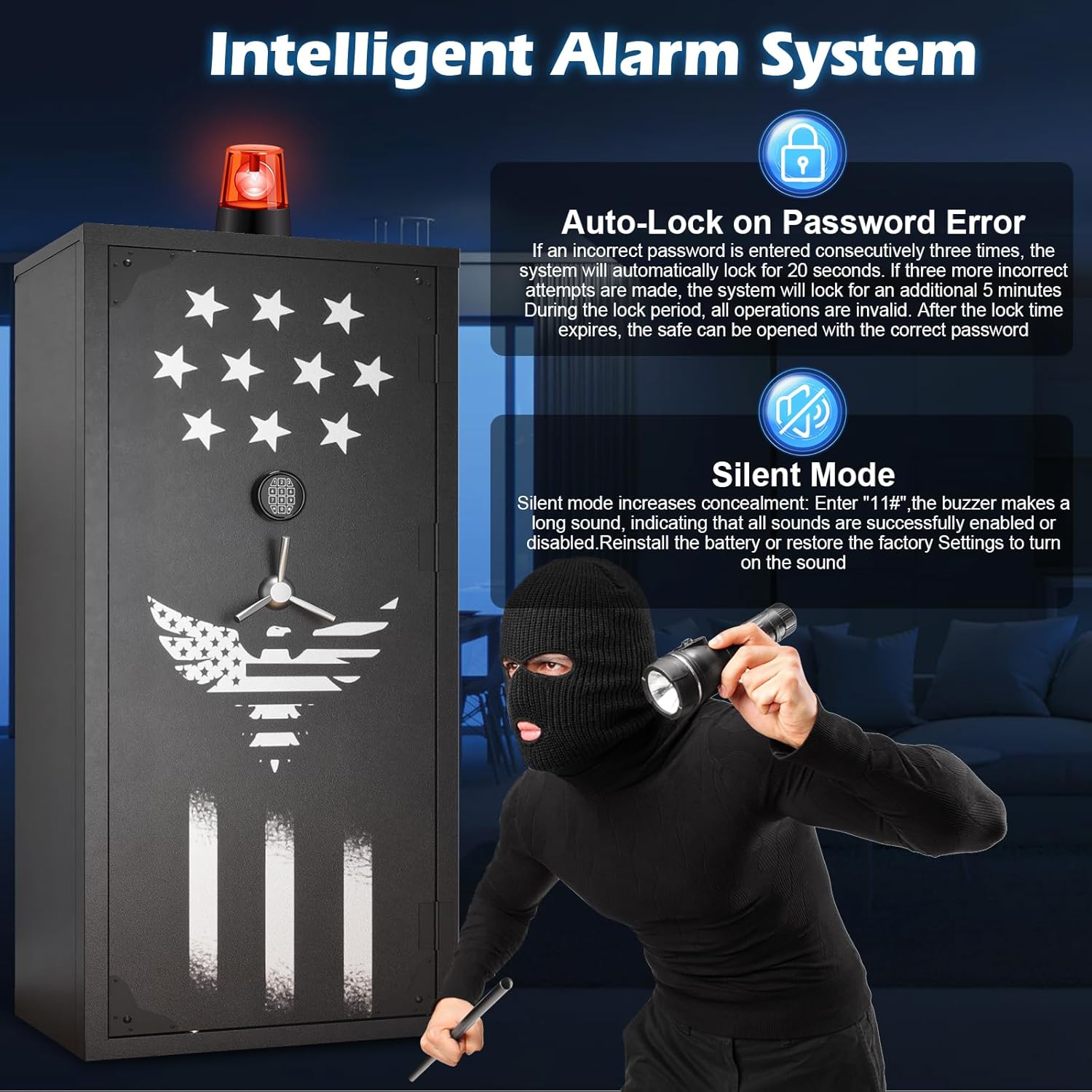
Figure 5.2: Intelligent alarm system features including auto-lock and silent mode.
5.3 180-Degree Full Access Door
The safe features a 180-degree full access door, providing a wide and unobstructed opening. This design enhances accessibility and convenience, allowing for easy retrieval and organization of your firearms and other contents.
6. Storage Configuration
The TTSITG 2026 Large Rifle Safe offers versatile storage options to accommodate various firearms and accessories.
- Capacity: The safe can hold up to 29 rifles and 16 pistols, along with magazines, bullets, and other items.
- Rifle Racks: Includes 29 holes for rifle racks.
- Removable Shelves: Four removable shelves allow for flexible interior customization. You can install or disassemble shelves to create larger storage areas as needed.
- Door Panel Organizer: The door panel is equipped with:
- 3 Storage Pockets
- 4 Pistol Holsters
- 4 Magazine Pouches
- 5 Magazine Clips
- 12 Bullet Clips

Figure 6.1: Interior storage capacity and organization of the rifle safe.

Figure 6.2: Customizable interior with removable shelves for various storage needs.

Figure 6.3: Detailed view of the door panel organizer for pistols, magazines, and accessories.
7. Maintenance
- Cleaning: Wipe the exterior and interior surfaces with a soft, damp cloth. Avoid abrasive cleaners or solvents that could damage the finish or electronic components.
- Battery Replacement: Replace the keypad batteries annually or when the low battery indicator appears. Use high-quality alkaline batteries.
- Lock Mechanism: Periodically check the locking bolts and hinges for smooth operation. Do not lubricate the electronic lock mechanism.
- Security Check: Regularly inspect the safe for any signs of tampering or damage. Ensure mounting bolts remain tight.
8. Troubleshooting
| Problem | Possible Cause | Solution |
|---|---|---|
| Safe does not open with digital password. | Incorrect password entered. Low batteries. Keypad malfunction. | Re-enter password carefully. Replace batteries or use external battery box. Use emergency key. |
| Safe is in auto-lock mode. | Too many incorrect password attempts. | Wait for the lock-out period (20 seconds or 5 minutes) to expire, then enter the correct password. |
| Emergency key does not work. | Key not fully inserted or turned correctly. Obstruction in keyhole. | Ensure key is fully inserted and turned firmly. Check for debris in keyhole. |
| Door is stiff or difficult to open/close. | Misalignment. Obstruction. | Check for any obstructions. Ensure the safe is on a level surface and properly mounted. |
If you experience issues not covered here, please contact customer service for assistance.
9. Specifications
| Brand | TTSITG |
| Model Number | TAQ0021-L |
| Product Dimensions | 19.7"D x 27.6"W x 55"H |
| Lock Type | Electronic Combination Lock, Key |
| Color | Black |
| Material | Alloy Steel |
| Special Features | Alarm System, Anti-Theft, Combination Lock, Removable Shelf, Sensor Light |
| Mounting Type | Wall Mount |
| Included Components | 29 Holes Rifle Racks, 3 Storage Pockets, 4 Removable Shelves, 4 Magazine Pouches, 4 Pistol Holsters |
| Alarm Type | Vibration |

Figure 9.1: Product dimensions and capacity overview.
10. Warranty and Customer Support
TTSITG is committed to providing high-quality products and customer satisfaction. For any questions regarding your safe, including pre-sale inquiries, shipping, installation support, product usage, or issues, please do not hesitate to reach out to us.
We offer 24-hour online customer service to assist you. Your satisfaction is our primary goal.
For support, please contact TTSITG customer service through the platform where you purchased the product or refer to the contact information provided with your purchase documentation.