
1. Important Safety Instructions
Please read all instructions carefully before using the Ecogou Walking Pad. Retain this manual for future reference.
- Electrical Safety: Always plug the treadmill into a grounded outlet. Do not use extension cords. Unplug the treadmill when not in use or before cleaning/maintenance.
- User Weight Limit: Do not exceed the maximum user weight capacity specified in the 'Specifications' section.
- Clearance: Maintain a clear area of at least 2 meters (6.5 feet) behind the treadmill and 0.5 meters (1.6 feet) on each side for safe operation.
- Emergency Stop: Familiarize yourself with the location and function of the emergency stop feature.
- Children and Pets: Keep children and pets away from the treadmill during operation. This equipment is not intended for use by individuals with reduced physical, sensory, or mental capabilities unless supervised.
- Handle Bar Use: The integrated handle bar provides additional support and stability. Always hold onto the handle bar when starting or stopping the treadmill, or if you feel unsteady.
- Footwear: Always wear appropriate athletic footwear when using the treadmill.
- Health Considerations: Consult a physician before starting any exercise program, especially if you have pre-existing health conditions. Stop exercising immediately if you feel faint, dizzy, or experience pain.
2. Product Overview
The Ecogou Walking Pad is a versatile 3-in-1 treadmill designed for walking, jogging, and light running, featuring a handle bar and adjustable incline. Its compact design makes it suitable for home or office use.
2.1 Components
- Ecogou Walking Pad Unit
- Integrated Handle Bar
- Remote Control
- Power Cord
- Tool Kit (for minor adjustments)
- User Manual (this document)
2.2 Key Features
- 3-Level Incline: Manually adjustable incline settings at 1.5%, 4%, and 8% for varied workout intensity.
- Powerful Motor: Equipped with a 2.5HP motor for smooth and quiet operation.
- Wide Speed Range: Adjustable speed from 0.6 to 7.5 miles per hour (MPH).
- LED Display: Clear display showing time, speed, distance, and calories burned.
- Compact & Portable: Designed for easy storage under desks, beds, or sofas.
- Remote Control: Convenient magnetic remote for easy speed adjustments.

Figure 1: The Ecogou Walking Pad in operation, showcasing its handle bar configuration and compact design. A user is shown walking on the treadmill, highlighting its functionality for both active walking and under-desk use.
3. Assembly and Setup
The Ecogou Walking Pad requires minimal assembly, typically involving unfolding and securing the handle bar. Please follow these steps:
- Unpack: Carefully remove all components from the packaging. Ensure all listed components are present.
- Placement: Choose a flat, stable surface for the treadmill. Ensure there is adequate clearance around the unit as described in the safety instructions.
- Unfold (if applicable): If the handle bar is folded down for shipping, gently lift and lock it into the upright position. Refer to the quick start guide included in the box for specific locking mechanisms.
- Power Connection: Connect the power cord to the treadmill's power input, then plug it into a grounded electrical outlet.
- Initial Check: Before first use, ensure all parts are securely fastened and the running belt is centered.
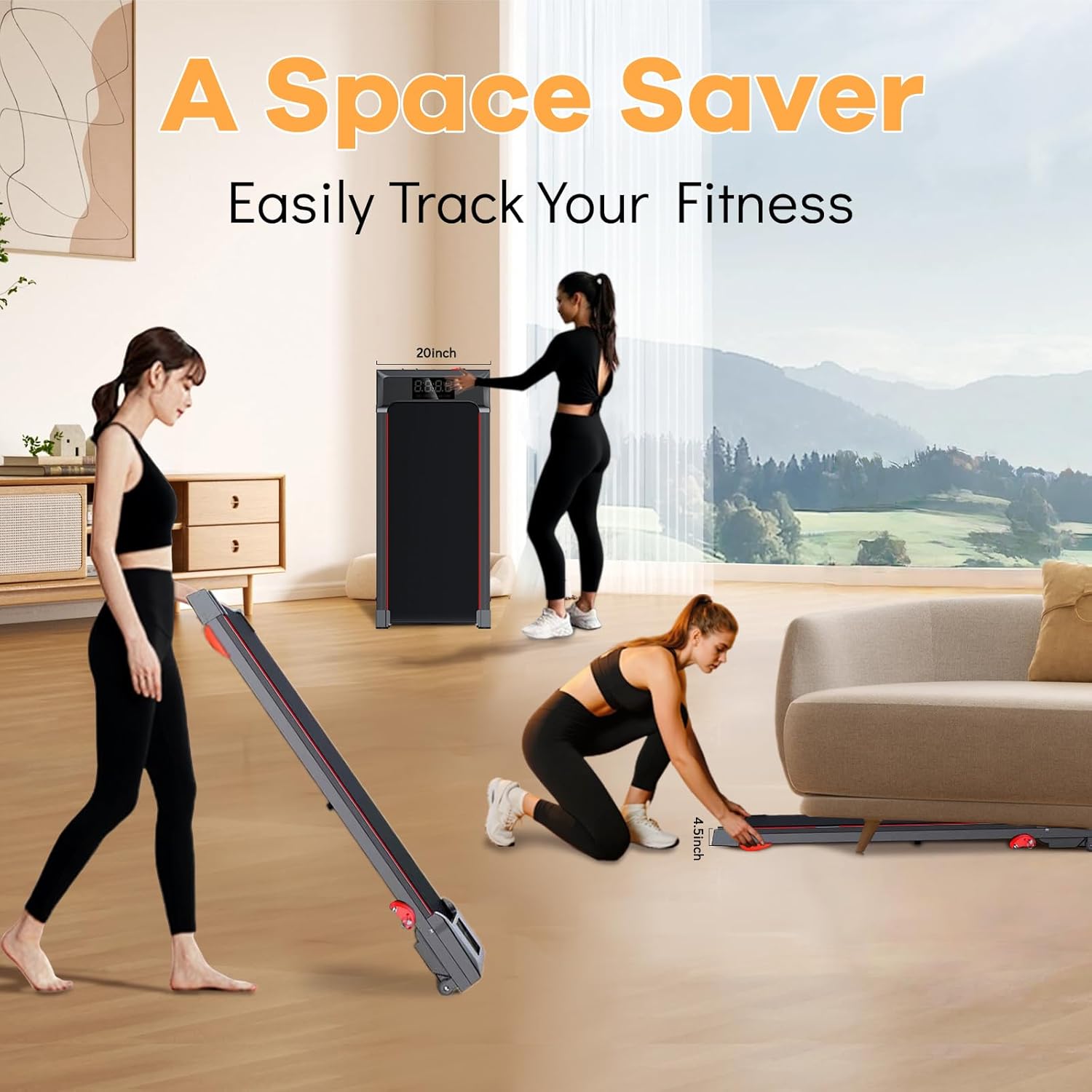
Figure 2: The Ecogou Walking Pad demonstrating its compact storage capabilities. The image shows the treadmill stored upright and horizontally, highlighting its space-saving design for easy placement in various home or office environments.
4. Operating Instructions
4.1 Powering On/Off
- To Power On: Plug the power cord into a grounded outlet. Locate the power switch (usually near the power cord input) and flip it to the 'ON' position. The LED display should illuminate.
- To Power Off: Press the 'STOP' button on the remote control until the belt comes to a complete stop. Then, flip the power switch to the 'OFF' position and unplug the unit from the wall.
4.2 Remote Control Functions
The magnetic remote control allows for convenient adjustment of the treadmill's settings. It can be attached to the handle bar for easy access.
- START/STOP Button: Press to start or stop the treadmill belt.
- SPEED + Button: Increases the belt speed.
- SPEED - Button: Decreases the belt speed.
4.3 Speed Modes
The Ecogou Walking Pad offers a speed range from 0.6 to 7.5 MPH, accommodating various exercise intensities:
- 0.6 - 1.5 MPH: Ideal for light walking or use under a standing desk.
- 2.0 - 3.5 MPH: Suitable for brisk walking.
- 4.0 - 5.5 MPH: Appropriate for jogging.
- 6.0 - 7.5 MPH: For running (ensure handle bar is securely in place for support).
4.4 Incline Adjustment
The treadmill features a 3-level manual incline system to increase workout intensity. To adjust the incline:
- Power Off: Ensure the treadmill is powered off and unplugged before adjusting the incline.
- Locate Adjustment Points: Identify the incline adjustment buckles/nuts located at the rear underside of the treadmill.
- Select Incline Level: Manually adjust the position of the buckles/nuts to achieve the desired incline:
- 1.5% Incline: Position the nut in the first buckle.
- 4% Incline: Position the nut in the second buckle.
- 8% Incline: Position the nut in the third buckle.
- Verify: Ensure both sides of the treadmill are adjusted to the same incline level and are securely locked in place before resuming use.
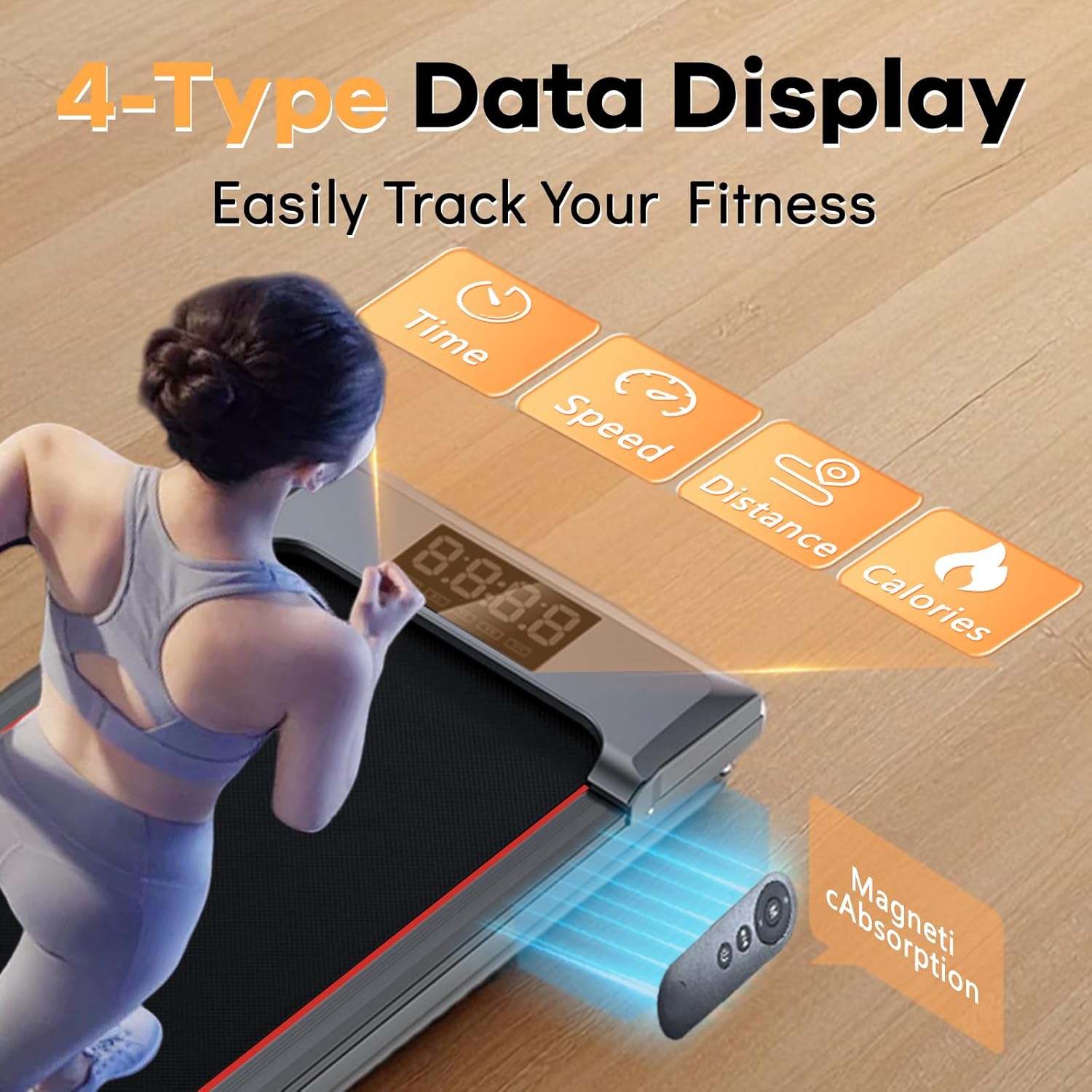
Figure 3: A visual guide illustrating the manual 3-level incline adjustment mechanism. The diagram shows how to position the nuts in different buckles to achieve 1.5%, 4%, and 8% incline levels, enhancing workout variety.
4.5 LED Display
The integrated LED display provides real-time feedback on your workout progress:
- TIME: Displays the duration of your current workout session.
- SPEED: Shows your current walking/running speed in MPH.
- DISTANCE: Indicates the total distance covered during your workout.
- CALORIES: Estimates the number of calories burned during your session.

Figure 4: The LED display interface, clearly showing workout metrics such as Time, Speed, Distance, and Calories. This visual helps users monitor their fitness progress effectively.
5. Maintenance
Regular maintenance ensures the longevity and optimal performance of your Ecogou Walking Pad.
- Cleaning: After each use, wipe down the treadmill surface and handle bar with a damp cloth to remove sweat and dust. Do not use abrasive cleaners or solvents.
- Belt Lubrication: The running belt requires periodic lubrication to reduce friction and extend its lifespan. Refer to the specific instructions in your quick start guide for the recommended lubrication schedule and procedure. Typically, this involves applying silicone lubricant under the belt.
- Belt Adjustment: Over time, the running belt may become off-center or loose. Use the included tool kit to adjust the belt tension and centering screws located at the rear of the treadmill. Adjust in small increments (quarter turns) until the belt is centered and has proper tension.
- Storage: When not in use, store the treadmill in a dry, clean area. Its compact design allows for storage under furniture.
6. Troubleshooting
If you encounter any issues with your Ecogou Walking Pad, refer to the following common troubleshooting steps:
- Treadmill Not Starting:
- Ensure the power cord is securely plugged into a grounded outlet and the treadmill.
- Check if the power switch is in the 'ON' position.
- Verify that the emergency stop key (if applicable) is correctly engaged.
- Belt Slipping or Hesitating:
- The running belt may require lubrication. Refer to the 'Maintenance' section.
- The belt tension might be too loose. Adjust the belt tension screws as described in 'Maintenance'.
- Belt Off-Center:
- Adjust the belt centering screws using the provided tool kit. Make small, incremental adjustments.
- Unusual Noises:
- Check for any loose parts or foreign objects under the belt.
- Ensure the treadmill is on a flat, stable surface.
- If the noise persists, contact customer support.
For issues not covered here, or if troubleshooting steps do not resolve the problem, please contact Ecogou customer support.
7. Specifications
| Feature | Specification |
|---|---|
| Product Dimensions | 117.98 x 54.48 x 97.49 cm (46.45"D x 21.45"W x 38.38"H) |
| Item Weight | 19 kg (41.9 lbs) |
| Motor Horsepower | 2.5 Horsepower |
| Speed Range | 0.6 - 7.5 Miles per Hour |
| Incline Levels | 3-level (1.5%, 4%, 8%) Manual Adjustment |
| Display Type | LED (8 Inches) |
| Display Metrics | Calories Burned, Distance, Speed, Time |
| Frame Material | Carbon Steel |
| Running Belt Material | Acrylonitrile Butadiene Styrene (ABS) |
| Power Source | Corded Electric |
| Special Features | Adjustable Height (Handle Bar), Compact Design, Foldable, Lightweight, Portable |
| Included Components | Power Cord, Remote Control, Tool Kit, User Manual |
8. Warranty and Customer Support
Ecogou is committed to providing high-quality products and unwavering after-sales support.
For any questions, assistance with installation, or to address any concerns regarding your Ecogou Walking Pad, please contact our customer support team. We are available to assist you throughout your health journey.
Please refer to your purchase documentation or the Ecogou official website for specific warranty details and contact information.