
QO8ICD37M31O3D27G2I
Generic LED Cup Holder Lights User Manual
Model: QO8ICD37M31O3D27G2I
Introduction
Thank you for choosing the Generic LED Cup Holder Lights. This product is designed to enhance the ambiance of your vehicle's interior with vibrant, customizable lighting. Made from high-quality, durable acrylic, these energy-efficient and environmentally friendly coasters are easy to install and operate.
This manual provides essential information for the proper setup, operation, and maintenance of your LED Cup Holder Lights. Please read it thoroughly before use.
Package Contents
Please verify that all items are present in the package:
- 2 x LED Cup Holder Lights
- 1 x USB Charging Cable
- 1 x Color Box
- 1 x User Manual
Specifications
| Feature | Detail |
|---|---|
| Product Name | LED Cup Holder Lights |
| Model Number | QO8ICD37M31O3D27G2I |
| Material | Acrylic + LED |
| Dimensions (Diameter x Height) | Approx. 6.8 cm x 0.85 cm (2.68 in x 0.34 in) |
| Weight | Approx. 87 g (per pair) |
| Light Modes | 3 Dynamic Modes, 7 Single-Color Options (Blue, Red, White, Yellow, Green, Pink, Purple, Ice Blue) |
| Charging Interface | Standard USB |
| Special Features | Smart Detection (auto shut-off), Waterproof, High-Temperature Resistant |

Figure 1: Product dimensions showing a diameter of 6.8 cm (2.68 in) and a height of 0.85 cm (0.34 in).
Setup
Your LED Cup Holder Lights are designed for simple plug-and-play installation. Follow these steps to get started:
- Initial Charge: Before first use, fully charge the cup holder lights using the provided USB charging cable. Connect the cable to the USB port on the coaster and a standard USB power source (e.g., car USB port, computer, wall adapter). The light will automatically turn off when fully charged.
- Placement: Place the charged LED Cup Holder Lights into your vehicle's cup holders. Ensure they fit snugly.

Figure 2: Overview of simple operations, including USB charging port, photosensitive hole, hidden switches, and intelligent induction.
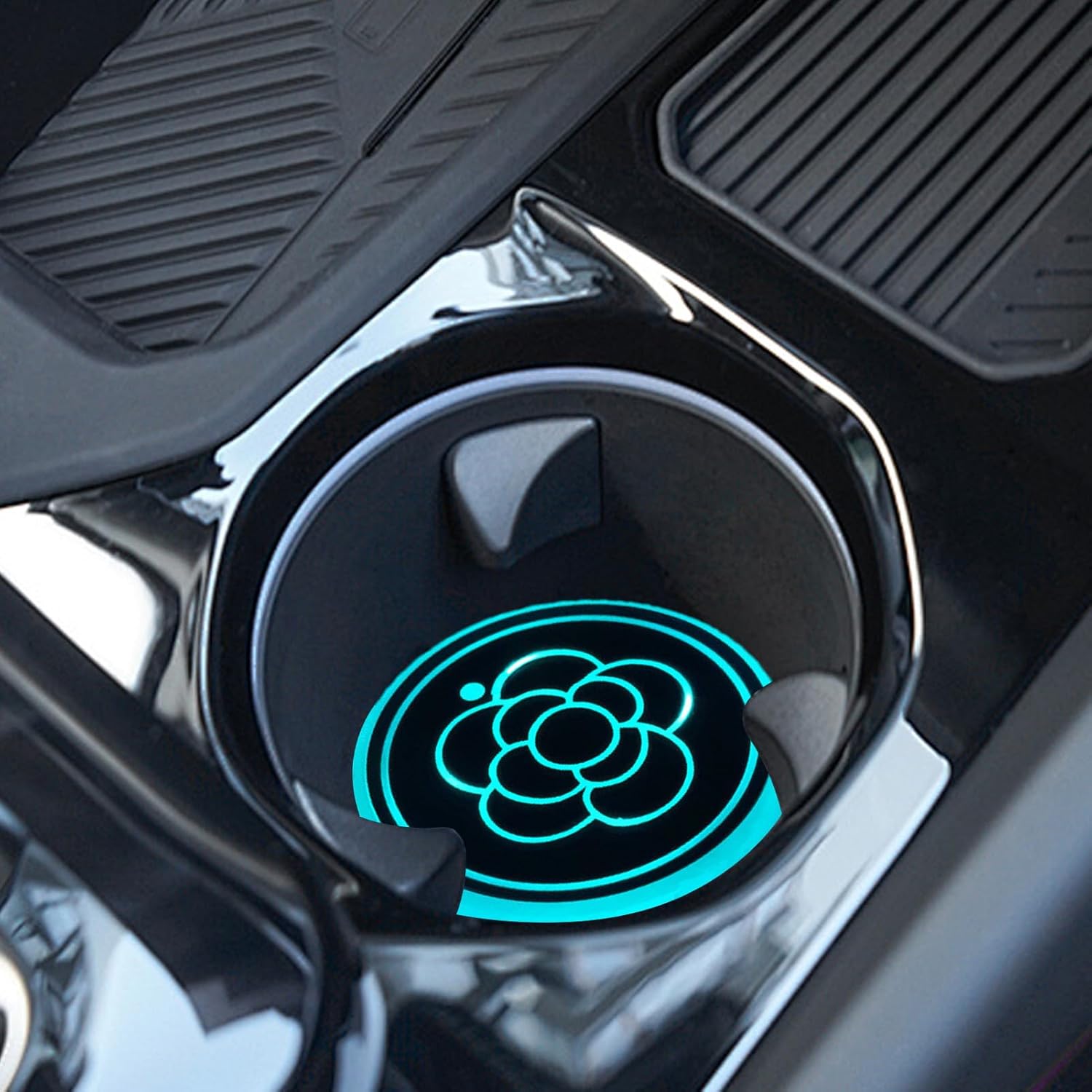
Figure 3: Proper placement of the LED cup holder light within a vehicle's cup holder.
Operating Instructions
The LED Cup Holder Lights feature intelligent controls for ease of use.
Power On/Off and Mode Selection:
- To Turn On/Off: Locate the hidden button on the back of the coaster. Press and hold this button for approximately 3 seconds. The light will flash, indicating it is turning on or off.
- To Change Light Mode: Once the light is on, short press the hidden button to cycle through the available light modes. These include three dynamic modes and seven single-color options (Blue, Red, White, Yellow, Green, Pink, Purple, Ice Blue).

Figure 4: Examples of the colorful light options available, including various single colors and dynamic modes.
Smart Detection Feature:
The lights are equipped with a vibration sensor and an intelligent light sensor. This allows for energy-saving automatic operation:
- The lights will automatically shut down if stationary for 15 seconds.
- The lights will also automatically shut down in conditions of strong ambient light.
- The lights will turn on automatically when it is dark and motion is detected.

Figure 5: The LED cup holder lights automatically activate in dark conditions, illuminating beverages.
Maintenance
To ensure the longevity and optimal performance of your LED Cup Holder Lights, follow these maintenance guidelines:
- Cleaning: The coasters are waterproof. Wipe them clean with a damp cloth as needed. Do not use abrasive cleaners or solvents.
- Charging: Recharge the lights when the brightness diminishes or they stop illuminating. The light will automatically turn off when fully charged, preventing overcharging.
- Storage: If storing for an extended period, ensure the lights are fully charged and stored in a cool, dry place.
Troubleshooting
If you encounter any issues with your LED Cup Holder Lights, please refer to the following common problems and solutions:
| Problem | Possible Cause | Solution |
|---|---|---|
| Lights do not turn on. | Battery is depleted. | Charge the lights using the provided USB cable. |
| Lights turn off unexpectedly. | Smart detection activated (stationary for 15 seconds or strong ambient light). | This is normal operation. Move the coaster or ensure it's in a dark environment for activation. |
| Cannot change light modes. | Button not pressed correctly or light is off. | Ensure the light is on. Short press the hidden button on the back to cycle modes. |
| Lights are dim. | Low battery. | Recharge the lights fully. |
Warranty and Support
For warranty information or technical support, please refer to the seller's policy on the platform where the product was purchased. Keep your purchase receipt as proof of purchase.
For further assistance, please contact the seller directly through the Amazon messaging system or refer to the contact information provided with your purchase.
Ask a question about this manual
Ask about setup, troubleshooting, compatibility, parts, safety, or missing instructions. Manuals+ will review the question and use this page’s manual context to help answer it.