
Introduction
This manual provides instructions for the proper setup, operation, and maintenance of your RETROSUN TW380 Walking Pad Remote Control. This remote is specifically designed for use with Toputure Under Desk Treadmill models TP3 and TP-TM01W. Please read this manual thoroughly before use to ensure optimal performance and longevity of your device.
Important Note: This remote control is not universal. It is only compatible with the specified treadmill models. Please verify your treadmill model before attempting to use this remote.
Setup
1. Battery Installation
The remote control requires batteries for operation. Batteries are not included in the package. Follow these steps to install or replace batteries:
- Locate the battery compartment on the back of the remote control.
- Push and hold the latch of the battery holder, then pull out the battery holder.
- Insert new batteries (e.g., CR2025 type, as indicated by the image) with the "+" side facing up into the battery holder.
- Slide the battery holder back into the compartment until it clicks securely into place.

Image: Battery Replacement Steps. This diagram illustrates the two-step process for replacing the remote control's battery. Step 1 shows pushing a latch and pulling out the battery holder. Step 2 shows inserting a coin-cell battery with the positive (+) side facing up into the holder, then reinserting the holder into the remote.
2. Initial Use
Once batteries are installed, the remote control is ready for use. No programming or pairing is required. It utilizes infrared 3.0 technology for direct communication with compatible treadmills.
Operating Instructions
The RETROSUN TW380 remote control features an ergonomic design for comfortable and intuitive operation. It provides instant button response within an 8-meter (26-foot) range and a 120-degree wide-angle coverage, minimizing positioning constraints.

Image: RETROSUN TW380 Remote Control. This image displays the front face of the RETROSUN TW380 remote control, highlighting its button layout including power, speed adjustments, mode, and program selection.
Button Functions:
- Power Button (⏻): Turns the treadmill on or off.
- Speed Up (▲): Increases the treadmill speed.
- Speed Down (▼): Decreases the treadmill speed.
- Start/Pause (⏸): Starts or pauses the treadmill operation.
- Mode (M): Cycles through different operating modes (e.g., manual, preset programs).
- Program (P): Selects or adjusts workout programs.
- Time Adjustments (◀ / ▶): Adjusts workout time in certain modes.
- Numeric Buttons (1, 2, 3, 4): May be used for quick speed selection or program selection depending on the treadmill model.
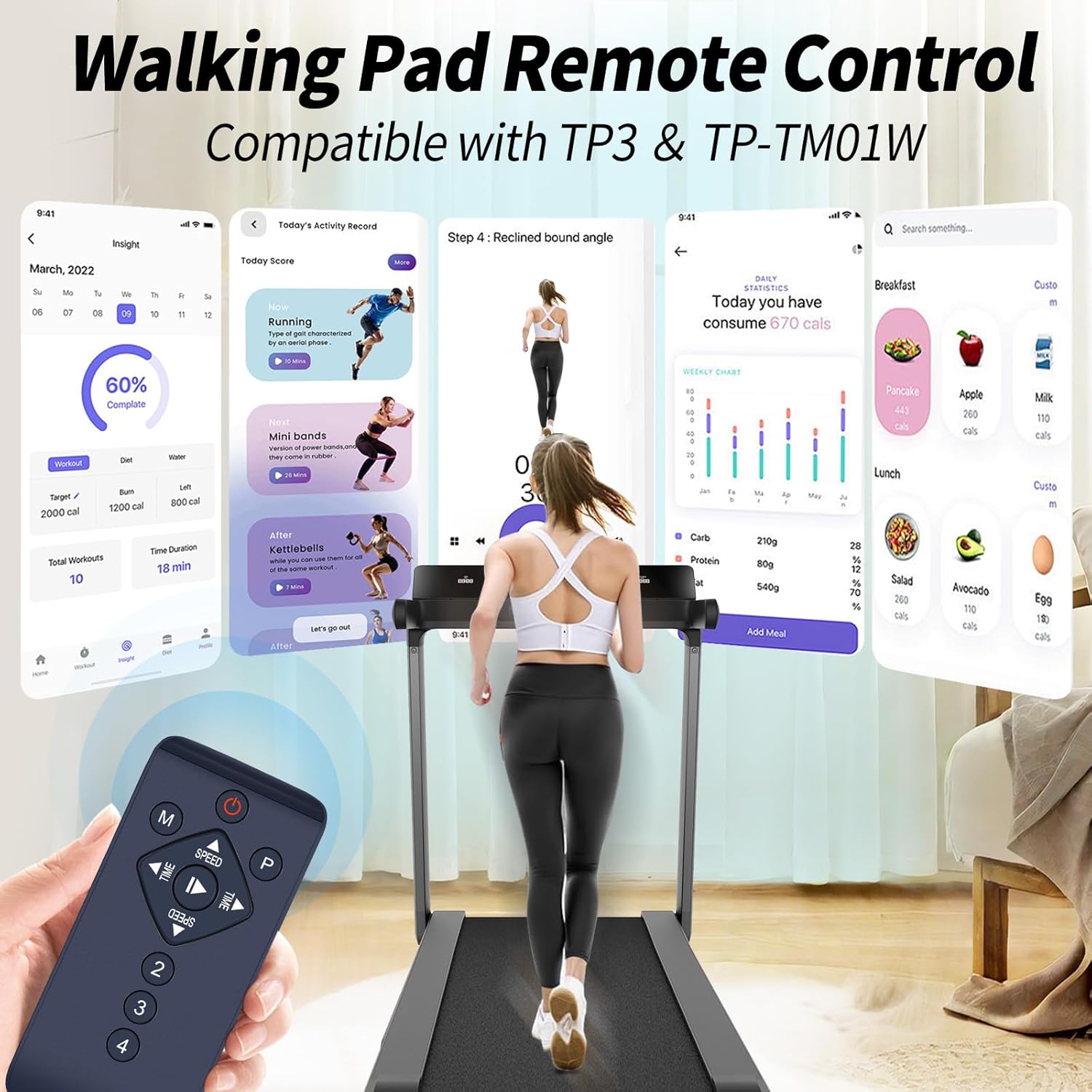
Image: Remote Control in Use with Treadmill. This image shows a user walking on a treadmill while holding the remote control. The image also displays a digital interface of a fitness app, indicating compatibility and ease of use with the specified treadmill models (TP3 & TP-TM01W).

Image: Easy Operation. This image emphasizes the remote's ease of use, stating "Easy to Use" and "Control your device without programming." It shows a user on a walking pad with the remote in hand, against a scenic background, illustrating direct control without complex setup.
Maintenance
1. Cleaning
To clean the remote control, gently wipe its surface with a soft, dry cloth. Do not use abrasive cleaners, solvents, or wet cloths, as these can damage the remote's finish or internal components.
2. Battery Care
If the remote control will not be used for an extended period, it is recommended to remove the batteries to prevent leakage and potential damage to the device. Refer to the "Battery Installation" section for removal instructions.
3. Storage
Store the remote control in a cool, dry place, away from direct sunlight and extreme temperatures. Avoid dropping the remote or exposing it to excessive moisture.
Troubleshooting
- Remote not responding:
- Ensure new batteries are correctly installed with the correct polarity (+ facing up).
- Check if the batteries are depleted and replace them if necessary.
- Verify that there are no obstructions between the remote control and the treadmill's infrared receiver.
- Ensure you are within the effective operating range (up to 8 meters / 26 feet) and pointing the remote towards the treadmill.
- Treadmill not responding to specific commands:
- Confirm that your treadmill model is either Toputure TP3 or TP-TM01W. This remote is not universally compatible.
- Some functions may be specific to certain treadmill modes or programs. Refer to your treadmill's manual for detailed function descriptions.
- Remote appears damaged:
- If the remote has been dropped or exposed to liquid, internal damage may have occurred.
If you continue to experience issues after following these troubleshooting steps, please contact customer support.
Specifications
| Brand | RETROSUN |
| Model Name | TW380 |
| Model Number | TW380 |
| Compatible Devices | Toputure Under Desk Treadmill TP3, Toputure Under Desk Treadmill TP-TM01W |
| Connectivity Technology | Infrared |
| Maximum Range | 8 Meters (26 Feet) |
| Controller Type | Button Control |
| Button Quantity | Multiple (Power, Mode, Program, Speed, Time, Start/Pause, Numeric) |
| Special Feature | Ergonomic Design, 120-degree wide-angle coverage |
| Item Weight | 0.08 Kilograms |
| Manufacturer | Oumeite |
Warranty Information
This RETROSUN TW380 Walking Pad Remote Control comes with a 90-day warranty from the date of purchase. This warranty covers manufacturing defects under normal use. It does not cover damage caused by misuse, accidents, unauthorized modifications, or improper battery installation.
Please retain your proof of purchase for warranty claims.
Customer Support
For any questions regarding your RETROSUN TW380 Walking Pad Remote Control, including order inquiries or model compatibility concerns, please contact our customer support team.
We aim to respond to all inquiries within 24 hours on weekdays.
For further assistance, please visit the RETROSUN Store on Amazon.


