
OYUMOENTS GX000620AAK-1
OYUMOENTS Full Size Loft Bed with Desk and Stairs User Manual
Model: GX000620AAK-1 | Brand: OYUMOENTS
Introduction
This manual provides essential instructions for the assembly, operation, and maintenance of your OYUMOENTS Full Size Loft Bed with Desk and Stairs. Please read all instructions carefully before assembly and use to ensure safe and proper operation. Keep this manual for future reference.

Figure 1: OYUMOENTS Full Size Loft Bed with Desk and Stairs, White & Natural finish.
Important Safety Warnings
- Weight Limit: The loft bed has a maximum weight capacity of 250 pounds. Do not exceed this limit.
- Guardrails: Ensure all guardrails are properly installed and secured before use.
- Mattress Thickness: Use a mattress with a maximum thickness of 6 inches to ensure adequate guardrail height.
- Assembly: Assembly must be performed by adults. Follow all steps precisely.
- Regular Checks: Periodically check all bolts, screws, and connections to ensure they remain tight.
- No Jumping: Do not jump on the bed.
- Ventilation: Ensure adequate ventilation around the bed, especially if using the desk area for extended periods.
Setup and Assembly
Your OYUMOENTS Full Size Loft Bed is delivered in two separate packages. For a smooth assembly process, please ensure both packages have arrived before beginning. All necessary hardware and a detailed assembly manual are included within the packaging.
- Unpacking: Carefully unpack all components and hardware from both boxes. Place them on a clean, soft surface to prevent scratches.
- Component Check: Refer to the included parts list in the separate assembly manual to verify all components are present and undamaged.
- Tool Preparation: Gather any required tools as specified in the assembly manual (e.g., screwdriver, Allen wrench). An Allen wrench is typically included.
- Follow Manual: Follow the step-by-step instructions provided in the dedicated assembly manual for precise construction. Ensure all connections are secure.
- Final Inspection: After assembly, double-check all bolts and screws to confirm they are tightened securely.
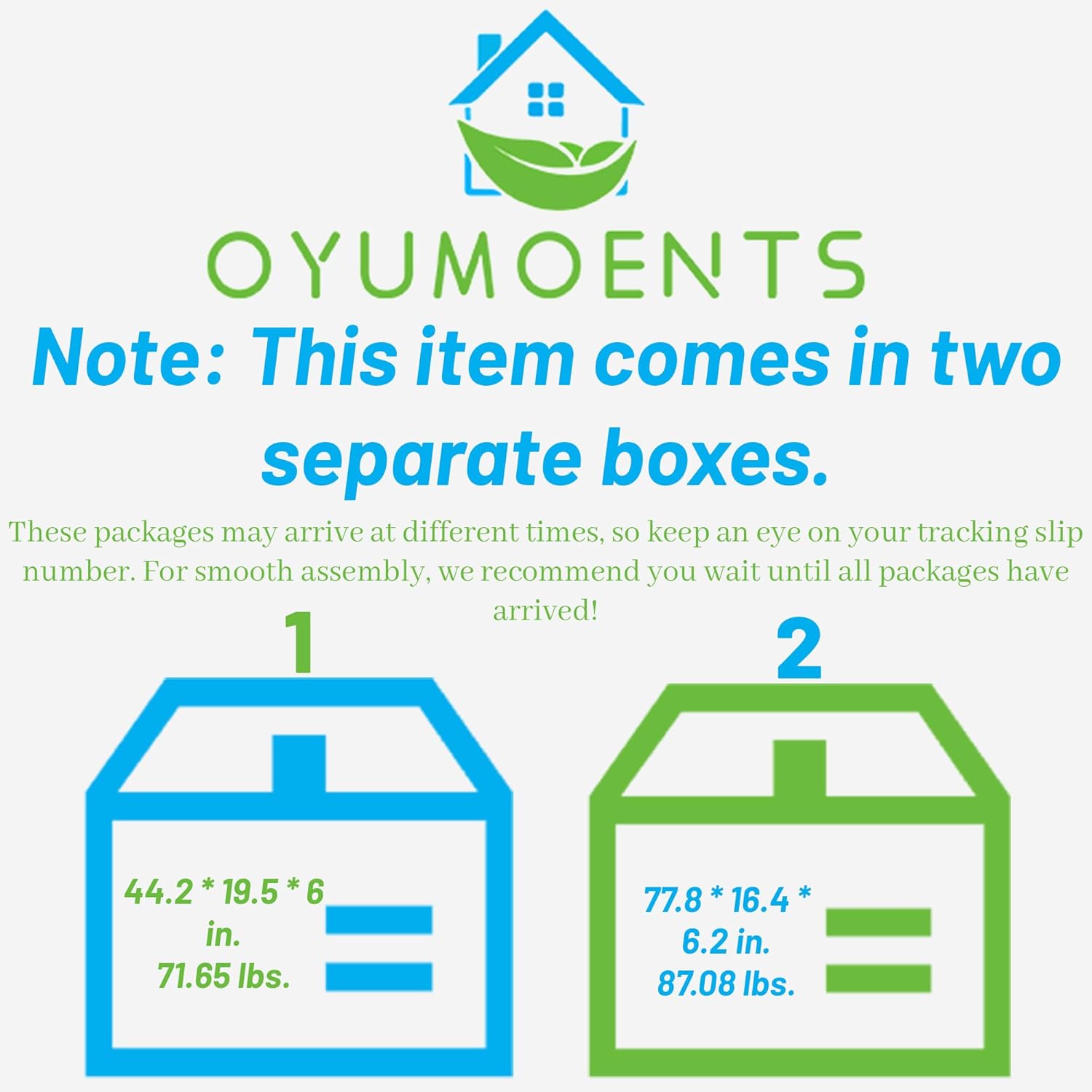
Figure 2: The loft bed components are shipped in two separate packages.
Operating Instructions
LED Lighting System
The loft bed features an integrated LED lighting system located under the bed, illuminating the desk area. This system offers seven vibrant color options to suit your preference.
- Power On/Off: Locate the power switch or remote control for the LED lights.
- Color Selection: Use the control mechanism to cycle through the available color options (e.g., red, blue, green, etc.).
- Brightness Adjustment: If available, adjust the brightness level to your desired intensity.

Figure 3: Desk area illuminated with red LED light.

Figure 4: Desk area illuminated with blue LED light.

Figure 5: Desk area illuminated with green LED light.
Desk and Storage Features
The loft bed integrates a functional desk, a storage staircase, and a small wardrobe to maximize space efficiency.
- Desk Usage: The built-in desk provides a dedicated surface for studying, working, or other activities. Ensure items placed on the desk do not obstruct the bed's structure or access.
- Storage Staircase: The steps of the staircase are designed with integrated storage compartments. Open the compartments to store books, small items, or personal belongings. Close them securely after use.
- Small Wardrobe: A compact wardrobe is located beneath the staircase, featuring a clothes rack for hanging garments.

Figure 6: Overview of the integrated desk, storage staircase, and wardrobe.
Maintenance
- Cleaning:
- For metal surfaces, wipe with a soft, damp cloth. Avoid abrasive cleaners.
- For MDF surfaces (desk, staircase shelves), use a dry or slightly damp cloth. Do not use harsh chemicals.
- Fastener Check: Periodically (e.g., every 3-6 months) inspect all bolts, screws, and connections. Tighten any that have become loose to maintain structural integrity and safety.
- LED Care: If the LED lights malfunction, check the power connection. Do not attempt to repair the LED strip yourself; contact customer support.
Troubleshooting
| Problem | Possible Cause | Solution |
|---|---|---|
| Bed feels unstable or wobbly. | Loose fasteners. | Check and tighten all bolts and screws. Ensure all components are correctly aligned. |
| LED lights are not working. | Power connection issue, faulty LED strip. | Verify the power cable is securely plugged in. Check the power switch. If issues persist, contact customer support. |
| Missing parts during assembly. | Packaging error or lost component. | Refer to the parts list in the assembly manual. Contact OYUMOENTS customer service with details of the missing part. |
If you encounter any issues not listed here or require further assistance, please contact OYUMOENTS customer support.
Specifications
| Feature | Detail |
|---|---|
| Brand | OYUMOENTS |
| Model Number | GX000620AAK-1 |
| Size | Full |
| Color | White & Natural |
| Material | Metal, MDF |
| Overall Product Dimensions | 94.1"L x 56"W x 67.9"H |
| Loft Bed Dimensions | 75.2" x 54" |
| Total Height | 67.9" |
| Number of Slats | 20pcs |
| Overall Product Weight | 155 lbs |
| Bed Weight Capacity | 250 lbs |
| Recommended Mattress Thickness | 6" |
| Assembly Required | Yes |
| Special Features | Integrated Desk, Storage Staircase, Small Wardrobe, LED Light |

Figure 7: Detailed dimensions of the OYUMOENTS Full Size Loft Bed.
Warranty and Support
For any questions regarding your OYUMOENTS Full Size Loft Bed, including assembly assistance, missing parts, or operational concerns, please contact our professional customer service team.
- Customer Service: Our team is available to assist with pre-sale and post-sale inquiries.
- Response Time: We aim to respond to all inquiries within 8-24 hours.
- Contact Information: Please refer to the contact details provided in your product packaging or on the official OYUMOENTS website for the most current support options.

Figure 8: OYUMOENTS is committed to providing professional customer support.
Ask a question about this manual
Ask about setup, troubleshooting, compatibility, parts, safety, or missing instructions. Manuals+ will review the question and use this page’s manual context to help answer it.