
runstar BG1911W
RunSTAR Digital Bathroom Scale User Manual
Model: BG1911W | Brand: runstar
Introduction
Thank you for choosing the RunSTAR 550lb Digital Bathroom Scale. This ultra-wide platform scale is designed to provide accurate and consistent body weight measurements with ease. Featuring high-precision sensors and a large LED display, it offers a reliable and user-friendly experience for the entire family. Its durable 8mm tempered glass construction and anti-slip feet ensure safety and stability.

Figure 1: RunSTAR 550lb Digital Bathroom Scale (Silver)
Setup
1. Battery Installation
The scale comes with three 1.5V AAA batteries pre-installed. Before first use, locate the battery compartment on the underside of the scale and remove the plastic insulator strip if present. Ensure the batteries are correctly oriented according to the polarity markings (+/-).

Figure 2: Underside of the scale showing battery compartment and anti-slip feet.
2. Scale Placement
For accurate readings, place the scale on a hard, flat, and stable surface. Avoid carpets or uneven flooring, as this can affect precision.
3. Initial Activation
To activate the scale for the first time or after moving it, gently step on the platform until the display lights up. Step off, and the display should show "0.0" or "0.00", indicating it's ready for use.

Figure 3: Step-by-step guide for initial scale activation and weighing.
Operating Instructions
1. Taking a Measurement
- Place the scale on a hard, flat surface.
- Gently step onto the center of the scale with bare feet.
- Stand still and wait for the display to stabilize. Your weight will be shown on the large LED display.
- Step off the scale. The display will hold the reading for a few seconds before automatically turning off to conserve battery life.
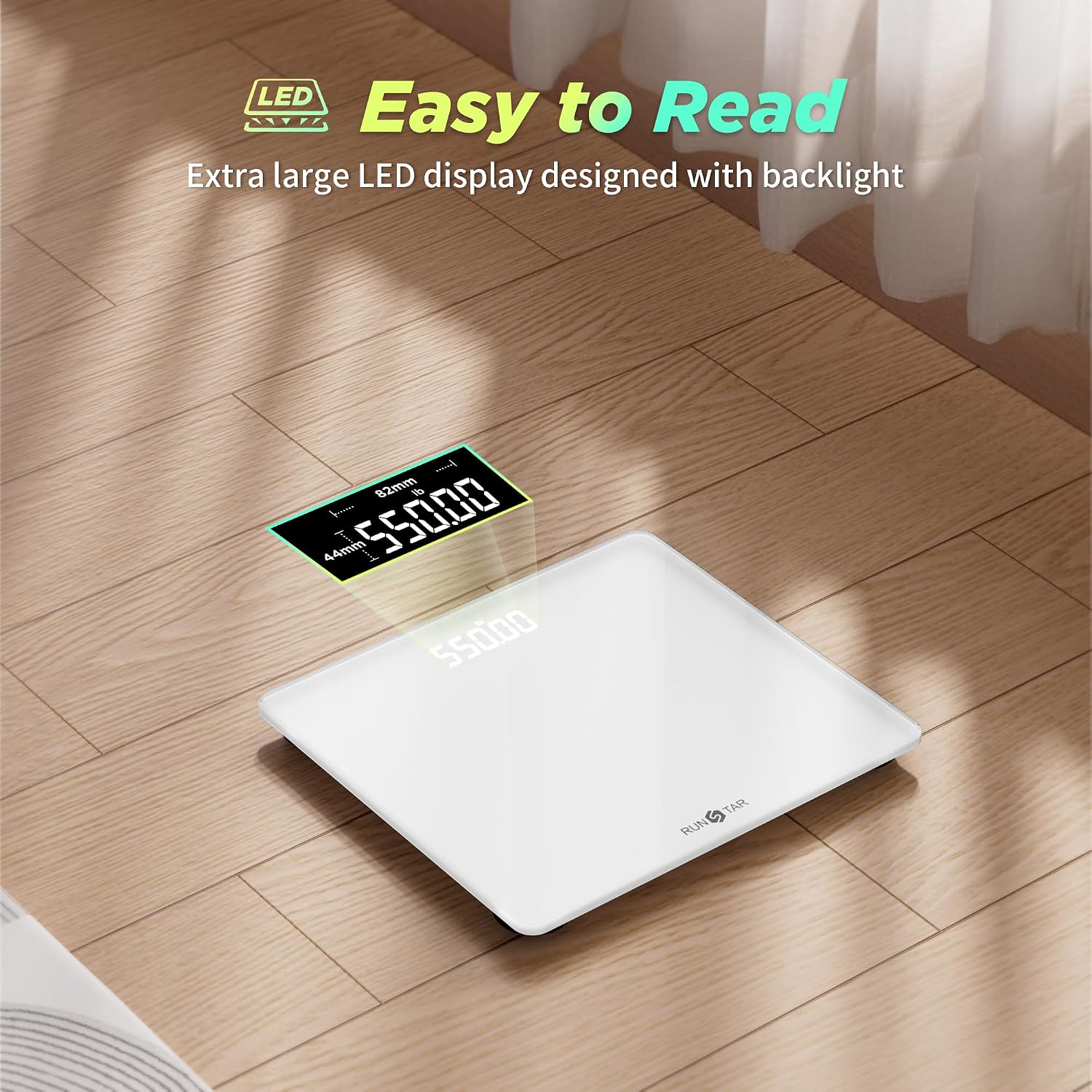
Figure 4: The large LED display provides clear and easy-to-read results.
2. Changing Units of Measurement
The scale supports multiple units of measurement (pounds, kilograms, and stones). To switch between units:
- Turn the scale over to access the unit button on the underside.
- Press the "UNIT" button to cycle through the available units (lb, kg, st:lb). The selected unit will be displayed on the screen.
Video 1: This video demonstrates the features of the RunSTAR scale, including its large platform, high capacity, and the ability to switch between measurement units (pounds, kilograms, stones) using a button on the underside. It also highlights the clear LED display and durable tempered glass construction.
Maintenance
1. Cleaning
Wipe the scale with a damp cloth and mild detergent. Do not use abrasive cleaners or immerse the scale in water.
2. Battery Replacement
When the display shows "Lo", it indicates low battery. Replace all three AAA batteries simultaneously. The scale is designed for approximately 90 days of regular use per battery change.
3. Storage
Store the scale in a cool, dry place. Avoid placing heavy objects on the scale when not in use.
Troubleshooting
| Issue | Possible Cause | Solution |
|---|---|---|
| "Lo" displayed | Low battery. | Replace all three AAA batteries. |
| "Err" displayed | Overload (weight exceeds 550 lbs/250 kg). | Step off the scale. The scale's maximum capacity is 550 lbs. |
| Inaccurate readings | Scale on uneven surface, or moved recently. | Place on a hard, flat surface. Perform initial activation (step on, step off). |
| No display | Batteries not installed, or dead. | Ensure batteries are installed correctly and are not depleted. |
Specifications
- Brand: runstar
- Model Number: BG1911W
- Capacity: 550 lbs / 250 kg
- Accuracy: 1 lb / 0.5 kg increments
- Display Type: LED
- Platform Material: 8mm Tempered Glass
- Platform Dimensions: 300 x 330 mm (approx. 11.8 x 13 inches)
- Power Source: 3 x AAA batteries (included)
- Special Features: Ultra-wide platform, high precision sensors, automatic on/off, low battery indicator, overload indicator.
Warranty and Support
For any product inquiries, technical support, or warranty claims, please contact RunSTAR customer service through the retailer's platform or visit the official RunSTAR brand store. Please retain your purchase receipt as proof of purchase.
RunSTAR believes that good health is the foundation for a happy and fulfilling life. We are committed to providing user-centric and high-quality health products.