
Introduction
Welcome and thank you for choosing the FKZ FURYCUBE M68HE Rapid Trigger RGB Gaming Keyboard. This manual provides essential instructions for the setup, operation, maintenance, and troubleshooting of your new keyboard to ensure optimal performance and longevity.
Package Contents
Please verify that all items listed below are included in your package:
- M68HE Keyboard
- USB Cable
- Keycap Puller
- User Manual (this document)
Product Overview
The FKZ FURYCUBE M68HE is a 65% layout gaming keyboard featuring Hall Effect magnetic switches, rapid trigger technology, and customizable RGB lighting. It is designed for high-performance gaming with an 8K Hz polling rate and ultra-low latency.

Image: Overview of the FKZ FURYCUBE M68HE keyboard's key features, including 0.01mm RTO, 8K Hz rate of return, 8K full key scan rate, 0.1ms ultra-low latency, personalized ribbon design, self-developed driver page, Magnetic Axis Algorithm 3.0, and Adaptive Dynamic Calibration 2.0.
Setup Guide
Connecting the Keyboard
- Locate the USB-C port on the back or side of the FKZ FURYCUBE M68HE keyboard.
- Connect one end of the provided USB-C cable to the keyboard's USB-C port.
- Connect the other end of the USB-C cable to an available USB port on your computer (PC or Mac).
- The keyboard will automatically be recognized by your operating system. Drivers may install automatically.
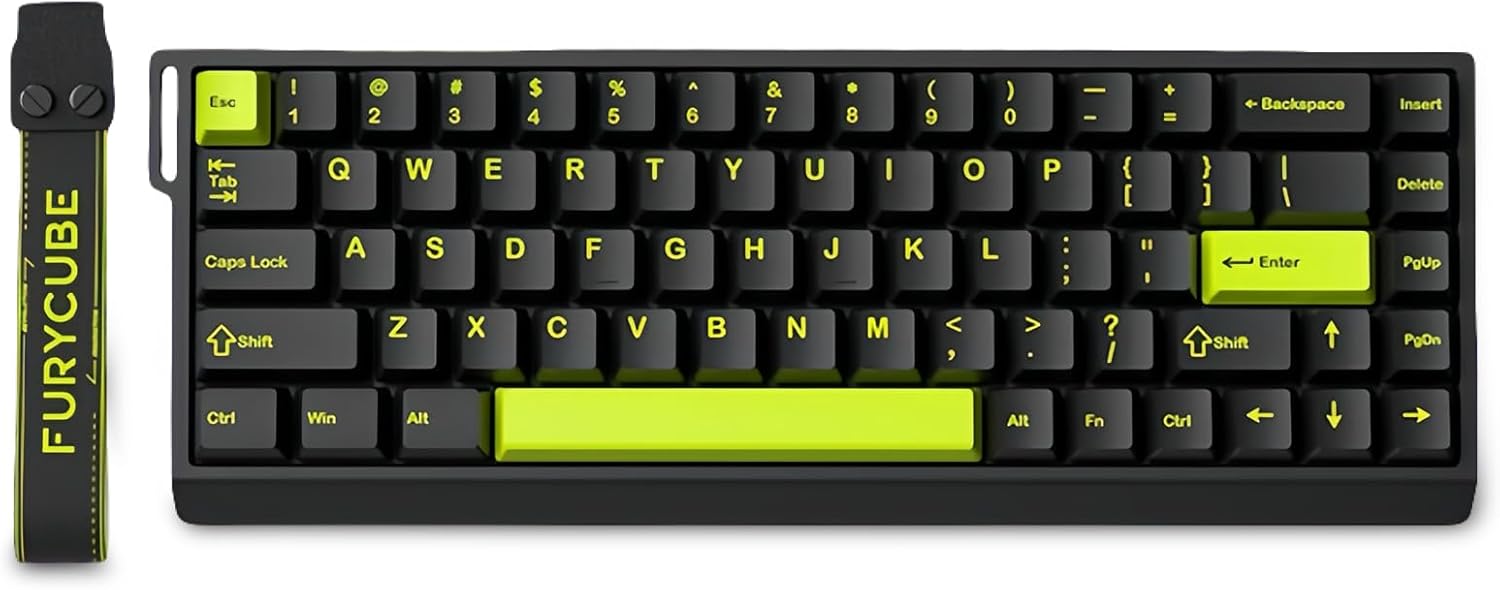
Image: The FKZ FURYCUBE M68HE keyboard, illustrating its compact 65% layout and the USB-C connection point.
Operating Instructions
Key Features
Hall Effect Magnetic Switches & Rapid Trigger
The M68HE keyboard utilizes Hall Effect magnetic switches, offering adjustable actuation points from 0.1mm to 3.4mm with 0.01mm accuracy. The Rapid Trigger mode allows for instant key reset upon release, providing an advantage in fast-paced gaming scenarios. The keyboard boasts an 8K Hz polling rate and an ultra-low latency of 0.1ms for precise and responsive input.

Image: The FKZ FURYCUBE M68HE keyboard highlighting its 0.1ms ultra-low latency, 8K Hz polling rate, and 8K full key scan rate.
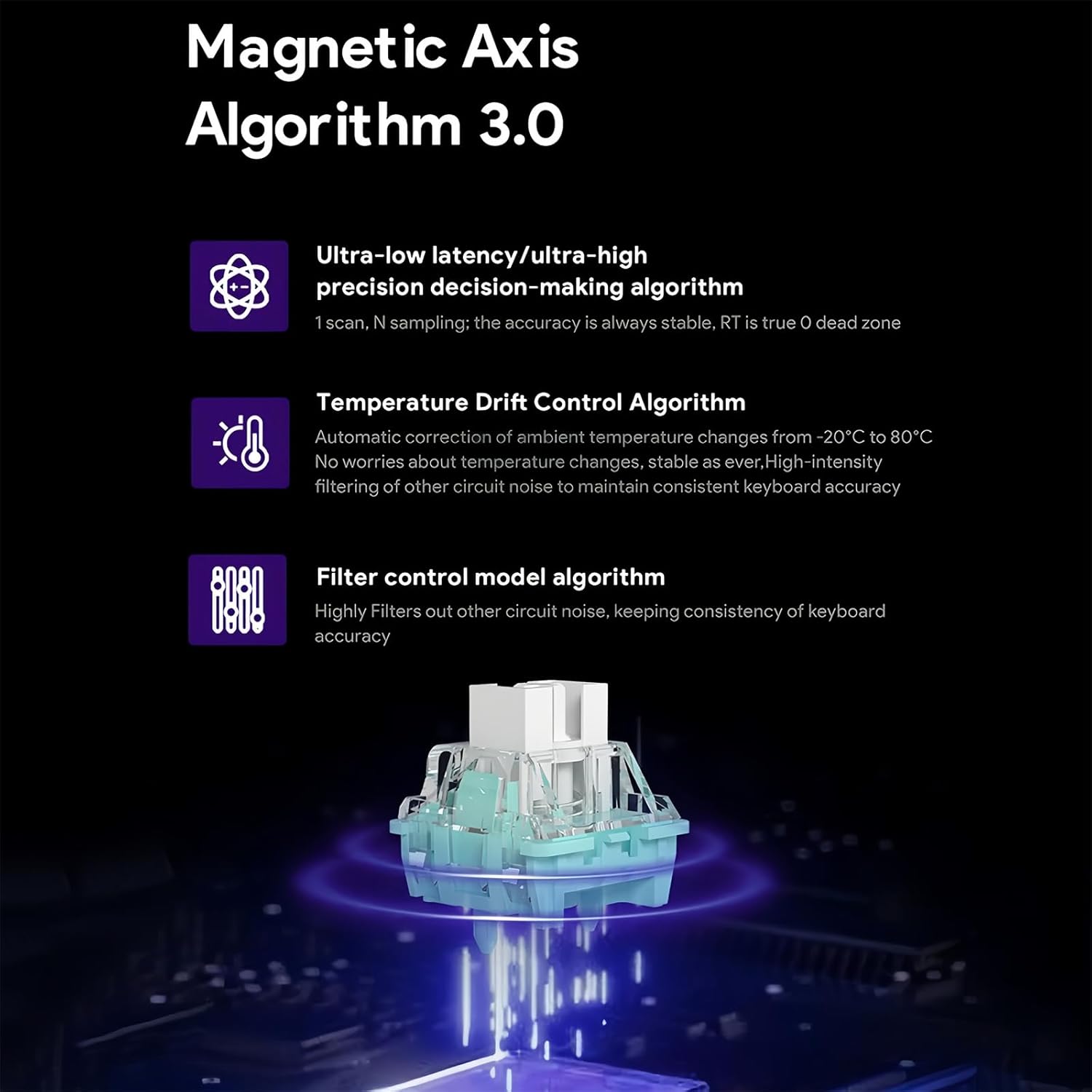
Image: A diagram explaining the Magnetic Axis Algorithm 3.0, detailing ultra-low latency, high precision decision-making, temperature drift control, and filter control model algorithms for consistent keyboard accuracy.
RGB Backlighting
The keyboard features 16 million colors of customizable RGB backlighting. Each key can be individually illuminated, and the north-facing LEDs ensure optimal visibility. The lighting also supports musical rhythm synchronization.
Programmable Web Driver
Utilize the dedicated programmable web driver to customize your keyboard experience. This software allows you to:
- Remap key functions.
- Set macros and hotkeys.
- Adjust lighting modes and create DIY lighting effects.
- Fine-tune the actuation point of each switch to match your typing habits or gaming needs.
Keyboard Layout and Functions
The M68HE features a compact 65% layout with 68 keys, optimizing desk space without compromising essential functionality. Standard key functions operate as labeled. For advanced functions, refer to the programmable web driver software.

Image: A user operating the FKZ FURYCUBE M68HE keyboard during a gaming session, showcasing its compact design and RGB lighting.
Maintenance
Cleaning
To maintain your keyboard's appearance and functionality:
- Disconnect the keyboard from your computer before cleaning.
- Use a soft, lint-free cloth slightly dampened with water or a mild cleaning solution to wipe the keycaps and chassis.
- For deeper cleaning, use the provided keycap puller to remove keycaps and clean underneath with compressed air or a small brush.
- Ensure the keyboard is completely dry before reconnecting it.
Hot-Swappable Switches
The M68HE keyboard features hot-swappable magnetic switches, allowing for easy replacement without soldering. This enables users to customize their typing feel or replace faulty switches.

Image: A close-up view of the FKZ FURYCUBE M68HE keyboard's internal structure, demonstrating the hot-swappable magnetic switches and the ability to mix and match different switch types.
Troubleshooting
If you encounter any issues with your FKZ FURYCUBE M68HE keyboard, please refer to the following common solutions:
- Keyboard Not Responding: Ensure the USB-C cable is securely connected to both the keyboard and the computer. Try a different USB port or cable.
- Keys Not Registering: Check for any debris under the keycaps. If a specific switch is faulty, it can be replaced due to the hot-swappable design.
- RGB Lighting Issues: Verify that the programmable web driver software is installed and configured correctly. Ensure no conflicting software is running.
- Intermittent Connectivity: Ensure the USB-C cable is not damaged. Avoid using unpowered USB hubs if possible.
- Software Not Detecting Keyboard: Reinstall the programmable web driver software. Ensure your operating system is up to date.
If problems persist, please contact customer support for further assistance.
Specifications
| Feature | Specification |
|---|---|
| Model Name | FURYCUBE M68HE |
| Connection Type | USB-C Wired |
| Number of Keys | 68 keys (65% Layout) |
| Switch Type | Hall Effect Magnetic Switch |
| Adjustable Actuation | 0.1mm - 3.4mm (0.01mm accuracy) |
| Polling Rate | 8K Hz |
| Latency | 0.1ms |
| RGB Backlight | 16 million colors, customizable, north-facing LEDs |
| Hot-Swappable | Yes |
| Programmable | Via Web Driver (key remapping, macros, lighting) |
| System Compatibility | Windows, Mac, iOS, Android |
| Product Dimensions | 12.6 x 4.5 x 1.5 inches |
| Item Weight | 1.5 pounds |
Warranty Information
FKZ products are manufactured to high-quality standards. This product is covered by a limited warranty against defects in materials and workmanship from the date of purchase. Please retain your proof of purchase for warranty claims. The warranty does not cover damage caused by misuse, accident, modification, or unauthorized repair.
Customer Support
For technical support, warranty inquiries, or any questions regarding your FKZ FURYCUBE M68HE keyboard, please visit the official FKZ Store on Amazon or contact our customer service team through the platform where you purchased the product.
FKZ Store Link: https://www.amazon.com/stores/FKZ/page/3C980A86-B960-4392-B44E-846411E2BE5D